
Sharp PN-B501
Sharp PNB501 50-Inch Monitor User Manual
Model: PN-B501
Introduzione
Thank you for choosing the Sharp PNB501 50-inch monitor. This display is designed for high-quality visual performance, featuring a 1920x1080 resolution, a 5000:1 contrast ratio, and a built-in System-on-Chip (SoC) for enhanced functionality. This manual provides essential information for the proper installation, operation, and maintenance of your monitor. Please read it thoroughly before use and keep it for future reference.

Figura 1: Fronte view of the Sharp PNB501 50-inch monitor, showcasinil suo design elegante.
Impostare
Follow these steps to set up your Sharp PNB501 monitor. Ensure all components are present and undamaged before proceeding.
1. Disimballaggio e posizionamento
- Estrarre con cautela il monitor dalla confezione. Conservare tutto il materiale di imballaggio per eventuali trasporti o riporlo in futuro.
- Place the monitor on a stable, flat surface or mount it securely using a compatible VESA mount (sold separately). Ensure adequate ventilation around the display.
2. Cavi di collegamento
The PNB501 features various input ports for versatile connectivity.
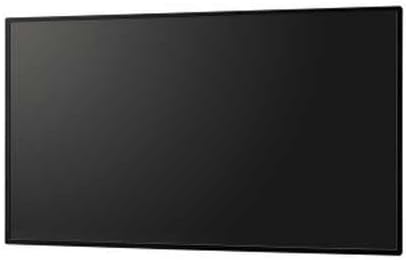
Figura 2: Posteriore view del monitor, evidenziando le varie porte di ingresso e di uscita.
- Collegamento elettrico: Connect the power cord to the monitor's AC inlet and then to a grounded electrical outlet.
- Ingresso video: Connect your video source (e.g., PC, media player) to the monitor using a DisplayPort cable (Display Port x 1 Mini) or other available video inputs.
- Connessione audio: If your video source does not transmit audio via the video cable, connect an audio cable from your source to the monitor's audio input.
- Connessione di rete: For network features or SoC functionality, connect an Ethernet cable to the LAN port.
3. Accensione iniziale
- Premere il pulsante di accensione sul monitor o sul telecomando.
- The monitor will display the Sharp logo and then search for an active input signal.
- If no signal is detected, ensure your source device is powered on and the correct input is selected on the monitor.
Istruzioni per l'uso
This section covers the basic operation of your Sharp PNB501 monitor.
1. Accensione/spegnimento
- Per accendere il monitor, premere il Energia button on the monitor's control panel or the remote control.
- To turn off the monitor, press the Energia button again. The monitor will enter standby mode.
2. Selezione ingresso
Per passare da una sorgente video all'altra:
- Premere il tasto Ingresso or Fonte button on the remote control or monitor.
- Use the navigation buttons to select the desired input (e.g., DisplayPort, HDMI).
- Premere Entrare or OK per confermare la selezione.
3. Navigazione nel menu
Access and adjust monitor settings using the On-Screen Display (OSD) menu:
- Premere il tasto Menu pulsante per aprire l'OSD.
- Utilizzare il Su/Giù or Sinistra/Destra navigation buttons to browse through menu options (e.g., Picture, Audio, System).
- Premere Entrare or OK per selezionare un sottomenu o regolare un'impostazione.
- Use the navigation buttons to change values or select options.
- Premere Menu di nuovo o Uscita to close the OSD.
Manutenzione
Proper maintenance ensures the longevity and optimal performance of your Sharp PNB501 monitor.
1. Pulizia dello schermo
- Prima di pulire il monitor, spegnerlo e scollegarlo sempre.
- Utilizzare un panno morbido e privo di lanugine leggermente dampened with water or a specialized screen cleaning solution.
- Pulire delicatamente la superficie dello schermo. Evitare di esercitare una pressione eccessiva.
- Do not use abrasive cleaners, alcohol, benzene, or thinners, as these can damage the screen surface.
2. Pulizia del mobile
- Pulire il mobiletto del monitor con un panno morbido e asciutto.
- Per lo sporco ostinato, utilizzare un panno leggermente dampened with a mild, non-abrasive detergent solution, then wipe dry.
3. Conservazione
- If storing the monitor for an extended period, place it in its original packaging to protect it from dust and physical damage.
- Conservare in un luogo fresco e asciutto, lontano dalla luce solare diretta e dalle temperature estreme.
Risoluzione dei problemi
This section provides solutions to common issues you might encounter with your Sharp PNB501 monitor. If the problem persists, please contact customer support.
Nessun potere
- Assicurarsi che il cavo di alimentazione sia collegato saldamente sia al monitor sia a una presa elettrica funzionante.
- Verificare se la presa di corrente è attiva collegando un altro dispositivo.
- Press the power button firmly on the monitor or remote control.
Nessun segnale / Schermo vuoto
- Verify that the video cable (e.g., DisplayPort) is securely connected to both the monitor and the source device.
- Assicurarsi che il dispositivo sorgente (ad esempio il computer) sia acceso e che emetta un segnale.
- Use the monitor's input selection feature to ensure the correct input source is chosen.
- Try connecting a different video source or cable to rule out a faulty component.
Qualità dell'immagine scadente
- Check the resolution settings on your source device. Ensure it is set to the monitor's native resolution (1920x1080).
- Adjust picture settings (brightness, contrast, sharpness) via the OSD menu.
- Ensure the video cable is not damaged or excessively long.
Nessun audio
- Increase the volume on the monitor and the source device.
- Check if the audio cable is properly connected (if not using audio over DisplayPort).
- Ensure the audio output on your source device is not muted or set to an incorrect output.
Specifiche
Detailed technical specifications for the Sharp PNB501 monitor:
| Caratteristica | Specificazione |
|---|---|
| Marca | Affilato |
| Numero di modello | PN-B501 |
| Dimensioni dello schermo | 49.5 pollici |
| Risoluzione dello schermo | 1920x1080 (FHD 1080p) |
| Proporzioni | 16:9 |
| Descrizione della superficie dello schermo | Lucido |
| Peso dell'articolo | 49 libbre |
| Dimensioni del prodotto (LxWxH) | 44.21 x 2.76 x 25.47 pollici |
| Numero di processori | 4 (Built-in SoC) |
| Produttore | CORPORAZIONE DI ELETTRONICA SHARP |
| Data prima disponibilità | 2 marzo 2018 |
Garanzia e supporto
Sharp stands behind the quality of its products. For specific warranty terms and conditions, please refer to the warranty card included with your product or visit the official Sharp website. General support information is provided below.
Assistenza clienti
If you require technical assistance, have questions about your product, or need to arrange for service, please contact Sharp customer support. You can often find contact information on the official Sharp websito o tramite il rivenditore presso cui hai acquistato il prodotto.
For additional resources and product information, you may visit the official Sharp store page:
Visit the Sharp Store on Amazon
Please note that return policies, such as the 30-day easy returns, are typically handled by the retailer.
Ask a question about this manual
Ask about setup, troubleshooting, compatibility, parts, safety, or missing instructions. Manuals+ will review the question and use this page’s manual context to help answer it.