
1. Introduzione
This manual provides detailed instructions for the proper installation, operation, and maintenance of your QYT KT-7900D Mini Mobile Radio. Please read this manual thoroughly before using the device to ensure safe and efficient operation. The KT-7900D is a compact quad-band, quad-standby mobile transceiver designed for reliable communication.
2. Contenuto della confezione
Verifica che tutti gli articoli elencati di seguito siano inclusi nel tuo pacchetto:
- 1 x KT-7900D Radio Unit
- Staffa di montaggio 1 x
- 1 x cavo di alimentazione per caricabatteria da auto
- 1 x Manuale utente (questo documento)
- 1 x Microphone with DTMF Keypad
- 1 x Screw Pack for Mounting
- 1 cavo di programmazione

Figure 2.1: Standard package contents for the QYT KT-7900D radio.
3. Prodotto finitoview
The QYT KT-7900D features a compact design with a clear display and intuitive controls. Below are the key components of the radio unit and its microphone.

Figura 3.1: Anteriore e posteriore views of the KT-7900D radio and its microphone, highlighting key features.
3.1. Unità principale
- Schermo di visualizzazione: Shows frequency, channel number, and status indicators.
- Power ON/Volume Knob: Controlla il livello di potenza e di uscita audio.
- Manopola del menu: Utilizzato per navigare nei menu e selezionare le opzioni.
- Connettore del microfono: Port for connecting the included microphone.
- Connettore antenna: Standard connector for external antenna.
- Ventola di raffreddamento: Located on the rear for heat dissipation during operation.
3.2. Microfono
- Pulsante PTT: Pulsante Push-To-Talk per la trasmissione.
- Tastiera DTMF: Numeric keypad for direct frequency entry, DTMF signaling, and menu navigation.
- Pulsanti funzione: Additional buttons for various radio functions (e.g., MENU, V/M, CALL, EXIT/AB).
4. Impostazione
4.1. Montaggio della radio
Use the provided mounting bracket and screw pack to securely install the radio in a suitable location within your vehicle. Ensure the location allows for adequate ventilation and easy access to controls.
4.2. Collegamento elettrico
Connect the car charger power cable to the radio's power input and then to your vehicle's 12V power outlet (cigarette lighter socket). The radio operates on 13.8V DC ±15%.

Figure 4.1: Connecting the radio to a car charger power supply.
4.3. Collegamento dell'antenna
Connect a suitable external antenna to the antenna connector on the rear of the radio. Ensure the antenna is properly tuned for the operating frequencies to prevent damage to the transceiver.
4.4. Collegamento del microfono
Plug the microphone cable into the designated microphone connector on the front panel of the radio.
5. Istruzioni per l'uso
5.1. Accensione/spegnimento e controllo del volume
Rotate the Power ON/Volume knob clockwise to turn on the radio. Continue rotating to adjust the audio output level. Rotate counter-clockwise until it clicks to turn off the radio.
5.2. Frequency Bands and Display
The KT-7900D supports quad-band operation and quad-standby, allowing monitoring of multiple frequencies simultaneously. The display shows the active frequencies across the supported bands:
- 136-174 MHz (VHF)
- Frequenza 220-270 MHz
- Frequenza 350-390 MHz
- 400-480 MHz (UHF)
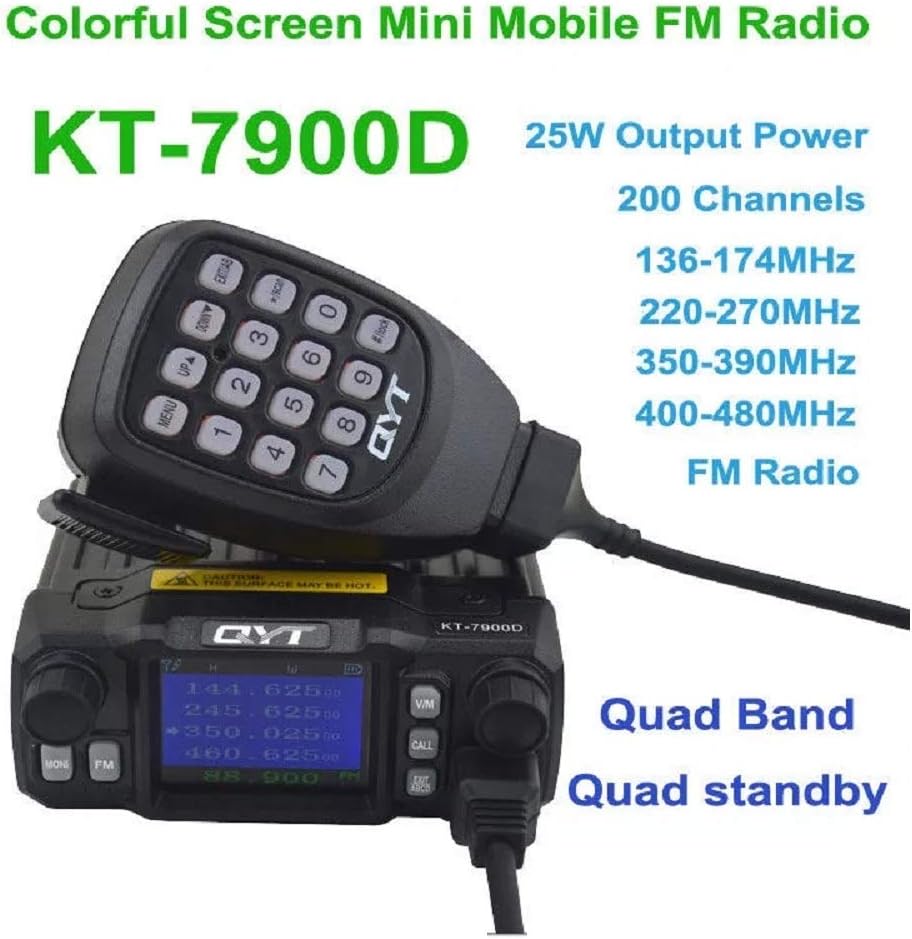
Figure 5.1: The radio's display showing active frequencies across multiple bands.

Figure 5.2: The KT-7900D as a quad display, quad band mini mobile transceiver.
5.3. Channel Selection and Programming
The radio supports 200 channels. Use the menu knob or the microphone's keypad to navigate and select channels. For advanced channel programming, including repeater offsets and tone settings, it is recommended to use the provided programming cable and compatible software. Please contact the seller for software access if needed.
5.4. Transmit Power Adjustment
The KT-7900D offers switchable high and low power output modes. The maximum output power is 25W for VHF and 20W for UHF. Refer to the radio's menu for instructions on how to switch between power levels.
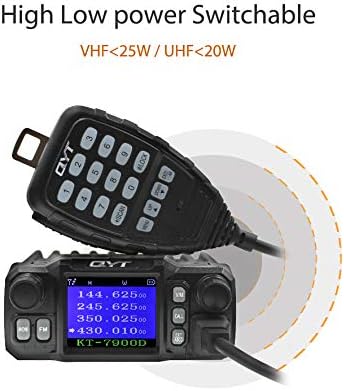
Figure 5.3: High and low power output options for the KT-7900D.
5.5. Squelch Functions
The radio features various squelch methods to filter out unwanted noise:
- CARRIER Squelch
- CTCSS (sistema di squelch codificato a toni continui)
- DCS (squelch codificato digitale)
- 5 Tone Signaling
- 2 Tone Signaling
- DTMF (Dual-Tone Multi-Frequency)
Consult the radio's menu system for configuring these squelch options.
5.6. Funzioni remote
The KT-7900D supports remote functions such as Remote Stun, Remote Activate, and Remote Kill. These features are typically configured via programming software and are used for managing radio units in a fleet.
6. Manutenzione
6.1. Assistenza generale
Keep the radio clean and free from dust. Use a soft, dry cloth for cleaning. Avoid using harsh chemicals or solvents. Ensure the radio is not exposed to extreme temperatures or direct sunlight for prolonged periods.
6.2. Sistema di raffreddamento
The radio is equipped with a cooling fan to maintain optimal operating temperature during extended use. Ensure the fan vents on the rear of the unit are not obstructed to allow for proper airflow and prevent overheating.

Figure 6.1: The radio's cooling system for long-term operation.
7. Risoluzione Dei Problemi
If you encounter issues with your QYT KT-7900D radio, consider the following basic troubleshooting steps:
- Nessun potere: Check the power cable connection and the vehicle's 12V power source. Ensure the power knob is turned on.
- Nessun audio: Adjust the volume knob. Check microphone connection. Ensure squelch settings are not too high.
- Impossibile trasmettere: Ensure the antenna is properly connected. Verify frequency and channel settings. Check power output settings.
- Ricezione/trasmissione scadente: Check antenna connection and condition. Ensure you are within range of other stations. Verify frequency and squelch settings.
For persistent issues, please contact your dealer or QYT customer support.
8. Specifiche
| Caratteristica | Specificazione |
|---|---|
| Marca | QYT |
| Numero di modello | KT-7900D |
| Potenza di uscita | 25 W (VHF) / 20 W (UHF) |
| Numero di canali | 200 |
| Spaziatura dei canali | 25 KHz / 20 KHz / 12.5 KHz |
| Gamma di frequenza | 136-174 MHz, 220-270 MHz, 350-390 MHz, 400-480 MHz |
| Squelch Method | CARRIER / CTCSS / DCS / 5 Tone / 2 Tone / DTMF |
| Volume di lavorotage | 13.8 V CC ± 15% |
| Stabilità di frequenza | ±2.6 ppm |
| Temperatura di funzionamento | da -20°C a +60°C |
| Dimensioni (L x A x P) | 98 x 43 x 126 mm (3.85 x 1.75 x 5 pollici) |
| Peso dell'articolo | 2.09 libbre |
| Caratteristica speciale | Long Range, Quad Band, Quad Standby |
| Portata massima di conversazione | 5 miglia (circa, dipende dalle condizioni) |
| Livello di resistenza all'acqua | Non resistente all'acqua |
9. Supporto e contatto
For technical assistance, software inquiries, or warranty information, please contact the seller or manufacturer directly. Refer to your purchase documentation for specific contact details.
For software, please contact us.