
1. Introduzione
This manual provides detailed instructions for the operation and maintenance of your FEELWORLD T7PLUS 7-inch DSLR Camera Monitor. Please read this manual thoroughly before using the product to ensure proper function and to prevent damage. Keep this manual for future reference.
2. Prodotto finitoview
The FEELWORLD T7PLUS is a high-resolution 7-inch camera monitor designed for professional photography and video production. It features a 1920x1200 display, 4K HDMI input/output, and advanced monitoring tools.
2.1 Caratteristiche principali
- Display ad alta risoluzione: 7-inch screen with 1920 x 1200 resolution, 1200:1 contrast ratio, and Rec.709 color standard for vivid and accurate image reproduction.
- Advanced Customization Functions: Supports 32 custom 3D LUTs and professional tools including waveform, vector scope, RGB histogram, peaking focus, false color, and more for precise control during shooting.
- Connettività versatile: Equipped with 4K HDMI input and output, allowing simultaneous display and transmission of live signals to other monitors without compromising video quality.
- Lightweight and Durable Design: Slim 18mm aluminum casing, weighing only 320g.
- Opzioni di alimentazione flessibili: Compatible with F550/F970 series batteries and DC 12V power input.
2.2 Componenti
Il pacchetto include i seguenti articoli:
- 1 x FEELWORLD T7PLUS Monitor
- 1 cavo Mini HDMI
- 1 x ombrellone
- 1 x Warming Boot Holder
- 1 x F970 Battery Plate
- 1 x F550 Battery
- 1 x Manuale dell'utente
- 1 cavo adattatore USB
- 1 x Borsa

Immagine: Frontale view of the FEELWORLD T7PLUS monitor, showcasing il suo display da 7 pollici.

Image: A visual representation of all items included in the FEELWORLD T7PLUS package, including the monitor, cables, battery, and accessories.
3. Impostazione
3.1 Montaggio del monitor
The T7PLUS monitor can be mounted using the included warming boot holder or other compatible mounting solutions. Ensure the monitor is securely attached to your camera rig or stand.

Image: The FEELWORLD T7PLUS monitor shown mounted on top of a DSLR camera, ready for use.
3.2 Collegamento di alimentazione
The monitor supports two power input methods:
- Potenza della batteria: Attach a compatible F550 or F970 series battery to the F970 battery plate on the back of the monitor.
- Alimentazione CC 12V: Connect a 12V/1.5A DC power adapter to the DC 12V input port on the side of the monitor.

Immagine: Primo piano view of the rear of the FEELWORLD T7PLUS monitor, highlighting the battery plate and DC 12V power input port.
3.3 Collegamento HDMI
Connect your camera or video source to the HDMI-IN port using the provided Mini HDMI cable. If you need to output the signal to another monitor, use the HDMI-OUT port.
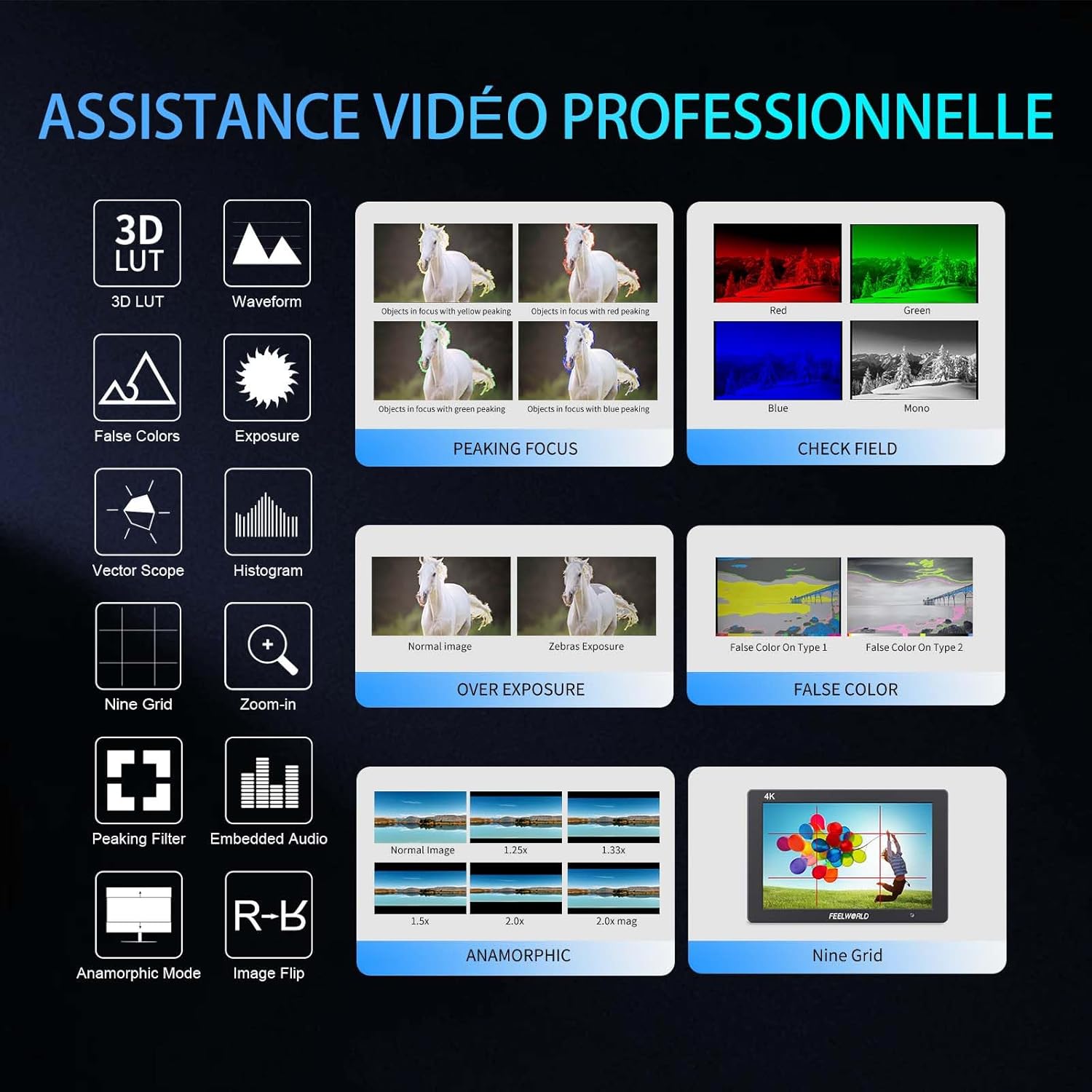
Immagine: Lato view of the FEELWORLD T7PLUS monitor, showing the HDMI-IN and HDMI-OUT ports, along with the DC 12V input and headphone jack.
4. Istruzioni per l'uso
4.1 Controlli di base
The monitor features several buttons for navigation and function control:
- Pulsante di accensione: Press and hold to turn the monitor on/off.
- Pulsante MENU: Accede al menu principale.
- Pulsanti freccia (su/giù/sinistra/destra): Naviga tra le opzioni del menu e regola le impostazioni.
- Pulsanti funzione F1-F4: Customizable shortcut buttons for quick access to frequently used features.

Image: Close-up of the control buttons on the top edge of the FEELWORLD T7PLUS monitor, including power, menu, navigation, and customizable function buttons (F1-F4).
4.2 Navigazione nel menu
Press the MENU button to open the main menu. Use the arrow buttons to navigate through categories and options. Press the MENU button again or the right arrow to confirm selections. To exit the menu, press the left arrow button repeatedly until the menu closes.
5. Funzionalità avanzate
5.1 3D LUT (Look Up Table)
The T7PLUS supports loading up to 32 custom 3D LUTs via a USB drive. This allows you to preview il tuo cazzotage with specific color grades in real-time.
- Salva la tua LUT .cube files to the root directory of a USB drive.
- Connect the USB drive to the monitor's USB port.
- Navigate to the "LUT" menu option.
- Select "Load LUT" and choose your desired LUT file.
- You can switch between loaded LUTs for quick comparison.

Image: The FEELWORLD T7PLUS monitor displaying the 3D LUT menu, showing options for loading and managing custom LUT files da un'unità USB.
5.2 Waveform, Vector Scope, and Histogram
These tools provide detailed analysis of your video signal, helping you achieve accurate exposure and color balance.
- Forma d'onda: Visualizza i livelli di luminanza e crominanza del segnale video.
- Ambito di vettore: Shows the color hue and saturation.
- Istogramma RGB: Illustrates the distribution of red, green, and blue color channels.
These functions can be activated individually or simultaneously via the menu or assigned to a function button.
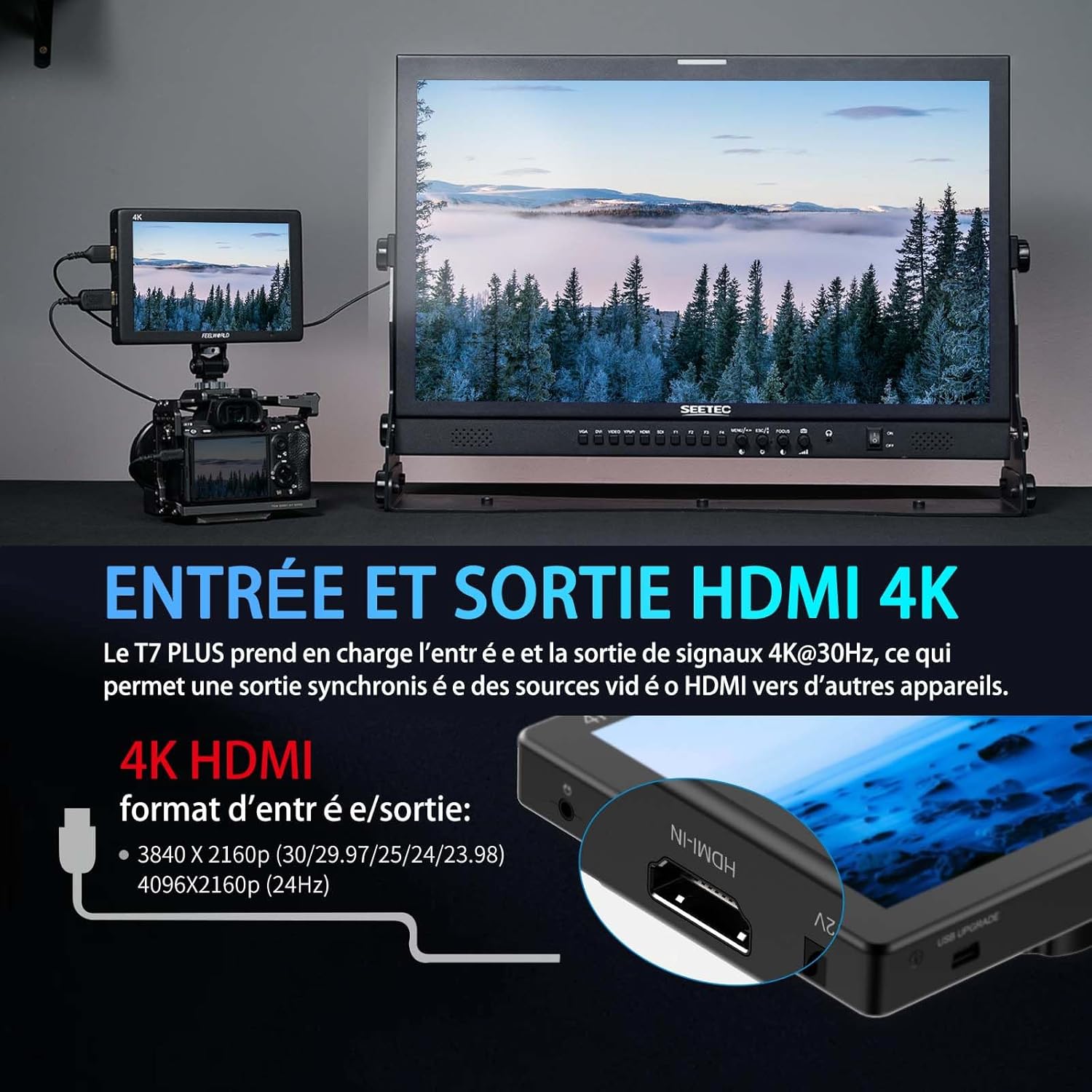
Image: The FEELWORLD T7PLUS monitor displaying a waveform monitor, showing the luminance and chrominance levels of the video input.
5.3 Other Monitoring Tools
- Assistenza alla messa a fuoco con picco: Highlights sharp edges to aid in achieving precise focus.
- Colore falso: Visualizza i livelli di esposizione utilizzando uno spettro di colori.
- Esposizione (zebre): Indica le aree sovraesposte con motivi zebrati.
- Ingrandire: Ingrandisce una parte dell'immagine per una messa a fuoco critica.
- Griglia Nove: Overlays a grid for composition assistance.
- Modalità anamorfica: De-comprime il cibo anamorficotage.
- Capovolgimento immagine: Capovolge l'immagine orizzontalmente o verticalmente.
- Audio incorporato: Displays audio levels from the HDMI input.
6. Specifiche
| Caratteristica | Specificazione |
|---|---|
| Marca | Feelworld |
| Numero di modello | T7 PLUS |
| Dimensioni dello schermo | 7 pollici |
| Risoluzione | 1920 x 1200 (UXGA Wide) |
| Proporzioni | 16:10 |
| Rapporto di contrasto | 1200:1 |
| Luminosità | 450 nidi |
| Frequenza di aggiornamento | Frequenza 60 Hz |
| Viewangolo di ing | 178 gradi |
| Tecnologia di connettività | Cavo HDMI |
| Porte HDMI | 1x HDMI-IN, 1x HDMI-OUT (Supports 4K@30Hz) |
| Caratteristica speciale | Advanced Customization with 3D LUT |
| Dispositivi compatibili | DSLR Camera, Camcorder, Handheld Stabilizer |
| Peso | 1 Kilogram (approx. 320g for monitor only) |
| Potenza in ingresso | DC 12V, NP-F Battery Plate |
7. Risoluzione Dei Problemi
- Nessun potere:
- Ensure the battery is fully charged and correctly inserted, or the DC adapter is securely connected to a power source.
- Controllare che il pulsante di accensione sia inserito correttamente.
- Nessun segnale:
- Verify that the HDMI cable is securely connected to both the camera/source and the monitor's HDMI-IN port.
- Confirm the camera's HDMI output settings are correct and active.
- Prova un cavo HDMI diverso.
- Distorsione dell'immagine/Colori errati:
- Check the monitor's color settings and ensure no LUTs are incorrectly applied.
- Verify the camera's video output format is compatible with the monitor.
- Pulsanti che non rispondono:
- Restart the monitor by turning it off and on again.
- Assicurarsi che i pulsanti non siano ostruiti da detriti.
8. Manutenzione
- Pulizia: Use a soft, dry cloth to clean the monitor's body. For the screen, use a specialized screen cleaning solution and a microfiber cloth. Avoid harsh chemicals or abrasive materials.
- Magazzinaggio: When not in use, store the monitor in a cool, dry place, away from direct sunlight and extreme temperatures. Use the provided bag for protection during transport.
- Cura della batteria: If using batteries, ensure they are charged periodically even when not in use to maintain battery health.
9. Garanzia e supporto
The FEELWORLD T7PLUS monitor comes with a Garanzia di 1 anno from the FEELWORLD Official Store. For technical support, service, or warranty claims, please contact FEELWORLD customer service through their official channels or the retailer where the product was purchased.
Per maggiori informazioni, visita il FEELWORLD Brand Store.
10. Video del prodotto
Video: A short product showcase of the FEELWORLD T7PLUS monitor, demonstrating its physical design, various ports (HDMI-IN, HDMI-OUT, DC 12V), and control buttons. This video provides a visual overview of the monitor's external features and connectivity options.