
1. Introduzione
The ADA Cosmo 120 Video is a professional digital laser distance meter designed for precise measurements up to 120 meters (394 feet). It features a unique combination of a digital viewfinder and a 360° tilt sensor, enabling measurements that are challenging for ordinary laser distance meters. This device is ideal for both indoor and outdoor applications, providing accurate results with an error margin of ±1.5 mm.
Le caratteristiche principali includono:
- Digitale Viewfinder with 3X Zoom: Allows for precise targeting and measurement in unfavorable light conditions or over long distances, even when the laser dot is not visible.
- Integrated 360° Tilt Sensor: Enables horizontal distance measurement even with obstacles, and functions as a digital level for surface inclination.
- Connettività Bluetooth: Facilitates data transmission to other devices.
- Painter Function: Automatically calculates the total area of walls in a room.

Image 1.1: The ADA Cosmo 120 Video displaying multiple distance measurements on its digital screen.
2. Contenuto della confezione
Si prega di controllare la confezione per verificare la presenza dei seguenti elementi:
- ADA Cosmo 120 Video Laser Distance Meter
- Fondina
- 2 batterie AA
- Piastra riflettente
- Manuale d'uso
3. Impostazione
3.1 Installazione della batteria
The device requires two AA batteries. To install:
- Individuare il coperchio del vano batteria sul retro del dispositivo.
- Aprire il coperchio.
- Inserire due batterie AA, assicurandosi della corretta polarità (+/-).
- Chiudere saldamente il coperchio del vano batterie.
3.2 Accensione/spegnimento
- Per accendere: premere il tasto MISURA pulsante.
- Per spegnere: tenere premuto il tasto SMAMMARE pulsante per alcuni secondi.
3.3 Modifica delle unità di misura
The device can display measurements in meters (m) or feet (ft). To change the unit:
- Assicurarsi che l'unità sia spenta.
- Premere e tenere premuto il tasto MISURA pulsante per circa 8-10 secondi.
- The unit will beep, and the measurement unit displayed on the screen will change.
4. Istruzioni per l'uso
4.1 Misurazione della distanza di base
Per eseguire una singola misurazione della distanza:
- Point the laser distance meter at the target object.
- Premere il tasto MISURA pulsante. Il laser si attiverà.
- Premere il tasto MISURA nuovamente il pulsante per effettuare la misurazione. Il risultato verrà visualizzato sullo schermo.
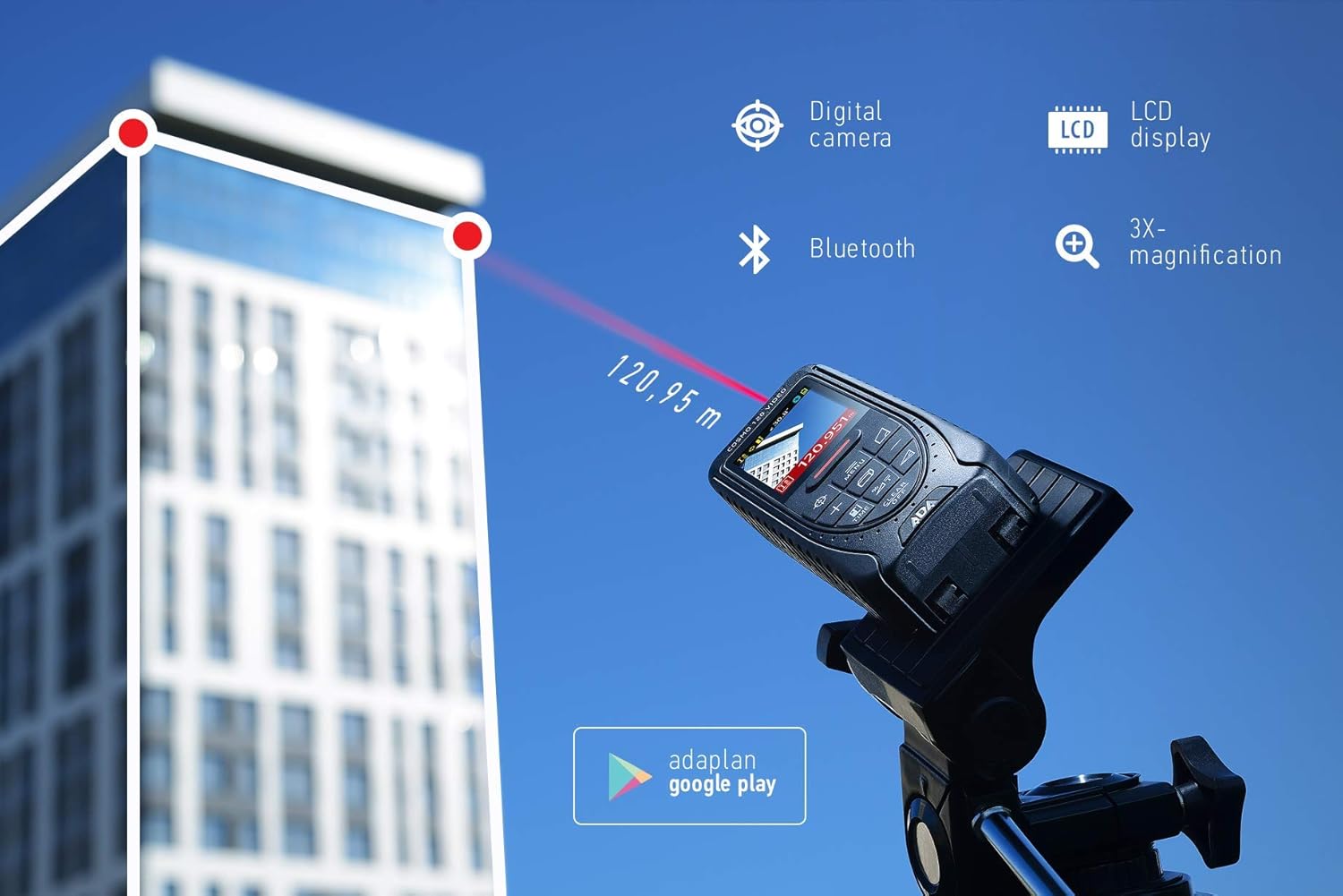
Image 4.1: The ADA Cosmo 120 Video in use, measuring a distance of 120.95 meters to a building.
4.2 Utilizzo del digitale Viewcercatore
Il digitale integrato viewfinder with 3X zoom allows for accurate targeting, especially in bright outdoor conditions or when measuring long distances where the red laser dot might be invisible. The viewfinder displays a reticle on the screen, helping you precisely aim the device at your target.
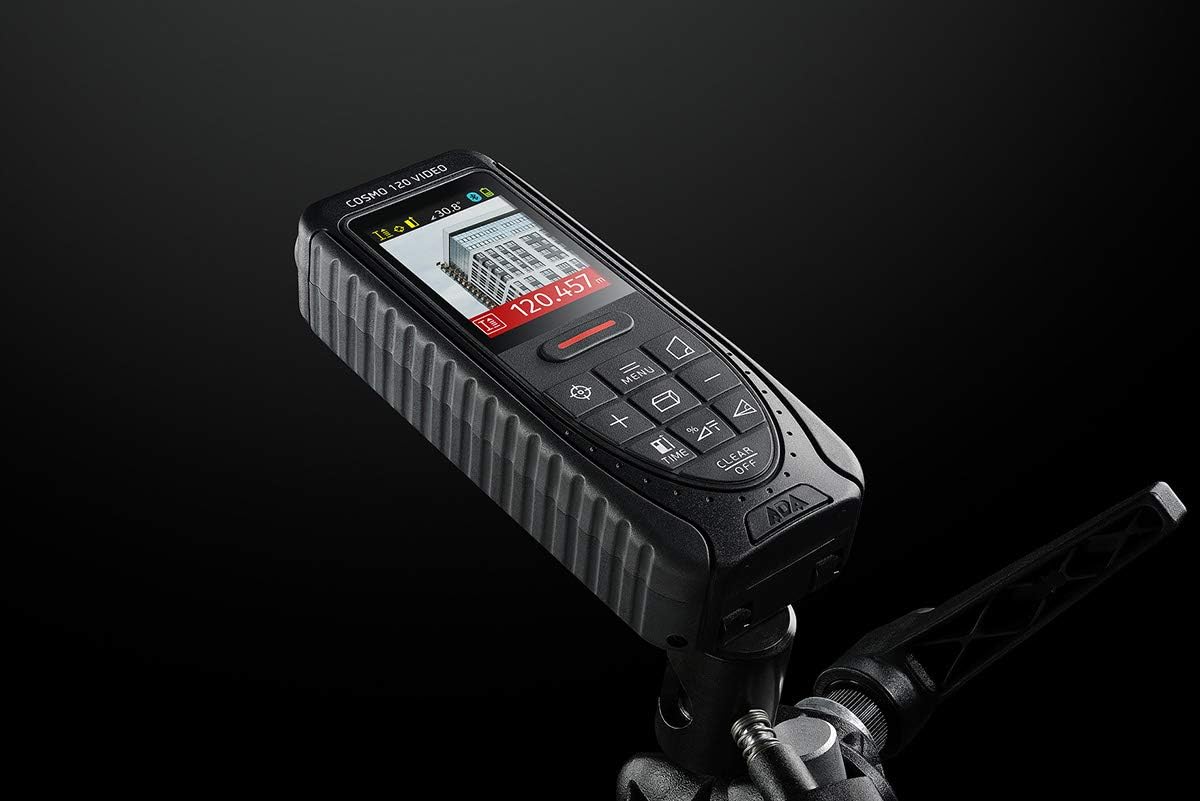
Image 4.2: The ADA Cosmo 120 Video mounted on a tripod, with its screen displaying a digital view of a building and measurement data.
4.3 360° Tilt Sensor
The integrated 360° tilt sensor allows for:
- Horizontal Distance Measurement: Combine distance and inclination measurements to determine horizontal distances, even when direct line-of-sight is obstructed.
- Digital Level Function: Use the device to measure the inclination of any surface.
4.4 Painter Function
This function simplifies the calculation of the total wall area in a room. To use:
- Measure the height of the wall once.
- Measure the length of all walls.
- The device will automatically calculate the total area.
4.5 Connettività Bluetooth
The ADA Cosmo 120 Video supports Bluetooth for transmitting measurement data to compatible applications or devices. Refer to the specific application's instructions for pairing and data transfer procedures.
4.6 Using the Reflective Plate
For measurements over very long distances, in bright sunlight, or on surfaces with poor reflection properties, use the included reflective plate. Place the plate at the target point to improve laser detection and measurement accuracy.

Image 4.3: The reflective plate included with the ADA Cosmo 120 Video, used to enhance laser detection.
5. Manutenzione
To ensure the longevity and accuracy of your ADA Cosmo 120 Video, follow these maintenance guidelines:
- Pulizia: Utilizzare un morbido, damp cloth to clean the device. Do not use harsh chemicals or abrasive cleaners. Pay special attention to the lens and display, keeping them free of dust and smudges.
- Magazzinaggio: Store the device in its holster in a dry, cool place, away from direct sunlight and extreme temperatures.
- Batterie: Rimuovere le batterie se il dispositivo non verrà utilizzato per un periodo prolungato per evitare perdite.
- Evitare l'impatto: Protect the device from drops and impacts, as this can affect its calibration and functionality.
6. Risoluzione Dei Problemi
If you encounter issues with your ADA Cosmo 120 Video, try the following solutions:
- Il dispositivo non si accende: Controllare che le batterie siano inserite correttamente e siano sufficientemente cariche. Sostituire le batterie se necessario.
- Letture imprecise: Ensure the target surface is suitable for laser measurement. Use the reflective plate for difficult surfaces or long distances. Check for obstructions in the laser path.
- Laser dot not visible: This is normal in bright conditions or over long distances. Use the digital viewfinder for targeting.
- Problemi di connessione Bluetooth: Ensure Bluetooth is enabled on both the device and your receiving unit. Check the pairing process according to your application's instructions.
If problems persist, contact ADA Instruments customer support for assistance.
7. Specifiche
| Caratteristica | Specificazione |
|---|---|
| Produttore | Strumenti ADA |
| Numero di modello | A00502 |
| Dimensioni | Dimensioni: 13.7 x 5.2 x 2.8 cm |
| Peso | 150 grammi |
| Fonte di alimentazione | 2 batterie AA (alcaline) |
| Campo di lavoro | Da 0.05 a 120 metri |
| Precisione della misurazione | ±1.5 millimetri |
| Tilt Sensor Accuracy | ±0.3° |
| Tipo di visualizzazione | Digitale |
| Materiale | Plastica con rivestimento in gomma |
| Ambiente di utilizzo | Interno ed esterno |
8. Garanzia e supporto
For warranty information or technical support, please refer to the documentation provided with your purchase or visit the official ADA Instruments websito. Conservare la prova d'acquisto per eventuali reclami in garanzia.