
A4tech G3-200N
Manuale utente del mouse ottico wireless A4 Tech G3-200N
Model: G3-200N
1. Introduzione
This manual provides comprehensive instructions for the setup, operation, and maintenance of your A4 Tech G3-200N Wireless Optical Mouse. Please read this manual thoroughly before using the product to ensure optimal performance and longevity.
Un top-down view of the A4 Tech G3-200N wireless mouse, showing its black body with blue accents and the scroll wheel.
2. Contenuto della confezione
Si prega di controllare il contenuto della confezione per assicurarsi che siano presenti tutti gli articoli:
- A4 Tech G3-200N Wireless Optical Mouse
- Ricevitore USB
- Manuale dell'utente (questo documento)
3. Impostazione
3.1 Installare la batteria
Locate the battery compartment on the underside of the mouse. Open the compartment cover and insert one AA battery, ensuring correct polarity (+/-). Close the battery compartment cover securely. Nota: The AA battery is not included.
3.2 Connect USB Receiver
Plug the USB receiver into an available USB port on your computer. The operating system will automatically detect and install the necessary drivers. This process may take a few moments.
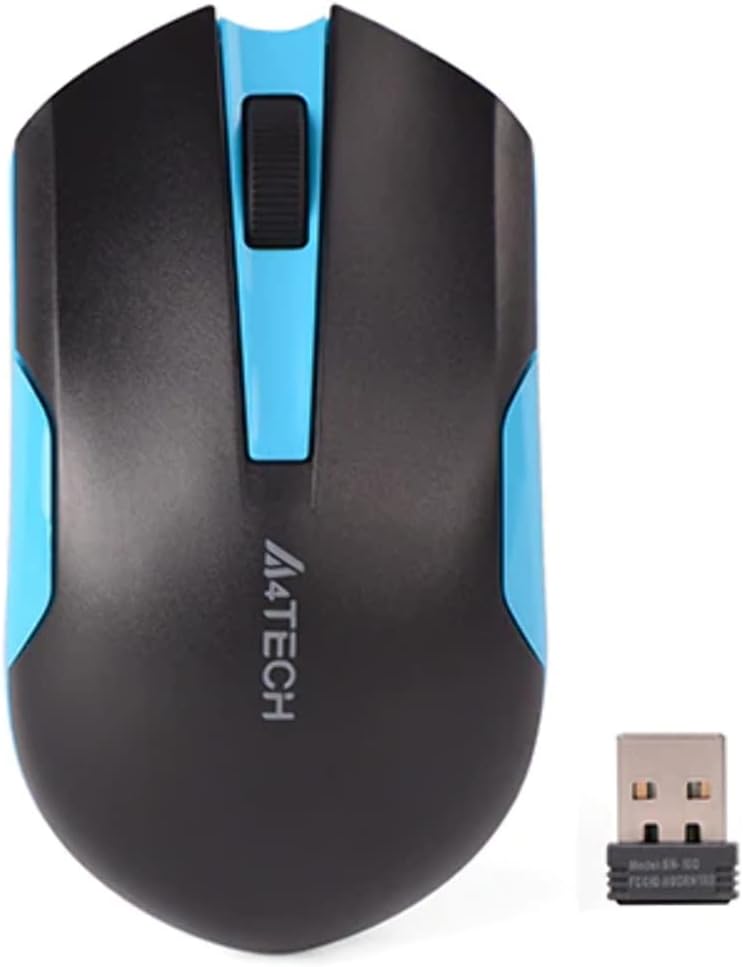
Un top-down view of the A4 Tech G3-200N wireless mouse alongside its compact USB receiver, highlighting the black and blue design.
3.3 Power On the Mouse
If your mouse has a power switch (typically on the underside), slide it to the "ON" position. The mouse should now be ready for use.
4. Funzionamento
4.1 Funzioni di base
- Pulsante sinistro: Funzione di clic principale, solitamente utilizzata per selezionare elementi o aprire collegamenti.
- Pulsante destro: Funzione di clic secondario, solitamente utilizzata per aprire i menu contestuali.
- Rotella di scorrimento: Scorrere verso l'alto o verso il basso i documenti e web pages. The scroll wheel can also function as a middle button when pressed.

An angled top view of the A4 Tech G3-200N wireless mouse, emphasizing its contoured design and the A4TECH logo, with visible buttons.
4.2 Tracciamento ottico
The A4 Tech G3-200N uses optical tracking technology for precise cursor movement. For best performance, use the mouse on a non-reflective, opaque surface. Avoid using it on glass or highly reflective surfaces.
4.3 Portata wireless
The mouse operates wirelessly via the 2.4 GHz frequency band. Ensure the USB receiver is within a reasonable range (typically up to 10 meters) for uninterrupted connectivity.
5. Manutenzione
5.1 Pulizia del mouse
To clean your mouse, gently wipe its surface with a soft, slightly damp cloth. Avoid using harsh chemicals, solvents, or abrasive cleaners, as these can damage the finish or internal components. Ensure no liquid enters the mouse.
5.2 Sostituzione della batteria
When the mouse performance degrades, the cursor becomes erratic, or the mouse stops responding, it may be time to replace the AA battery. Follow the battery installation steps outlined in Section 3.1.
6. Risoluzione Dei Problemi
| Problema | Possibile soluzione |
|---|---|
| Il mouse non risponde |
|
| Movimento irregolare del cursore |
|
| Poor wireless connection |
|
7. Specifiche
- Marca: A4tech
- Modello: G3-200N
- Connettività: Wireless (ricevitore USB da 2.4 GHz)
- Rilevamento del movimento: Ottico
- Numero di pulsanti: 3 (Sinistra, Destra, Rotellina di scorrimento/Pulsante centrale)
- Orientamento della mano: Ambidestro
- Fonte di energia: 1 batterie AA (non incluse)
- Colore: Nero/Blu
8. Garanzia e supporto
For detailed warranty information and technical support, please refer to the documentation provided with your purchase or visit the official A4tech websito. Conservare la prova d'acquisto per eventuali reclami in garanzia.
9. Contatta l'assistenza
If you encounter issues not covered in this manual or require further assistance, please contact A4tech customer support through their official websito o le informazioni di contatto fornite sulla confezione del prodotto.
Ask a question about this manual
Ask about setup, troubleshooting, compatibility, parts, safety, or missing instructions. Manuals+ will review the question and use this page’s manual context to help answer it.