
1. Introduzione
This manual provides essential information for the safe and effective use of your Amcrest IP8M-2493EB Outdoor PoE Bullet Camera. Please read these instructions thoroughly before installation and operation to ensure optimal performance and to prevent damage to the device.
2. Prodotto finitoview
2.1 Caratteristiche principali
- 2MP IP PoE Bullet Camera
- 1920x1080p @30fps Video Resolution
- Nightvision up to 98 feet (30 meters)
- IP67 Weatherproof Rating for outdoor use
- Cloud Storage Capability
- Design a parete
- 4K Video Capture Resolution (for recording)
- Motion Sensor Special Feature
2.2 Contenuto della confezione
Verifica che tutti i componenti siano presenti nel tuo pacchetto:
- Amcrest IP8M-2493EB Outdoor PoE Bullet Camera
- Hardware di montaggio (viti, tasselli)
- Guida rapida (questo manuale)
2.3 Componenti della fotocamera
Familiarizzare con i componenti fisici della fotocamera:

Figura 1: Fronte view of the Amcrest IP8M-2493EB Bullet Camera, showing the lens, IR LEDs, and housing.
3. Impostazione
3.1 Prima di iniziare
Ensure you have the following items and conditions:
- A Power over Ethernet (PoE) switch or PoE injector (802.3af/at compliant)
- Cat5e or Cat6 Ethernet cable
- A stable internet connection (recommended for remote viewing and cloud features)
- A drill and screwdriver for mounting
3.2 Installazione fisica
- Scegli una posizione di montaggio: Select a suitable wall location that provides the desired viewangolo di inclinazione e sia alla portata del cavo Ethernet.
- Segnare i fori di perforazione: Use the provided mounting template (if included) or the camera base to mark the positions for drilling.
- Fori di perforazione: Se si monta su cartongesso o muratura, praticare dei fori pilota e inserire i tasselli a muro.
- Fissare la fotocamera: Attach the camera base to the wall using the provided screws.
- Regola l'angolo: Loosen the adjustment screws on the camera body to position the camera for optimal coverage, then tighten them securely.
3.3 Connessione di rete
Connect one end of the Ethernet cable to the camera's Ethernet port and the other end to a PoE port on your PoE switch or injector. The camera will power on automatically.
3.4 Configurazione iniziale
For initial setup and configuration, download the Amcrest View Pro app on your mobile device or use the Amcrest web interface via a computer connected to the same network. Follow the on-screen instructions to discover and add your camera to your system.
4. Utilizzo della fotocamera
4.1 Accesso Live View
Access the live video feed through the Amcrest View Pro app or the web interface. This allows real-time monitoring of your surveillance area.
4.2 Registrazione e archiviazione
La telecamera supporta diverse opzioni di registrazione:
- Archiviazione locale: If equipped with a microSD card slot (card sold separately), recordings can be stored directly on the camera.
- Registratore video di rete (NVR): Connect the camera to a compatible Amcrest NVR for continuous recording and extended storage.
- Archiviazione cloud: Utilize Amcrest Cloud services for off-site storage of event-triggered recordings. Refer to the Amcrest website for subscription details.
4.3 Rilevamento del movimento
Configure motion detection settings via the camera's interface. You can define detection zones, sensitivity levels, and set up alerts (e.g., email notifications, push notifications to your phone) when motion is detected.
4.4 Visione notturna
The camera features infrared (IR) LEDs for night vision, providing clear surveillance footage in low-light or no-light conditions up to 98 feet. The camera automatically switches between day and night modes.
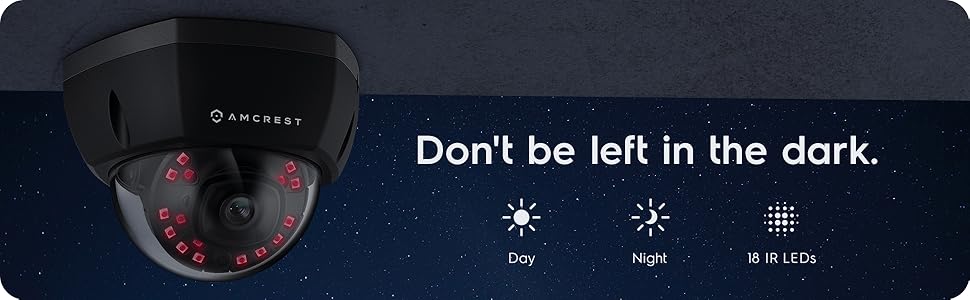
Figura 2: Esample of night vision capability, illustrating clear image capture in dark conditions.
5. Manutenzione
5.1 Pulizia
Pulire periodicamente l'obiettivo e l'alloggiamento della fotocamera con un panno morbido eamp panno. Evitare l'uso di prodotti chimici aggressivi o materiali abrasivi che potrebbero graffiare la lente o danneggiarne la finitura.
5.2 Aggiornamenti firmware
Regularly check for and install firmware updates from the Amcrest websito. Gli aggiornamenti del firmware spesso includono miglioramenti delle prestazioni, nuove funzionalità e potenziamenti della sicurezza.
5.3 Protezione dagli agenti atmosferici
The IP8M-2493EB camera has an IP67 weatherproof rating, meaning it is protected against dust ingress and can withstand immersion in water up to 1 meter for 30 minutes. While designed for outdoor use, ensure all cable connections are properly sealed to maintain water resistance.
6. Risoluzione Dei Problemi
6.1 Problemi comuni e soluzioni
- Nessuna alimentazione/Nessun video: Ensure the Ethernet cable is securely connected to both the camera and a functioning PoE port. Check the PoE switch/injector for power.
- Scarsa qualità dell'immagine: Clean the camera lens. Check network bandwidth. Adjust resolution and compression settings in the camera interface. Ensure sufficient lighting for optimal image clarity.
- Night Vision Halo Effect: This can occur if the IR light reflects off nearby surfaces or the camera housing. Ensure there are no obstructions close to the lens.
6.2 Video Support
For visual guidance on resolving common issues, including potential IR reflection, please refer to the following video:
Video 1: This video from Amcrest Direct provides instructions on resolving IR reflection issues that can affect night vision clarity in Amcrest cameras.
7. Specifiche
| Caratteristica | Specificazione |
|---|---|
| Nome del modello | IP8M-2493EB |
| Uso interno/esterno | All'aperto |
| Fonte di alimentazione | AC/DC (via PoE) |
| Protocollo di connettività | Etereo |
| Tipo di montaggio | Montaggio a parete |
| Risoluzione di acquisizione video | 4K |
| Colore | Nero |
| Numero di articoli | 1 |
| Numero di canali | 1 |
| Tecnologia di comunicazione wireless | POE (alimentazione tramite Ethernet) |
| Fattore di forma | Proiettile |
| Gamma di visione notturna | 98 piedi (30 metri) |
| Frequenza dei fotogrammi | 30 fotogrammi al secondo |
| Dimensioni articolo (L x P x A) | 6.1 x 6.1 x 5.4 pollici |
| Peso dell'articolo | 1.3 libbre |
| Sono necessarie batterie? | NO |
| Tecnologia a bassa luminosità | Colore notturno |
| Valutazione internazionale di protezione | Grado di protezione IP67 |
| Massimo WebRisoluzione dell'immagine della camma | 2 MP |
| Metodo di controllo | Applicazione |
| Usi consigliati per il prodotto | Sicurezza esterna |
| Tecnologia di connettività | Cablato |
| Caratteristica speciale | Sensore di movimento |
8. Garanzia e supporto
Amcrest products typically come with a limited warranty. For specific warranty terms, registration, and technical support, please visit the official Amcrest website or contact Amcrest customer service directly. Keep your purchase receipt for warranty claims.
Supporto Amcrest: https://amcrest.com/support