
Introduzione
This manual provides comprehensive instructions for the Zerone Universal Remote Control, designed as a replacement for various Smart TV models including AA59-00582A, AA59-00580A, AA59-00581A, AA59-00638A, and AA59-00583A. Please read this manual carefully to ensure proper setup and operation of your new remote control.
Impostare
1. Installazione della batteria
Il telecomando richiede due batterie AAA (non incluse). Per installarle, segui questi passaggi:
- Individuare il vano batterie sul retro del telecomando.
- Per aprire il coperchio del vano batteria, farlo scorrere verso il basso.
- Inserire due batterie AAA, assicurandosi che i terminali positivo (+) e negativo (-) corrispondano agli schemi all'interno del vano.
- Riposizionare il coperchio del vano batteria finché non scatta in posizione.

Image: Back of the remote control with the battery compartment visible. This shows where to open the cover to insert batteries.

Image: The remote control with its battery compartment open, revealing the slots for two AAA batteries. This illustrates the correct orientation for battery insertion.
2. No Programming Required
This remote control is designed to work immediately with compatible Smart TV models without any programming or setup. Simply insert the batteries, and it is ready for use.
Istruzioni per l'uso
The Zerone Universal Remote Control features dedicated buttons for various functions. The remote operates within a distance of up to 10 meters (approximately 33 feet) with stable performance.
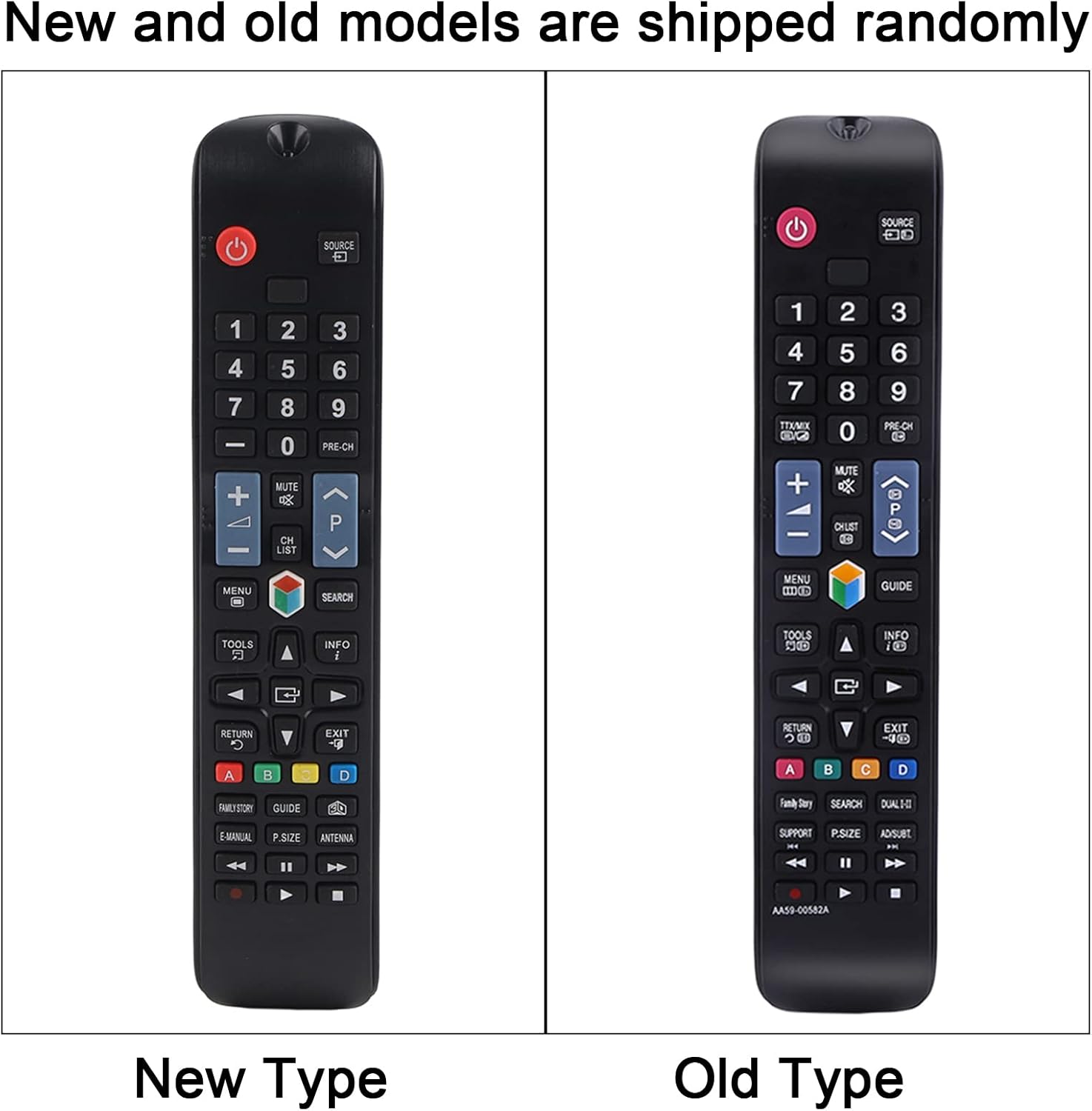
Immagine: Un fronte chiaro view of the remote control, displaying all its buttons and their labels. This provides a visual guide to the remote's layout.
Funzioni chiave:
- Pulsante di accensione (●): Accende o spegne la TV.
- Pulsanti numerici (0-9): Direct channel access.
- Volume su/giù (+/-): Regola il volume della TV.
- Canale su/giù (CH +/-): Cambia canale TV.
- Pulsante muto: Disattiva o riattiva l'audio della TV.
- Pulsante del menu: Accede al menu principale del televisore.
- Pulsanti di navigazione (Su, Giù, Sinistra, Destra, Invio): consente di navigare tra i menu e le selezioni.
- Pulsante Sorgente/Ingresso: Cambia la sorgente di ingresso (HDMI, AV, ecc.).
- Pulsante di uscita: Esce dal menu o dalla funzione corrente.
- Pulsante guida: Visualizza la guida elettronica ai programmi.
- Pulsanti colorati (A, B, C, D): Functionality varies depending on the TV model and current application.
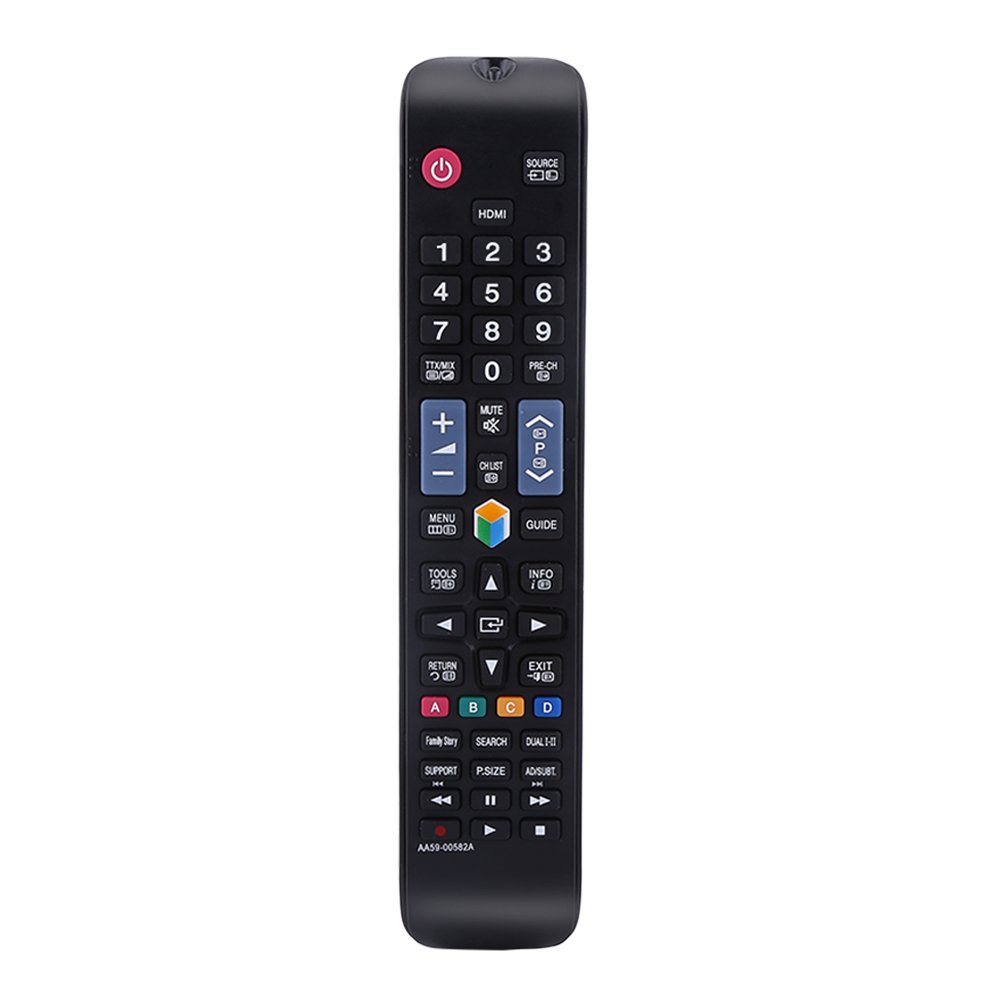
Image: The remote control being held, highlighting the power button, number pad, and the infrared emitter at the top. This demonstrates typical usage and the remote's design.
Manutenzione
Sostituzione della batteria:
When the remote control's performance degrades or it stops responding, replace the AAA batteries. Always replace both batteries at the same time with new ones. Do not mix old and new batteries, or different types of batteries.
Pulizia:
Per pulire il telecomando, utilizzare un panno morbido e asciutto. Non utilizzare detergenti liquidi, spray o materiali abrasivi, poiché potrebbero danneggiare la superficie o i componenti interni del telecomando.
Risoluzione dei problemi
- Il telecomando non risponde:
- Controllare che le batterie siano installate correttamente, rispettando la polarità corretta.
- Sostituisci le batterie con batterie nuove.
- Assicurarsi che non vi siano ostacoli tra il telecomando e il ricevitore a infrarossi del televisore.
- Make sure you are within the operating distance of 10 meters.
- I pulsanti sono bloccati o non rispondono:
- This may indicate dirt or debris under the buttons. Clean the remote as described in the Maintenance section.
Specifiche
| Nome del prodotto | Controllo remoto |
| Tipo | TV Remote Controller |
| Modello | AA59-00582A (Compatible with AA59-00580A, AA59-00581A, AA59-00638A, AA59-00583A) |
| Fonte di alimentazione | 2 batterie AAA (non incluse) |
| Distanza operativa | Entro 10 metri (33 piedi) |
| Materiale | addominali |
| Colore | Nero |
| Dimensioni (L x P x A) | 23 x 4.7 x 2 cm (9 x 1.85 x 0.79 pollici) |
| Tecnologia di connettività | Infrarossi |
| Tipo di controllore | Controllo dei pulsanti |

Image: The remote control displayed with its length, width, and height measurements indicated. This provides a visual reference for the physical dimensions of the device.
Garanzia e supporto
For any questions or concerns regarding your Zerone Universal Remote Control, please contact our customer support. We are committed to providing assistance and follow-up services to ensure your satisfaction.