
1. Introduzione
This manual provides essential information for the safe and efficient operation of your Onida 50UIR KY Rock 50-inch 4K Ultra HD Smart LED TV. Please read it thoroughly before using the television and retain it for future reference.
2. Informazioni sulla sicurezza
Observe the following safety precautions to prevent fire, electric shock, or damage to the product:
- Non esporre il televisore alla pioggia o all'umidità.
- Non aprire l'armadio; per qualsiasi intervento di assistenza rivolgersi a personale qualificato.
- Assicurare una ventilazione adeguata; non ostruire le aperture di ventilazione.
- Place the TV on a stable, level surface or mount securely to a wall.
- Scollegare il televisore durante i temporali o quando non viene utilizzato per lunghi periodi.
3. Contenuto della confezione
Verificare che tutti gli articoli siano presenti nella confezione:
- 1 x Onida 50UIR LED TV
- 1 x supporto da tavolo
- 1 x Staffa per montaggio a parete
- 1 x Manuale utente
- 1 x Scheda di garanzia
- 1 x telecomando
4. Impostazione
4.1 Installing the Stand or Wall Mount
You can choose to install the included table-top stand or use the wall mount bracket. Ensure the TV is placed on a stable surface or securely mounted to a wall according to the provided instructions for the chosen mounting method.
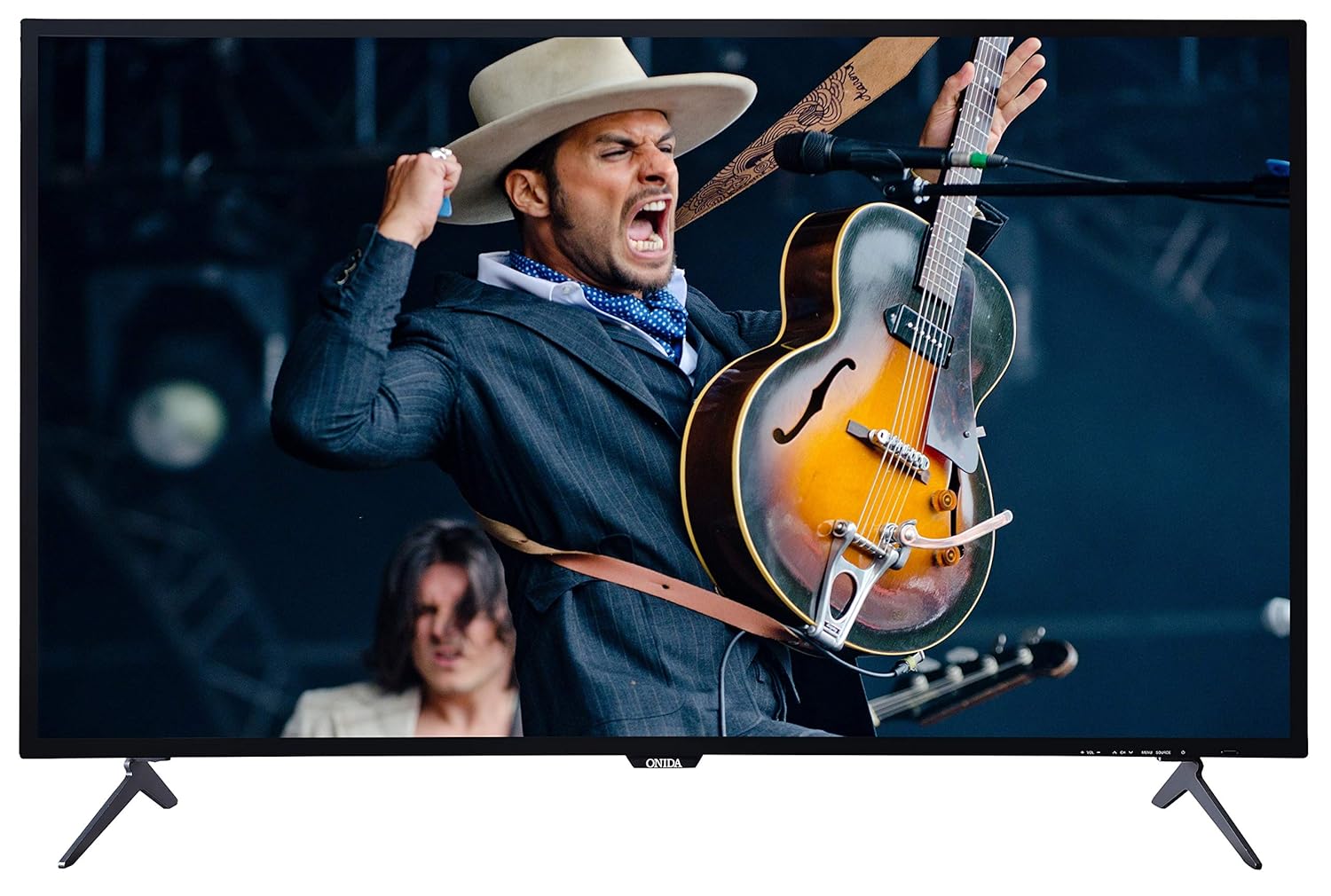
This image displays the front of the Onida 50UIR television, showcasing its slim bezels and the included table-top stands. The screen shows a vibrant image of a musician.

Un angolo view of the Onida 50UIR TV, highlighting its profile and the design of the table-top stands.
4.2 Accensione iniziale e configurazione
After connecting the power cable, press the power button on the TV or remote control. Follow the on-screen prompts to complete the initial setup, including language selection, network connection, and channel scanning.
5. Istruzioni per l'uso
5.1 Funzioni di base
- Accensione/spegnimento: Premere il pulsante di accensione sul telecomando o sulla TV.
- Controllo del volume: Utilizzare i pulsanti VOL +/- sul telecomando.
- Selezione canale: Utilizzare i pulsanti CH +/- o il tastierino numerico sul telecomando.
- Sorgente di input: Press the SOURCE button to select between HDMI, AV, VGA, or TV inputs.
6. Connettività
The Onida 50UIR TV offers various connectivity options for external devices:
- Porte HDMI (3): Collega decoder, lettori Blu-ray, console di gioco.
- Porte USB (2): Collegare dischi rigidi e unità flash USB per la riproduzione di contenuti multimediali.
- VGA Port (1): Collega un computer.
- Ingresso AV: Connect older devices using composite video and stereo audio.
- Ingresso antenna: Connect a terrestrial or cable antenna.
- Porta Ethernet (LAN): Per la connessione internet cablata.

Un dettagliato view of the rear panel of the Onida 50UIR TV, displaying various input and output ports including HDMI, USB, VGA, and audio connections.

This image provides another detailed view of the rear connectivity panel, highlighting the Ethernet port, additional HDMI inputs, VGA, PC Audio In, and Antenna input.
7. Funzionalità della Smart TV
Your Onida 50UIR TV is equipped with smart functionalities for an enhanced viewesperienza di ing:
- Sistema operativo: Sistema operativo Android 5.1.1
- Processore: ARM A7 Quad-core processor
- Memoria: 2GB RAM, 8GB Internal Memory
- Accesso all'app: Full access to the Google Play Store for downloading applications.
- Connettività wireless: Wi-Fi integrato per l'accesso a Internet.
- Clonazione schermo: Share content from compatible mobile devices to the TV screen.
- Servizi supportati: Includes YouTube and other streaming applications available via the Play Store.

A graphic detailing the main features of the Onida 50UIR TV, including 4K UHD resolution, Android OS, ARM A7 Quad Core Processor, Screen Mirroring, Built-In Wi-Fi, Quality Checks, Quick & Free Installation, and 300+ Service Centers.
8. Controllo remoto
The included remote control features navigation keys and a full QWERTY keyboard for convenient operation and text input.
8.1 Installazione della batteria
Aprire il vano batterie sul retro del telecomando. Inserire due batterie AAA, assicurandosi della corretta polarità (+/-). Chiudere bene il vano.
8.2 Remote Control Technology
The remote control utilizes both Infrared (IR) and Bluetooth technology for communication with the TV.

This image shows both the front and back of the Onida Smart TV remote control. The front features standard navigation and media playback buttons, while the back reveals a full QWERTY keyboard for easier text input.
9. Manutenzione
9.1 Pulizia del televisore
Gently wipe the screen and cabinet with a soft, dry cloth. For stubborn marks, use a slightly damp cloth with a mild, non-abrasive cleaner specifically designed for electronics. Do not spray cleaner directly onto the screen.
9.2 Conservazione
If storing the TV for an extended period, disconnect it from the power outlet and store it in a cool, dry place, protected from dust and extreme temperatures.
10. Risoluzione Dei Problemi
Se riscontri problemi con il tuo televisore, fai riferimento ai seguenti problemi comuni e alle relative soluzioni:
- Nessun potere: Ensure the power cable is securely connected and the power outlet is functional. Check if the power indicator light is on.
- Nessuna immagine/suono: Verify the correct input source is selected. Check all cable connections (HDMI, AV, etc.). Try another channel or media source.
- Il telecomando non funziona: Check battery levels and ensure they are inserted correctly. Point the remote directly at the TV's IR sensor.
- Le funzionalità intelligenti non rispondono: Controlla la tua connessione Internet (Wi-Fi o Ethernet). Riavvia la TV scollegandola per qualche minuto e ricollegandola.
- Scarsa qualità dell'immagine: Regola le impostazioni dell'immagine (luminosità, contrasto, nitidezza). Assicurati che la sorgente di ingresso fornisca un segnale di alta qualità.
Per problemi persistenti, contattare l'assistenza clienti.
11. Specifiche
| Caratteristica | Specificazione |
|---|---|
| Marca | Al momento |
| Modello | 50UIR |
| Nome del modello | KY Rock |
| Dimensioni dello schermo | 50 pollici (127 cm) |
| Tecnologia di visualizzazione | LED ADS Panel |
| Risoluzione | Risoluzione 4K Ultra HD (3840 x 2160 pixel) |
| Frequenza di aggiornamento | Frequenza 60 Hz |
| Sistema operativo | Sistema operativo Android 5.1.1 |
| Processore | ARM A7 Quad core |
| Capacità di archiviazione della memoria | 8 GB (interni) |
| Memoria RAM | 2 GB |
| Uscita audio | 20 Watt (Stereo) |
| Porte HDMI | 3 |
| Porte USB | 2 |
| Port VGA | 1 |
| Interfaccia Hardware | HDMI, USB, VGA |
| Tecnologia di connettività | HDMI, USB, Wi-Fi integrato |
| Tecnologia di controllo remoto | Infrarossi, Bluetooth |
| Viewangolo di ing | 178 gradi |
| Rapporto di aspetto dell'immagine | 16:9 |
| Rapporto di contrasto dell'immagine | 3000000:1 |
| Fonte di alimentazione | AC |
| Dimensioni del prodotto (LxWxH) | Dimensioni: 110.8 x 23 x 70 cm |
| Peso dell'articolo | 11 kg |

A technical diagram illustrating the physical dimensions of the Onida 50UIR TV, including width, height, depth, and screen diagonal in both inches and centimeters.
12. Garanzia e supporto
12.1 Informazioni sulla garanzia
The Onida 50UIR TV comes with a Garanzia del produttore di 1 anno dalla data di acquisto. Conservare la ricevuta d'acquisto per eventuali reclami in garanzia.
12.2 Assistenza clienti
For technical assistance, service requests, or warranty inquiries, please contact MIRC Electronics (Onida) customer service:
- Numero del servizio clienti: Numero di telefono: 1800-103-1000