
Introduzione
Thank you for choosing the AGPTEK M16SB 16GB Bluetooth MP3 Player. This manual provides detailed instructions for setting up, operating, and maintaining your device. Please read it carefully to ensure proper use and to maximize your listening experience.
Prodotto finitoview
Familiarizzare con i componenti e i comandi del dispositivo.

Immagine: Davanti e di lato view of the AGPTEK M16SB MP3 player with numbered labels indicating each button and port function.
Definizioni dei pulsanti:
- Ritorno: Navigates back to the previous menu.
- Bluetooth/FM Radio: Short press for Bluetooth, long press for FM Radio.
- Submenu/Screen-lock: Accesses submenus or locks/unlocks the screen.
- Andare avanti: Consente di spostarsi verso l'alto nei menu.
- Previous/Fast rewind: Skips to the previous track or fast rewinds during playback.
- Abbassati: Consente di navigare verso il basso nei menu.
- Next/Fast forward: Passa alla traccia successiva o avanza rapidamente durante la riproduzione.
- Invio/Riproduzione/Pausa: Conferma la selezione o riproduce/mette in pausa il contenuto multimediale.
- Volume+: Aumenta il volume.
- Volume -: Diminuisce il volume.
- Power on/off; Screen on/off: Powers the device on/off or turns the screen on/off.
Porte e funzionalità:
- Card slot (TF): For Micro SD card expansion up to 128GB.
- Spinotto degli auricolari: Uscita audio da 3.5 mm per cuffie cablate.
- Porta micro USB: Per la ricarica e il trasferimento dei dati.
- Altoparlante incorporato: Per la riproduzione audio senza cuffie.
- Microfono (MIC): Per la registrazione vocale.
Impostare
1. Carica del dispositivo
Before first use, fully charge the MP3 player. A full charge takes approximately 2 hours using a 5V/500mA charger or a computer USB port.

Immagine: A person relaxing while listening to the MP3 player, with text indicating "2 HOURS for full charge" and "28-30 hours playtime".
- Connect the Micro USB cable to the player's Micro USB port and the other end to a USB power source.
- L'indicatore della batteria sullo schermo mostrerà lo stato di carica.
- Once fully charged, the device offers up to 28 hours of music playback (screen off, medium volume) or 5 hours via Bluetooth headphones.
2. Accensione/spegnimento
- Per accendere, tieni premuto il tasto Pulsante di accensione (11) finché lo schermo non si accende.
- Per spegnere, tenere premuto il pulsante Pulsante di accensione (11) finché il dispositivo non si spegne.
- Una breve pressione del Pulsante di accensione (11) will turn the screen on or off.
3. Inserimento di una scheda Micro SD
The device has 16GB of internal memory and supports external Micro SD cards up to 128GB (not included).

Immagine: Un dettagliato view of the MP3 player's side, highlighting the TF card slot with a Micro SD card partially inserted, indicating 16GB internal memory and support for up to 128GB external storage.
- Individuare il Card slot (TF) (12) on the side of the player.
- Inserire delicatamente la scheda Micro SD nello slot finché non scatta in posizione.
- Per rimuoverla, spingere leggermente la scheda finché non scatta fuori.
Istruzioni per l'uso
1. Navigazione di base
- Utilizzare il Move up (4) E Move down (6) buttons to navigate through menus.
- Premere il tasto Enter/Play/Pause button (8) per selezionare un'opzione.
- Premere il tasto Return button (1) per tornare alla schermata precedente.
- Regolare il volume utilizzando il Volume + (9) E Volume - (10) pulsanti sul lato.
2. Riproduzione di musica
The player supports MP3, WMA, OGG, APE, FLAC, WAV, AAC-LC, and ACELP audio formats.

Immagine: A person holding the AGPTEK MP3 player, displaying the music playback interface with track information and a Bluetooth connection indicator.
- Dal menu principale, seleziona "Musica".
- Browse by Artist, Album, Songs, Playlists, or Folder.
- Premere Enter/Play/Pause (8) per avviare o mettere in pausa la riproduzione.
- Utilizzo Previous/Fast rewind (5) E Next/Fast forward (7) to change tracks or fast forward/rewind.
- Access submenus (e.g., Equalizer, Repeat Mode) by pressing the Submenu button (3) durante la riproduzione.
3. Accoppiamento Bluetooth
Connect your MP3 player to Bluetooth headphones or speakers for wireless audio.

Immagine: An illustration demonstrating three audio output options for the MP3 player: wired headphones for private listening, the built-in speaker for sharing, and a Bluetooth speaker for party settings.
- Dal menu principale, seleziona "Bluetooth".
- In alternativa, premere brevemente il Bluetooth/FM Radio button (2) to quickly enable Bluetooth.
- Ensure your Bluetooth device (headphones/speaker) is in pairing mode.
- Il lettore cercherà i dispositivi disponibili. Seleziona il tuo dispositivo dall'elenco per associarlo.
- The player supports automatic reconnection to previously paired devices.
4. Radio FM
Listen to FM radio stations. Wired headphones must be connected as they act as the antenna.
- Connect wired headphones to the Earphone jack (13).
- Dal menu principale, seleziona "Radio FM".
- Alternatively, long press the Bluetooth/FM Radio button (2) to quickly enter FM Radio mode.
- Use the navigation buttons to scan for stations or select from presets.
- The radio function allows saving up to 30 preset stations and supports FM recording.
5. Altre funzioni
- Registratore vocale: Select "Record" from the main menu to use the built-in microphone for voice recording.
- E-libro: Read TXT format e-books by selecting "E-book".
- Video: Play AMV format videos by selecting "Video".
- Immagine Viewlui: Browse JPG, GIF, and BMP images by selecting "Pictures".
- Impostazioni: Access various device settings, including equalizer, volume limit, display brightness, and timed shutdown.
Manutenzione
1. Aggiornamento del firmware
Free firmware updates are available to improve device performance and add new features.
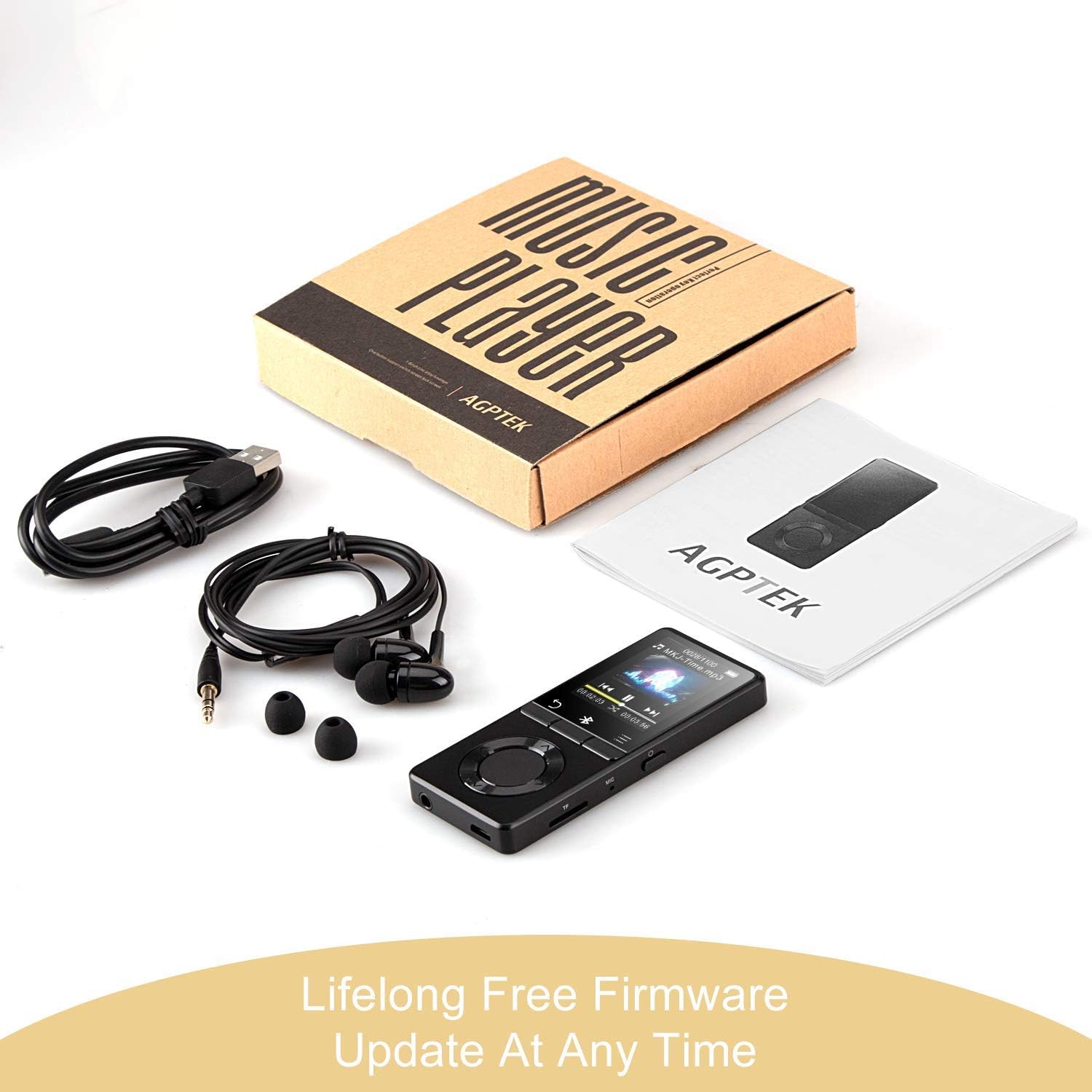
Immagine: The AGPTEK MP3 player, its packaging, and included accessories (earphones, USB cable), emphasizing the availability of lifelong free firmware updates.
- Visit the official AGPTEK websito per il firmware e le istruzioni più recenti.
- Follow the provided instructions carefully to update your device.
2. Pulizia
- Per pulire la parte esterna del dispositivo, utilizzare un panno morbido e asciutto.
- Evitare l'uso di detergenti liquidi o materiali abrasivi.
Risoluzione dei problemi
- Il dispositivo non si accende: Assicurati che la batteria sia carica. Collegala a un caricabatterie e riprova.
- Nessun suono: Check volume levels. Ensure headphones are properly connected or Bluetooth device is paired and connected. If using the built-in speaker, ensure it is enabled in settings.
- Problemi di connessione Bluetooth: Ensure the Bluetooth device is in pairing mode and within range. Disconnect the MP3 player from other Bluetooth devices if it was previously paired elsewhere.
- Filenon sta giocando: Verify that the audio/video file format is supported (MP3, WMA, OGG, APE, FLAC, WAV, AAC-LC, ACELP for audio; AMV for video).
- Dispositivo non risponde: Press and hold the Power button for 10-15 seconds to force a reset.
- Micro SD card not detected: Ensure the card is inserted correctly. Try reinserting or using a different card to rule out card issues.
- Issues during PC sync: Avoid altering files directly in the player's window while synced. Make changes on the PC, then re-upload. If the player crashes, perform a long press on the power button to reset.
Specifiche
| Marca | AGPTEK |
| Nome del modello | AGPTEK 16GB Bluetooth 4.0 MP3 Player with Touch Buttons |
| Numero di modello | M16SB-EU |
| Tecnologia di connettività | Bluetooth |
| Capacità di archiviazione della memoria | 16 GB (expandable up to 128 GB with Micro SD card) |
| Colore | Nero |
| Dimensioni dello schermo | 1.8 pollici |
| Dispositivi compatibili | Headphones, Personal Computer |
| Tipo di supporto | MP3 |
| Standard audio supportati | AAC, ACELP, APE, FLAC, MP3, OGG, WAV, WMA |
| Standard video supportati | AMV |
| Supported Image Standards | JPG, GIF, BMP |
| Durata della batteria (riproduzione musicale) | Up to 28 hours (screen off, medium volume) |
| Durata della batteria (riproduzione Bluetooth) | Fino a 5 ore |
| Tempo di ricarica | Circa 2 ore |
Garanzia e supporto
AGPTEK is committed to providing reliable and high-quality products. While specific warranty details are not provided in this manual, AGPTEK offers free firmware updates and customer support.
- For any product issues or inquiries, please contact AGPTEK customer service.
- Refer to the official AGPTEK website for support contact information and the latest firmware updates.