
1. Introduzione
This manual provides detailed instructions for the DIERYA DK63 Wireless Mechanical Gaming Keyboard. Please read this manual thoroughly before using the product to ensure proper operation and to maximize your user experience. The DK63 is a compact 60% mechanical keyboard designed for versatility across various platforms, offering both wired and wireless connectivity options.

Image 1.1: DIERYA DK63 60% Mechanical Keyboard showcasing its compact layout and dimensions (292.8mm width, 101mm height).
2. Caratteristiche principali
- Layout compatto al 60%: The DK63 features a streamlined 60% layout, optimizing desk space while retaining essential functionality through function layer keys.
- Dual Connectivity Modes: Seamlessly switch between wired (USB-C) and wireless (Bluetooth 5.1) connections.
- Supporto multi-dispositivo: Connects to up to 3 devices via Bluetooth, compatible with Mac, Windows, and Android operating systems.
- True Mechanical Switches: Equipped with durable mechanical switches (available in Blue, Brown, or Red variants) for a responsive typing and gaming experience.
- Retroilluminazione RGB dinamica: Features 8 distinct lighting effects and supports 16.8 million colors for personalized aesthetics.
- Software personalizzabile: Utilize the DIERYA customizable software for macro recording and remapping keyboard buttons.

Image 2.1: The DIERYA DK63 keyboard demonstrating its ability to connect to up to 3 devices via Bluetooth, compatible with Mac, Windows, and Android.

Immagine 2.2: Un primo piano view of the true mechanical switches on the DIERYA DK63 keyboard, highlighting their design for durability and responsiveness.
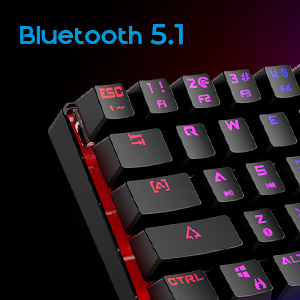
Image 2.3: Detail shot indicating Bluetooth 5.1 connectivity on the DIERYA DK63 keyboard.
3. Guida all'installazione
3.1 Connessione cablata
- Individuare la porta USB-C sulla tastiera.
- Collegare il cavo USB-C in dotazione alla tastiera.
- Collega l'altra estremità del cavo USB-C a una porta USB disponibile sul tuo computer.
- La tastiera verrà riconosciuta automaticamente dal sistema e sarà pronta per l'uso.
3.2 Connessione wireless Bluetooth
- Ensure the keyboard is charged or connected via USB-C initially.
- To switch to wireless mode, press Fn + R. The keyboard's indicator light will change to signify Bluetooth mode.
- Per associare un dispositivo, tenere premuto Fn+Z, F+X, O Fn+C for 3-5 seconds. The corresponding key's backlight will flash rapidly, indicating pairing mode.
- On your device (computer, tablet, or smartphone), enable Bluetooth and search for available devices.
- Select "DIERYA DK63" from the list of available devices to complete the pairing process.
- Una volta effettuata l'associazione, la retroilluminazione del tasto smetterà di lampeggiare e rimarrà accesa fissa.
- Per passare da un dispositivo Bluetooth associato all'altro, premere Fn+Z, F+X, O Fn+C (short press) to select the desired device.
4. Istruzioni per l'uso
4.1 Combinazioni di tasti funzione
The DK63 utilizes the Fn key to access secondary functions printed on the keycaps. Hold down the Fn tasto e premere il tasto desiderato per attivare la sua funzione secondaria.
- Fn + 1! to 0): F1 to F10 keys.
- Fn + -_ and =+: F11 and F12 keys.
- Fn+P: Stampa schermo.
- Tasto funzione + [: Casa.
- Fn+]: FINE.
- Fn +;: Pagina su.
- Fn + ': Pagina giù.
- Fn + tasti freccia: Navigation (e.g., Fn + Up Arrow for Page Up, Fn + Down Arrow for Page Down, etc., depending on specific keycap legends).
4.2 Controllo della retroilluminazione RGB
The keyboard offers various lighting effects and customization options:
- Fn + \|: Scorri tra diversi effetti di luce.
- Fn + Freccia su: Aumentare la luminosità della retroilluminazione.
- Fn + Freccia giù: Ridurre la luminosità della retroilluminazione.
- Fn + Freccia sinistra: Regola la velocità dell'effetto di illuminazione.
- Fn + Freccia destra: Regola la velocità dell'effetto di illuminazione.
- Specific keys may have additional lighting controls indicated on their keycaps.

Image 4.1: Screenshot of the DIERYA customizable software, showing options for lighting effects, color selection, macro recording, and key remapping.
4.3 Software personalizzabile
The DIERYA DK63 supports dedicated software for advanced customization. This software allows users to:
- Registra e assegna macro a tasti specifici.
- Remap individual key functions.
- Fine-tune RGB lighting effects, colors, and patterns.
Please refer to the DIERYA official websito per scaricare software e istruzioni dettagliate sul suo utilizzo.
Video 4.2: Video ufficiale del prodotto mostratoasing the DIERYA DK63 60% Mechanical Gaming Keyboard, highlighting its design and RGB lighting effects.
5. Manutenzione
To ensure the longevity and optimal performance of your DIERYA DK63 keyboard, follow these maintenance guidelines:
- Pulizia: Regularly clean the keyboard with a soft, dry cloth. For deeper cleaning, use a can of compressed air to remove dust and debris from between the keycaps. If necessary, gently wipe keycaps with a slightly damp panno e una soluzione di sapone neutro, assicurandosi che nessun liquido entri nella tastiera.
- Evitare i liquidi: Non versare liquidi sulla tastiera. In caso di versamento, scollegare immediatamente la tastiera e lasciarla asciugare completamente prima di ricollegarla.
- Magazzinaggio: Conservare la tastiera in un luogo fresco e asciutto, lontano dalla luce solare diretta e da temperature estreme.
- Cura del cavo: Evitare di piegare o torcere eccessivamente il cavo USB-C per evitare danni.
6. Risoluzione Dei Problemi
If you encounter issues with your DIERYA DK63 keyboard, refer to the following common solutions:
6.1 La tastiera non risponde (cablata)
- Assicurarsi che il cavo USB-C sia collegato saldamente sia alla tastiera che al computer.
- Prova a collegare la tastiera a una porta USB diversa del computer.
- Test the keyboard with a different USB-C cable if available.
- Riavvia il computer.
6.2 Problemi di connettività Bluetooth
- Ensure the keyboard is in Bluetooth mode (Fn + R).
- Verifica che il Bluetooth sia abilitato sul tuo dispositivo.
- Make sure the keyboard is sufficiently charged. Low battery can affect Bluetooth performance.
- If already paired, try unpairing the keyboard from your device's Bluetooth settings and then re-pairing it.
- Assicurati che la tastiera si trovi entro il raggio d'azione effettivo del tuo dispositivo Bluetooth (in genere fino a 10 metri).
- Evitare interferenze da altri dispositivi wireless.
6.3 Backlighting Not Working or Incorrect
- Aumentare la luminosità utilizzando Fn + Freccia su.
- Scorri gli effetti di luce utilizzando Fn+\|.
- Ensure the keyboard is not in a mode where backlighting is intentionally off or dimmed.
- If using the customizable software, check the lighting settings within the application.
7. Specifiche del prodotto
| Caratteristica | Dettaglio |
|---|---|
| Numero di modello | DK63 |
| Marca | DIERIA |
| Tipo senza fili | Bluetooth 5.1 |
| Tecnologia di connettività | USB-C, Bluetooth |
| Piattaforma hardware | Computer portatile, PC |
| Peso dell'articolo | 1.5 libbre (circa 0.68 kg) |
| Dimensioni del prodotto (LxWxH) | 12 x 5.6 x 1.9 pollici (circa 30.5 x 14.2 x 4.8 cm) |
| Fonte di alimentazione | Alimentato a batteria (1 batteria agli ioni di litio inclusa) |
| Opzioni tipo di interruttore | Blue (Clicky), Brown (Tactile), Red (Linear) |
| Componenti inclusi | Cavo USB |
8. Garanzia e supporto
DIERYA products are manufactured to high-quality standards. For information regarding warranty coverage, technical support, or service inquiries, please refer to the official DIERYA webo contattare direttamente l'assistenza clienti. Conservare la ricevuta d'acquisto come prova d'acquisto per eventuali reclami in garanzia.