
Monarch Specialties I 7414
Monarch Specialties Computer Desk User Manual
Model: I 7414 | Brand: Monarch Specialties
Introduzione
Thank you for choosing the Monarch Specialties Computer Desk. This desk combines industrial design with rustic charm, offering a functional and stylish solution for your home office. Featuring a spacious tabletop, two side drawers with metal pulls, and a wide middle drawer with a leather pull, this desk is designed to accommodate your computer and other office essentials. This manual provides detailed instructions for assembly, operation, maintenance, and troubleshooting to ensure a long-lasting and satisfying experience with your new furniture.

Image: Monarch Specialties Computer Desk in a home office setting, showcasinil suo design e la sua funzionalità.
Informazioni sulla sicurezza
Please read all instructions carefully before assembly and use. Failure to follow these guidelines may result in injury or damage to the product.
- Tenere tutte le piccole parti e i materiali di imballaggio lontano dalla portata dei bambini e degli animali domestici per evitare rischi di soffocamento.
- Assemble the desk on a soft, clean surface (e.g., carpet or cardboard) to prevent scratching.
- Assicurarsi che tutte le viti e gli elementi di fissaggio siano ben serrati prima di utilizzare la scrivania. Controllare periodicamente e serrare nuovamente se necessario.
- Do not overload the desk or drawers. Refer to the specifications for weight capacities.
- Evitare di appoggiare oggetti caldi direttamente sulla superficie della scrivania senza imbottitura protettiva.
- Non stare in piedi o seduto sulla scrivania.
- Se qualche parte risulta mancante o danneggiata, non procedere con il montaggio. Contattare immediatamente l'assistenza clienti.
Elenco delle parti
Before beginning assembly, verify that all components are present and undamaged. The following is a general list of parts you should expect:
- Pannello superiore della scrivania
- Side Drawer Units (2)
- Middle Drawer Unit (1)
- Gambe in metallo (4)
- Metal Crossbar (1)
- Drawer Pulls (3 - 2 metal, 1 leather)
- Ferramenta di montaggio (viti, bulloni, rondelle, chiave a brugola)

Image: Detailed diagram showing the dimensions of the Monarch Specialties Computer Desk and its individual drawer components.
Installazione e assemblaggio
Questo prodotto richiede il montaggio. Si consiglia di essere in due per un montaggio più semplice e sicuro. Si prega di seguire questi passaggi generali:
- Disimballare e identificare le parti: Carefully remove all components from the packaging. Lay them out on a clean, soft surface. Refer to the parts list and diagrams to identify each piece.
- Fissare le gambe al piano della scrivania: Secure the metal legs to the underside of the desk top panel using the provided screws and an Allen wrench. Ensure the legs are oriented correctly as per the diagram.
- Installa Crossbar: Attach the metal crossbar between the legs to provide additional stability.
- Montare i cassetti: Follow the specific instructions for assembling the drawer boxes. This typically involves attaching the front, back, and side panels, and then the bottom panel.
- Installare le guide per cassetti: Attach the drawer glides to the inside of the desk frame and to the sides of the assembled drawers. Ensure they are aligned for smooth operation.
- Inserisci cassetti: Inserire con cautela i cassetti assemblati nei rispettivi scomparti.
- Attach Drawer Pulls: Secure the metal and leather drawer pulls to the front of each drawer.
- Controllo finale: Una volta assemblata, sollevare delicatamente la scrivania e spostarla nella posizione desiderata. Assicurarsi che tutti i collegamenti siano ben saldi e che la scrivania sia stabile.

Image: The Monarch Specialties Computer Desk fully assembled, showcasing its taupe wood-look finish and black metal legs.
Istruzioni per l'uso
The Monarch Specialties Computer Desk is designed for straightforward use in a home office environment.
- Superficie della scrivania: Use the spacious tabletop for your computer, laptop, monitor, and other work essentials. Consider using a desk pad to protect the surface from scratches and spills.
- Cassetti: The desk features two side drawers and one wide middle drawer. Pull the respective handles to open and push to close. Ensure drawers are fully closed when not in use to prevent accidental opening or damage.
- Distribuzione del peso: Distribute weight evenly across the desk surface and within the drawers to maintain stability and prevent tipping.
- Gestione dei cavi: While not explicitly designed with cable management features, you can use adhesive cable clips or ties (not included) to organize wires behind the desk for a tidy workspace.
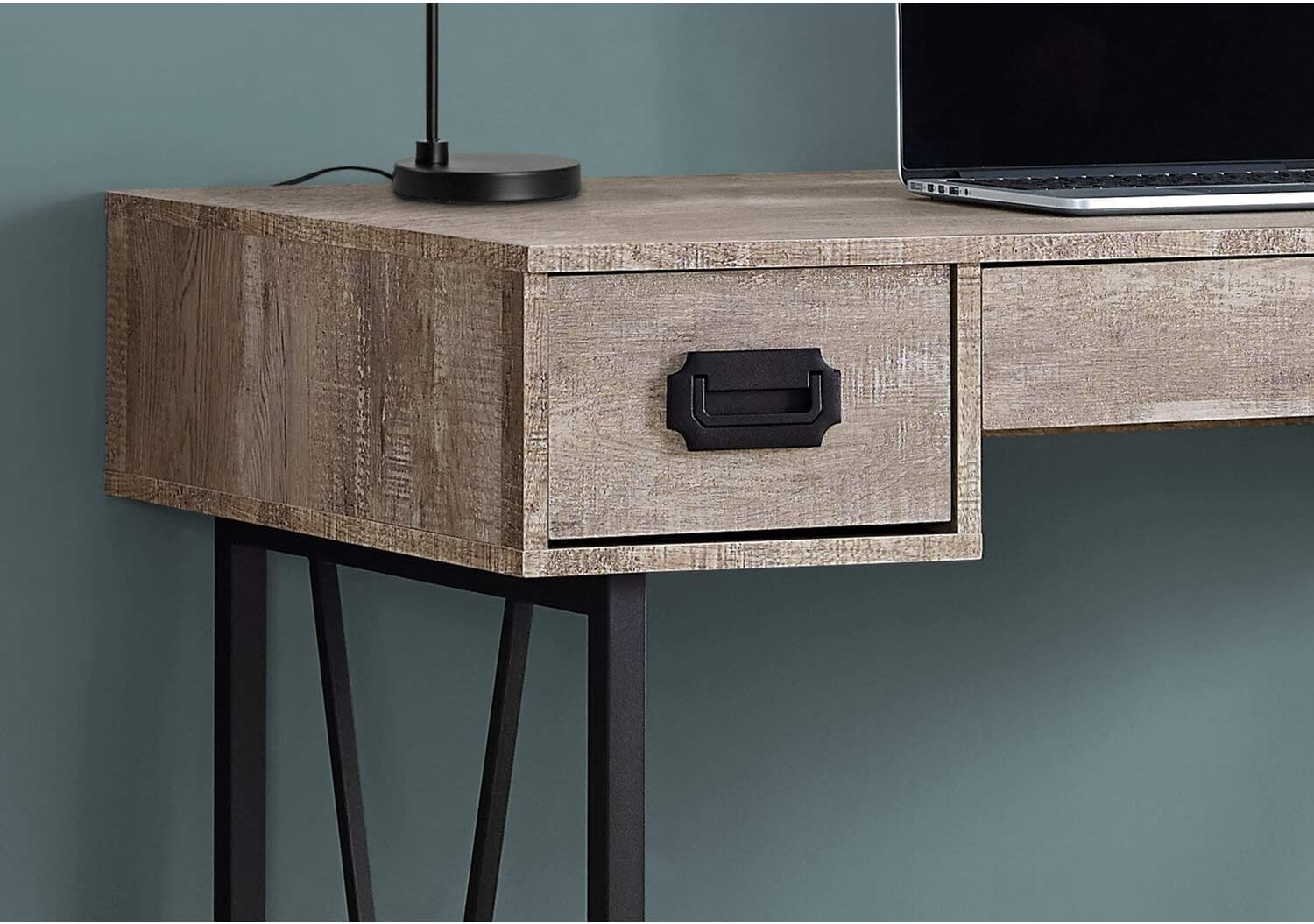
Immagine: un primo piano view of one of the side drawers on the Monarch Specialties Computer Desk, highlighting the metal pull handle and wood-look finish.
Cura e manutenzione
Una cura adeguata prolungherà la durata e l'aspetto della tua scrivania.
- Pulizia: Pulisci la superficie e le gambe della scrivania con un panno morbido e asciutto.amp panno. Evitare l'uso di prodotti chimici aggressivi, detergenti abrasivi o lucidanti che potrebbero danneggiare la finitura.
- Fuoriuscite: Immediately wipe up any spills to prevent staining or damage to the laminate finish.
- Calore e umidità: Protect the surface from extreme heat and moisture. Use coasters for drinks and heat pads for hot items.
- Luce solare: Evitare l'esposizione prolungata alla luce solare diretta, che può causare sbiadimento o scolorimento nel tempo.
- Hardware: Controllare periodicamente tutte le viti e gli elementi di fissaggio per assicurarsi che siano ben serrati. Serrarli nuovamente se necessario per mantenere la stabilità.
- In movimento: When moving the desk, lift it rather than dragging it to prevent damage to the legs and frame.
Risoluzione dei problemi
Ecco le soluzioni ai problemi più comuni che potresti riscontrare:
- La scrivania è traballante:
Soluzione: Ensure all assembly screws and bolts are securely tightened. Check that the desk is on a level surface. If not, use furniture glides or shims under the legs to stabilize it. - I cassetti si bloccano o non scorrono correttamente:
Soluzione: Check that the drawer glides are properly aligned and free of obstructions. Ensure the drawers are not overloaded. A small amount of silicone spray on the glides can improve smoothness. - Parti mancanti o danneggiate:
Soluzione: Do not attempt to assemble the product with missing or damaged parts. Contact Monarch Specialties customer support with your model number and a description of the issue to request replacement parts. - Graffi superficiali:
Soluzione: For minor scratches, furniture repair markers or wax sticks matching the finish color may help. Always use a desk pad or protective mat to prevent future scratches.
Specifiche
| Caratteristica | Dettaglio |
|---|---|
| Marca | Specialità Monarch |
| Numero di modello | Io 7414 |
| Dimensioni del prodotto (P x L x A) | 23.75"P x 47.25"L x 30.75"A |
| Colore | Talpa |
| Stile | CONTEMPORARY, INDUSTRIAL, MODERN |
| Materiale di base | Metallo |
| Tipo di finitura | Legno ingegnerizzato |
| Caratteristica speciale | Compatto |
| Numero di cassetti | 3 (2 side, 1 middle) |
| Peso dell'articolo | 61 libbre |
| Assemblaggio richiesto | SÌ |
Garanzia e supporto
Monarch Specialties products are manufactured to high standards. For specific warranty information, please refer to the documentation included with your purchase or visit the official Monarch Specialties website. If you require assistance with assembly, have questions about your product, or need to report missing/damaged parts, please contact Monarch Specialties customer support directly. Keep your purchase receipt and model number handy for faster service.
Per maggiori informazioni, potete visitare il sito Monarch Specialties Store on Amazon.