
Introduzione
The SereneLife SLSFE11 Digital Electronic Mechanical Lock Safe is designed to provide secure storage for your valuables. This heavy-duty safe features a robust steel construction, a digital electronic lock system, and a mechanical override for reliable access. It is suitable for home, office, or business use, offering protection for items such as documents, cash, jewelry, and firearms.
Please read this manual thoroughly before operating the safe to ensure proper setup and functionality.
Cosa c'è nella scatola
- Cassaforte elettronica
- (2) Override Keys
- (4) 'AA' Batteries
- Bulloni di montaggio
- Manuale dell'utente (questo documento)
Impostare
1. Installazione della batteria
The digital panel requires four (4) 'AA' batteries for operation. These are included in the package.
- Individuare il vano batterie all'interno dello sportello della cassaforte.
- Aprire il coperchio della batteria.
- Insert four 'AA' batteries, ensuring correct polarity (+/-).
- Chiudere bene il coperchio della batteria.
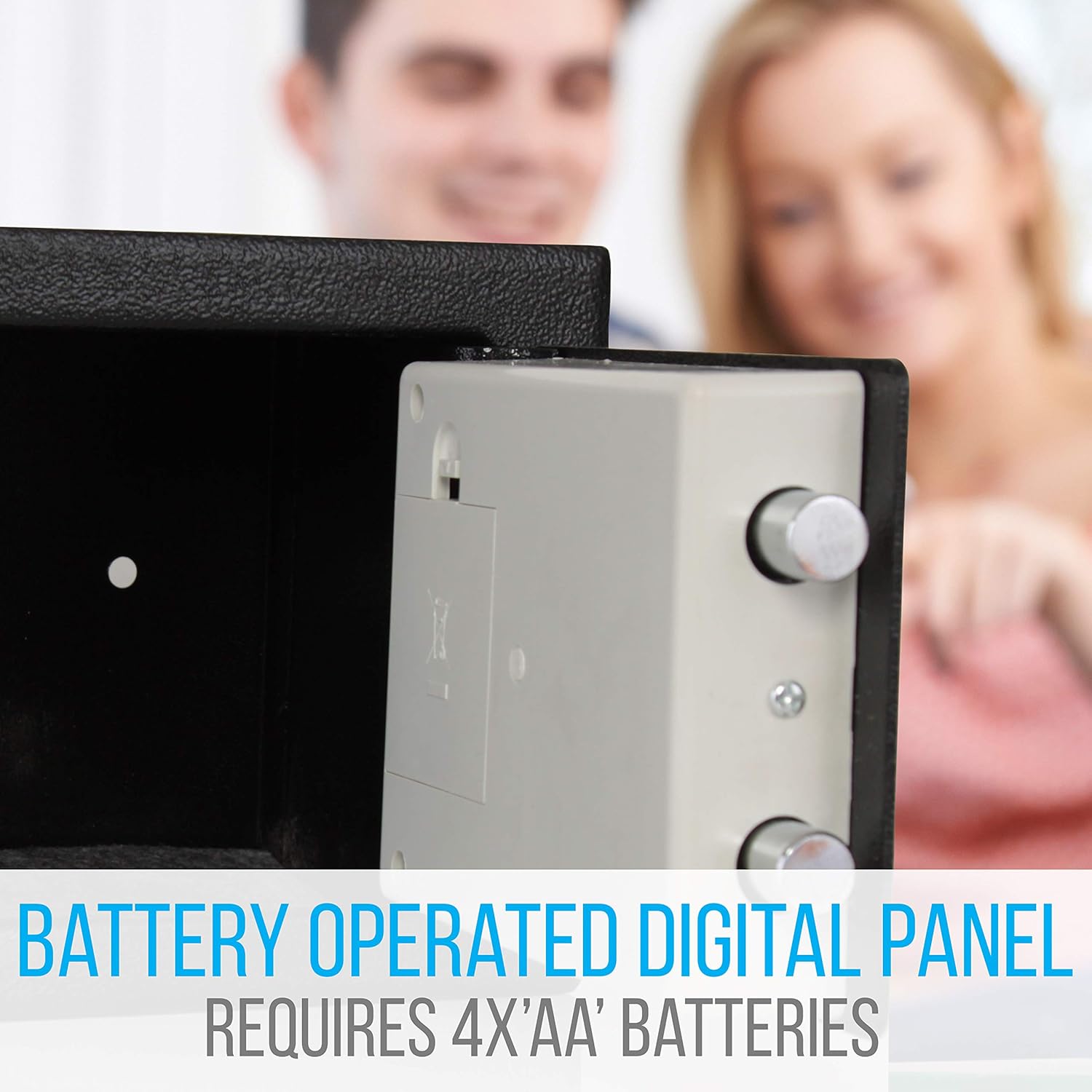
Figure 1: Battery compartment for the digital panel, requiring 4 'AA' batteries.
2. Initial Opening (Using Override Key)
Before setting your digital code, you will need to open the safe using the mechanical override key.
- Individuare il copriserratura sul tastierino digitale.
- Rimuovere il coperchio della serratura.
- Insert one of the provided override keys into the keyhole.
- Turn the key clockwise while simultaneously turning the rotating knob clockwise to open the safe door.
- Once open, remove the key and store it in a secure location outside the safe.

Figure 2: Illustration of mechanical override and digital access methods.
Istruzioni per l'uso
1. Setting Your Personal Digital Code
It is highly recommended to set your personal digital code immediately after initial setup.
- Con lo sportello della cassaforte aperto, individuare il pulsante rosso di reset sul lato interno dello sportello, vicino alla cerniera.
- Press the red reset button. You will hear a beep, and the yellow indicator light on the keypad will illuminate.
- Within 5 seconds, enter a new personal code (3 to 8 digits) on the keypad.
- Press the 'E' (Enter) button to confirm. You will hear a confirmation beep.
- Your new code is now set. Test the new code with the door open before closing it.
2. Opening the Safe with Your Digital Code
- Enter your personal digital code (3 to 8 digits) on the keypad.
- Press the 'E' (Enter) button. The green indicator light will illuminate, and you will hear a beep.
- Within 5 seconds, turn the rotating knob clockwise to open the safe door.

Figure 3: Digital keypad and rotating knob for safe access.
3. Chiusura e blocco della cassaforte
- Chiudi la porta della cassaforte.
- Turn the rotating knob counter-clockwise to engage the locking bolts.
- Ora la cassaforte è chiusa a chiave.
4. Auto-Locking Function
If an incorrect code is entered three (3) consecutive times, the safe will enter an auto-lockout period. During this time, the keypad will be unresponsive. Wait for the lockout period to expire before attempting to enter the code again or use the mechanical override key.
Override meccanico
The safe is equipped with a mechanical override system, allowing access even if the batteries are depleted or the digital code is forgotten.
- Remove the keyhole cover on the digital keypad.
- Insert one of the provided override keys into the keyhole.
- Turn the key clockwise while simultaneously turning the rotating knob clockwise to open the safe door.
- Once open, you can replace the batteries if needed or reset the digital code.

Figure 4: The safe with its door open, showing the locking mechanism.
Istruzioni di montaggio
For enhanced security, the safe can be mounted to a wall or floor using the pre-drilled anchor holes.
- Choose a suitable location for mounting, ensuring it is a solid surface (e.g., wood stud, concrete).
- Apri la porta della cassaforte.
- Mark the drilling points through the pre-drilled holes on the back or bottom of the safe onto your chosen surface.
- Drill pilot holes into the wall or floor at the marked points.
- Allineare la cassaforte con i fori praticati.
- Insert the provided mounting bolts through the safe's holes and into the pilot holes.
- Stringere saldamente i bulloni per fissare la cassaforte in posizione.
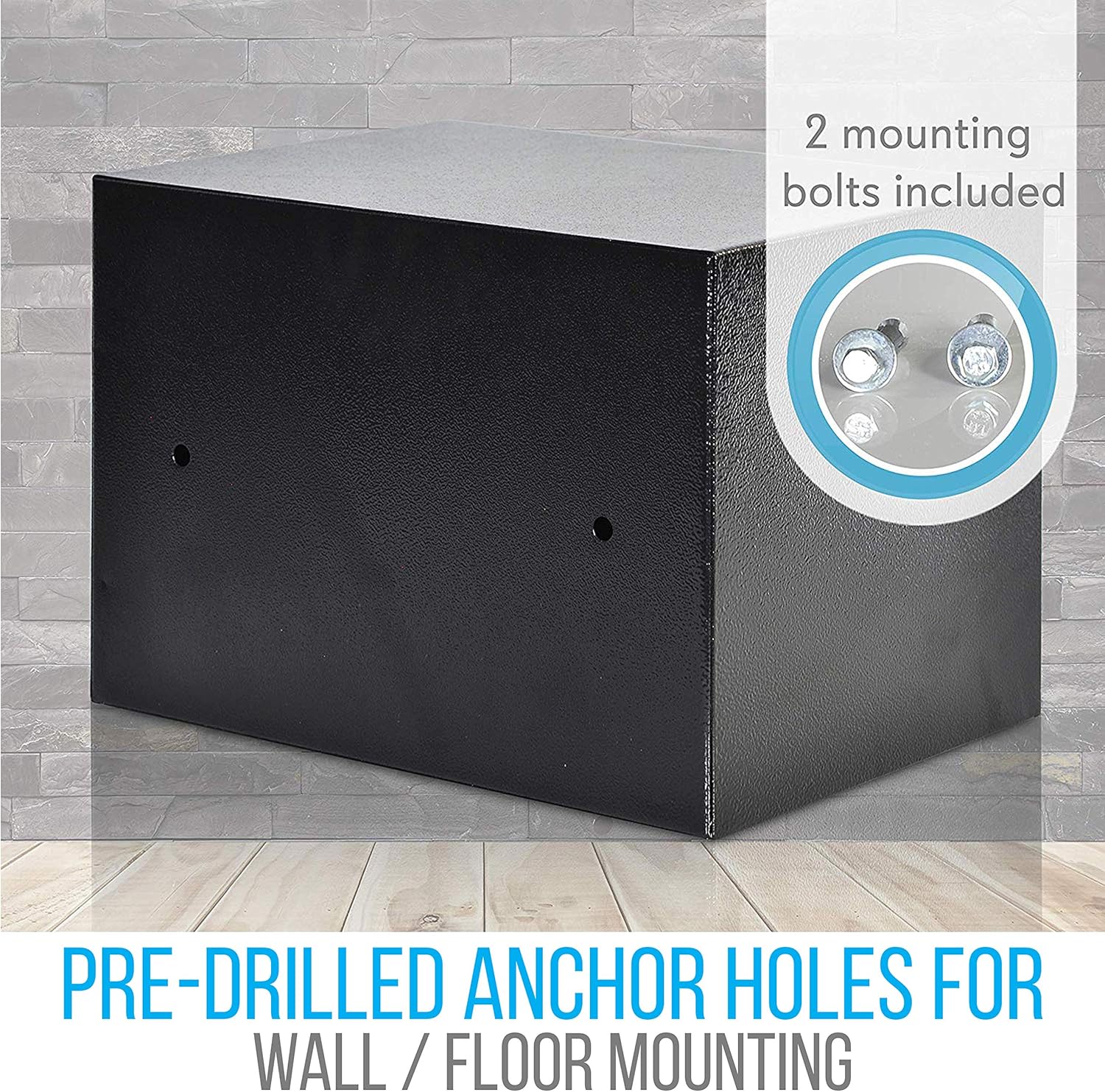
Figure 5: Pre-drilled anchor holes for wall or floor mounting, with included bolts.
Manutenzione
- Sostituzione della batteria: Replace the 'AA' batteries annually or when the low battery indicator light appears (usually a red light or weak beeps during operation). Always use new, high-quality alkaline batteries.
- Pulizia: Pulisci l'esterno della cassaforte con un panno morbido eamp panno. Evitare detergenti abrasivi o solventi che potrebbero danneggiare la finitura o i componenti elettronici.
- Deposito chiavi: Always store the override keys in a secure location away from the safe and out of reach of unauthorized individuals. Do not store them inside the safe.
Risoluzione dei problemi
| Problema | Possibile causa | Soluzione |
|---|---|---|
| La cassaforte non si apre con il codice digitale. | Incorrect code entered; batteries are low or dead; keypad malfunction. | Re-enter code carefully. Replace batteries. Use mechanical override key. |
| La tastiera non risponde. | Batteries are dead; safe is in auto-lockout mode after incorrect entries. | Replace batteries. Wait for lockout period to expire (typically a few minutes). |
| Cannot set a new code. | Reset button not pressed correctly; code entered too slowly; door not fully open. | Ensure door is fully open. Press reset button firmly. Enter new code and 'E' within 5 seconds. |
| La porta della cassaforte non si chiude correttamente. | Obstruction in the door frame; locking bolts are extended. | Check for obstructions. Ensure locking bolts are retracted before closing. |
Specifiche
- Modello: SLSFE11
- Materiale di costruzione: Steel Plate Housing (3.0mm door, 1.0mm body)
- Tipo di blocco: Digital Electronic Lock with Mechanical Override
- Codice di sicurezza: Programmable Digital Pin-Code (3-8 digits)
- Fonte di energia: 4 x 'AA' Batteries (for digital panel)
- Dimensioni (L x P x A): 9.06'' x 9.06'' x 6.7'' (230 mm x 230 mm x 170 mm)
- Peso dell'articolo: Circa 5.52 libbre (2.5 kg)
- Tipo di montaggio: Floor Mount, Wall Mount (pre-drilled holes)
- Caratteristiche speciali: Dual Security Steel Door Locking Bolt, Anti-Theft Alarm (auto-locking), Corrosion and Stain Resistant Powder Coat Finish

Figure 6: Product dimensions of the SereneLife SLSFE11 safe.
Garanzia e supporto
Per informazioni sulla garanzia o supporto tecnico, fare riferimento al sito ufficiale del produttore websito o contattare il servizio clienti. Conservare la ricevuta d'acquisto come prova d'acquisto.
Produttore: Suona intorno
Marca: SerenaVita