
1. Introduzione
The MAVERICK iChef BT-600 Bluetooth Wireless Digital Meat Thermometer is designed to provide precise temperature monitoring for your cooking, grilling, and smoking needs. This device allows you to track food and ambient temperatures remotely via a Bluetooth-enabled application on your smartphone or tablet, ensuring perfectly cooked results every time.
2. Prodotto finitoview
2.1 Caratteristiche principali
- Gamma estesa: Monitor your cook from up to 300 feet away in line of sight.
- Visualizzazione della temperatura: Shows temperatures in both Fahrenheit (°F) and Celsius (°C).
- Sonde multiple: Includes two 36-inch waterproof probes with wires rated for 572°F. The device supports up to four probes (additional probes sold separately).
- Two-Way Timer: Features a versatile timer that can count up or count down for precise cooking control.
- Loss of Signal Alert: Notifies you if the connection is lost for more than one minute.
- Water-Resistant Transmitter: Progettato per durare in diverse condizioni esterne.
- Temperature preimpostate: Includes 6 preset food temperatures (beef, veal, lamb, pork, chicken, turkey) and 9 preset game temperatures (deer, elk, moose, buffalo, rabbit, boar, duck, bird, fish).
- Avvisi di temperatura: Alerts you when food reaches the target temperature and when the BBQ temperature falls out of the desired range.
- INSTA-SYNC Technology: Provides longer range and reduced monitoring interference.
- Compatibilità Bluetooth: Works with all devices equipped with Bluetooth LE 4.0 or above.
2.2 Contenuto della confezione
- 1 x MAVERICK iChef BT-600 Thermometer Unit
- 2 x 36-inch Waterproof Probes
- 2 x clip per griglia
- 2 batterie AAA

Image: The MAVERICK iChef BT-600 thermometer unit, displaying a temperature reading, with two probes plugged into its side ports. This image highlights the main device and its probe connections.

Image: An infographic illustrating the key features of the iChef BT-600, including temperature range, 300 ft range, two heat-resistant probes, count up/down timers, loss-of-signal alerts, and water-resistant transmitter.
3. Impostazione
3.1 Installazione della batteria
- Locate the battery compartment on the back of the iChef BT-600 unit.
- Aprire il coperchio del vano batterie.
- Inserire due batterie AAA, assicurandosi della corretta polarità (+/-).
- Chiudere saldamente il coperchio del vano batterie.
3.2 Collegamento della sonda
- Carefully insert the probe connectors into the designated ports on the side of the iChef BT-600 unit. The unit supports up to four probes.
- Ensure the connectors are fully seated to establish a proper connection.
3.3 Download e associazione dell'app
- Download the "iChef BT-600" app from the Apple App Store (for iOS devices) or Google Play Store (for Android devices).
- Abilita il Bluetooth sul tuo smartphone o tablet.
- Power on the iChef BT-600 unit.
- Open the iChef BT-600 app. The app will automatically search for and connect to your thermometer. Follow any on-screen prompts to complete the pairing process.

Image: A person wearing black gloves is shown inserting a temperature probe into a whole chicken cooking on a grill. The iChef BT-600 thermometer unit is visible on a side table next to the grill.
4. Istruzioni per l'uso
4.1 Monitoring Food Temperature
- Insert the tip of the probe into the thickest part of the meat, avoiding bone or gristle. For ambient temperature, use a grill clip to attach the probe to the grill grate, ensuring it does not touch the food.
- Open the iChef BT-600 app on your paired device.
- Select the desired meat type from the preset options or set a custom target temperature.
- The app will display the current temperature and the target temperature. You will receive an alert when the target temperature is reached.
4.2 Utilizzo del timer
The iChef BT-600 features a two-way timer that can be accessed and controlled through the app:
- Conto alla rovescia: Start a timer to track the total cooking duration.
- Conto alla rovescia: Set a specific cooking time, and the timer will alert you when it reaches zero.
4.3 Commutazione delle unità di temperatura
The device can display temperatures in Fahrenheit (°F) or Celsius (°C). This setting can typically be adjusted within the iChef BT-600 app.
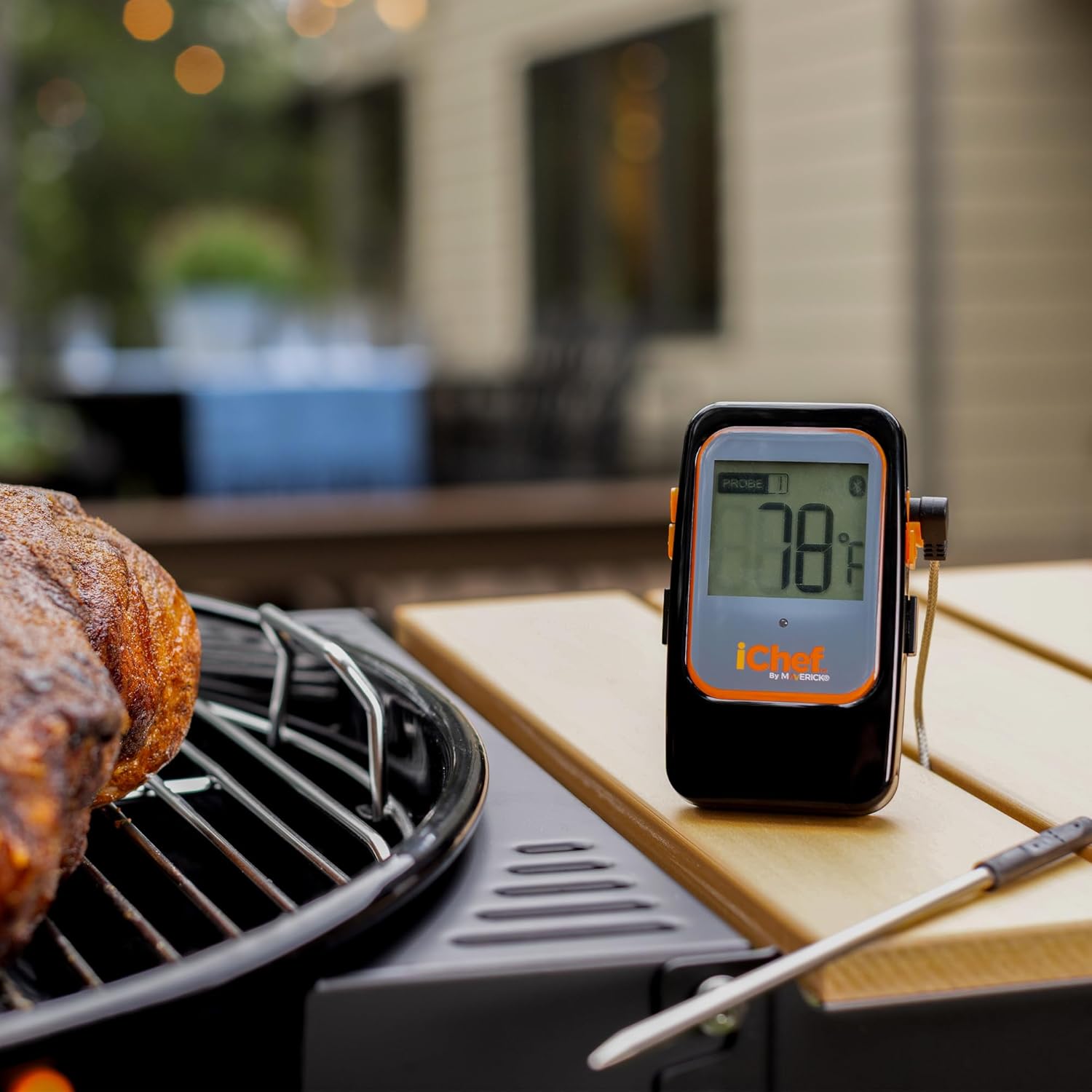
Image: The MAVERICK iChef BT-600 thermometer unit is positioned on a wooden side table next to a grill, displaying a temperature of 78°F. A piece of meat is cooking on the grill in the foreground.
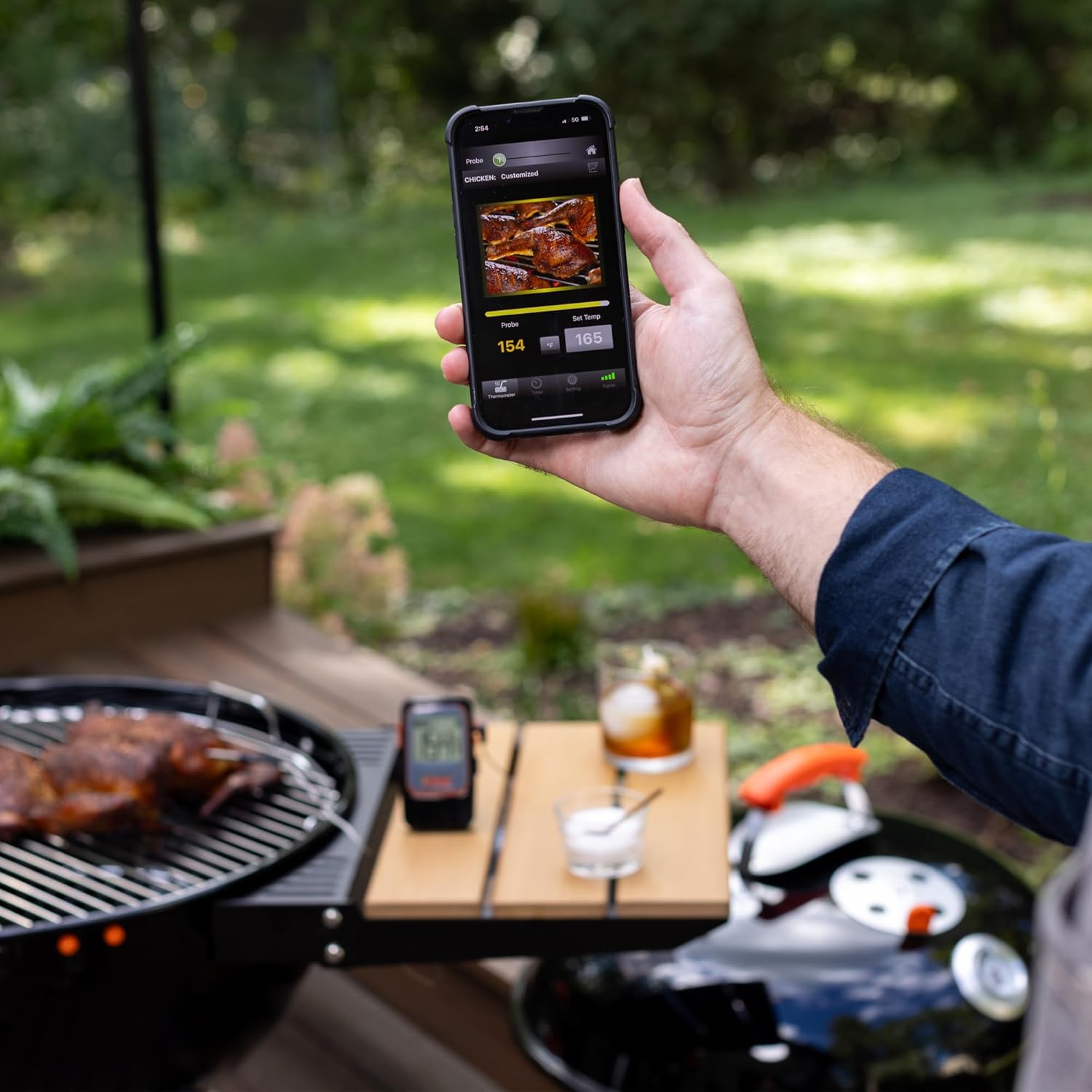
Image: A person's hand holds a smartphone displaying the iChef BT-600 app interface, showing a current temperature of 154°F and a target temperature of 165°F for chicken. The thermometer unit is visible on a table in the background next to a grill.
5. Manutenzione
5.1 Pulizia
- Sonde: The probes should be hand washed only. Use warm, soapy water and a soft cloth or sponge. Rinse thoroughly and dry completely before storage. Do not submerge the probe connectors or the main thermometer unit in water.
- Unità principale: Pulisci l'unità principale con un pannoamp panno. Non utilizzare detergenti abrasivi né immergere l'unità in acqua.
5.2 Conservazione
Store the iChef BT-600 thermometer and probes in a clean, dry place when not in use. Avoid extreme temperatures and direct sunlight.
5.3 Cura della sonda
To prolong the life of your probes, avoid bending the probe wires sharply or exposing them to temperatures exceeding 572°F (300°C). Do not expose the probe wires directly to flames.
6. Risoluzione Dei Problemi
6.1 No Power/Display
- Check if the AAA batteries are correctly installed with the proper polarity.
- Sostituire le vecchie batterie con quelle nuove.
6.2 Loss of Bluetooth Connection
- Ensure your smartphone/tablet is within the 300-foot line-of-sight range of the iChef BT-600 unit. Obstructions like walls or large metal objects can reduce range.
- Verifica che il Bluetooth sia abilitato sul tuo dispositivo.
- Close and reopen the iChef BT-600 app.
- Restart both the iChef BT-600 unit and your smartphone/tablet, then attempt to re-pair.
6.3 Letture della temperatura imprecise
- Ensure the probe is inserted correctly into the thickest part of the meat, away from bone or gristle.
- Check for any visible damage to the probe wire or connector. Damaged probes may need replacement.
- Verify that the probe wires have not been exposed to temperatures exceeding their 572°F rating.
7. Specifiche
| Caratteristica | Dettaglio |
|---|---|
| Marca | NON CORRENTE |
| Modello | BT-600 |
| Colore | Nero |
| Materiale | Acciaio inossidabile (sonde) |
| Tecnologia di connettività | Bluetooth LE 4.0 or above |
| Intervallo di temperatura | Da -4°C a 572°C (da -20°F a 300°F) |
| Probe Wire Rating | 572°F (300°C) |
| wireless Range | Fino a 300 piedi (linea di vista) |
| Fonte di alimentazione | 2 batterie AAA |
| Tipo di visualizzazione | Digitale |
| Caratteristiche speciali | Alarm, Bluetooth Compatible, Programmable, Water-resistant transmitter, INSTA-SYNC technology |
| Istruzioni per la cura del prodotto | Hand Wash Only (probes) |
8. Informazioni sulla garanzia
MAVERICK Industries offers a GARANZIA LIMITATA DI UN ANNO. The manufacturer will repair or replace the iChef BT-600 unit within 1 year from the original date of purchase, provided the product is used according to the instructions and for its intended purpose.
9. Supporto
For further assistance, technical support, or warranty claims, please contact MAVERICK customer service. Refer to the product packaging or the official MAVERICK websito per le informazioni di contatto più aggiornate.
Websito: Visit the MAVERICK Store on Amazon