
1. Introduzione
This manual provides essential instructions for the safe and efficient operation of your SuperSonic IQ-6112DJBT Portable Bluetooth DJ Speaker. Please read this manual thoroughly before using the product and retain it for future reference.
2. Informazioni sulla sicurezza
Per garantire un funzionamento sicuro ed evitare danni, osservare le seguenti precauzioni:
- Non esporre l'altoparlante ad acqua, umidità o temperature estreme.
- Non aprire l'altoparlante casing. Affidare tutti gli interventi di manutenzione a personale qualificato.
- Tenere l'altoparlante lontano da fonti di calore e dalla luce solare diretta.
- Utilizzare solo l'alimentatore fornito con l'unità.
- Garantire un'adeguata ventilazione intorno all'altoparlante durante il funzionamento.
- Per evitare danni all'udito, evitare l'ascolto prolungato a volumi elevati.
3. Contenuto della confezione
Verificare che tutti gli articoli siano presenti nel pacco:
- SuperSonic IQ-6112DJBT Portable Bluetooth DJ Speaker
- Microfono cablato
- Telecomando
- Adattatore di alimentazione
- Manuale dell'utente (questo documento)
4. Prodotto finitoview
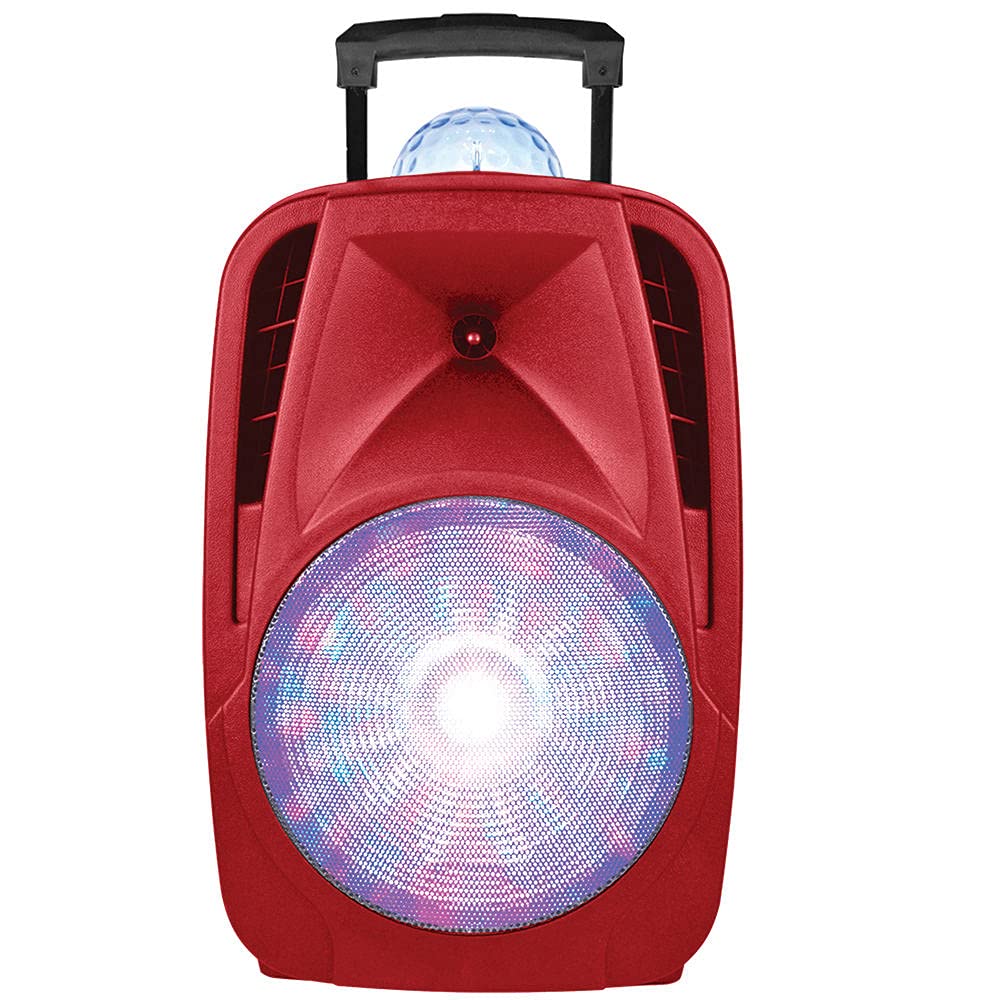
The SuperSonic IQ-6112DJBT is a versatile portable DJ speaker featuring a 12-inch high-efficiency woofer, built-in Bluetooth connectivity, USB/Micro SD card inputs, and an AUX input. It also includes a disco light feature for enhanced ambiance.
4.1 Included Accessories: Microphone and Remote Control
This image displays the included wired microphone and the multi-function remote control. The microphone features a standard 1/4 inch audio jack for connection to the speaker. The remote control includes buttons for mute, record, play, volume adjustment, track navigation, scan, and EQ settings, along with a numeric keypad for direct track selection.
4.2 Controlli del pannello frontale
The speaker features various controls for audio playback, input selection, and light effects. These typically include:
- Volume principale: Regola l'uscita audio complessiva.
- Volume del microfono: Adjusts the microphone input level.
- Controllo dell'eco: Regola l'effetto eco del microfono.
- Pulsante modalità di immissione: Switches between Bluetooth, USB, Micro SD, and AUX inputs.
- Pulsante modalità luce: Controls the disco light effects.
- Controlli di riproduzione: Riproduci/Pausa, Traccia successiva/precedente.
4.3 Collegamenti del pannello posteriore
The rear panel provides ports for power and external devices:
- Potenza in ingresso: Si collega all'alimentatore.
- Ingresso AUX (3.5 mm): Connects external audio devices via an audio cable.
- Porta USB: Per le unità flash USB.
- Slot per scheda microSD: Per schede di memoria Micro SD.
- Microphone Input (1/4 inch): Collega il microfono cablato.
5. Impostazione
5.1 Collegamento di alimentazione
- Connect the supplied power adapter to the speaker's power input port.
- Collega l'alimentatore a una presa elettrica standard.
- Turn on the speaker using the power switch, usually located on the rear or front panel.
5.2 Initial Charging (Battery Powered)
The speaker is battery-powered. For optimal performance, fully charge the speaker before its first use. The charging indicator light will typically change color or turn off when charging is complete.
6. Istruzioni per l'uso
6.1 Associazione Bluetooth
- Accendi l'altoparlante.
- Premere il tasto Modalità button on the speaker or remote control until "Bluetooth" mode is selected. The speaker will indicate it is in pairing mode (e.g., a flashing LED or an audible prompt).
- Sul tuo dispositivo abilitato Bluetooth (smartphone, tablet, ecc.), vai alle impostazioni Bluetooth e cerca i dispositivi disponibili.
- Selezionare "IQ-6112DJBT" dall'elenco dei dispositivi.
- Once paired, the speaker will confirm the connection (e.g., a solid LED or an audible prompt). You can now play audio wirelessly from your device.
6.2 Riproduzione USB/Micro SD
- Inserire una chiavetta USB o una scheda Micro SD (precaricata con audio MP3) files) nella rispettiva porta/slot sull'altoparlante.
- Premere il tasto Modalità button to select "USB" or "SD" mode. The speaker will automatically begin playing audio from the inserted media.
- Per gestire la musica, utilizza i controlli di riproduzione (Riproduci/Pausa, Traccia successiva/precedente) sull'altoparlante o sul telecomando.
6.3 Ingresso AUX
- Collegare un'estremità di un cavo audio da 3.5 mm (non incluso) alla porta di ingresso AUX dell'altoparlante.
- Connect the other end of the audio cable to the headphone jack or audio output of your external audio device (e.g., MP3 player, laptop).
- Premere il tasto Modalità pulsante per selezionare la modalità "AUX".
- Play audio from your external device. Adjust volume on both the speaker and the external device.
6.4 Utilizzo del microfono
- Plug the wired microphone into the 1/4 inch microphone input jack on the speaker.
- Adjust the microphone volume knob on the speaker to your desired level.
- Adjust the echo control knob for an echo effect, if desired.
6.5 Effetti di luce
The speaker features built-in disco lights. Press the Modalità luce button on the speaker or remote control to cycle through different light patterns or to turn the lights off.
6.6 Funzioni del telecomando
The included remote control provides convenient access to various speaker functions:
- MUTO: Disattiva o attiva l'audio in uscita.
- Rec: Initiates recording (if supported by the speaker's firmware and connected media).
- RIPRODUZIONE REGISTRAZIONE: Plays back recorded audio.
- VOL+/VOL-: Increases or decreases the main volume.
- CH+/CH- (Next/Previous): Passa alla traccia/stazione successiva o precedente.
- SCANSIONE: Scans for radio stations (if FM radio is supported).
- EQ: Scorre i preset dell'equalizzatore.
- Tastierino numerico (0-9): Direct selection of tracks on USB/SD media.
7. Manutenzione
7.1 Pulizia
Pulisci l'esterno dell'altoparlante con un panno morbido e asciutto. Non utilizzare detergenti abrasivi, cere o solventi. Assicurati che nessun liquido penetri nelle aperture dell'altoparlante.
7.2 Conservazione
When not in use for extended periods, store the speaker in a cool, dry place, away from direct sunlight and extreme temperatures. If battery-powered, charge the battery periodically to maintain its lifespan.
8. Risoluzione Dei Problemi
| Problema | Possibile causa | Soluzione |
|---|---|---|
| Nessun potere | Power adapter not connected; Battery depleted; Power switch off. | Ensure power adapter is securely connected and plugged into a working outlet. Charge the battery. Turn the power switch ON. |
| Nessun suono | Volume too low; Incorrect input mode; Device not paired (Bluetooth); Cable not connected (AUX). | Increase volume on speaker and source device. Select the correct input mode. Re-pair Bluetooth device. Check AUX cable connection. |
| Il Bluetooth non si connette | Altoparlante non in modalità di associazione; Dispositivo troppo lontano; Interferenza; Dispositivo precedentemente associato connesso. | Assicurati che l'altoparlante sia in modalità di associazione Bluetooth. Avvicina il dispositivo all'altoparlante. Spegni gli altri dispositivi Bluetooth. Disconnettiti dai dispositivi precedentemente associati. |
| Il microfono non funziona | Microphone not plugged in; Microphone volume too low; Faulty microphone. | Ensure microphone is securely plugged into the correct input. Increase microphone volume. Test with another microphone if available. |
9. Specifiche
- Marca: Supersonico
- Numero modello: IQ-6112DJBT
- Dimensione woofer: 12 pollici
- Tecnologia di connettività: AUX, Bluetooth, USB
- Fonte di energia: Alimentato a batteria
- Impedenza: 4 Ohm
- Numero di canali: 2
- Ingresso audio: Headphone jack (for AUX), 1/4 inch (for Microphone)
- Peso dell'articolo: 17.9 libbre
- Codice UPC: 639131861121
10. Garanzia e supporto
10.1 Informazioni sulla garanzia
This product is covered by a Manufacturer Warranty. For specific details regarding warranty coverage, duration, and terms, please refer to the warranty card included in your package or contact Supersonic customer support.
10.2 Assistenza clienti
If you encounter any issues not covered in this manual or require further assistance, please contact Supersonic customer support. Contact information can typically be found on the product packaging, the official Supersonic websito o la scheda di garanzia.