
Zerone H980
Manuale utente del proiettore LED portatile Zerone Mini
Modello: H980
Introduzione
Grazie per l'acquistoasing the Zerone Mini Portable LED Projector. This compact and versatile projector is designed to provide an immersive home theater experience, allowing you to enjoy movies, videos, and games in a dark environment, whether at home or outdoors. With its multiple input interfaces and long-life LED light source, it offers a convenient and environmentally friendly solution for your entertainment needs.
This manual provides essential information on setting up, operating, and maintaining your projector to ensure optimal performance and longevity. Please read it thoroughly before use and keep it for future reference.
Contenuto della confezione
Dopo aver aperto la confezione, verificare che tutti gli articoli elencati di seguito siano presenti e in buone condizioni:
- 1 x Zerone Mini Portable LED Projector
- 1 x telecomando (batterie non incluse)
- 1 x adattatore di alimentazione (spina USA)
- 1 x cavo AV
- 1 x Manuale utente (questo documento)

Figure 1: Zerone Mini Portable LED Projector and its accessories. The image shows the compact white and yellow projector, a black remote control, a black power adapter with a US plug, and a black AV cable with red, white, and yellow connectors.
Prodotto finitoview
The Zerone Mini Portable LED Projector is designed for ease of use and portability. It features a compact form factor, making it suitable for various environments. Below is an overview dei suoi componenti e caratteristiche principali.

Figura 2: Dall'alto verso il basso view of the projector's input and control panel. Visible ports include MicroSD, AV, and a 3.5mm earphone port. Control buttons are also visible on the top surface.
Caratteristiche principali:
- 1500lm High Brightness: Delivers clear and vibrant images.
- Risoluzione nativa: 320 x 240P, supporting up to 1080P HD input.
- Long-Life LED Light Source: 30,000 hours of operation, environmentally friendly.
- Interfacce di input multiple: HDMI, USB, AV, VGA, Micro Secure Digital, 3.5mm Earphone Port.
- Design portatile: Piccolo e leggero, facile da trasportare.

Figure 3: Connectivity options for the projector. This diagram illustrates how various devices such as laptops, desktop PCs, U disks/TF cards, DVD/VCD players, game consoles, TV boxes, and HDMI players can connect to the projector via its HDMI, AV, USB, VGA, and Micro SD inputs.
Impostare
1. Collegamento elettrico:
- Connect the provided power adapter to the "DC IN" port on the projector.
- Collega l'alimentatore a una presa elettrica standard.
- La spia di alimentazione sul proiettore si illuminerà.
2. Positioning the Projector:
Place the projector on a stable, flat surface. Ensure there is adequate ventilation around the unit to prevent overheating. The ideal projection distance ranges from 1.0 to 2.8 meters (approximately 3.3 to 9.2 feet) to achieve a screen size of 24 to 60 inches.
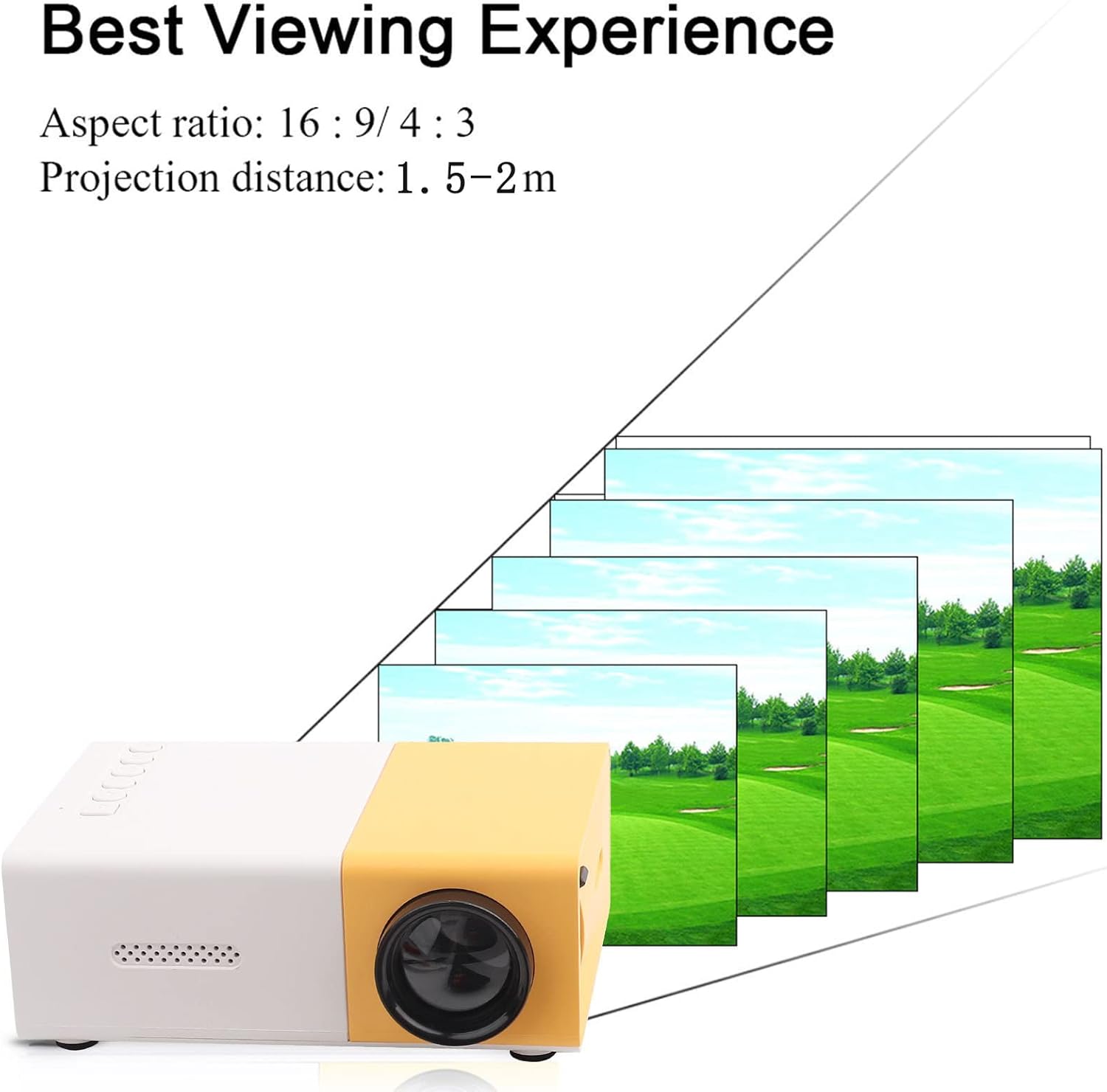
Figura 4: Migliore Viewing Experience. This image shows the projector projecting onto a screen, with text indicating an aspect ratio of 16:9/4:3 and a projection distance of 1.0-2.8m. It visually represents how the image size changes with distance.
3. Collegamento dei dispositivi di input:
Connect your desired media device (e.g., laptop, TV box, game console, USB drive) to the appropriate port on the projector:
- HDMI: Per video e audio ad alta definizione.
- USB: Per la riproduzione di contenuti multimediali fileÈ direttamente da un'unità flash USB.
- AV: For connecting devices using the included AV cable (e.g., older DVD players).
- VGA: Per collegare i computer.
- Micro Secure Digital (MicroSD): Per la riproduzione di contenuti multimediali filedirettamente da una scheda MicroSD.
- Porta per auricolari da 3.5 mm: Per collegare cuffie o altoparlanti esterni.
Istruzioni per l'uso
1. Accensione/spegnimento:
Premere il pulsante di accensione sul proiettore o sul telecomando per accendere o spegnere l'unità.
2. Focusing the Image:
The projector features manual focusing. Rotate the focus ring on the lens until the projected image appears clear and sharp on the screen.
3. Selezione della sorgente di input:
Use the "Source" button on the projector or remote control to cycle through the available input sources (HDMI, USB, AV, VGA, MicroSD) until your connected device's content is displayed.
4. Adjusting Aspect Ratio:
The projector supports aspect ratios of 16:9 and 4:3. You can adjust this setting via the projector's menu or remote control to best suit your content.
5. Riproduzione multimediale:
When playing media from USB or MicroSD, navigate through files using the remote control's directional buttons and "OK" button. The projector supports a wide range of formats:
- Audio Files: MP3, WMA, OGG, AAG, FLAC, APE, WAV
- Immagine Files: JPEG, BMP, PNG
- Video Files: Supports Full Format Files
- Testo Files: TXT
Manutenzione
1. Pulizia dell'obiettivo:
Utilizzare un panno morbido e privo di lanugine, specificamente progettato per lenti ottiche, per pulire delicatamente la lente del proiettore. Evitare l'uso di detergenti abrasivi o di esercitare una forza eccessiva, poiché ciò potrebbe graffiare la lente.
2. Cleaning the Projector Body:
Pulire l'esterno del proiettore con un panno morbido e asciutto. Non utilizzare detergenti liquidi o solventi.
3. Ventilazione:
Ensure that the ventilation vents on the projector are not blocked. Proper airflow is crucial to prevent overheating and maintain the lifespan of the LED light source.
4. Conservazione:
Quando non viene utilizzato per lunghi periodi, conservare il proiettore in un luogo fresco e asciutto, lontano dalla luce solare diretta e da polvere eccessiva. Si consiglia di utilizzare l'imballaggio originale o una custodia protettiva.
Risoluzione dei problemi
| Problema | Possibile causa | Soluzione |
|---|---|---|
| Nessuna immagine proiettata. |
|
|
| L'immagine è sfocata. |
|
|
| Nessun suono. |
|
|
| Il proiettore si surriscalda o si spegne. |
|
|
Specifiche
| Caratteristica | Dettaglio |
|---|---|
| Sorgente luminosa | LED, 30,000 hours lifespan |
| Risoluzione nativa | Risoluzione 320 x 240P |
| Luminosità | 1500lm |
| Rapporto di contrasto | 800:1 |
| Modalità di messa a fuoco | Messa a fuoco manuale |
| Colori visualizzabili | 1.67 milioni |
| Proporzioni | 16:9 / 4:3 |
| Distanza di proiezione | 1.0 - 2.8m |
| Dimensioni dello schermo di proiezione | 24 - 60 pollici |
| Potenza in ingresso | DC12V-2A |
| Dimensioni | Circa 127 x 81.5 x 48.5 mm (5 x 3.2 x 1.9 pollici) |
| Peso | Circa 500 g (1.1 libbre) |
| Interfacce | 1 x HDMI, 1 x USB, 1 x AV, 1 x VGA, 1 x Micro Secure Digital, 1 x 3.5mm Earphone Port |
Garanzia e supporto
For warranty information and technical support, please refer to the purchase documentation or contact your retailer. Keep your proof of purchase for any warranty claims.
For further assistance, you may also visit the official Zerone store on Amazon: Zerone Store.
Ask a question about this manual
Ask about setup, troubleshooting, compatibility, parts, safety, or missing instructions. Manuals+ will review the question and use this page’s manual context to help answer it.