
SUNITEC BC920
Manuale utente dell'altoparlante Bluetooth per auto SUNITEC BC920
Hands-Free Bluetooth Car Speaker for Cell Phone
1. Prodotto finitoview
The SUNITEC BC920 is a versatile Bluetooth car speaker designed to provide clear, hands-free communication and audio streaming in your vehicle. It features advanced DSP noise-cancellation technology for crystal-clear calls and supports voice assistants like Siri and Google Assistant for safe driving.

Immagine: Frontale view of the SUNITEC BC920 Bluetooth Car Speaker, showing its compact design and control buttons.
2. Contenuto della confezione
Si prega di selezionare la casella per i seguenti elementi:
- SUNITEC BC920SA Bluetooth Car Kit
- Caricabatterie per auto
- Cavo di ricarica USB
- Quick user guide / User Manual

Image: Back of the SUNITEC BC920 product box, detailing key features and package contents.
3. Disposizione del dispositivo
Familiarize yourself with the buttons and ports on your SUNITEC BC920 speakerphone.
- Pulsante di chiamata: Answer/End calls, Redial.
- Volume su (+): Aumentare il volume.
- Volume basso (-): Diminuire il volume.
- Tasto muto: Mute/unmute microphone.
- Interruttore di alimentazione: Acceso/Spento.
- Porta micro USB: Per la ricarica.
- Clip per visiera: For attaching to car visor.

Immagine: Primo piano view of the SUNITEC BC920, highlighting the call button, volume controls, and mute button.
4. Configurazione e ricarica
4.1 Carica iniziale
Before first use, fully charge the SUNITEC BC920. Connect the provided USB charging cable to the Micro USB port on the device and the other end to the car charger or a standard USB power adapter (not included). The LED indicator will show charging status.
The device features a long-lasting battery, providing up to 22 hours of talk time and 1000 hours of standby time on a full charge.

Image: Illustration showing the SUNITEC BC920 and its impressive battery life, with icons for 22 hours talk time and 1000 hours standby time.
4.2 Accensione/Spegnimento
- Per accendere: Slide the power switch to the "ON" position. You will hear a voice prompt "Power On".
- Per spegnere: Slide the power switch to the "OFF" position. You will hear a voice prompt "Power Off".
The device also features an auto power on/off function. A built-in vibration sensor automatically turns on the car kit when it detects car door opening, allowing it to reconnect with your phone. When the device is not in use for a period, it will turn off automatically to save battery.

Image: Visual representation of the SUNITEC BC920's auto power-on feature, showing the device activating when a car door is opened.
4.3 Associazione Bluetooth
To connect the SUNITEC BC920 to your mobile phone:
- Ensure the speakerphone is powered on.
- Sul tuo telefono, vai alle impostazioni Bluetooth e abilita il Bluetooth.
- Cercare available devices. The speakerphone will appear as "BC920".
- Select "BC920" to pair. You will hear a voice prompt "Pairing" and then "Connected" upon successful connection.
The SUNITEC BC920 supports connecting two Bluetooth cell phones simultaneously, allowing for easy switching between music and calls from different devices.

Image: Diagram illustrating the dual connection capability of the SUNITEC BC920, showing two smartphones connected simultaneously.
5. Istruzioni per l'uso
5.1 Effettuare e ricevere chiamate
- Risposta a una chiamata: Premere il tasto Pulsante di chiamata una volta.
- Terminare una chiamata: Premere il tasto Pulsante di chiamata una volta durante una chiamata.
- Rifiutare una chiamata: Premere e tenere premuto il tasto Pulsante di chiamata per 2 secondi.
- Ricomposizione dell'ultimo numero: Premere due volte il tasto Pulsante di chiamata.
- Regolazione del volume: Utilizzare il Volume su (+) E Volume basso (-) pulsanti.
- Disattivazione del microfono: Premere il tasto Pulsante muto during a call. Press again to unmute.
The built-in 2W powerful speaker and DSP noise-cancellation technology ensure clear calls and high-quality audio even in noisy environments.

Image: Graphic highlighting the clear speech and high-quality audio features of the SUNITEC BC920, with sound waves emanating from the speaker.
5.2 Assistente vocale (Siri/Assistente Google)
The SUNITEC BC920 supports voice assistants, allowing you to make calls, send texts, or get driving directions hands-free, enhancing driving safety.
- Attivazione dell'assistente vocale: Premere e tenere premuto il tasto Pulsante di chiamata for 2 seconds to activate Siri (iOS) or Google Assistant (Android).
- Once activated, you can issue commands such as:
- "Chiama [Nome del contatto]"
- "Text [Contact Name] [Message]"
- "Show me directions to [Destination]"
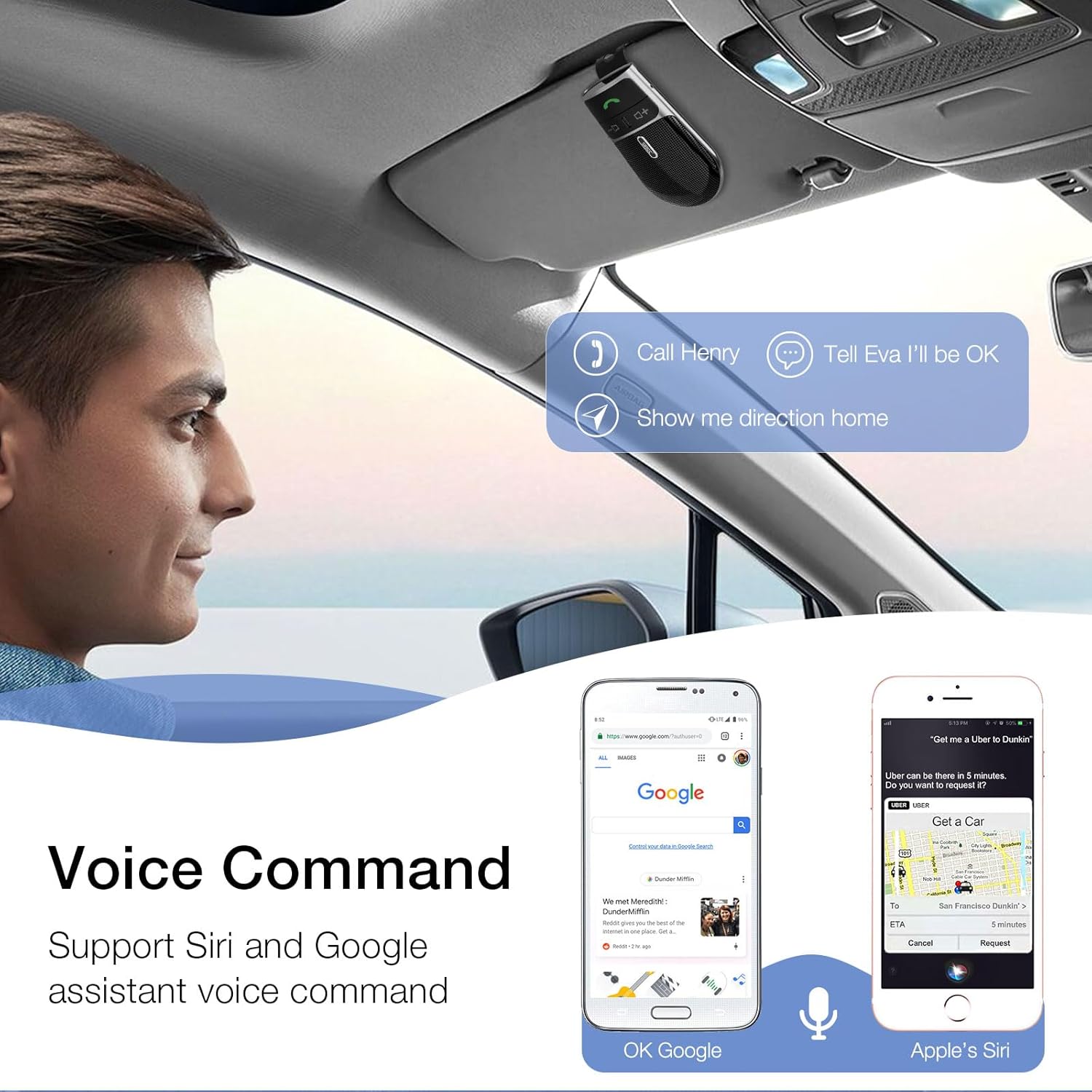
Image: A user in a car interacting with the SUNITEC BC920 to use voice commands for calling, texting, and navigation via Siri or Google Assistant.
5.3 Guida vocale
The device provides clear voice prompts for various operational statuses, making it easy to use without visual confirmation.
- "Power On"
- "Power Off"
- "Abbinamento"
- "Connected"
- "Disconnected"
- "Battery Low"
Image: Depiction of the SUNITEC BC920 providing voice guidance, with a list of common voice prompts.
6. Manutenzione
- Pulire il dispositivo con un panno morbido e asciutto. Non utilizzare detergenti abrasivi o solventi.
- Tenere il dispositivo lontano da temperature estreme, umidità e luce solare diretta.
- Do not disassemble the device. This will void the warranty and may cause damage.
- Conservare in luogo fresco e asciutto quando non si utilizza per lunghi periodi.
7. Risoluzione Dei Problemi
| Problema | Possibile causa | Soluzione |
|---|---|---|
| Il dispositivo non si accende. | La batteria è scarica. | Carica completamente il dispositivo. |
| Impossibile effettuare l'associazione con il telefono. | Bluetooth is off on phone; device not in pairing mode; too many paired devices. | Ensure phone Bluetooth is on. Restart both devices. Clear previous Bluetooth connections on your phone. |
| Scarsa qualità audio durante le chiamate. | Low battery; interference; device too far from phone. | Charge the device. Move closer to your phone. Avoid sources of strong electromagnetic interference. |
| L'assistente vocale non risponde. | Not activated correctly; phone settings. | Ensure you press and hold the Call Button for 2 seconds. Check voice assistant settings on your phone. |
8. Specifiche
| Caratteristica | Dettaglio |
|---|---|
| Numero di modello | BC920 |
| Dimensioni del prodotto | 4.5 x 2.6 x 1 pollici |
| Peso dell'articolo | 2.2 once |
| Batterie | 1 batteria ai polimeri di litio (inclusa) |
| Tecnologia di connettività | Bluetooth |
| Fonte di alimentazione | Alimentato a batteria |
| Materiale | Plastica |
| Caratteristica speciale | DSP Noise Cancellation, Microphone |
| Tempo di conversazione | Fino a 22 ore |
| Tempo di standby | Fino a 1000 ore |
9. Informazioni sulla sicurezza
Proper usage while driving and battery handling precautions are essential. Always refer to the full user manual for comprehensive safety warnings.
- Non utilizzare il dispositivo in modo da distrarti dalla guida. Dai sempre priorità alla sicurezza stradale.
- Non esporre il dispositivo all'acqua o a umidità eccessiva.
- Evitare temperature estreme.
- Smaltire le batterie secondo le normative locali. Non incenerire.
10. Garanzia e supporto
SUNITEC offers a customer-friendly policy for its products:
- Garanzia: 365 Days free return for any problems.
- Assistenza clienti: Expect a quick response within 24 hours for inquiries.
For further assistance, please contact SUNITEC support:
- Telefono: Dimensioni: 0755-36863386 / 26863387 / 36863389
- E-mail: support@sunitec.net
- Websito: www.sunitec.net/en/

Image: Information regarding SUNITEC's customer service, including contact details and warranty period.
Ask a question about this manual
Ask about setup, troubleshooting, compatibility, parts, safety, or missing instructions. Manuals+ will review the question and use this page’s manual context to help answer it.