
1. Introduzione
Thank you for choosing the Macally USB Type C Wired Mouse. This manual provides detailed instructions for setting up, operating, and maintaining your new mouse. Designed for simplicity and reliability, this plug-and-play mouse offers comfortable use with adjustable DPI settings for various computing needs.
2. Contenuto della confezione
- Macally USB Type C Wired Mouse
- Manuale di istruzioni
3. Impostazione
The Macally USB Type C Wired Mouse is designed for easy plug-and-play functionality, requiring no additional drivers for most operating systems.
- Collega il mouse: Locate an available USB-C port on your computer (MacBook Pro, iMac, PC, Laptop, Tablet, etc.). Insert the USB-C connector of the mouse cable firmly into the USB-C port.
- Riconoscimento automatico: Your operating system should automatically detect and configure the mouse. No software installation is typically required.
- Inizia l'uso: Una volta riconosciuto, il mouse è pronto per l'uso immediato.

Image: The Macally USB-C mouse connected to a laptop via its USB-C cable, demonstrating the plug-and-play setup.
Video: A demonstration of connecting the wired USB-C mouse to a laptop, highlighting its plug-and-play functionality for Type-C computers.
4. Istruzioni per l'uso
4.1 Utilizzo di base
The mouse features a standard 3-button layout for intuitive control:
- Pulsante sinistro del mouse: Utilizzato per selezionare gli elementi, aprire files ed esecuzione di comandi.
- Pulsante destro del mouse: Used for accessing contextual menus and additional options.
- Rotella di scorrimento: Utilizzato per scorrere i documenti e web pages. The scroll wheel can also be pressed as a middle click button for specific functions in some applications.

Immagine: dall'alto verso il basso view of the Macally USB-C mouse, clearly showing the left-click, right-click, and scroll wheel buttons.
4.2 Regolazione DPI
The mouse features a dedicated DPI (Dots Per Inch) switch to adjust cursor sensitivity. This allows you to change the speed and responsiveness of the cursor to suit your preference or task.
- Premere il tasto Pulsante DPI (located below the scroll wheel) to cycle through the available sensitivity settings: 800, 1200, 1600, and 2400 DPI.
- Select the DPI setting that provides the most comfortable and efficient cursor movement for your current activity.
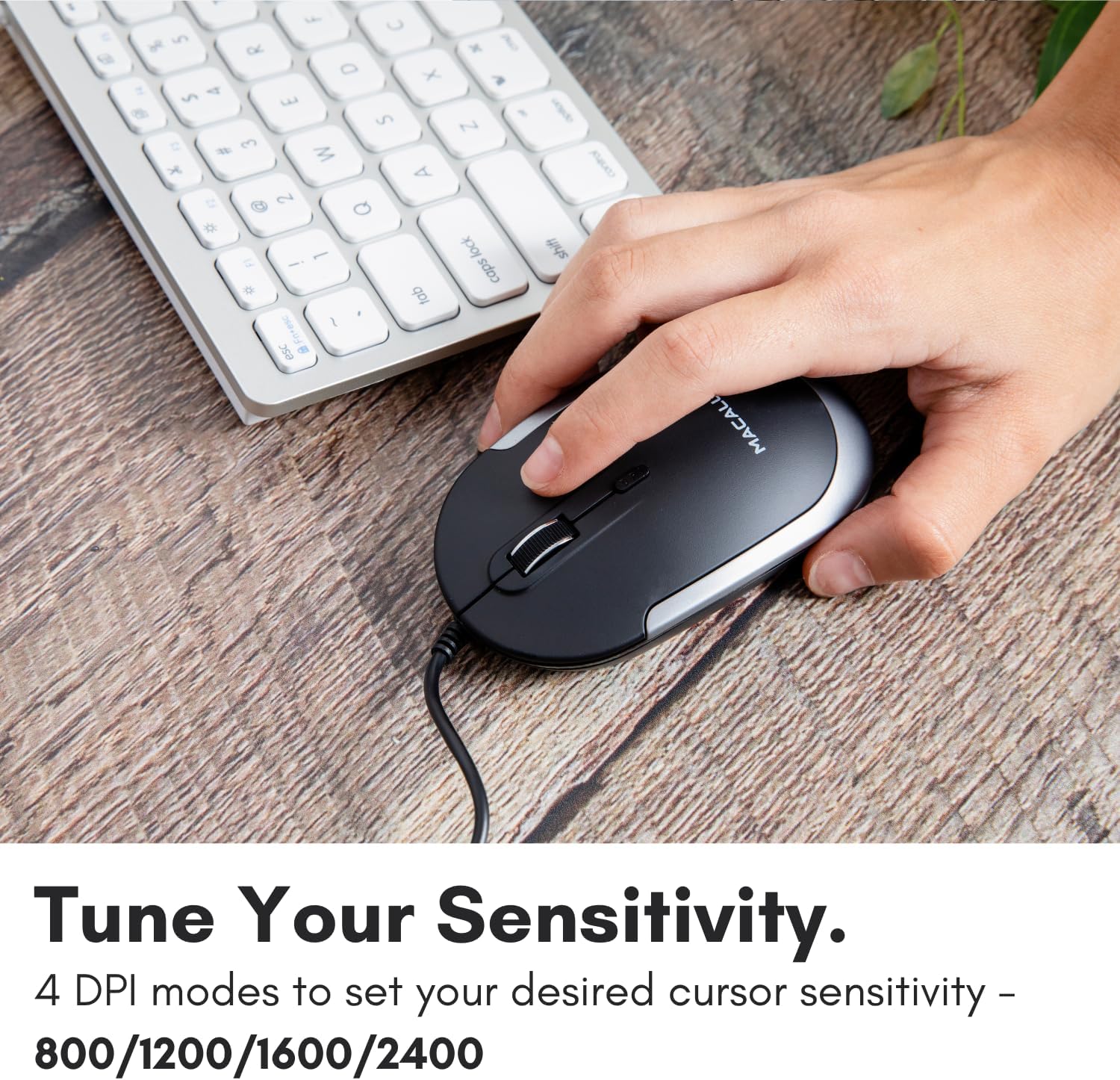
Image: A hand demonstrating how to press the DPI button on the Macally USB-C mouse to adjust sensitivity.
4.3 Compatibilità
The Macally USB Type C Wired Mouse is universally compatible with a wide range of devices and operating systems:
- Mac (macOS)
- PC (finestre)
- iPadOS
- Android devices with USB-C ports

Image: The Macally USB-C mouse displayed with compatibility logos for Mac, PC, iPadOS, and Android operating systems.
5. Caratteristiche principali
- Connettività USB-C: Specifically designed for modern laptops and computers with USB-C ports, ensuring a reliable wired connection.
- Design sottile e compatto: With a height of only 1 inch, the mouse is slim, comfortable, and portable, fitting snugly in your hand.
- Pulsanti silenziosi: Reduces clicking noise by 90% compared to traditional mice, providing a quieter work environment.
- DPI regolabile: Easily switch between 800, 1200, 1600, and 2400 DPI settings for precise cursor control.
- Cavo da 5 piedi: Fornisce ample length for flexible setup and comfortable use, even with desktop computers.
- Design ambidestro: Adatto sia per utenti destrimani che mancini.

Image: The Macally USB-C mouse highlighting its elegant and slim design with dimensions.
Video: A detailed look at the Macally USB-C Optical Mouse, emphasizing its quiet click buttons and compatibility with Mac and PC.
6. Manutenzione
To ensure the longevity and optimal performance of your Macally USB Type C Wired Mouse, follow these simple maintenance guidelines:
- Pulizia: Utilizzare un panno morbido, asciutto e privo di lanugine per pulire la superficie del mouse. Per lo sporco ostinato, leggermente dampPulire il panno con acqua o una soluzione detergente delicata. Evitare l'uso di prodotti chimici aggressivi o materiali abrasivi.
- Sensore ottico: Mantenere pulito e privo di polvere o detriti il sensore ottico sul lato inferiore del mouse. Se necessario, utilizzare un cotton fioc o aria compressa.
- Cura del cavo: Avoid sharp bends or excessive pulling on the USB-C cable to prevent damage. Store the cable neatly when not in use.
- Magazzinaggio: Quando non lo si utilizza, conservare il mouse in un ambiente pulito e asciutto, lontano da temperature estreme.
7. Risoluzione Dei Problemi
If you encounter any issues with your Macally USB Type C Wired Mouse, please refer to the following common solutions:
| Problema | Soluzione |
|---|---|
| Il mouse non risponde. |
|
| Il movimento del cursore è irregolare o saltellante. |
|
| Buttons or scroll wheel are not working. |
|
8. Specifiche
| Marca | mally |
| Numero di modello | UCDYNAMOUSESG |
| Tecnologia di connettività | USB-C cablato |
| Tecnologia di rilevamento del movimento | Ottico |
| Impostazioni DPI | 800, 1200, 1600, 2400 |
| Lunghezza del cavo | 5 piedi (circa 1.5 metri) |
| Pulsanti | 3 (Left, Right, Scroll Wheel/Middle Click) + DPI Switch |
| Peso dell'articolo | 2.56 once (circa 72.5 grammi) |
| Dimensioni del prodotto (LxWxH) | 2.8 x 4.21 x 1 pollici (circa 7.1 x 10.7 x 2.5 cm) |
| Compatibilità | Mac (macOS), PC (Windows), iPadOS, Android (with USB-C) |
9. Garanzia e supporto
Macally provides a Garanzia di 1 anno for this product. For technical support, troubleshooting assistance, or warranty claims, please contact Macally customer service. You can find contact information and additional resources on the official Macally websito:
Websito: www.macally.com
Macally also offers easy returns and lifetime support with your purchase.