
Introduzione
This manual provides comprehensive instructions for the setup, operation, and maintenance of your EUG Portable WiFi Wireless Projector. Designed for home theater, outdoor movies, and gaming, this projector features an integrated Android OS, WiFi, and Bluetooth connectivity, offering a versatile entertainment experience. Please read this manual thoroughly before using the projector to ensure proper operation and to maximize its lifespan.
Informazioni sulla sicurezza
Per garantire un funzionamento sicuro ed evitare danni, osservare le seguenti precauzioni:
- Non ostruire le aperture di ventilazione. Assicurarsi che vi sia spazio sufficiente attorno al proiettore per un corretto flusso d'aria.
- Non esporre il proiettore a pioggia, umidità o temperature estreme.
- Utilizzare solo l'adattatore di alimentazione fornito con il proiettore.
- Evitare di guardare direttamente nell'obiettivo del proiettore quando lamp is on, as the bright light can cause eye strain.
- Non tentare di smontare o modificare il proiettore. Per qualsiasi intervento di assistenza, rivolgersi a personale qualificato.
- Tenere il proiettore lontano dall'acqua e da altri liquidi.
Contenuto della confezione
Verifica che tutti gli articoli siano presenti nel tuo pacco:
- 1 x EUG Projector
- 1 x Cavo di segnale AV
- 1 cavo HDMI
- 1 x telecomando
- 1 x Manuale utente (questo documento)
- 1 x cavo di alimentazione
Prodotto finitoview
Physical Appearance and Portability

The EUG projector is designed for portability, easily fitting in one hand. Its compact size makes it convenient for transport and setup in various locations.

Dimensions of the projector are approximately 24.99 cm (9.8 inches) in length, 19.51 cm (7.6 inches) in width, and 8.99 cm (3.5 inches) in height, with a net weight of 1.81 kg (4.0 lbs).
Porte di ingresso e di uscita

The projector features a variety of input and output ports for versatile connectivity, including USB, two HDMI inputs, AV, VGA, and an Audio Out port. These allow connection to game consoles, Blu-ray players, laptops, and other devices.
Funzionalità intelligenti e connettività

Equipped with Android OS, the projector supports Bluetooth 4.0 and 5G WiFi (802.11AC), enabling wireless connections to external speakers, headphones, gamepads, keyboards, and mice. It also allows access to various applications like YouTube and Netflix.
Impostare
Placement and Projection
The optimal projection size ranges from 29 to 130 inches, with a corresponding throw distance of 0.7 to 3.3 meters (3.54 to 12.33 feet). Adjust the projector's position to achieve the desired screen size.

The projector can be set up for rear projection, mounted to the ceiling, or simply placed on a desk, offering flexibility for various environments.
Initial Power-On and Adjustments
- Collegare il cavo di alimentazione al proiettore e a una presa di corrente.
- Premere il pulsante di accensione sul proiettore o sul telecomando per accenderlo.
- Regolare il Messa a fuoco manuale ring on the lens until the image is clear and sharp.
- Utilizzare il Chiave di volta verticale correction feature (±15°) to correct distorted images if the projector is not perfectly perpendicular to the screen.
Istruzioni per l'uso
Selezione della sorgente di input
After powering on, select your desired input source from the main menu. Options include HDMI 1, HDMI 2, USB, VGA, and AV. Use the remote control to navigate the menu.
Navigazione del sistema operativo Android
The projector runs on an integrated Android OS. Use the remote control or a connected mouse/keyboard to navigate the interface. You can download and install applications from the pre-installed app store (e.g., HappyCast, Play Store) or directly from APK files.
Connettività wireless (WiFi e Bluetooth)
- Wifi: Go to Settings > Network & Internet > Wi-Fi to connect to your wireless network. This enables internet browsing and online streaming.
- Bluetooth: Go to Settings > Connected devices > Pair new device to connect Bluetooth speakers, headphones, or input devices.
Mirroring dello schermo

The projector supports Miracast, AirPlay, and DLNA for wireless screen mirroring from compatible mobile devices. This allows you to project videos, photos, and games directly from your smartphone or tablet to the large screen.
To use screen mirroring, ensure both your mobile device and the projector are connected to the same WiFi network. Select the appropriate mirroring app on the projector (e.g., HappyCast) and follow the on-screen instructions on your mobile device.
Riproduzione multimediale tramite USB
Insert a USB drive into the USB port. The projector's media player will automatically detect the drive, allowing you to browse and play supported video, audio, and image files. It supports external hard drives up to 1TB.
Manutenzione
Pulizia
- Per pulire la parte esterna del proiettore, utilizzare un panno morbido e asciutto.
- Per la pulizia delle lenti, utilizzare un panno e una soluzione specifica per la pulizia delle lenti. Non utilizzare detergenti abrasivi.
- Pulire regolarmente le griglie di ventilazione per evitare l'accumulo di polvere, che può compromettere le prestazioni di raffreddamento.
Lamp e sistema di raffreddamento

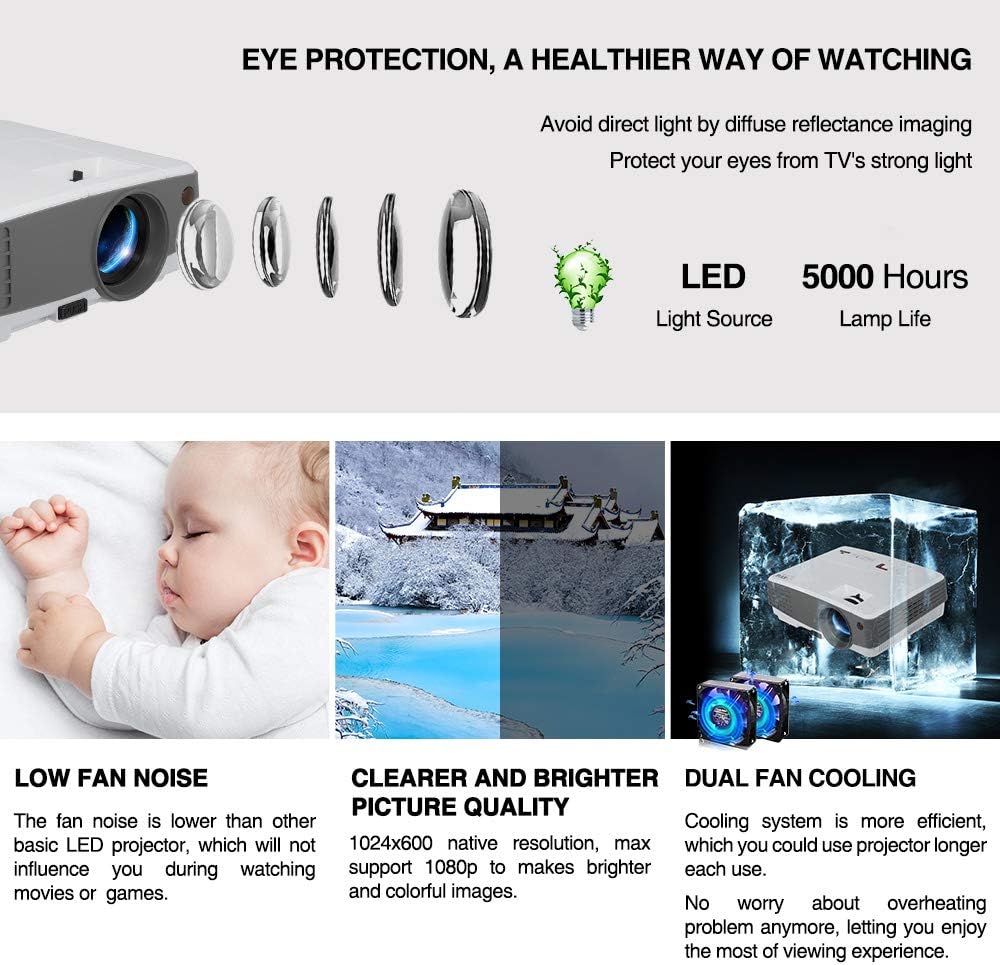
The projector utilizes an LED light source with an estimated lifespan of over 50,000 hours, significantly reducing the need for lamp replacement. It features a third-generation cooling system with Maglev fans and dual copper heat dissipation tubes to ensure efficient and quiet operation, preventing overheating.
Risoluzione dei problemi
| Problema | Possibile causa | Soluzione |
|---|---|---|
| Nessuna immagine sullo schermo | Cavo di alimentazione scollegato; sorgente di ingresso selezionata non corretta; copriobiettivo inserito. | Check power connection; select correct input source (HDMI, USB, VGA, AV); remove lens cap. |
| L'immagine è sfocata | Messa a fuoco non regolata; proiettore troppo vicino/lontano dallo schermo. | Adjust the manual focus ring; reposition the projector within the recommended throw distance. |
| L'immagine è trapezoidale | Proiettore non perpendicolare allo schermo. | Adjust the vertical keystone correction. |
| Nessun suono | Volume too low; external audio device not connected properly; incorrect audio output selected. | Increase volume; ensure external speakers/headphones are connected correctly; check audio settings in Android OS. |
| Problemi di connessione WiFi/Bluetooth | Password errata; dispositivo fuori portata; interferenza. | Re-enter password; move device closer; reduce interference from other electronics. |
Specifiche
| Caratteristica | Dettaglio |
|---|---|
| Modello | EUG 600D+ Bluetooth Android (SP-07) |
| Luminosità | 3300 lumen |
| Rapporto di contrasto | 3200:1 |
| Risoluzione nativa | 1024 x 600 (Supports 1080P) |
| Dimensione dell'immagine | 29-130 pollici |
| Distanza di lancio | 0.7-3.3 metri (3.54-12.33 piedi) |
| Proporzioni | 16:9 / 4:3 |
| Tipo di visualizzazione | LCD with 100W LED Lamp |
| Lamp Vita | Fino a 50,000 ore |
| Alimentazione elettrica | AC 100-240V / 50-60Hz |
| Consumo energetico | <90Settembre |
| Connettività | HDMI (x2), USB, VGA, AV, Audio Out, WiFi (802.11AC 5G), Bluetooth 4.0 |
| Sistema operativo | Sistema operativo Android |
| Memoria RAM/ROM | 1 GB di RAM / 8 GB di ROM |
| Dimensioni (L x P x A) | 24.99 x 19.51 x 8.99 cm (9.8 x 7.6 x 3.5 pollici) |
| Peso netto | 1.81 kg (4.0 libbre) |
Garanzia e supporto
Your EUG projector comes with a Garanzia di 1 anno from the date of purchase. This warranty covers manufacturing defects and ensures proper functioning under normal use. For warranty claims or technical support, please contact your retailer or the official EUG support channels.
Per ulteriore assistenza, visitare il sito EUG Brand Store on Amazon oppure fare riferimento alle informazioni di contatto fornite con la documentazione di acquisto.