
1. Introduzione
Grazie per l'acquistoasing the Yenkee YKB 3200 Gaming Keyboard. This manual provides essential information for the proper setup, operation, and maintenance of your new keyboard. Please read this manual thoroughly before using the product to ensure optimal performance and longevity.
2. Informazioni sulla sicurezza
- Tenere la tastiera lontana da liquidi e da umidità eccessiva.
- Non esporre la tastiera a temperature estreme.
- Evitare di far cadere la tastiera o di sottoporla a forti urti.
- Non tentare di smontare o riparare la tastiera da soli. Per qualsiasi intervento di assistenza, rivolgersi a personale qualificato.
- Use only a dry, soft cloth for cleaning.
3. Contenuto della confezione
Si prega di controllare il contenuto della confezione al momento del disimballaggio. Se qualche articolo risulta mancante o danneggiato, contattare il rivenditore.
- Yenkee YKB 3200 Gaming Keyboard with integrated smartphone holder
- Cavo USB (in dotazione)
4. Prodotto finitoview
The Yenkee YKB 3200 is a robust gaming keyboard designed for an enhanced gaming experience. It features a durable metal construction, responsive rubber dome keys, and dynamic rainbow backlighting.
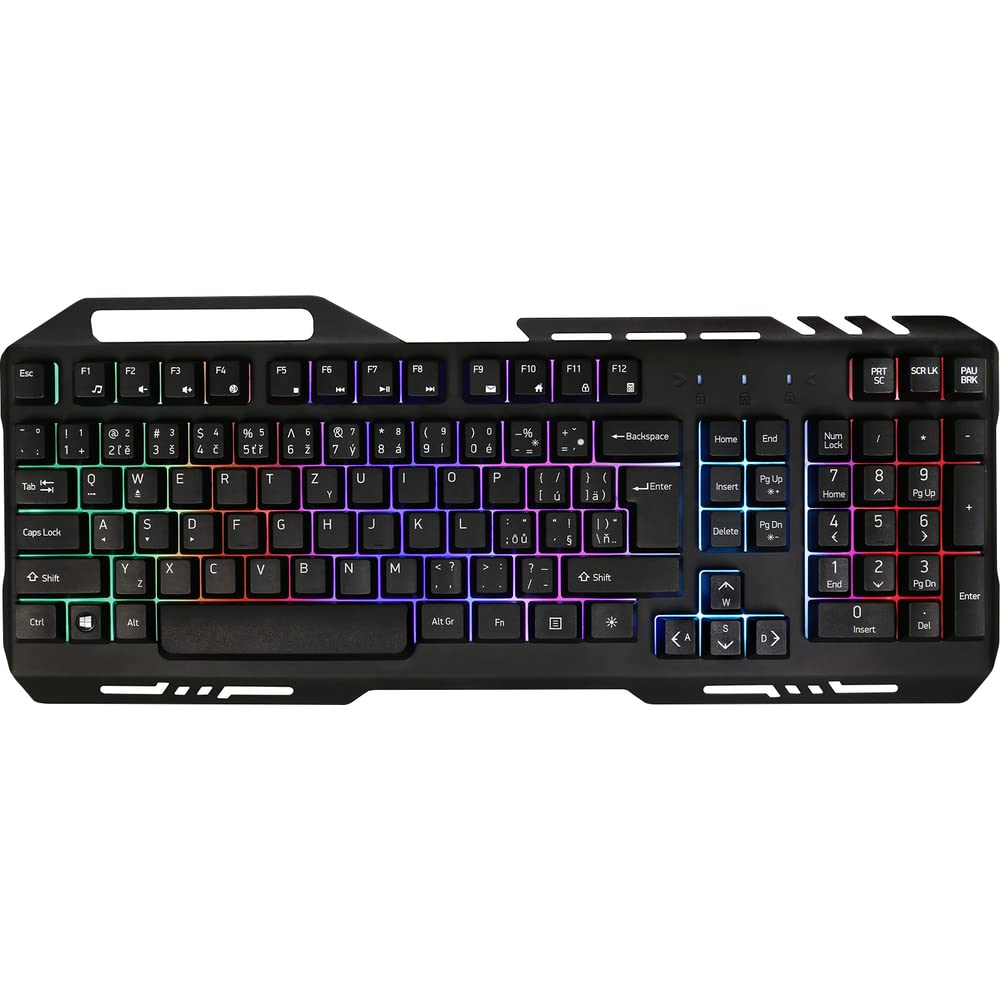
Image 1: Yenkee YKB 3200 Gaming Keyboard. This image displays the full keyboard with its metal frame and illuminated keys, highlighting the integrated smartphone holder at the top.
Caratteristiche principali:
- Metal Keyboard Design: Provides enhanced durability and a premium feel.
- Supporto per smartphone integrato: Conveniently located at the top of the keyboard for easy access to your mobile device.
- Durable Rubber Dome Keys: Offers a comfortable and responsive typing experience.
- Nine Rainbow Backlight Modes: Customizable lighting effects to suit your preference and gaming atmosphere.
- Connettività USB: Simple plug-and-play connection to your computer.
- Lunghezza del cavo 1.5 m: Fornisce ample possibilità di varie configurazioni.
5. Impostazione
- Disimballare la tastiera: Estrarre con cautela la tastiera dalla confezione.
- Connessione al computer: Locate an available USB port on your computer (PC or laptop). Insert the USB connector of the keyboard into the USB port.
- Installazione del driver: The keyboard is plug-and-play and typically does not require additional driver installation. Your operating system should automatically detect and install the necessary drivers.
- Posizionamento: Place the keyboard on a stable, flat surface. You can use the integrated smartphone holder to position your mobile device.
- Funzionalità di prova: Open a text editor or browser to test if the keys are responding correctly.
6. Istruzioni per l'uso
Controllo della retroilluminazione:
The Yenkee YKB 3200 features nine distinct rainbow backlight modes. These modes can typically be cycled through using a dedicated function key combination.
- Modifica delle modalità: Look for a key labeled 'FN' (Function) and a key with a light bulb icon or 'Scroll Lock' / 'Pause Break'. Pressing FN + Light Bulb / Scroll Lock / Pause Break (depending on keyboard layout) will cycle through the available backlight modes.
- Regolazione della luminosità: Some keyboards allow brightness adjustment using FN + Up/Down Arrow keys. Refer to your specific keyboard layout for exact key combinations.
- Accensione/spegnimento della retroilluminazione: A long press of the backlight control key or a specific FN combination might turn the backlight on or off.
Tasti multimediali e funzione:
The keyboard may include additional function keys (F1-F12) that, when combined with the 'FN' key, provide multimedia control or quick access to applications. Common functions include:
- FN + F1-F12: Volume control, media playback, email, web browser, etc. (Specific functions vary by model).
7. Manutenzione
Pulizia:
- Pulizia generale: Per pulire la superficie della tastiera, utilizzare un panno morbido, asciutto e privo di lanugine.
- Rimozione della polvere: Utilizzare aria compressa per rimuovere polvere e detriti dagli spazi tra i tasti.
- Macchie ostinate: Per macchie ostinate, leggermente dampen the cloth with water or a mild, non-abrasive cleaning solution. Ensure no liquid enters the keyboard.
Magazzinaggio:
Quando non viene utilizzata per lunghi periodi, conservare la tastiera in un luogo fresco e asciutto, lontano dalla luce solare diretta e da temperature estreme.
8. Risoluzione Dei Problemi
| Problema | Possibile causa | Soluzione |
|---|---|---|
| La tastiera non risponde | Connessione USB allentata, porta USB difettosa, problema con il driver. | Assicurati che il cavo USB sia collegato correttamente. Prova una porta USB diversa. Riavvia il computer. |
| Retroilluminazione non funzionante | Retroilluminazione disattivata, impostazione bassa luminosità. | Press the backlight control key combination (e.g., FN + Scroll Lock) to cycle modes or adjust brightness. |
| I tasti sono bloccati o non rispondono | Dirt or debris under keys. | Clean the keyboard using compressed air and a soft cloth. |
9. Specifiche
| Caratteristica | Specificazione |
|---|---|
| Marca | Yenkee |
| Numero di modello | YKB3200 |
| Tecnologia di connettività | USB |
| Lunghezza del cavo | 1.5 metri |
| Descrizione della tastiera | Gioco d'azzardo |
| Backlight Theme | Rainbow (9 modes) |
| Dispositivi compatibili | Computer portatile, PC |
| Dimensioni del prodotto | Dimensioni: 45.2 x 20 x 3.5 cm |
| Peso del prodotto | 841 grammi |
| Componenti inclusi | USB cable (attached) |
10. Garanzia e supporto
Yenkee products are designed and manufactured to the highest quality standards. For information regarding warranty terms and conditions, please refer to the warranty card included with your purchase or visit the official Yenkee website. For technical support or service inquiries, please contact your local retailer or the Yenkee customer support team.