
symcode 6543841919
Symcode USB Laser Barcode Scanner User Manual
Modello: 6543841919
Introduzione
Thank you for choosing the Symcode USB Laser Barcode Scanner. This handheld wired barcode scanner is designed for efficient and accurate 1D barcode reading, suitable for various applications including retail, warehouse, and office environments. Its plug-and-play design ensures ease of use across multiple operating systems.

Image: The Symcode USB Laser Barcode Scanner, a black handheld device with a green scan button, shown alongside its attached USB cable.

Image: A comparison highlighting the scanner's compact and streamlined design, which is comfortable to hold and easy to use, contrasting with a larger, heavier alternative.
Contenuto della confezione
Dopo aver aperto la confezione, verificare che siano presenti tutti i componenti:
- 1 x Symcode Laser Barcode Scanner
- 1 cavo USB (1.5 m/5 piedi)
- 1 x Manuale utente
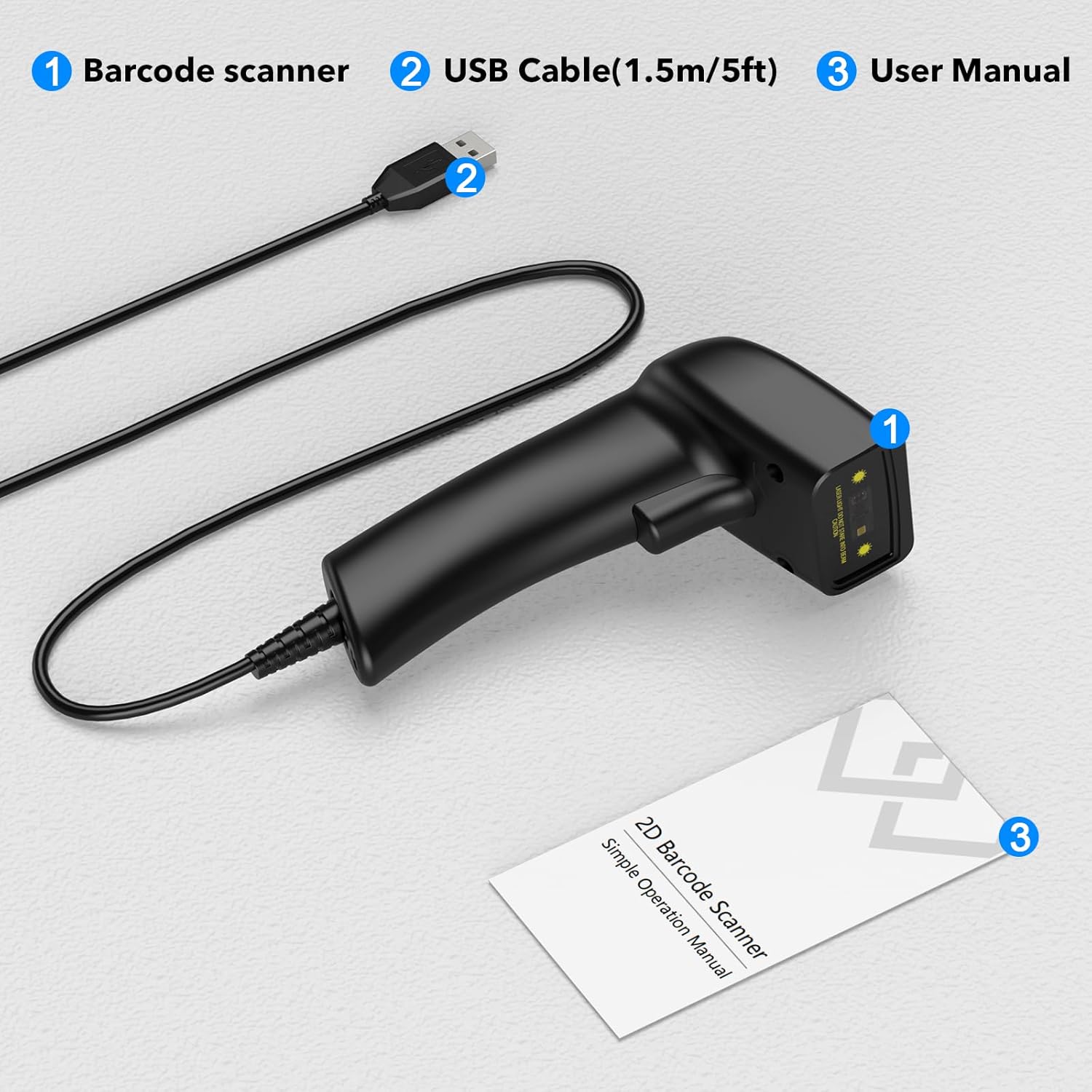
Image: A visual representation of the package contents, clearly labeling the barcode scanner, USB cable, and user manual.
Impostare
The Symcode USB Laser Barcode Scanner is designed for simple plug-and-play operation, requiring no additional software or drivers for most systems.
Collegamento dello scanner
- Individua una porta USB disponibile sul tuo computer (desktop, laptop o dispositivo compatibile).
- Insert the USB connector of the scanner's cable firmly into the USB port.
- The scanner will typically be recognized automatically by your operating system (Windows, macOS, Linux, Android, iOS). A confirmation sound or light may indicate successful connection.

Image: The barcode scanner connected via USB to a laptop, illustrating its compatibility with various operating systems including Linux, Windows, iOS, and Android.

Immagine: Un dettaglio view of the USB cable connection point on the scanner, emphasizing its plug-and-play nature for both data transmission and power.
Istruzioni per l'uso
Operazioni di scansione di base
- Assicurati che lo scanner sia collegato correttamente al tuo dispositivo.
- Open an application where you want the scanned data to appear (e.g., Notepad, Word, Excel, a POS system). The scanner acts as a keyboard input device.
- Point the scanner's laser beam at the barcode you wish to scan. Ensure the entire barcode is within the laser line.
- Press the trigger button. A successful scan will typically be indicated by a beep and/or a green light, and the barcode data will appear in your active application.
Tipi di codici a barre supportati
This scanner supports a wide range of 1D barcode symbologies, including but not limited to:
- UPC/EAN (EAN-8/13, UPC-A/E)
- Codice EAN 128
- Code 39 / Code 39 Full ASCII / Trioptic Code 39
- Code 128 / Code 128 Full ASCII
- Codabar
- Interlacciato 2 di 5
- Discreto 2 di 5
- Codice 93
- MSI
- Codice 11
- varianti RSS
- Cinese 2 di 5

Image: An illustration showing the scanner's ability to decode various barcode types, including Data Matrix, QR Code, PDF417, and common 1D barcodes like 20123456789, 6234567890178, 4603146002134, and 1234567890135.
Impostazioni suono e vibrazione
The scanner provides options to customize sound and vibration feedback. Refer to the included user manual for specific barcode configurations to enable or disable these features.
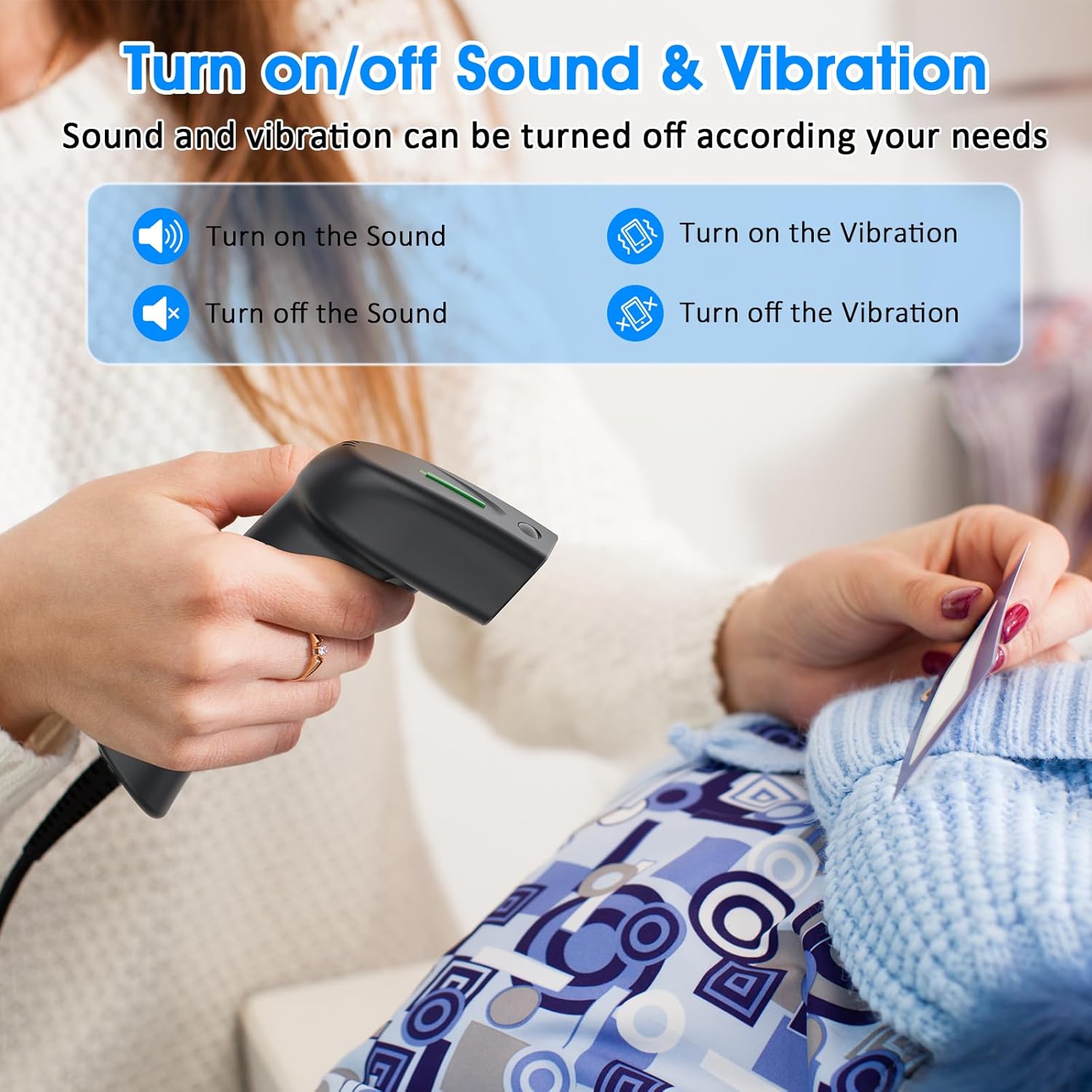
Image: A graphic detailing how to enable or disable sound and vibration feedback on the scanner, indicating user-configurable options.
Manutenzione
Una corretta manutenzione garantisce la longevità e le prestazioni ottimali del tuo scanner per codici a barre.
- Pulizia: Utilizzare un panno morbido e asciutto per pulire l'esterno dello scanner. Per la finestra di scansione, utilizzare un panno privo di lanugine leggermenteampcon un detergente delicato e non abrasivo. Evitare prodotti chimici aggressivi o materiali abrasivi.
- Magazzinaggio: Conservare lo scanner in un luogo fresco e asciutto, lontano dalla luce solare diretta e da temperature estreme.
- Cura del cavo: Avoid bending or twisting the USB cable excessively, as this can damage internal wires.
- Gestione: Handle the scanner with care to prevent drops or impacts, which can affect its internal components.
Risoluzione dei problemi
| Problema | Possibile causa | Soluzione |
|---|---|---|
| Scanner non riconosciuto dal computer. | Loose USB connection, faulty USB port, or operating system issue. | Ensure the USB cable is securely plugged into both the scanner and the computer. Try a different USB port or a different computer to isolate the issue. Restart your computer. |
| Barcode data does not appear after scanning. | No active input field, incorrect application focus, or unsupported barcode type. | Ensure an application like Notepad, Word, Excel, or a specific POS software is open and has an active text input field. Click into the desired input area. Verify the barcode type is supported by the scanner. |
| Lo scanner emette un segnale acustico ma non vengono trasmessi dati. | Output format issue or application compatibility. | Confirm the application is ready to receive keyboard input. Some applications may require specific settings. Refer to the scanner's full user manual for advanced configuration barcodes. |
| Lo scanner non legge alcuni codici a barre. | Damaged barcode, insufficient print contrast, or barcode type disabled. | Ensure the barcode is clear and undamaged. Check the print contrast. Some barcode types might be disabled by default; refer to the user manual for enabling specific symbologies. |
Specifiche
| Caratteristica | Dettaglio |
|---|---|
| Dimensioni del prodotto | 5.83 x 3.82 x 3.54 pollici |
| Peso dell'articolo | 4.2 once (156 g) |
| Sorgente luminosa | 650nm~670nm visible laser |
| Velocità di scansione | 100 scansioni/sec |
| Read Preciseness | 0.1 mm (4 mil) |
| Contrasto di stampa | 30% minimo |
| Profondità di campo | 0~600mm (0.33mm, PCS 90%) |
| Ambito di scansione | 10mm~250mm |
| Distanza di lettura | 2.5~600mm (100% UPC/EAN) |
| Tasso di errore di bit | 1 / 5 milioni |
| Current (Working/Storage) | 85mA (working) / 36mA (storage) |
| Interfaccia | USB |
| Temperatura di esercizio | 0℃~45℃ (32°F~113°F) |
| Temperatura di conservazione | -20℃~60℃ (-4°F~140°F) |
| Umidità | 5%~95% senza condensa |
| Materiale | ABS+PC |
| Dispositivi compatibili | Laptop, PC, POS systems |
| Fonte di alimentazione | Elettrico con filo (USB) |
| Volume di eserciziotage | 4.7 Volt |
Garanzia e supporto
Symcode products are manufactured to high-quality standards. For warranty information, technical support, or service inquiries, please refer to the contact details provided in your product packaging or visit the official Symcode websito. Conservare la prova d'acquisto per eventuali reclami in garanzia.
Ask a question about this manual
Ask about setup, troubleshooting, compatibility, parts, safety, or missing instructions. Manuals+ will review the question and use this page’s manual context to help answer it.