
1. Introduzione
About the Deco M4 System
The TP-Link Deco M4 is a Whole Home Mesh Wi-Fi System designed to provide seamless wireless coverage throughout your home. It eliminates Wi-Fi dead zones by using multiple units that work together to form a unified network. This system ensures a stable and fast internet connection for all your devices.
Key features of the Deco M4 system include:
- Wi-Fi Dead-zone Killer: Units work together to provide comprehensive Wi-Fi coverage.
- Roaming senza interruzioni: Devices automatically connect to the fastest Deco unit as you move, maintaining an uninterrupted connection.
- High-Speed AC1200: Provides fast and stable connections up to 1167 Mbps.
- Collega fino a 100 dispositivi: Capable of handling traffic from numerous devices without lag.
- Configurazione semplice: Guided setup process via the Deco app.
- Controllo genitori: Manage online time and block inappropriate websiti.
- Multifunzionale: Can operate as a router, access point, or range extender.
- Compatibile con Alexa: Control your Deco M4 with voice commands.

Image: Two TP-Link Deco M4 mesh Wi-Fi units, illustrating the product design and available ports.
2. Guida all'installazione
Cosa c'è nella scatola
The TP-Link Deco M4 (2-pack) package typically includes the following items:
- 2 Deco M4 Units
- 2 adattatori di alimentazione
- 1 cavo Ethernet RJ45

Image: The retail packaging for the TP-Link Deco M4 system, indicating a 2-pack.
Fasi di installazione
Setting up your Deco M4 system is primarily done through the Deco mobile application. Follow these general steps:
- Scarica l'app Deco: Cercare 'TP-Link Deco' in your device's app store (iOS or Android) and install it.
- Registrati o accedi: Apri l'app Deco e crea un nuovo ID TP-Link oppure accedi con uno esistente.
- Collegare la decorazione principale: Power off your modem. Connect one Deco unit to your modem using the provided Ethernet cable. Power on your modem, then power on the Deco unit.
- Segui le istruzioni nell'app: The Deco app will guide you through configuring the main Deco unit, including setting up your Wi-Fi network name and password.
- Aggiungi unità decorative aggiuntive: Once the main Deco is set up, the app will prompt you to add other Deco units. Place them in desired locations within your home and power them on. The app will automatically detect and integrate them into your mesh network.
- Posizionamento ottimale: For best coverage, place Deco units strategically to cover your entire home, avoiding obstructions and sources of interference.
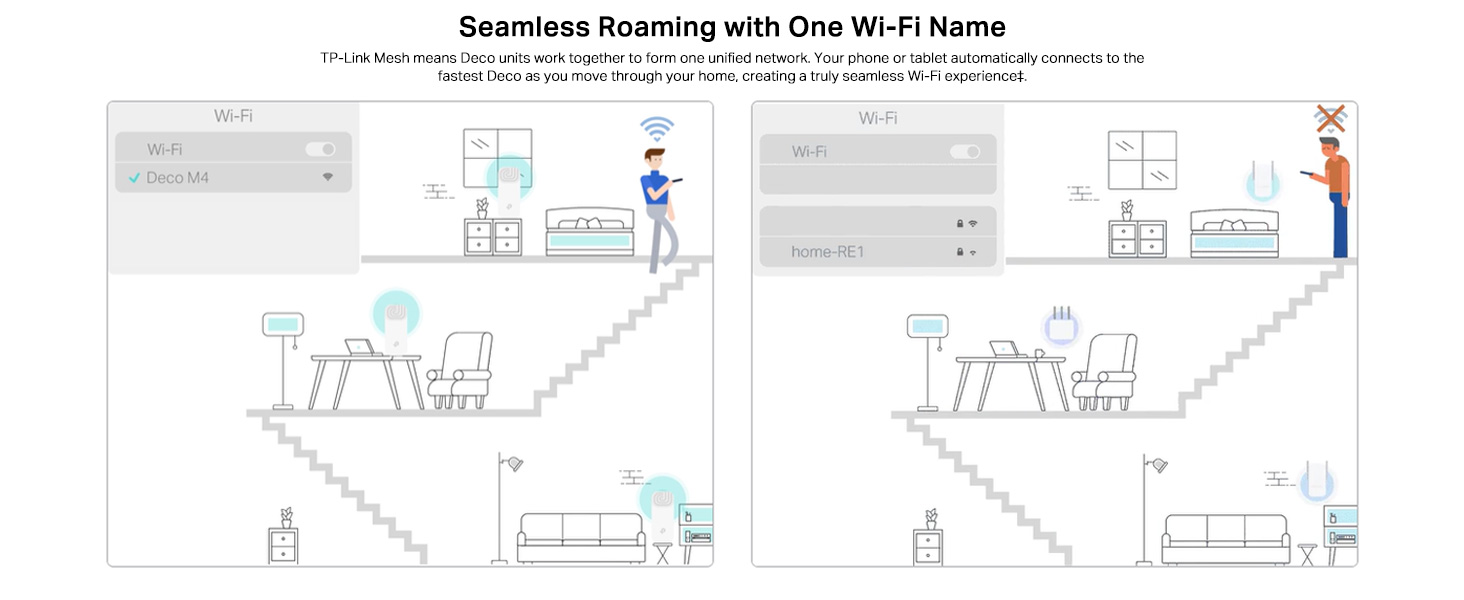
Image: A visual representation of the app-based setup process, management features, and voice control compatibility.
3. Operating Your Deco M4 System
Roaming senza soluzione di continuità
The Deco M4 system creates a single, unified Wi-Fi network with one network name (SSID). As you move through your home, your devices (phones, laptops, tablets) will automatically switch to the Deco unit with the strongest signal, ensuring a continuous and stable connection without manual intervention.
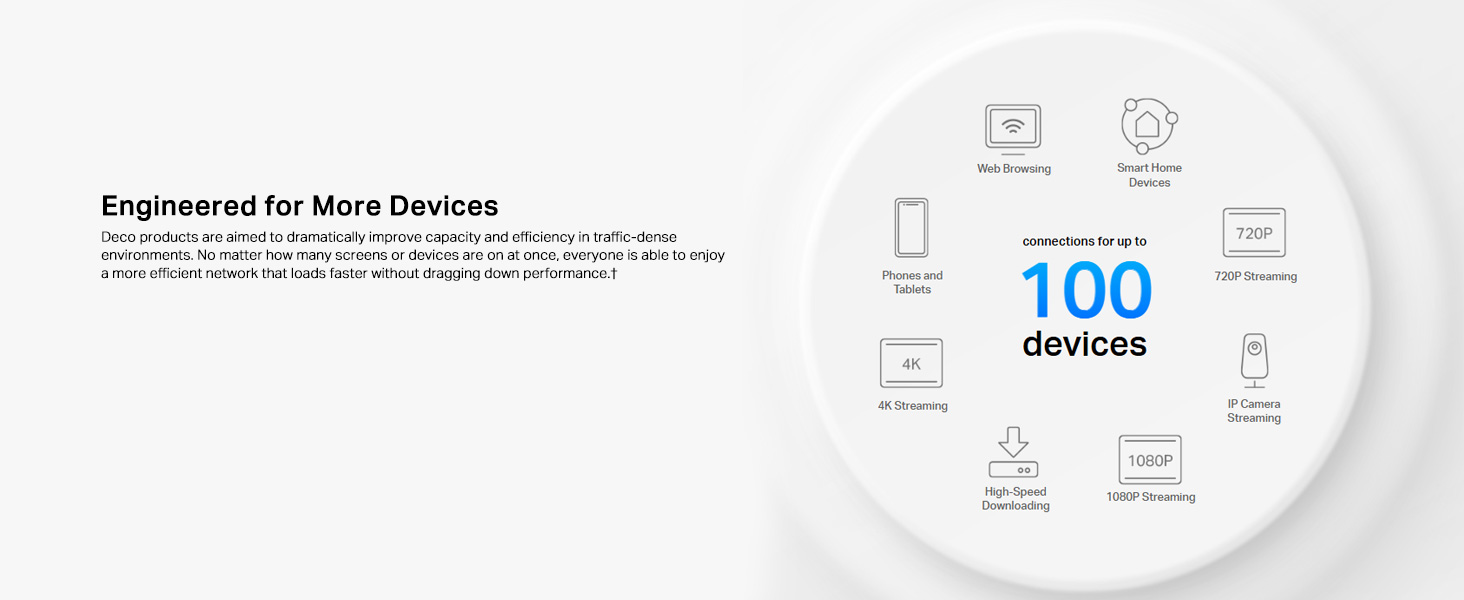
Image: Illustration of seamless roaming, where a device maintains connection by automatically switching between Deco units.
Controllo genitori
The Deco app provides robust parental control features to manage internet access for family members. You can create individual profiles, set time limits for internet usage, filter website content, and pause internet access for specific devices or profiles.
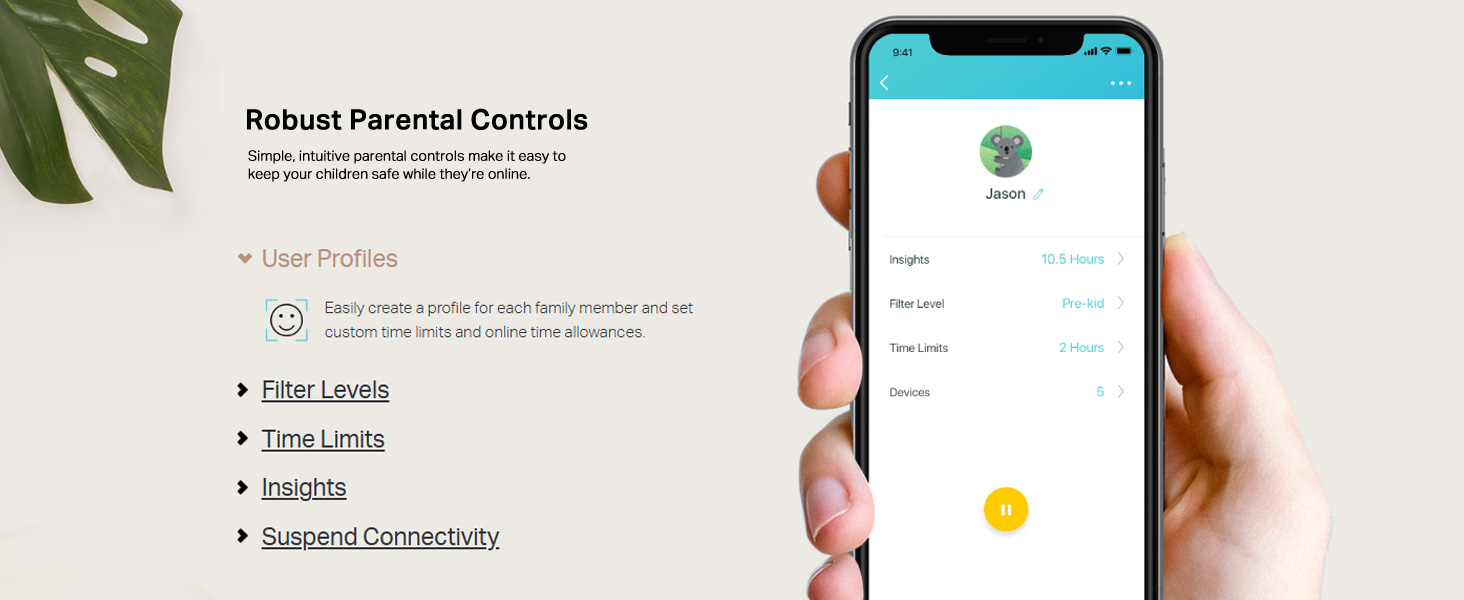
Image: A mobile phone screen displaying the parental control interface within the Deco app, showing user profiles e impostazioni.
App Control and Voice Control
Manage your Deco M4 system conveniently through the Deco app. This includes viewing connected devices, prioritizing bandwidth for certain devices, setting up a guest network, and monitoring network status. The Deco M4 is also compatible with Amazon Alexa, allowing you to control certain functions using simple voice commands.

Image: A Deco M4 unit discreetly placed on a table, demonstrating its compact design in a home environment.
Router and Access Point Modes
The Deco M4 offers flexible operating modes to suit your network needs:
- Modalità router (predefinita): In this mode, the Deco system acts as your primary router, creating a new private wireless network and managing all connected devices.
- Modalità punto di accesso: If you already have a router, you can set the Deco M4 to Access Point mode. It will extend your existing wired network's Wi-Fi coverage without creating a separate network.

Image: A diagram illustrating the two operational modes: Router mode (creating a new network) and Access Point mode (extending an existing network).
4. Manutenzione
Per garantire prestazioni ottimali e longevità del tuo sistema TP-Link Deco M4, prendi in considerazione le seguenti pratiche di manutenzione:
- Aggiornamenti del firmware: Controlla regolarmente la presenza di aggiornamenti del firmware e installali tramite l'app Deco. Gli aggiornamenti spesso includono miglioramenti delle prestazioni, patch di sicurezza e nuove funzionalità.
- Pulizia fisica: Keep the Deco units clean and free from dust. Use a soft, dry cloth to wipe the exterior. Ensure ventilation holes are not obstructed to prevent overheating.
- Posizionamento ottimale: Periodicamente riview the placement of your Deco units. Ensure they are in open areas, away from large metal objects, thick walls, and other electronic devices that could cause interference.
- Riavvio: If you experience minor network issues, a simple reboot of your Deco units (and modem) can often resolve them. Unplug the power, wait 10 seconds, then plug them back in.
5. Risoluzione Dei Problemi
Se riscontri problemi con il tuo sistema Deco M4, fai riferimento ai seguenti passaggi comuni per la risoluzione dei problemi:
- Nessuna connessione internet:
- Controlla se il tuo modem funziona correttamente.
- Ensure the Ethernet cable connecting the main Deco to the modem is securely plugged in.
- Reboot your modem and all Deco units.
- Verifica lo stato della connessione del tuo provider di servizi Internet (ISP).
- Segnale Wi-Fi debole o zone morte:
- Reposition Deco units closer to each other or to areas with weak signals.
- Ensure Deco units are not placed near large metal objects, concrete walls, or appliances like microwaves and cordless phones that can cause interference.
- Check the Deco app for signal strength indicators between units.
- Il dispositivo non riesce a connettersi al Wi-Fi:
- Verifica di aver inserito la password Wi-Fi corretta.
- Riavviare il dispositivo che sta tentando di connettersi.
- Check parental control settings in the Deco app to ensure the device is not blocked or paused.
- Ensure the device's Wi-Fi adapter is enabled and functioning.
- Deco App Not Working:
- Ensure your smartphone has an active internet connection (either via mobile data or another Wi-Fi network).
- Update the Deco app to the latest version.
- Riavvia il tuo smartphone.
6. Specifiche tecniche
| Caratteristica | Specificazione |
|---|---|
| Marca | TP-Link |
| Nome del modello | Decorazione M4 |
| Velocità di trasferimento dati | 1200 Megabit al secondo (Mbps) |
| Classe di banda di frequenza | Doppia banda (2.4 GHz e 5 GHz) |
| Standard di comunicazione wireless | 802.11ac, 802.11g, 802.11n |
| Generazione Wi-Fi | Wi-Fi 5 |
| Numero di porte | 4 (2 per Deco unit) |
| Copertura | Up to 3,800 square feet (for 2-pack) |
| Protocollo di sicurezza | WPA-PSK/WPA2-PSK |
| Dispositivi compatibili | Alexa, Amazon Echo |
| Tipo di antenna | Interno |
| Metodo di controllo | Voce, App |
| Peso dell'articolo | 699 grammi |
| Dimensioni articolo (L x P x A) | 10L x 9.1W x 10H centimetri |
| Colore | Bianco |
7. Informazioni sulla garanzia
The TP-Link Deco M4 Whole Home Mesh Wi-Fi System comes with a Garanzia di 3 anno from the date of purchase. Please retain your proof of purchase for warranty claims. For detailed terms and conditions, refer to the official TP-Link websito o contattare l'assistenza clienti.
8. Assistenza clienti
For technical assistance, product inquiries, or warranty support, please contact TP-Link customer service:
- Numero verde: Numero di telefono: 1800-209-4168
- Supporto via e-mail: support.in@tp-link.com
- Indirizzo del produttore: TP-Link Systems Inc. 10 Mauchly, Irvine, CA 92618, USA or TP-Link India Private Limited Office No.1, Tower 2, Level 2, Raiaskaran Tech Park, Andheri Kurla Road, M.V Road, Andheri East-400072
Additional resources and FAQs can be found on the official TP-Link websito.