
Introduzione
This manual provides detailed instructions for the installation and operation of your MPC Factory Remote Activated Remote Start Kit. This kit is designed to allow you to start your 2007-2010 Ford Edge using your existing factory remote controls. Please read all instructions carefully before beginning installation or operation.
Vehicle Compatibility & Requirements
This remote start kit is specifically designed for:
- Veicolo: Ford Edge (2007-2010 models)
- Trasmissione: Automatic Transmission ONLY
- Tipo di accensione: Conventional Key-Start Ignition ONLY. This kit is NON compatible with Push-To-Start vehicles.
- Tipo di motore: Gas Engine Only (NOT for Hybrid models)
- Requisito chiave: Requires 2 original factory keys to learn the key code to the module. Cloned or copied keys will NOT work for this programming step.

Figura 1: Vehicle Ignition Type Requirements. Only conventional key-start ignitions are compatible.

Figura 2: Important reminder to verify your vehicle's ignition type before installation.
Cosa è incluso
Your MPC Remote Start Kit includes the following components:
- All-in-one remote starter data interface module
- Vehicle-specific T-Harness
- Firmware preloaded for your specific vehicle
- All necessary components for installation
Guida all'installazione
This kit features a plug-and-play T-Harness design, which significantly reduces the number of wiring connections typically required for remote start systems. However, some wiring connections are still necessary. A person with basic knowledge of car electronics wiring should be able to install this product successfully.
Passaggi generali di installazione:
- Preparazione: Ensure your vehicle meets all compatibility requirements. Gather necessary tools.
- Accesso: Carefully remove the necessary panels under the steering column to access the vehicle's wiring. Refer to your vehicle's service manual or online resources for specific panel removal instructions to avoid damage.
- T-Harness Connection: Connect the provided T-Harness to the vehicle's wiring. The T-Harness is designed to plug directly into existing connectors.
- Additional Wiring: Complete any additional wiring connections as specified in the detailed directions provided with your kit. These directions will include specific wire colors and locations.
- Posizionamento del modulo: Secure the remote starter module in a safe, out-of-the-way location.
- Programmazione: Follow the specific programming instructions included with your kit. This step typically involves using your two original factory keys to program the module.
- Prova: Test the remote start functionality before reassembling the vehicle's panels.
- Rimontaggio: Carefully reassemble all removed panels.

Figura 3: The installation process is designed for ease, but requires basic wiring knowledge.

Figura 4: Visual representation of the step-by-step installation process.
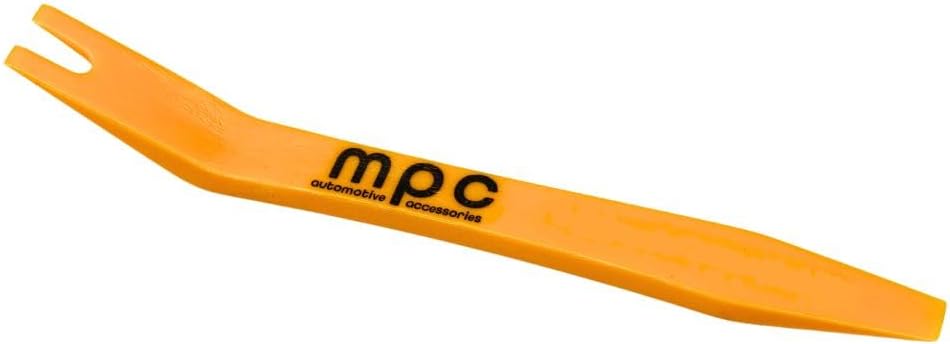
Figura 5: A pry tool, often useful for safely removing interior trim panels during installation.
Istruzioni per l'uso
This remote start system utilizes your vehicle's existing factory remote controls. No additional key fobs are required.
To Remote Start Your Vehicle:
- Ensure your vehicle is locked.
- Press the 'Lock' button on your factory remote three (3) times in quick succession.
- The vehicle's engine should start. The parking lights may illuminate to indicate the vehicle is running.
- To turn off the vehicle remotely, repeat the three 'Lock' button presses.
This feature allows you to warm or cool your car from a distance, enhancing comfort before you enter the vehicle.

Figura 6: Use your existing factory remotes to activate the remote start feature.
Optional Smartphone App Control:
An optional smartphone app interface module is available separately. This module allows for remote start control via a smartphone application. Please note that shipping for this module is limited to the continental U.S.

Figura 7: Example of smartphone app control for remote start functionality (optional module required).
Manutenzione
The MPC Remote Start Kit is designed to be maintenance-free. No regular user maintenance is required for the remote start module itself. Ensure all connections remain secure and free from moisture or damage.
Risoluzione dei problemi
If you encounter issues with your remote start system, consider the following:
- Il sistema non risponde: Ensure your vehicle's battery is charged and your factory remote's battery is not depleted. Verify all T-Harness connections are secure.
- Problemi di programmazione: If the module does not program correctly, double-check that you are using two originale factory keys. Ensure all wiring connections, especially any required cuts or splices, are performed precisely according to the provided instructions. For some 2010 Ford Edge models, a specific violet wire with a yellow stripe near the larger white connector may need to be cut approximately 1.5 inches from the connector. Refer to your specific kit's instructions for any such details.
- Vehicle Starts but Shuts Off: This can indicate an issue with the key programming or a security system conflict. Re-verify the programming steps with your original keys.
- Problemi di portata: The range of the remote start is dependent on your factory remote's range. Obstructions and environmental factors can affect signal strength.
For persistent issues, please refer to the Technical Support section for assistance.
Specifiche del prodotto
| Specificazione | Dettaglio |
|---|---|
| Peso dell'articolo | 12.3 once |
| Dimensioni del prodotto | 8 x 5 x 2 pollici |
| Numero modello articolo | B-4368-208 |
| ASIN | B07KJB1NM6 |
Informazioni sulla garanzia
This product is covered by a 1-year limited warranty through either MyPushcart or the product's manufacturer. The warranty applies to properly installed products under normal use and protects against defects in workmanship and materials for one year from the original purchase date.
Esclusioni:
The warranty does not cover abuse, misuse, improper operation, or damage due to environmental exposure. If a defect is deemed under warranty, MyPushcart may choose to repair or replace the product at no cost to the original purchaser. MyPushcart is not responsible for installation charges, labor costs, or any incidental loss or damage related to warranty service.
Supporto tecnico
MPC provides technical support based in Tucson, AZ, United States. Several methods of support are available to assist you with installation or troubleshooting.
- Disponibilità: Monday - Friday, 9am - 5pm (MST)
- QR Code: Instructions included with your kit contain a QR code to ensure access to the most up-to-date information and support resources.

Figura 8: MPC offers expert technical support during business hours.