
Introduzione
This manual provides detailed instructions for the installation, operation, and maintenance of your NEC SL2100 IP7WW-12TXH-B1 12-Button Display Speaker Telephone. Please read this manual thoroughly before using the telephone to ensure proper functionality and to prevent damage.
Informazioni sulla sicurezza
Quando si utilizza questo prodotto, seguire sempre le precauzioni di sicurezza di base per ridurre il rischio di incendi, scosse elettriche e lesioni alle persone.
- Non utilizzare questo prodotto vicino all'acqua, ad esempioample, vicino a una vasca da bagno, un lavandino, un lavello o una tinozza per il bucato, in un seminterrato umido o vicino a una piscina.
- Avoid using the telephone during an electrical storm. There may be a remote risk of electric shock from lightning.
- Non utilizzare il telefono per segnalare una fuga di gas nelle vicinanze della fuga.
- Use only the power source specified in this manual or marked on the product. This telephone is powered by the phone system.
- Scollegare il prodotto dalla presa a muro prima di pulirlo. Non utilizzare detergenti liquidi o spray. Utilizzare adamp panno per la pulizia.
Contenuto della confezione
Verificare che tutti gli articoli siano presenti nel pacco:
- NEC SL2100 IP7WW-12TXH-B1 12-Button Display Speaker Telephone (Black)
- Cornetta
- Cavo del microtelefono
- Base Stand (for desk or wall mounting)
- Ethernet Cable (if applicable for IP connection)
Prodotto finitoview
The NEC SL2100 IP7WW-12TXH-B1 is a corded 12-button display speaker telephone designed for use with NEC SL2100 systems. It features a clear display for call information and menu navigation, a built-in speakerphone for hands-free communication, and 12 programmable function keys.
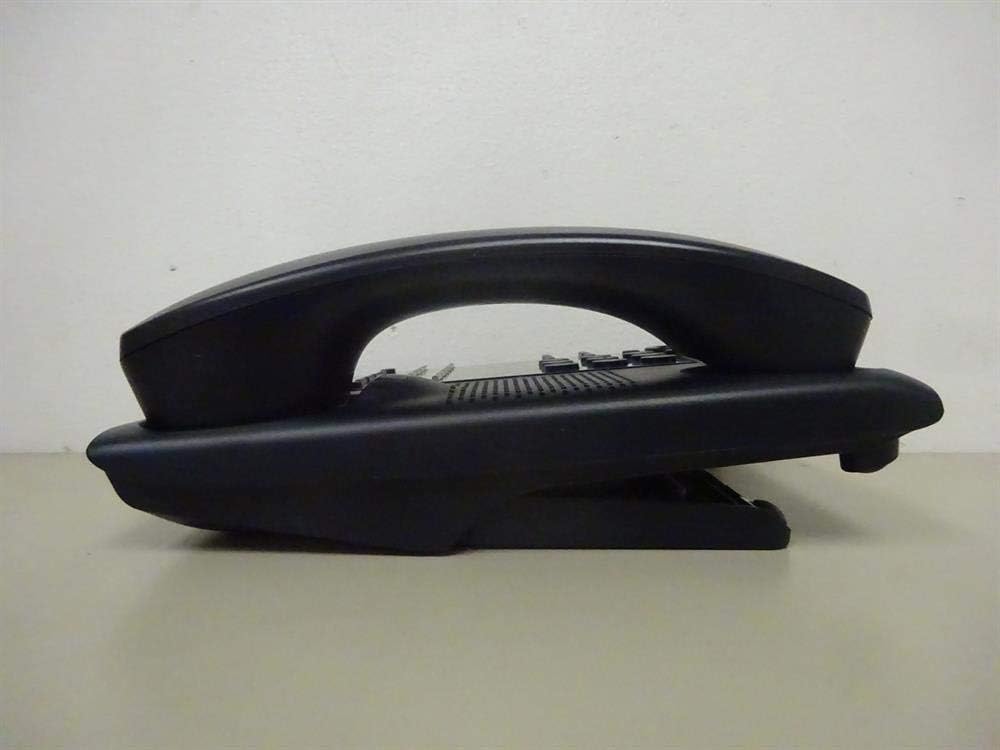
Figura 1: Lato view of the NEC SL2100 IP7WW-12TXH-B1 telephone, showing the ergonomic design of the handset and base unit.

Figura 2: Posteriore view of the telephone, illustrating the various connection ports for the handset and network, as well as the integrated wall-mounting slots.
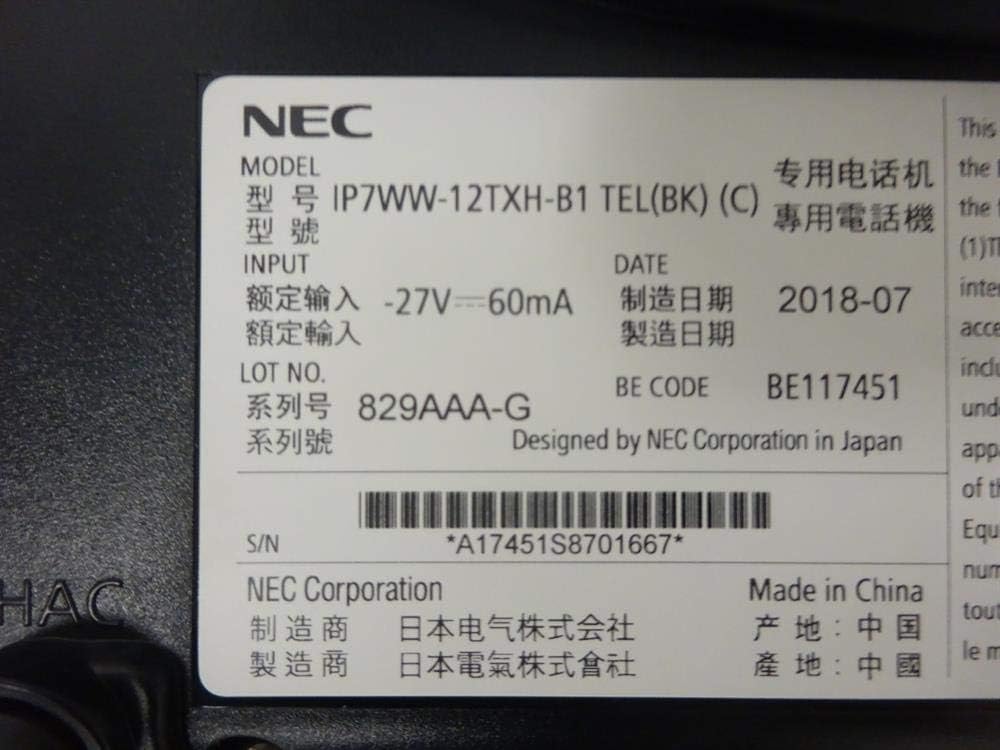
Figura 3: Close-up of the product label, displaying model number IP7WW-12TXH-B1, input specifications, and manufacturer details.
Impostare
1. Assembling the Telephone
- Fissare il supporto di base: Align the base stand with the slots on the bottom of the telephone. Slide it into place until it clicks securely. The stand can be adjusted for different viewing angles or reversed for wall mounting.
- Collegare il portatile: Plug one end of the coiled handset cord into the handset and the other end into the designated port on the side of the telephone base.
2. Connessione al sistema
This telephone is designed to connect to an NEC SL2100 system. Ensure your SL2100 system is properly installed and configured.
- Collegare il cavo di rete: Plug one end of an Ethernet cable into the LAN port on the back of the telephone. Plug the other end into an available port on your NEC SL2100 system or a network switch connected to the system.
- Accensione: The telephone receives power directly from the NEC SL2100 system (Power over Ethernet - PoE) or via a separate power adapter (not included, if PoE is not available). Once connected, the telephone should power on automatically.
- Configurazione iniziale: The telephone will typically register with the SL2100 system automatically. If prompted, follow the on-screen instructions or consult your system administrator for specific extension number assignment or network settings.
Istruzioni per l'uso
Effettuare chiamate
- Sollevare il ricevitore: Sollevare il ricevitore e ascoltare il segnale di linea.
- Comporre il numero: Comporre il numero di telefono desiderato utilizzando la tastiera.
- Vivavoce: Premere il tasto ORATORE button to activate the speakerphone, then dial the number.
Ricezione di chiamate
- Sollevare il ricevitore: When the telephone rings, lift the handset to answer.
- Vivavoce: Premere il tasto ORATORE button to answer the call hands-free.
Utilizzo del display
The display shows call information, menu options, and system status. Use the navigation buttons (usually arrow keys) to scroll through menus and the ENTRARE or SELEZIONARE pulsante per confermare le selezioni.
Programmable Function Keys (12 Buttons)
The 12 buttons on the telephone can be programmed for various functions such as speed dial, line access, feature activation, or direct station selection. Consult your system administrator for the specific programming of these keys.
Teleconferenze telefoniche
The telephone supports 3-way conference calls. To initiate a conference call:
- Stabilire una chiamata con il primo interlocutore.
- Premere il tasto CONF (Conference) button or the designated programmable key. The first party will be put on hold.
- Componi il numero del secondo interlocutore.
- Una volta connesso alla seconda parte, premere il tasto CONF di nuovo il pulsante per unire tutte e tre le parti.
ID chiamante
When an incoming call is received, the caller's information (name and number, if available) will be displayed on the screen.
Operazione multilinea
This telephone supports multi-line operation, allowing you to manage multiple calls simultaneously. Use the designated line keys or programmable keys to switch between active lines or place calls on hold.
Manutenzione
Pulizia
To clean the telephone, unplug it from the network connection. Use a soft, slightly damp cloth. Do not use harsh chemicals, abrasive cleaners, or excessive moisture. Avoid spraying cleaners directly onto the telephone.
Magazzinaggio
If storing the telephone for an extended period, ensure it is clean and dry. Store it in a cool, dry place away from direct sunlight and extreme temperatures.
Risoluzione dei problemi
- Nessun segnale di linea:
- Check all cable connections, especially the network cable to the SL2100 system.
- Ensure the SL2100 system is powered on and functioning correctly.
- If using a separate power adapter (not PoE), ensure it is properly connected and receiving power.
- Display non funzionante:
- Verify the telephone is receiving power.
- Try disconnecting and reconnecting the network cable.
- Impossibile effettuare/ricevere chiamate:
- Verificare il segnale di linea.
- Ensure the telephone is properly registered with the SL2100 system.
- Contact your system administrator to verify line assignments and system status.
- Scarsa qualità audio:
- Check handset and network cable connections.
- Assicurarsi che non vi siano interferenze da parte di altri dispositivi elettronici.
- Test with another telephone if possible to isolate the issue.
Specifiche
| Caratteristica | Specificazione |
|---|---|
| Marca | NEC |
| Numero di modello | IP7WW-12TXH-B1 (Mfr Part Number: BE117451) |
| Colore | Nero |
| Tipo di telefono | filo |
| Materiale | Plastica |
| Fonte di alimentazione | Phone System (PoE compatible) |
| Tipo di combinatore | Tastiera singola |
| Dimensioni articolo (L x P x A) | 15 x 12 x 6 pollici |
| Tipo di sistema di risposta | Digitale (dipendente dal sistema) |
| Dispositivi compatibili | NEC SL2100 Systems, NEC SL2100 IP7WW-082U-B1 8 Port Digital Station Card |
| Capacità di teleconferenza | 3 vie |
| Operazione multilinea | SÌ |
| ID chiamante | SÌ |
Garanzia e supporto
For warranty information, please refer to the documentation provided with your NEC SL2100 system or contact your NEC authorized dealer. For technical support, please contact your system administrator or NEC customer service.
NEC Corporation
For further assistance, please visit the official NEC website or contact your local support representative.