
1. Prodotto finitoview
The Itek SIISBE 3.0 is a gaming middle tower PC case designed to combine high-level features with a modern aesthetic. It features a fully perforated front panel for optimal airflow and a tempered glass side panel with a convenient hinged closure, allowing for easy access and showcasing your internal components.
The case comes equipped with three 12 cm ARGB fans: two located at the front and one at the rear. These fans can be controlled via a dedicated button on the front panel or through your motherboard's ARGB software, providing customizable lighting effects and efficient cooling.
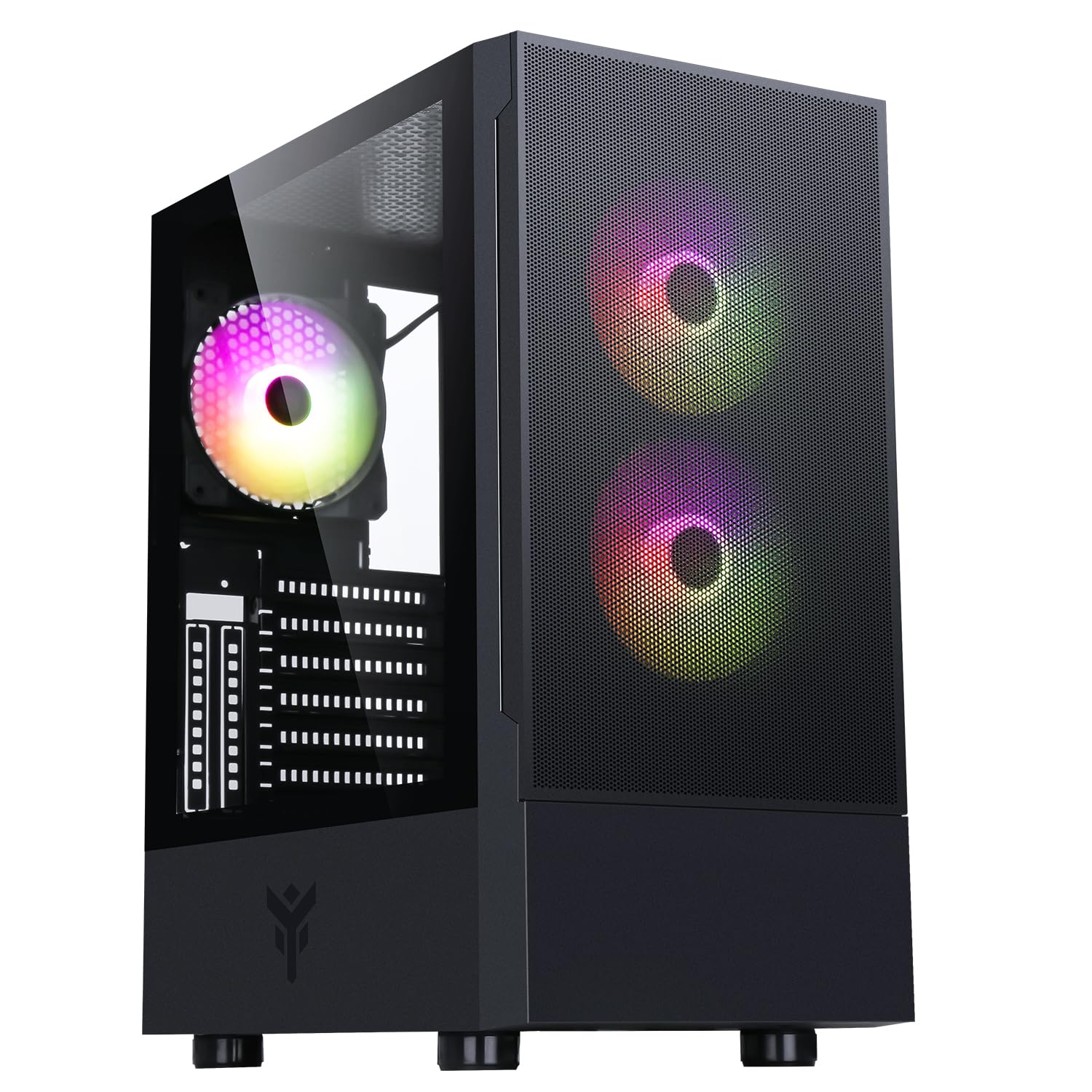
Figura 1: Lato anteriore view of the Itek SIISBE 3.0 Gaming PC Case, showcasing the perforated front panel and tempered glass side panel.
The SIISBE 3.0 supports a wide range of hardware, including ATX, Micro-ATX, and Mini-ITX motherboards. It accommodates graphics cards up to 315 mm in length, CPU coolers up to 160 mm in height, and liquid cooling radiators up to 280 mm. The case also offers 28 mm of space for efficient cable management, ensuring a clean and organized build.
2. Configurazione e installazione
2.1 Preparazione del caso
- Disimballare la valigia e rimuovere tutto il materiale di imballaggio.
- Open the tempered glass side panel by gently pulling it open from the hinge.
- Locate the accessory box inside the case, which contains screws and other mounting hardware.
2.2 Installazione della scheda madre
- Install the necessary standoffs for your motherboard form factor (ATX, Micro-ATX, or Mini-ITX) onto the motherboard tray.
- Posizionare con attenzione la scheda madre sui distanziatori, allineando i fori delle viti.
- Fissare la scheda madre con le viti fornite.

Figura 2: Interno view of the Itek SIISBE 3.0, highlighting the motherboard mounting area and cable routing options.
2.3 Installazione dell'unità di alimentazione (PSU).
- Mount the PSU in the dedicated bottom compartment of the case.
- Fissare l'alimentatore con le viti dalla parte posteriore del case.
2.4 Installazione dell'unità di archiviazione
- Install 2.5-inch SSDs or 3.5-inch HDDs into the designated internal bays. Refer to the case's internal layout for specific mounting points.
- Fissare le unità con le viti appropriate.

Figura 3: Interno posteriore view of the Itek SIISBE 3.0, showing the motherboard tray, SSD mounting points, and ampspazio per la gestione dei cavi.
2.5 Installazione della scheda grafica e della scheda di espansione
- Rimuovere le coperture degli slot di espansione necessari dalla parte posteriore del case.
- Inserisci la scheda grafica o altre schede di espansione negli slot PCIe della scheda madre.
- Secure the cards with screws. The case supports graphics cards up to 315 mm in length.
2.6 Installazione del sistema di raffreddamento
- The case includes three 12 cm ARGB fans (two front, one rear). Connect their power and ARGB cables to the motherboard or the integrated fan controller.
- For additional cooling, install extra fans or a liquid cooling radiator (up to 280 mm) in the designated mounting points.
- Install your CPU cooler. The case supports CPU coolers up to 160 mm in height.
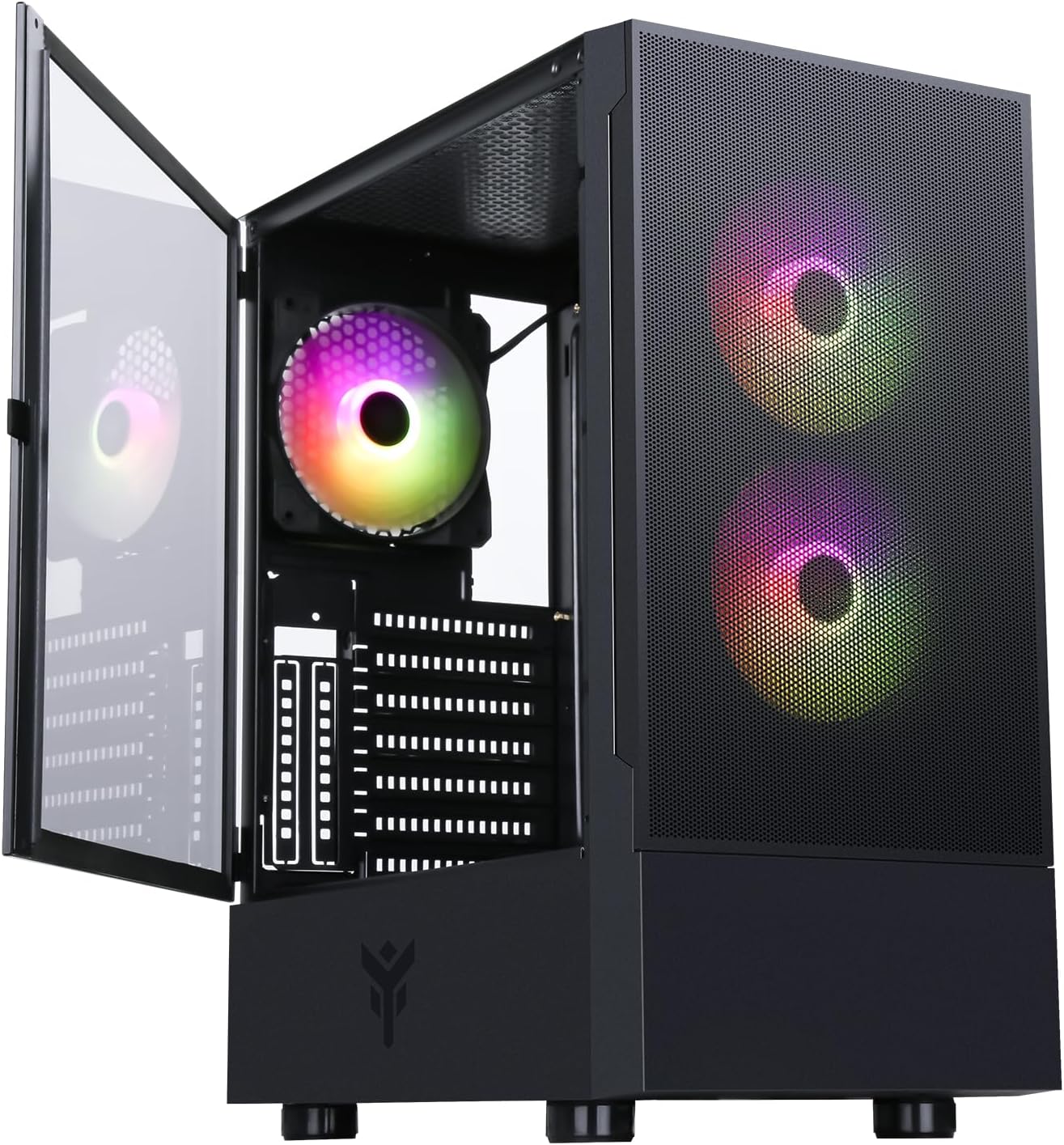
Figure 4: The Itek SIISBE 3.0 with its hinged tempered glass panel open, revealing the pre-installed ARGB fans and internal layout.
2.7 Gestione dei cavi
- Utilize the 28 mm cable management space behind the motherboard tray to route and organize all power and data cables.
- Use cable ties (not included) to secure cables and maintain optimal airflow.
3. Istruzioni per l'uso
3.1 Accensione
- Ensure all components are correctly installed and connected.
- Collegare il cavo di alimentazione all'alimentatore e a una presa a muro.
- Press the power button located on the top I/O panel of the case to start your system.
3.2 Controllo della ventola ARGB
- The pre-installed ARGB fans can be controlled via the dedicated LED control button on the front panel. Press the button to cycle through various lighting modes and colors.
- Alternatively, if the fans are connected to an ARGB header on your motherboard, you can use the motherboard's proprietary software (e.g., ASUS Aura Sync, MSI Mystic Light, Gigabyte RGB Fusion) to synchronize and customize the lighting effects.
3.3 Porte I/O frontali
- The front I/O panel includes USB 3.0 and USB 2.0 ports for connecting peripherals and external storage devices.
- Audio jacks are also available for headphones and microphones.
4. Manutenzione
4.1 Pulizia del filtro antipolvere
- The SIISBE 3.0 case is equipped with dust filters to prevent dust buildup inside. Regularly check and clean these filters.
- Gently remove the dust filters (typically located on the top, front, and/or bottom) and clean them with compressed air or by rinsing them with water. Ensure they are completely dry before re-installing.
4.2 Pulizia generale
- Utilizzare un morbido, damp panno per pulire le superfici esterne del case, incluso il pannello in vetro temperato. Evitare detergenti abrasivi.
- For internal cleaning, use compressed air to remove dust from fans, heatsinks, and other components. Ensure the system is powered off and unplugged before cleaning.
5. Risoluzione Dei Problemi
This section provides general troubleshooting tips for common issues. For more specific problems, consult the manuals for your individual PC components (motherboard, PSU, GPU, etc.) or contact Itek support.
5.1 Il sistema non si accende
- Controllare i collegamenti di alimentazione: Ensure the PSU is properly connected to the wall outlet and the power switch on the PSU is in the 'ON' position. Verify all internal power cables (24-pin ATX, 8-pin CPU, PCIe, SATA) are securely connected to the motherboard and components.
- Connettori del pannello frontale: Confirm that the front panel power switch cable is correctly connected to the motherboard's front panel header.
5.2 Fans Not Spinning / ARGB Not Working
- Collegamenti della ventola: Verify that the fan power cables are securely connected to the motherboard fan headers or the integrated fan controller.
- Connessioni ARGB: Ensure ARGB cables are correctly connected to the motherboard's ARGB header or the case's ARGB controller.
- Controllo software/pulsante: If using the case's LED button, try pressing it to cycle modes. If using motherboard software, ensure it is installed and configured correctly.
5.3 Problemi di surriscaldamento
- Flusso d'aria: Ensure fans are installed in the correct orientation for optimal airflow (front fans typically intake, rear/top fans exhaust).
- Accumulo di polvere: Pulire i filtri antipolvere e i componenti interni come descritto nella sezione Manutenzione.
- Gestione dei cavi: Improve cable routing to reduce obstructions to airflow.
6. Specifiche
| Caratteristica | Specificazione |
|---|---|
| Produttore | ITEK |
| Numero modello articolo | ITGCASIB30 |
| Marca | Itek |
| Compatibilità della scheda madre | ATX, Micro ATX, Mini ITX |
| Tipo di caso | Torre di mezzo |
| Usi consigliati del prodotto | Gioco, Professionale |
| Colore | Nero |
| Materiale | Vetro temperato |
| Tipo di montaggio dell'alimentatore | Montaggio inferiore |
| Metodo di raffreddamento | Aria |
| Nome del modello | Case SIISBE 3.0 |
| Dimensioni della ventola | 120 millimetri |
| Slot di espansione totali | 7 |
| Porte USB 2.0 totali | 2 |
| Porte USB 3.0 totali | 1 |
| Porte USB totali | 4 |
| Caratteristiche del prodotto | LED Control Button, Dust Filter, Integrated Fan |
| Altezza massima del dissipatore della CPU | 160 millimetri |
| Number of Internal Bays | 7 |
| Dispositivi compatibili | ATX Motherboards, Full-size Graphics Cards, Standard Cooling Solutions |
| Numero di fan | 3 |
| Colore chiaro | Colore RGB |
| Dimensioni dell'articolo (P x L x A) | 37.6D x 37.6W x 44.6H centimetri |
7. Informazioni sulla garanzia
Specific warranty details for the Itek SIISBE 3.0 PC Case may vary by region and retailer. Please refer to the warranty card included with your product or visit the official Itek websito per le informazioni sulla garanzia più accurate e aggiornate.
Conservare la prova d'acquisto (scontrino o fattura) poiché sarà necessaria per eventuali richieste di garanzia.
8. Assistenza clienti
For technical assistance, product inquiries, or support regarding your Itek SIISBE 3.0 PC Case, please contact Itek customer support through their official channels.
- Ufficiale Websito: Visit the Itek official websito per risorse di supporto, FAQ e informazioni di contatto.
- Supporto via e-mail: Look for a support email address on the Itek websito.
- Supporto telefonico: Check the Itek websito per i numeri di assistenza telefonica regionale.
When contacting support, please have your product model (SIISBE 3.0) and item model number (ITGCASIB30) ready to help expedite the process.