
1. Introduzione
This manual provides essential information for the proper setup, operation, and maintenance of your FEITIAN bR301-C45 BLE Bluetooth Smart Card Reader. This device is designed for secure ID authentication, e-payment, and access control applications, supporting various smart card types.
2. Informazioni sulla sicurezza
- Non esporre il dispositivo a temperature estreme, umidità o luce solare diretta.
- Evitare di far cadere o sottoporre il dispositivo a forti impatti.
- Non tentare di smontare o modificare il dispositivo. Ciò invaliderà la garanzia.
- Utilizzare solo il cavo di ricarica fornito o consigliato.
- Tenere fuori dalla portata dei bambini.
3. Contenuto della confezione
Verifica che tutti gli articoli siano presenti nel tuo pacco:
- FEITIAN bR301-C45 BLE Bluetooth Smart Card Reader
- USB Type-C to USB-A Charging/Data Cable
- Guida rapida (non inclusa in questo manuale)

Figura 3.1: Package contents including the bR301-C45 reader and USB cable.
4. Prodotto finitoview
Familiarize yourself with the components of your smart card reader.

Figura 4.1: Davanti view of the bR301-C45 reader, showing the card insertion slot and FEITIAN logo.

Figura 4.2: Indietro view of the bR301-C45 reader, displaying regulatory compliance marks (RoHS, CE, FC) and Bluetooth logo.
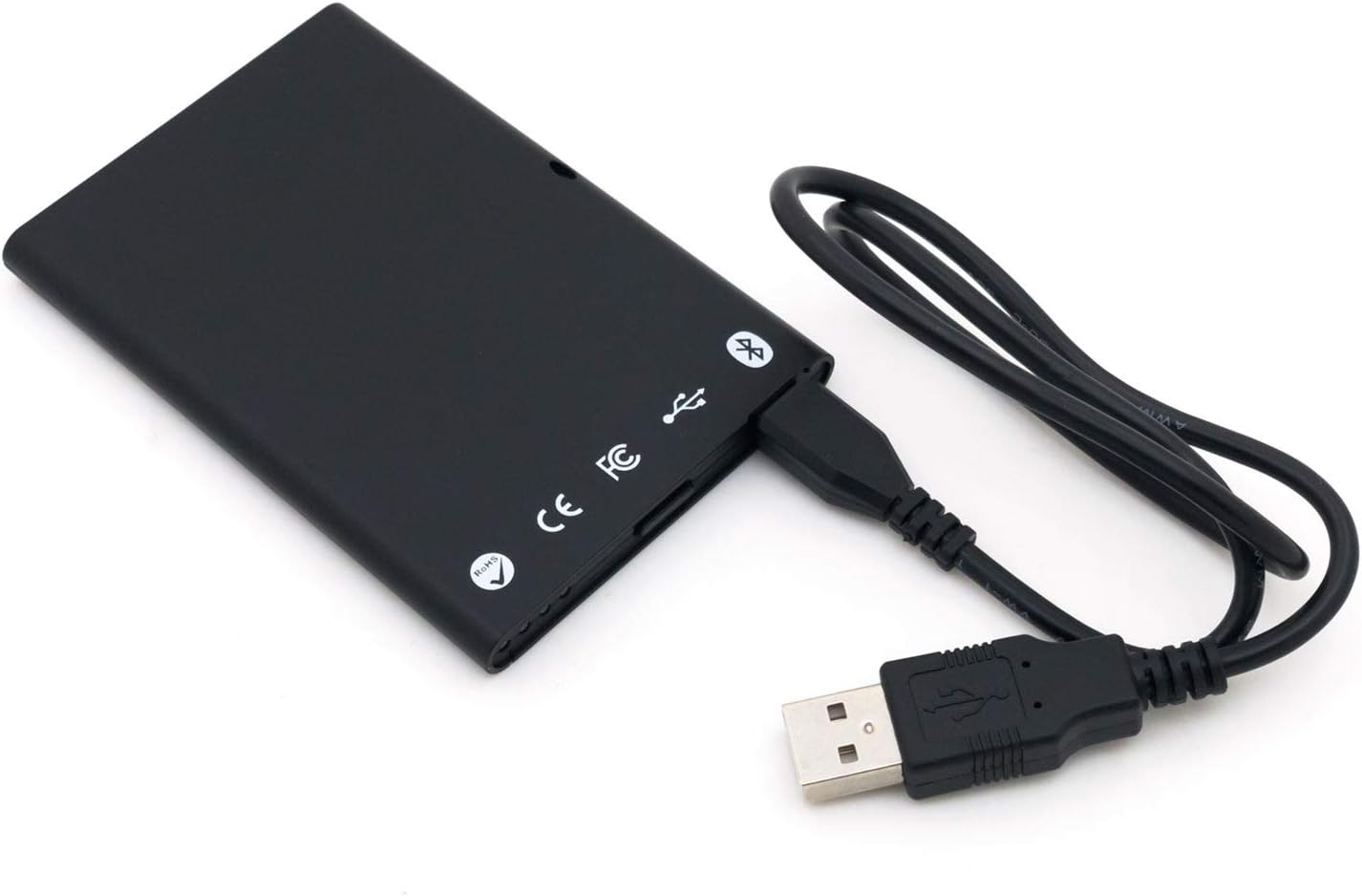
Figura 4.3: The bR301-C45 reader connected to a USB cable, illustrating the USB-C port location.
5. Impostazione
5.1 Ricarica del dispositivo
The bR301-C45 reader includes a 350mAh Li-Ion battery. Before initial use, or if the battery is low, charge the device using the provided USB cable.
- Connect the USB Type-C end of the cable to the reader's port.
- Connect the USB-A end of the cable to a powered USB port on a computer or a USB wall adapter.
- The device will indicate charging status (e.g., an LED indicator, refer to specific product documentation for LED behavior).
5.2 Connessione USB (Plug and Play)
For direct connection to a computer, the bR301-C45 supports plug-and-play functionality, requiring no additional drivers for basic operation.
- Ensure the reader is charged or connected to a power source.
- Connect the USB Type-C end of the cable to the reader.
- Collegare l'estremità USB-A del cavo a una porta USB disponibile sul computer.
- Your operating system should automatically detect and configure the device.
5.3 Bluetooth (BLE) Connection
The bR301-C45 can connect wirelessly via Bluetooth Low Energy (BLE) to compatible devices.
- Ensure the reader is sufficiently charged.
- Attiva il Bluetooth sul tuo dispositivo host (ad esempio, smartphone, tablet, computer).
- Put the bR301-C45 into pairing mode (refer to specific product documentation for button presses or indicators).
- Cercare dispositivi Bluetooth disponibili sul dispositivo host.
- Select "FEITIAN bR301-C45" or a similar identifier from the list and complete the pairing process.
Nota: For certain applications, especially those involving government CAC or PIV cards, specific software or utilities (e.g., "Smart Card Utility") may be required on your host device. These applications may involve additional licensing or configuration steps not covered in this general manual. Consult the software provider's documentation for details.
6. Utilizzo del dispositivo
6.1 Inserimento di una Smart Card
- Identify the correct orientation for your smart card. Typically, the chip on the card faces upwards and is inserted into the reader.
- Gently slide the smart card into the card slot until it is fully seated. Do not force the card.
- The reader or associated software will indicate successful card detection.
6.2 Rimozione di una Smart Card
To remove a smart card, gently pull it out from the slot. Ensure no active operations are being performed with the card before removal to prevent data corruption.
6.3 Utilizzo con le applicazioni
Once connected and a smart card is inserted, the bR301-C45 reader facilitates secure communication between the smart card and your application. This includes:
- Secure ID Authentication: For logging into systems or verifying identity.
- E-Payment: For secure transactions.
- Controllo degli accessi: For gaining access to restricted areas or digital resources.
The specific steps for using the reader will depend on the application you are using. Refer to the documentation for your specific software or service.
7. Manutenzione
7.1 Pulizia
To clean the device, use a soft, dry, lint-free cloth. Do not use liquid cleaners, aerosols, or solvents, as these can damage the device.
7.2 Cura della batteria
- Evitare di scaricare completamente la batteria frequentemente.
- Conservare il dispositivo in un luogo fresco e asciutto quando non viene utilizzato per lunghi periodi.
- Charge the device periodically if stored for a long time to maintain battery health.
8. Risoluzione Dei Problemi
- Dispositivo non riconosciuto tramite USB:
- Prova un'altra porta USB.
- Assicurarsi che il cavo USB sia collegato saldamente a entrambe le estremità.
- Riavvia il computer.
- Problemi di associazione Bluetooth:
- Ensure the reader is in pairing mode.
- Verifica che il Bluetooth sia abilitato sul tuo dispositivo host.
- Move the reader closer to the host device.
- Remove previous pairings and try again.
- Smart card not detected:
- Ensure the smart card is inserted correctly and fully seated.
- Check if the smart card is damaged or dirty.
- Verify that the necessary software/drivers are installed and configured on your computer for the specific smart card type.
- La batteria non si carica:
- Ensure the USB cable is functional and properly connected.
- Provare una fonte di alimentazione USB diversa.
- Se il problema persiste, contattare l'assistenza.
9. Specifiche
| Caratteristica | Dettaglio |
|---|---|
| Numero di modello | bR301 C45 |
| Connettività | USB Type C, Bluetooth Low Energy (BLE) |
| Tipi di carte supportate | 1.8V, 3V, and 5V smart cards |
| Batteria | 350 mAh agli ioni di litio (inclusi) |
| Compatibilità del sistema operativo | All operating systems (Plug & Play for USB) |
| Dimensioni (LxWxH) | 3.66 x 2.09 x 0.31 pollici |
| Peso | 1.27 once |
| Colore | Nero |
10. Informazioni sulla garanzia
FEITIAN products typically come with a limited warranty. For specific warranty terms and conditions, please refer to the warranty card included with your product or visit the official FEITIAN websito. Conservare la prova d'acquisto per eventuali reclami in garanzia.
11. Supporto
For further assistance, technical support, or to download the latest drivers and software, please visit the official FEITIAN websito:
You may also contact FEITIAN customer service through the contact information provided on their websito.