
Introduzione
The Genius SW-HF2.1 800 is a three-component speaker system designed to deliver rich, deep bass and clear audio. This system features a 20W total output power, a 4-inch subwoofer for powerful bass, and two 3-inch wide-band conical speakers for crisp mid and high frequencies. It is suitable for various audio sources including desktop computers, laptops, players, and smartphones. The system includes a wired remote control for convenient volume and bass level adjustments, power control, a headphone jack, and an auxiliary line input.
Informazioni sulla sicurezza
- Garantire l'alimentazione voltage matches the requirements specified on the speaker system.
- Non esporre l'unità alla pioggia o all'umidità per evitare incendi o scosse elettriche.
- Avoid placing the speaker system near heat sources such as radiators, heat registers, stoves, or other apparatus (including amplificatori) che producono calore.
- Proteggere il cavo di alimentazione per evitare che venga calpestato o schiacciato, in particolare in corrispondenza delle spine, delle prese di corrente e del punto in cui esce dall'apparecchio.
- Scollegare l'apparecchio durante i temporali o quando non viene utilizzato per lunghi periodi di tempo.
- Affidare tutti gli interventi di assistenza a personale di assistenza qualificato. L'assistenza è richiesta quando l'apparecchio è stato danneggiato in qualsiasi modo, ad esempio se il cavo di alimentazione o la spina sono danneggiati, se è stato versato del liquido o sono caduti degli oggetti nell'apparecchio, se l'apparecchio è stato esposto a pioggia o umidità, se non funziona normalmente o se è caduto.
Contenuto della confezione
Al momento del disimballaggio, controllare il contenuto della confezione per assicurarsi che siano presenti tutti i componenti:
- 1 x unità subwoofer
- 2 altoparlanti satellitari
- 1 x Wired remote control
- 1 x cavo di ingresso audio (jack stereo da 3.5 mm)
- 1 x Manuale utente
Caratteristiche del prodotto
- Stylish design with a wooden case for enhanced acoustics.
- Powerful bass delivered by a 4-inch subwoofer driver.
- Crystal-clear mid and high frequencies from 3-inch satellite speakers.
- Versatile connectivity: compatible with PCs, laptops, smartphones, CD/MP3 players.
- Functional wired remote control with volume and bass adjustment.
- Integrated headphone jack on the wired remote for private listening.
- Auxiliary line input on the wired remote for connecting additional audio devices.
- Color LED indicator for power status.
Impostare
- Posizionamento: Place the subwoofer on a flat, stable surface, preferably on the floor for optimal bass response. Position the satellite speakers on either side of your listening area, facing towards you, for the best stereo imaging.
- Collegare gli altoparlanti satellitari: Connect the cables from the satellite speakers to the corresponding output jacks on the back of the subwoofer unit. Ensure a secure connection.
- Collegare il telecomando cablato: Collegare il cavo del telecomando cablato alla porta dedicata sul subwoofer.
- Collega la sorgente audio:
- For PC/Laptop: Connect one end of the 3.5mm audio input cable to the "Line In" jack on the wired remote control and the other end to the audio output (headphone jack) of your computer.
- For Smartphone/MP3 Player: Connect one end of the 3.5mm audio input cable to the "Line In" jack on the wired remote control and the other end to the headphone jack of your device.
- Collegamento elettrico: Plug the power cord of the subwoofer into a standard electrical outlet.
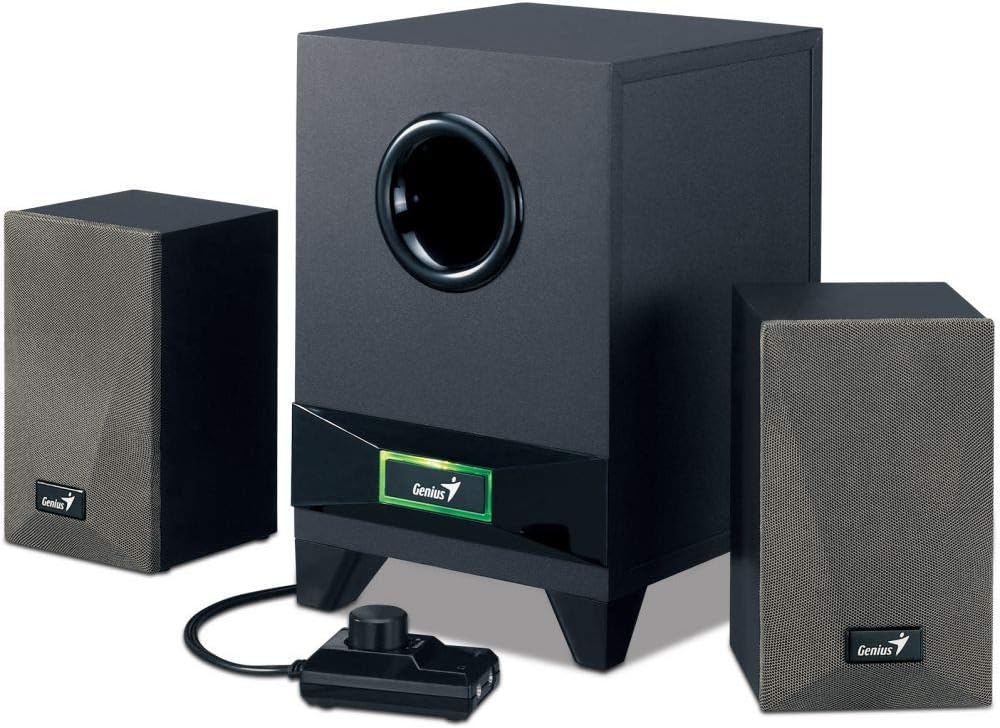
Image: The complete Genius SW-HF2.1 800 speaker system, showing the subwoofer, two satellite speakers, and the wired remote control unit. This illustrates the main components of the system.

Image: The Genius SW-HF2.1 800 speaker system with a smartphone connected to the wired remote control's auxiliary input. This demonstrates a typical setup for mobile devices.
Istruzioni per l'uso
- Accensione/spegnimento: Press the power button located on the wired remote control to turn the speaker system on or off. The color LED indicator on the subwoofer will illuminate when the system is powered on.
- Regola volume: Rotate the large knob on the wired remote control clockwise to increase the volume and counter-clockwise to decrease it.
- Regola i bassi: Use the smaller knob on the wired remote control to adjust the bass level to your preference. Rotate clockwise for more bass, counter-clockwise for less.
- Utilizzo delle cuffie: To listen privately, plug your headphones into the headphone jack on the wired remote control. The speaker output will automatically mute when headphones are connected.
- Ingresso ausiliario: The "Line In" jack on the wired remote control allows for quick connection of additional audio devices without needing to access the back of the subwoofer.
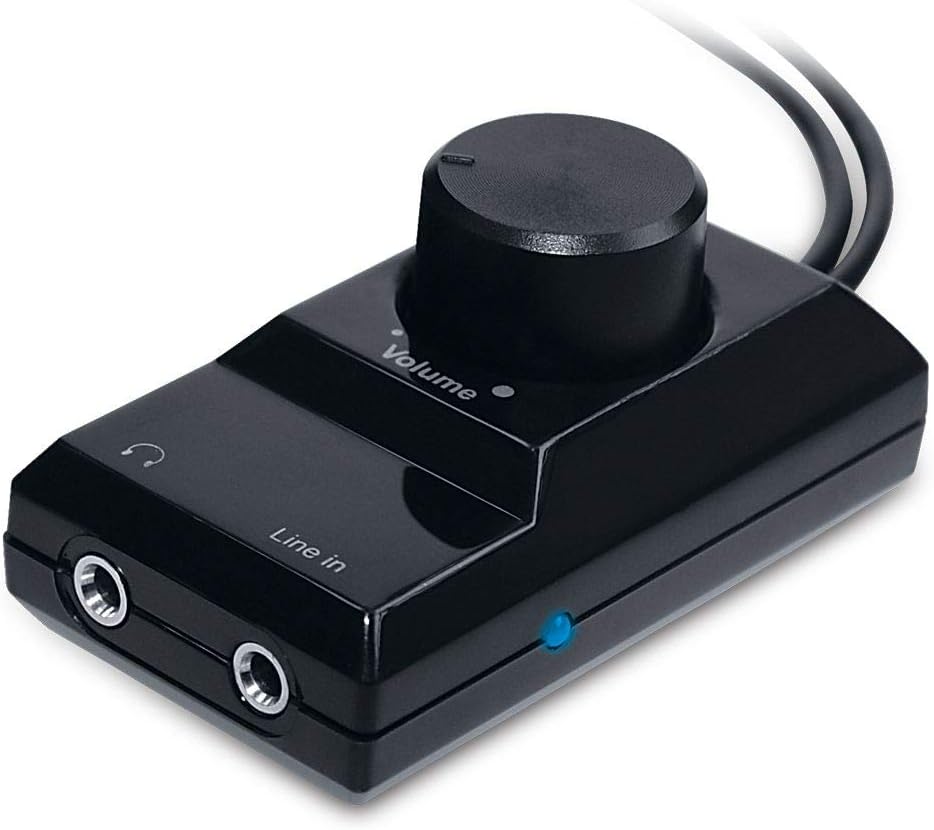
Immagine: un primo piano view of the wired remote control unit, showing the volume knob, line-in port, and headphone jack. This highlights the primary controls for the speaker system.
Manutenzione
- Pulizia: Use a soft, dry cloth to clean the surfaces of the speakers and subwoofer. Do not use liquid cleaners or aerosol sprays, as they may damage the finish or internal components.
- Ventilazione: Ensure that the subwoofer and satellite speakers have adequate ventilation. Do not block any ventilation openings.
- Magazzinaggio: If storing the system for an extended period, unplug it from the power outlet and store it in a cool, dry place away from direct sunlight and extreme temperatures.
Risoluzione dei problemi
| Problema | Possibile causa | Soluzione |
|---|---|---|
| Nessun suono |
|
|
| Suono distorto |
|
|
| Bassi deboli |
|
|
Specifiche
- Modello: SW-HF2.1 800
- Potenza totale in uscita: 20 Watt (RMS)
- Driver del subwoofer: 4 pollici
- Satellite Speaker Drivers: 3 inches (each)
- Connettività: Ingresso audio da 3.5 mm
- Controlli: Wired remote control with Volume, Bass, Power, Headphone Jack, Auxiliary Line Input
- Materiale: Wood (for subwoofer and satellites)
- Colore: Nero

Image: The underside of the Genius SW-HF2.1 800 subwoofer, clearly showing the 4-inch speaker driver. This illustrates the component responsible for the powerful bass output.
Garanzia e supporto
For warranty information and technical support, please refer to the warranty card included with your product or visit the official Genius websito. Conservare la ricevuta d'acquisto come prova d'acquisto per eventuali reclami in garanzia.
Manufacturer: Genius
Date First Available: 12 January 2019