
1. Introduzione
This manual provides comprehensive instructions for the proper use and maintenance of your Zerone Replacement TV Remote Control, model BN59-01199G. This remote is designed as a direct replacement for compatible Samsung Smart TVs, ensuring seamless operation without complex setup.

Image 1.1: The Zerone Replacement TV Remote Control, showcasingrazie alla disposizione dei pulsanti e al design ergonomico.
2. Contenuto della confezione
- 1 x Zerone Replacement TV Remote Control (Model: BN59-01199G)
3. Specifiche
| Caratteristica | Dettaglio |
|---|---|
| Materiale del guscio | addominali |
| Distanza di controllo remoto | Greater than 8 meters (actual distance may vary based on TV model and environment) |
| Modello della batteria | 2 batterie AA (non incluse) |
| Dimensioni del prodotto | Circa 175 x 45 x 20 mm (6.9 x 1.8 x 0.8 pollici) |
| Peso dell'articolo | ca. 67 g (2.46 once) |
| Dispositivi compatibili | Samsung Smart TVs requiring BN59-01199G remote |

Image 3.1: Dimensions of the remote control: 175mm (6.9in) length, 45mm (1.8in) width, and 20mm (0.8in) thickness.
4. Impostazione
4.1 Installazione della batteria
- Individuare il vano batterie sul retro del telecomando.
- Per aprire il coperchio della batteria, farlo scorrere verso il basso.
- Inserire due (2) batterie AA, assicurandosi che i terminali positivo (+) e negativo (-) siano allineati correttamente con i segni all'interno del vano.
- Far scorrere il coperchio della batteria in posizione finché non scatta in modo sicuro.
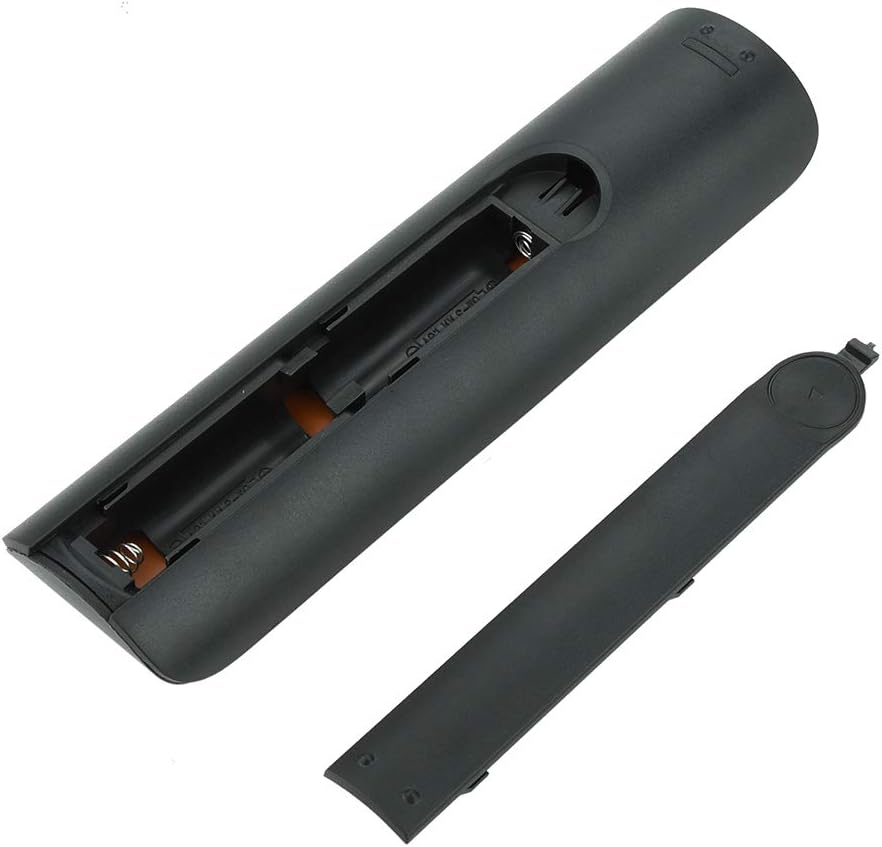
Immagine 4.1: View of the remote control with the battery cover removed, showing the two AA battery slots.
4.2 Uso iniziale
This remote control is designed to work directly with compatible Samsung Smart TVs that originally used the BN59-01199G model. No programming or pairing is typically required. Simply install the batteries and point the remote towards your television.

Image 4.2: The remote control positioned near a television, illustrating its intended use with compatible Samsung models.
5. Istruzioni per l'uso
The remote control features standard buttons for TV operation. Refer to the image below for a visual guide to the button layout.

Immagine 5.1: Un dettaglio view of the remote control's buttons, including power, number pad, volume, channel, and smart functions.
- Pulsante di accensione (rosso): Accende o spegne la TV.
- Tastierino numerico (0-9): Per l'ingresso diretto del canale.
- Volume su/giù (+/-): Regola il volume del televisore.
- Canale su/giù (CH +/-): Cambia canale TV.
- Disattiva audio: Disattiva l'audio della TV.
- Hub intelligente: Accesses the Smart Hub interface for apps and streaming services.
- Menu: Apre il menu principale del televisore.
- Utensili: Provides quick access to common TV functions.
- Informazioni: Visualizza informazioni sul programma o sull'input corrente.
- Tasti di navigazione (Su, Giù, Sinistra, Destra, Invio): Utilizzato per navigare nei menu e selezionare le opzioni.
- Ritorno: Torna alla schermata o al menu precedente.
- Uscita: Chiude il menu o l'applicazione corrente.
- Pulsanti colorati (A, B, C, D): La funzionalità varia in base al modello di TV e all'applicazione.
- Controlli di riproduzione: Riproduzione, pausa, arresto, avanzamento rapido, riavvolgimento per la riproduzione multimediale.
6. Manutenzione
6.1 Pulizia
Per pulire il telecomando, strofinarlo delicatamente con un panno morbido e asciutto. Per lo sporco ostinato, strofinare leggermenteampPulisci il panno con acqua o un detergente delicato e non abrasivo. Evita di usare prodotti chimici aggressivi o umidità eccessiva, poiché potrebbero danneggiare i componenti elettronici del telecomando.
6.2 Sostituzione della batteria
Sostituisci le batterie quando la risposta del telecomando diventa lenta o smette di funzionare. Sostituisci sempre entrambe le batterie AA contemporaneamente con batterie nuove. Non mischiare batterie vecchie e nuove o tipi diversi di batterie.
7. Risoluzione Dei Problemi
- Il telecomando non risponde:
- Controllare che le batterie siano inserite correttamente, rispettando la polarità corretta.
- Sostituire le batterie con batterie nuove.
- Assicurarsi che non vi siano ostacoli tra il telecomando e il ricevitore a infrarossi del televisore.
- Verificare che il telecomando sia puntato direttamente verso la TV.
- Distanza di controllo remoto breve:
- This can indicate low battery power; replace the batteries.
- Environmental factors or strong light sources can interfere with the infrared signal. Try using the remote in different lighting conditions.
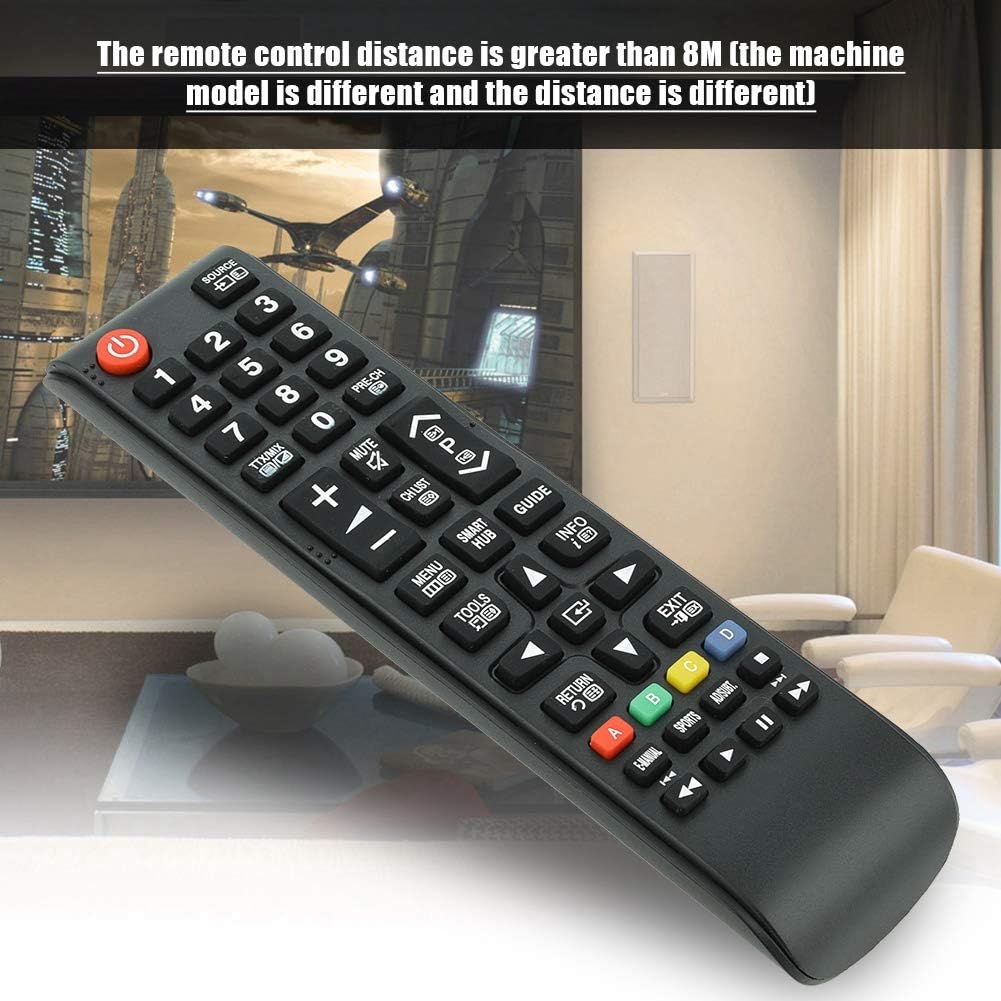
Image 7.1: The remote control in a typical home environment, demonstrating its effective range for TV operation.
8. Garanzia e supporto
Zerone products are manufactured with quality in mind. If you encounter any issues or are not satisfied with your product, please contact the seller or manufacturer for support. Refer to your purchase documentation for specific warranty terms and contact information.