
Introduzione
The Turtle Beach Battle Buds In-Ear Gaming Headset is engineered for versatile gaming across multiple platforms, including mobile devices, PC, Xbox, and PlayStation consoles. This lightweight headset combines in-ear comfort with clear audio and communication capabilities, making it ideal for gaming on the go or at home. This manual provides essential information for setting up, operating, maintaining, and troubleshooting your Battle Buds headset.
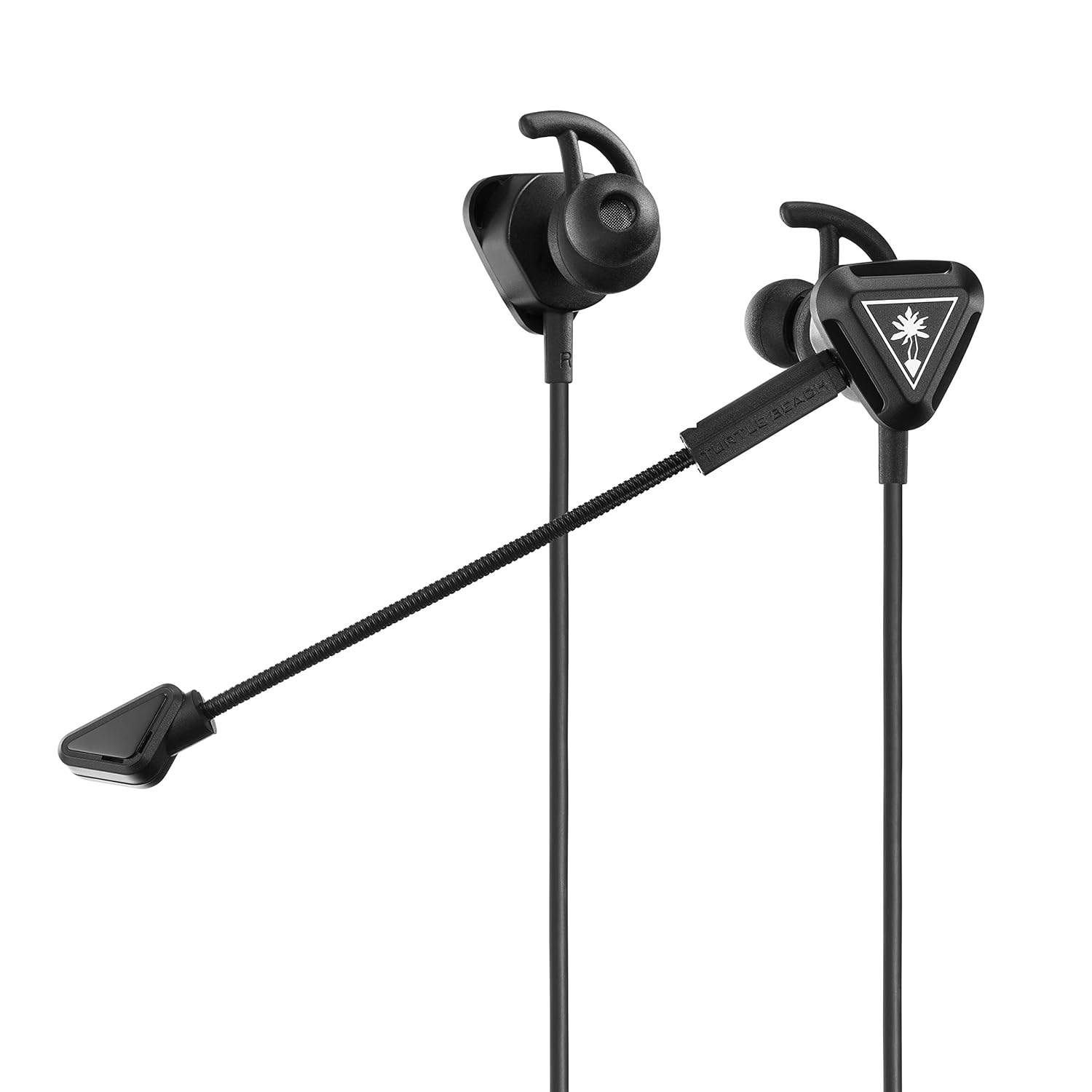
Image: The Turtle Beach Battle Buds In-Ear Gaming Headset, showcasing its compact design and detachable microphone.
Contenuto della confezione
Si prega di verificare che tutti gli articoli elencati di seguito siano inclusi nel pacchetto:
- Turtle Beach Battle Buds In-Ear Gaming Headset
- Removable High-Sensitivity Boom Microphone
- Borsa da trasporto
- Ear Bud Tips (three sizes: Small, Medium, Large)
- Stabilizer Wings (three sizes: Small, Medium, Large)
- Guida rapida
- Adesivo della spiaggia delle tartarughe

Image: All components of the Battle Buds headset package, including the headset, detachable microphone, carrying pouch, and various ear tip and stabilizer sizes.
Impostare
1. Scegliere la soluzione giusta
For optimal sound quality and comfort, select the ear bud tips and stabilizer wings that best fit your ears. Experiment with the three included sizes (Small, Medium, Large) to find the most secure and comfortable fit. A proper seal in your ear canal is crucial for bass response and noise isolation.

Image: A selection of three different sizes of ear bud tips and stabilizer wings, demonstrating the customization options for fit.
2. Collegamento del microfono
The Battle Buds feature a removable high-sensitivity boom microphone for clear voice chat during gaming. To attach, simply align the microphone's 3.5mm jack with the port on the left earbud and push firmly until it clicks into place. Ensure it is fully inserted for proper function.

Immagine: un primo piano view of the removable high-sensitivity boom microphone, highlighting its connection point to the earbud.
3. Connessione al dispositivo
The Battle Buds connect via a standard 3.5mm jack. Plug the headset's 3.5mm connector into the compatible audio port on your gaming controller (Xbox, PlayStation), PC, mobile device, or Nintendo Switch. Ensure the connection is secure.

Image: A diagram illustrating the multiplatform compatibility of the Battle Buds, showing connections to Xbox, PlayStation, mobile, and PC devices.
Istruzioni per l'uso
Controlli in linea
The Battle Buds feature a convenient inline controller for easy access to essential functions:
- Master Volume Wheel: Adjust the overall audio volume by sliding the wheel up or down.
- Interruttore di disattivazione del microfono: Toggle this switch to quickly mute or unmute your microphone. When muted, your voice will not be transmitted.
- Pulsante multifunzione: On supported devices (e.g., mobile phones), this button can be used to answer/end calls, play/pause music, or skip tracks. Refer to your device's manual for specific functionality.

Immagine: Un dettaglio view of the inline controller, showing the master volume wheel and the mic mute switch.
Utilizzo del microfono
The Battle Buds offer two microphone options:
- Removable Boom Mic: For optimal clarity during gaming, use the high-sensitivity boom microphone. Position it close to your mouth for the best voice pickup.
- Built-in Inline Mic: When the boom mic is detached, the headset automatically switches to the built-in inline microphone. This is suitable for casual use, mobile calls, or when the boom mic is not desired.

Image: A person wearing the Turtle Beach Battle Buds headset, demonstrating the position of the detachable boom microphone for clear communication.
Manutenzione
Proper care will extend the life of your Battle Buds headset:
- Pulizia: Gently wipe the earbuds, tips, and cable with a soft, dry cloth. For stubborn dirt, a slightly damp È possibile utilizzare un panno, ma assicurarsi che non penetri umidità nelle griglie degli altoparlanti o nel microfono. Non utilizzare prodotti chimici aggressivi o detergenti abrasivi.
- Magazzinaggio: When not in use, store the headset in the included carrying pouch to protect it from dust, dirt, and tangles. Avoid wrapping the cable too tightly.
- Cura del cavo: Do not pull on the cable to disconnect the headset. Always grasp the 3.5mm plug. Avoid sharp bends or kinks in the cable.
Risoluzione dei problemi
If you encounter issues with your Battle Buds, please refer to the following common problems and solutions:
| Problema | Possibile causa | Soluzione |
|---|---|---|
| Nessun suono o volume basso |
|
|
| Il microfono non funziona |
|
|
| Uncomfortable fit or falling out |
|
|
If these solutions do not resolve your issue, please visit the Turtle Beach support websito per ulteriore assistenza.
Specifiche
| Caratteristica | Dettaglio |
|---|---|
| Nome del modello | Boccioli di battaglia |
| Numero di modello | TBS-4002-01 |
| Tecnologia di connettività | Wired (3.5mm) |
| Altoparlanti | 10mm con magneti al neodimio |
| Risposta in frequenza | Frequenza di campionamento: |
| Progettazione delle cuffie | In-ear (auricolare) |
| Microphone Design | Removable Unidirectional Boom Microphone & Built-In Inline Microphone |
| Controlli in linea | Master Volume Wheel, Mic Mute, Multifunction Button |
| Dispositivi compatibili | Xbox (Series X, Series S, One), PlayStation (PS5, PS4, PS4 Pro), PC, Mobile |
| Materiale | Plastica |
| Peso dell'articolo | 0.8 once (circa 22.7 grammi) |
| Dimensioni del prodotto | 1.5 x 0.75 x 1.1 pollici |
| Codice UPC | 731855040025 |
| Data di rilascio | 1 marzo 2019 |

Immagine: un primo piano view of the Battle Buds' 10mm speakers, highlighting their design.
Garanzia e supporto
Turtle Beach products are designed for durability and performance. For information regarding warranty coverage, product registration, or technical support, please visit the official Turtle Beach websito. Lì puoi trovare FAQ, download di driver e informazioni di contatto per il servizio clienti.
Official Turtle Beach Support: www.turtlebeach.com/pages/support