
1. Introduzione
Welcome to the user manual for your Genius Manticore Gaming Keyboard. This guide provides essential information for setting up, operating, maintaining, and troubleshooting your new gaming keyboard. Please read these instructions carefully to ensure optimal performance and longevity of your device.
2. Prodotto finitoview
The Genius Manticore Gaming Keyboard is designed for an enhanced gaming experience, featuring a durable build and responsive keys. It connects via USB and is compatible with a wide range of devices. The keyboard includes 104 keys with a standard QWERTY layout, complemented by additional gaming-specific features.
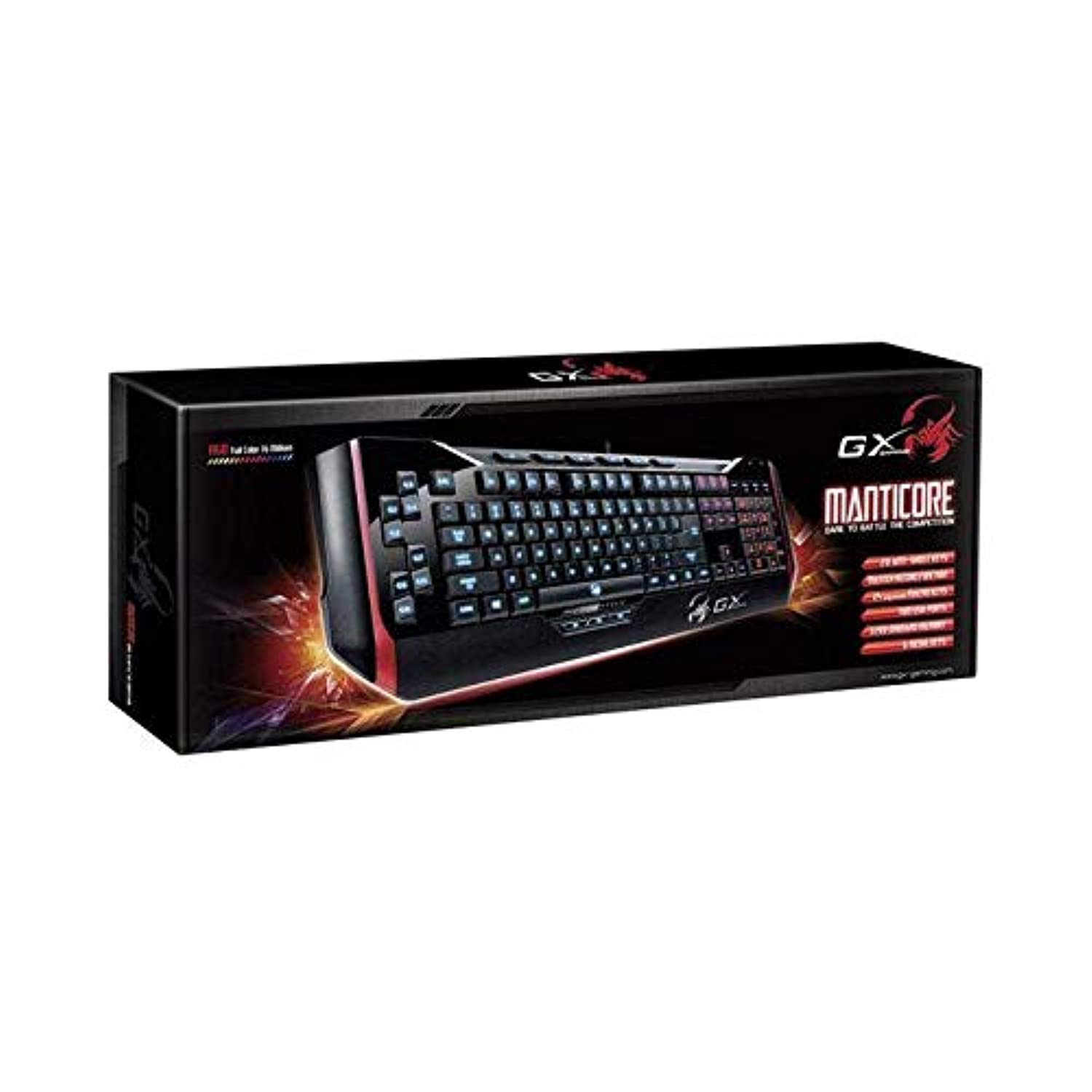
Figura 1: Genius Manticore Gaming Keyboard. This image displays the Genius Manticore Gaming Keyboard, featuring a black body with red accents on the sides. The keys are illuminated, indicating its gaming functionality. The keyboard has a standard QWERTY layout with additional keys on the left side, likely for macros, and a numeric keypad on the right.
3. Impostazione
- Disimballare la tastiera: Carefully remove the Genius Manticore Gaming Keyboard from its packaging. Ensure all components are present.
- Collegati al tuo dispositivo: Locate an available USB port on your computer or compatible device. Insert the USB connector of the keyboard firmly into the USB port.
- Installazione del driver (se necessario): For most modern operating systems, the keyboard will be recognized automatically, and standard drivers will be installed. If prompted, follow the on-screen instructions to complete any driver installation.
- Funzionalità di prova: Apri un editor di testo o un web browser e testare i tasti per assicurarsi che rispondano correttamente.
4. Istruzioni per l'uso
The Genius Manticore Gaming Keyboard offers a standard QWERTY layout for general typing and dedicated features for gaming.
- Funzioni dei tasti standard: All standard alphanumeric, symbol, and function keys operate as expected on a typical QWERTY keyboard.
- Caratteristiche di gioco: The keyboard is designed for gaming. Specific gaming features, such as customizable backlighting or programmable macro keys (if available on your model), can typically be configured through dedicated software provided by Genius or through specific key combinations. Refer to the Genius website for any available software downloads or advanced feature guides.
- Fonte di energia: The keyboard is powered directly via the USB connection to your device. No external power supply or batteries are required.
5. Manutenzione
Una corretta manutenzione garantisce la longevità e le prestazioni della tastiera.
- Pulizia: Utilizzare un panno morbido e asciutto per pulire la superficie della tastiera. Per rimuovere polvere e detriti tra i tasti, utilizzare aria compressa. Evitare l'uso di prodotti chimici aggressivi o materiali abrasivi.
- Esposizione al liquido: Questa tastiera è non resistente all'acqua. Avoid spilling liquids on the keyboard, as this can cause permanent damage. If liquid exposure occurs, immediately disconnect the keyboard from your device and allow it to dry completely before attempting to use it again.
- Magazzinaggio: Quando non viene utilizzata, conservare la tastiera in un ambiente pulito e asciutto, lontano da temperature estreme e dalla luce solare diretta.
6. Risoluzione Dei Problemi
Se riscontri problemi con la tastiera, prova le seguenti soluzioni:
- La tastiera non risponde:
- Assicurarsi che il cavo USB sia collegato saldamente sia alla tastiera che al computer.
- Prova a collegare la tastiera a una porta USB diversa del computer.
- Prova la tastiera su un altro computer per determinare se il problema riguarda la tastiera o il computer originale.
- Riavvia il computer.
- Tasti specifici non funzionanti:
- Check for any physical obstructions under the non-functional keys.
- Pulire la tastiera come descritto nella sezione Manutenzione.
- Ensure no software conflicts are present (e.g., macro software interfering with standard key functions).
- Problemi di retroilluminazione:
- If your model features adjustable backlighting, ensure it is not turned off or set to the lowest brightness level. Consult the Genius website for specific key combinations to control backlighting.
If these steps do not resolve the issue, please contact Genius customer support for further assistance.
7. Specifiche
| Caratteristica | Dettaglio |
|---|---|
| Nome del marchio | Genio |
| Numero di modello | GE31310058108 |
| Dispositivi compatibili | Tutto |
| Tecnologia di connettività | USB |
| Descrizione della tastiera | Gioco d'azzardo |
| Caratteristiche speciali | Gioco d'azzardo |
| Colore | Multi-color (Black and Red) |
| Stile | Moderno |
| Materiale | Materiali multipli |
| Tema | Giochi |
| Fonte di alimentazione | Alimentazione USB |
| Numero di chiavi | 104 |
| Disposizione della tastiera | Tastiera QWERTY |
| Orientamento della mano | Ambidestro |
| Quantità del pulsante | 104 |
| Livello di resistenza all'acqua | Non resistente all'acqua |
| Produttore | Genio |
| ASIN | B07MQMXJS9 |
8. Garanzia e supporto
Your Genius Manticore Gaming Keyboard is covered by a standard manufacturer's warranty. For detailed information regarding warranty terms, registration, or to access technical support, please visit the official Genius websito o contattare il servizio clienti. Conservare la ricevuta d'acquisto come prova d'acquisto.
Per ulteriore assistenza, puoi visitare il Genio Ufficiale Websito.