
Introduzione
This manual provides instructions for the safe and effective use of your T&G TG504 Portable Bluetooth Speaker. Please read it thoroughly before use and retain it for future reference. This speaker is designed for portable audio playback with wireless Bluetooth connectivity and water resistance.
Prodotto finitoview
The T&G TG504 is a cylindrical, portable Bluetooth speaker featuring a robust design and a built-in microphone for hands-free calling. It offers high-definition sound with bass boost and multiple connectivity options.
Caratteristiche principali:
- Portable and Cylindrical Design
- Water Resistant Construction
- Built-in Microphone for Calls
- Connettività wireless Bluetooth
- AUX and USB Port for versatile playback
- Bass Boost and High Definition Sound
- Battery Powered for on-the-go use
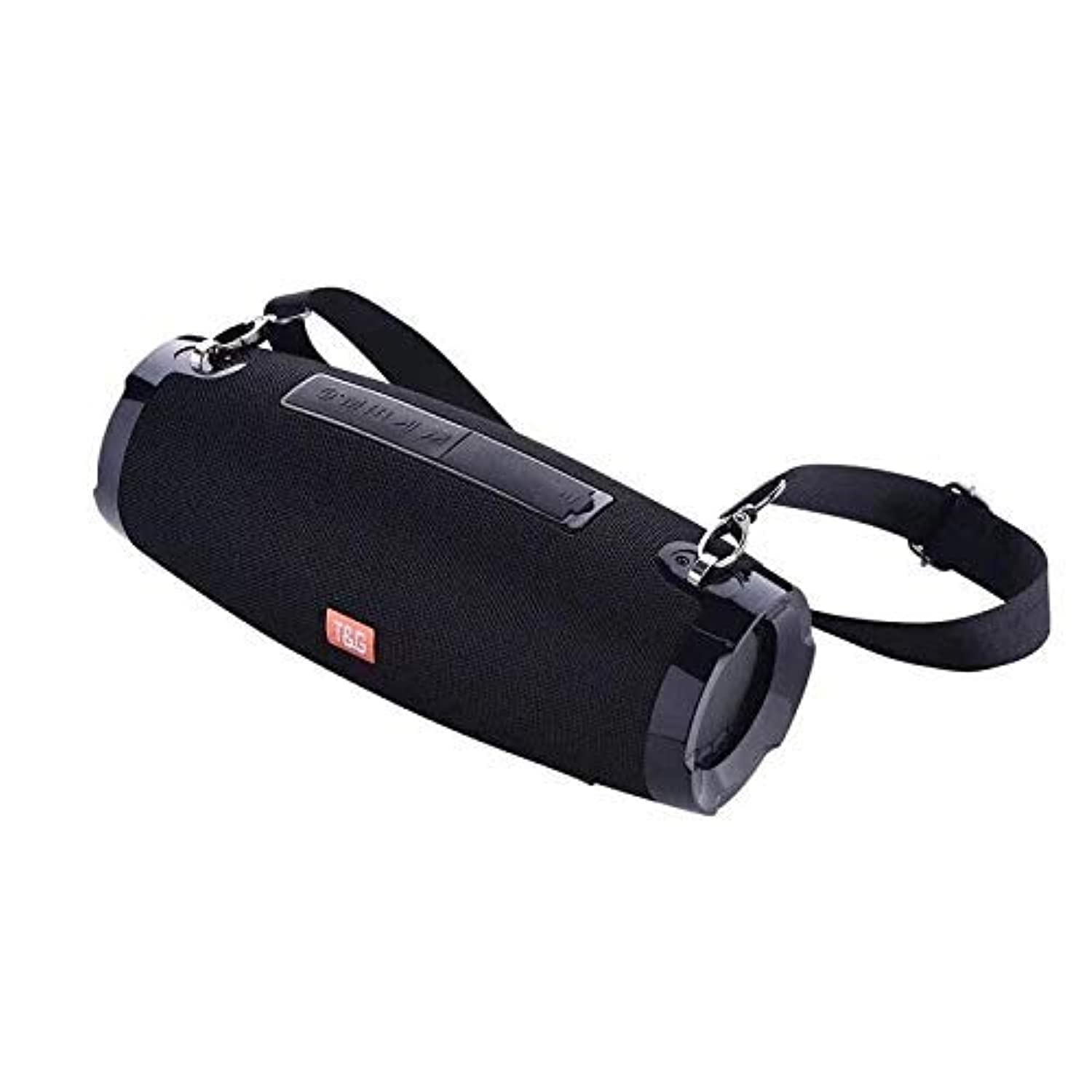
This image shows the T&G TG504 Portable Bluetooth Speaker. It features a black cylindrical design with a mesh grille covering the speaker. The T&G brand logo is visible in orange on the front. The speaker has attachment points on the sides, suggesting portability.
Contenuto della confezione
- Altoparlante Bluetooth portatile T&G TG504
- Cavo AUX
- Cavo di ricarica USB
- Manuale d'uso
Comandi e indicatori
Familiarize yourself with the speaker's controls and ports for optimal operation.
- Pulsante di accensione: Tenere premuto per accendere o spegnere l'altoparlante.
- Pulsante Play/Pausa: Premere per riprodurre o mettere in pausa l'audio.
- Volume su (+): Premere per aumentare il volume. Tenere premuto per passare alla traccia successiva.
- Volume basso (-): Premere per diminuire il volume. Tenere premuto per tornare alla traccia precedente.
- Pulsante Modalità (M): Premere per passare tra le modalità Bluetooth, AUX e USB.
- Pulsante di chiamata: Press to answer or end a phone call. Hold to reject a call.
- Porta AUX: Per la connessione cablata ai dispositivi audio.
- Porta USB: For playing music from a USB drive or charging other devices (if supported).
- Porta di ricarica: Per collegare il cavo di ricarica USB.
- Indicatore LED: Mostra lo stato di alimentazione, lo stato di carica e lo stato di associazione Bluetooth.
Impostare
1. Ricarica dell'altoparlante
- Collegare l'estremità piccola del cavo di ricarica USB alla porta di ricarica dell'altoparlante.
- Collegare l'estremità grande del cavo di ricarica USB a un adattatore di alimentazione USB (non incluso) o alla porta USB di un computer.
- L'indicatore LED mostrerà lo stato di carica (ad esempio, rosso durante la carica, spento quando la carica è completa).
- Prima del primo utilizzo, attendere circa 3-4 ore per una carica completa.
2. Accensione/Spegnimento
- To power on, press and hold the Power button until the LED indicator lights up and you hear an audible prompt.
- To power off, press and hold the Power button again until the LED indicator turns off and you hear an audible prompt.
3. Accoppiamento Bluetooth
- Ensure the speaker is powered on and in Bluetooth pairing mode (LED indicator will typically flash blue). If not, press the Mode button to switch to Bluetooth mode.
- Sul tuo dispositivo mobile (smartphone, tablet, laptop), attiva il Bluetooth.
- Cercare available Bluetooth devices. The speaker will appear as "TG504" or similar.
- Select "TG504" to connect. Once paired, the LED indicator will turn solid blue, and you will hear a confirmation sound.
- L'altoparlante si riconnetterà automaticamente all'ultimo dispositivo associato quando viene acceso, se il dispositivo si trova nel raggio d'azione e il Bluetooth è abilitato.
4. Connessione tramite AUX
- Collegare un'estremità del cavo AUX in dotazione alla porta AUX dell'altoparlante.
- Connect the other end of the AUX cable to the headphone jack of your audio device.
- L'altoparlante passerà automaticamente alla modalità AUX, oppure potrebbe essere necessario premere il pulsante Modalità per selezionare AUX.
Istruzioni per l'uso
Riproduzione di musica
- Modalità Bluetooth: Once paired, start playing music on your connected device. Audio will stream through the speaker.
- Modalità AUX: Start playing music on your connected audio device.
- Modalità USB: Inserisci un'unità flash USB con MP3 files into the USB port. The speaker will automatically detect and play music. Press the Mode button to switch to USB mode if needed.
- Per controllare la riproduzione, usa il pulsante Riproduci/Pausa sull'altoparlante o sul dispositivo.
Regolazione del volume
- Premere il pulsante Volume su (+) per aumentare il volume.
- Premere il pulsante Volume giù (-) per diminuire il volume.
- Volume can also be adjusted from your connected device.
Handling Calls (Bluetooth Mode)
- Rispondi alla chiamata: When a call comes in, press the Call button once to answer.
- Termina chiamata: During a call, press the Call button once to end the call.
- Rifiuta chiamata: When a call comes in, press and hold the Call button to reject it.
- Ricomponi l'ultimo numero: In standby mode, double-press the Call button to redial the last number.
Controllo vocale
The speaker supports voice control. Depending on your connected device, you may be able to activate your device's voice assistant (e.g., Siri, Google Assistant) by pressing and holding the Play/Pause button (or a dedicated voice button if available) for a few seconds.
Manutenzione
Pulizia
- Pulire l'altoparlante con un panno morbido e asciutto.
- Non utilizzare detergenti abrasivi, alcol o solventi chimici.
Magazzinaggio
- Conservare l'altoparlante in un luogo fresco e asciutto, lontano dalla luce solare diretta e da temperature estreme.
- Se si prevede di non utilizzarla per un periodo prolungato, caricare periodicamente la batteria per preservarne la durata.
Cura della resistenza all'acqua
- Assicurarsi che tutti i coperchi delle porte siano ben chiusi prima di esporre l'altoparlante all'acqua.
- Do not submerge the speaker in water. Water resistance protects against splashes and light rain, not full immersion.
- Dopo l'esposizione all'acqua, asciugare l'altoparlante prima di caricarlo o di aprire i coperchi delle porte.
Risoluzione dei problemi
Se riscontri problemi con l'altoparlante, consulta la tabella seguente per i problemi più comuni e le relative soluzioni.
| Problema | Possibile causa | Soluzione |
|---|---|---|
| L'altoparlante non si accende | Batteria scarica; pulsante di accensione non premuto correttamente | Caricare l'altoparlante; tenere premuto il pulsante di accensione per 3-5 secondi. |
| Impossibile effettuare l'associazione tramite Bluetooth | Altoparlante non in modalità di associazione; Bluetooth del dispositivo disattivato; Altoparlante troppo lontano dal dispositivo | Ensure speaker LED is flashing blue; Turn on Bluetooth on your device; Move speaker closer to device (within 10 meters). |
| Nessun suono | Volume troppo basso; Modalità selezionata non corretta; Il dispositivo non riproduce l'audio | Aumenta il volume dell'altoparlante e del dispositivo; Premi il pulsante Modalità per selezionare l'input corretto; Assicurati che l'audio venga riprodotto sul tuo dispositivo. |
| Distorsione del suono | Volume troppo alto; Batteria scarica; Interferenza | Reduce volume; Charge the speaker; Move away from other wireless devices. |
| Il microfono non funziona | Not in call mode; Microphone blocked | Ensure you are on a call; Check for obstructions around the microphone. |
Specifiche
| Nome del modello | TG504 |
| Marca | T&G |
| Colore | Nero |
| Forma | Cilindrico |
| Peso dell'articolo | 735 grams (approx. 1 kg / 2.2 pounds) |
| Potenza massima in uscita dell'altoparlante | 10 watt |
| Tecnologia di connettività | Bluetooth, ausiliario (AUX) |
| Tecnologia di comunicazione wireless | Bluetooth |
| Resistente all'acqua | SÌ |
| Fonte di alimentazione | Alimentato a batteria |
| Metodo di controllo | Voce |
| Modalità di uscita audio | Circondare |
| Tipo di montaggio | Da tavolo |
| Dispositivi compatibili | Tablet, computer portatile, smartphone |
| Caratteristiche speciali | Bass Boost, High Definition Sound, Water Resistant, USB Port |
| Componenti inclusi | Cavo AUX |
Informazioni sulla sicurezza
- Non esporre l'altoparlante a temperature estreme, alla luce solare diretta o a elevata umidità.
- Evitare di far cadere o di sottoporre l'altoparlante a forti urti.
- Tenere l'altoparlante lontano da bambini e animali domestici.
- Non tentare di smontare, riparare o modificare autonomamente l'altoparlante. Ciò invaliderà la garanzia e potrebbe causare danni o lesioni.
- Use only the specified charging cable and a compatible power adapter.
- Do not use the speaker near water sources if port covers are not securely closed.
- L'ascolto prolungato ad alto volume può causare danni all'udito.
Garanzia e supporto
Specific warranty details are not provided in the product information. For warranty claims or technical support, please refer to the retailer or manufacturer's official website where you purchased the product. Keep your proof of purchase for any warranty-related inquiries.