
Snoppa SNOPPA
Manuale utente dello stabilizzatore cardanico pieghevole a 3 assi Snoppa Atom
Model: SNOPPA
Introduzione
The Snoppa Atom is a compact and powerful 3-axis foldable handheld gimbal stabilizer designed for smartphones. It offers advanced features such as 360° roll axis rotation, wireless charging, object and face tracking, and a built-in microphone interface, providing smooth and stable video footage per varie applicazioni.
This manual provides detailed instructions for setting up, operating, maintaining, and troubleshooting your Snoppa Atom gimbal to ensure optimal performance and longevity.
Prodotto finitoview
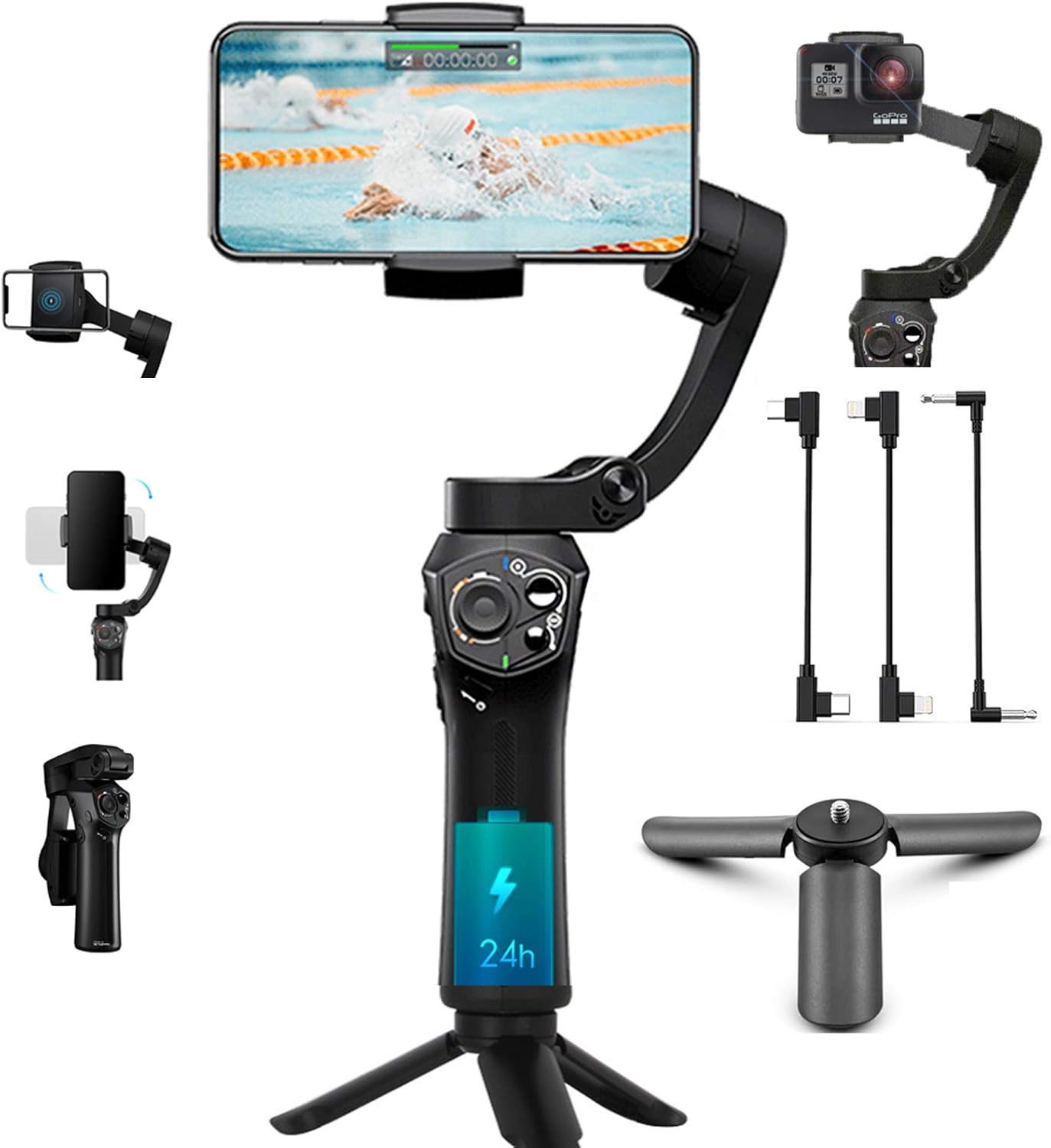
The Snoppa Atom gimbal is engineered for portability and ease of use, featuring a foldable design and a lightweight build. It supports a payload of up to 310g, accommodating a wide range of smartphones.

Caratteristiche principali:
- Stabilizzazione a 3 assi: Effectively reduces shaky footage for smooth, professional-looking videos.
- Design pieghevole e portatile: Weighs only 15.5 oz, and folds compactly for easy transport.
- Ricarica wireless: Conveniently charge your smartphone while filming.
- Object & Face Tracking: Automatically tracks subjects to keep them in frame.
- Built-in Microphone Interface: Supports 3.5mm TRRS microphones for enhanced audio quality.
- Controlli personalizzabili: Multifunctional buttons and a slide button for zoom/focus control.
- Batteria a lunga durata: Fino a 24 ore di funzionamento continuo.
Guida all'installazione
1. Disimballaggio e carica iniziale
Upon unboxing, ensure all components are present: Snoppa Atom gimbal, tripod, and charging cables. Fully charge the gimbal before first use. Connect the provided USB-C cable to the gimbal's charging port and a power source.
2. Unlocking Motors
Before powering on, it is crucial to unlock all three motors (Pan, Tilt, Roll) of the gimbal. Refer to the markings on the gimbal for the lock/unlock positions. Failure to unlock motors can cause vibration or damage.
3. Montaggio dello smartphone
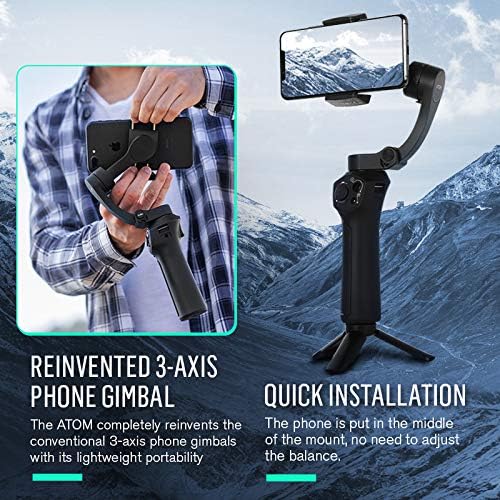
Extend the phone holder and securely place your smartphone in the center. The gimbal is designed for quick installation without manual balancing. Ensure the phone is firmly seated to prevent vibration or accidental dislodgement.
4. Installazione e connessione dell'app
Download the official Snoppa App from your device's app store (iOS 8.0+ or Android 5.0+). Open the app and follow the on-screen instructions to connect your gimbal via Bluetooth. The app is essential for accessing advanced features and calibration.
Nota importante: Some Android phones may have limited compatibility. Contact Snoppa support if you experience issues.
Istruzioni per l'uso
1. Accensione/Spegnimento
Press and hold the power button for 3 seconds to power on or off the gimbal. Ensure a smartphone is mounted before powering on to prevent motor vibration.
2. Controlli di base
- joystick: Controlla i movimenti di panoramica e inclinazione dello smartphone.
- Pulsante Modalità: Cycles through different operating modes (e.g., Pan Follow, Lock Mode, POV).
- Pulsante di attivazione: (If applicable) Double-tap to re-center the gimbal, triple-tap for 180° rotation.
- Pulsante di scorrimento: Customizable via the Snoppa App for zoom or focus control.
3. Switching Between Portrait/Landscape Mode
The Snoppa Atom allows for a one-key switch between portrait and landscape orientations, ideal for various content creation needs.
4. Advanced Features (via Snoppa App)
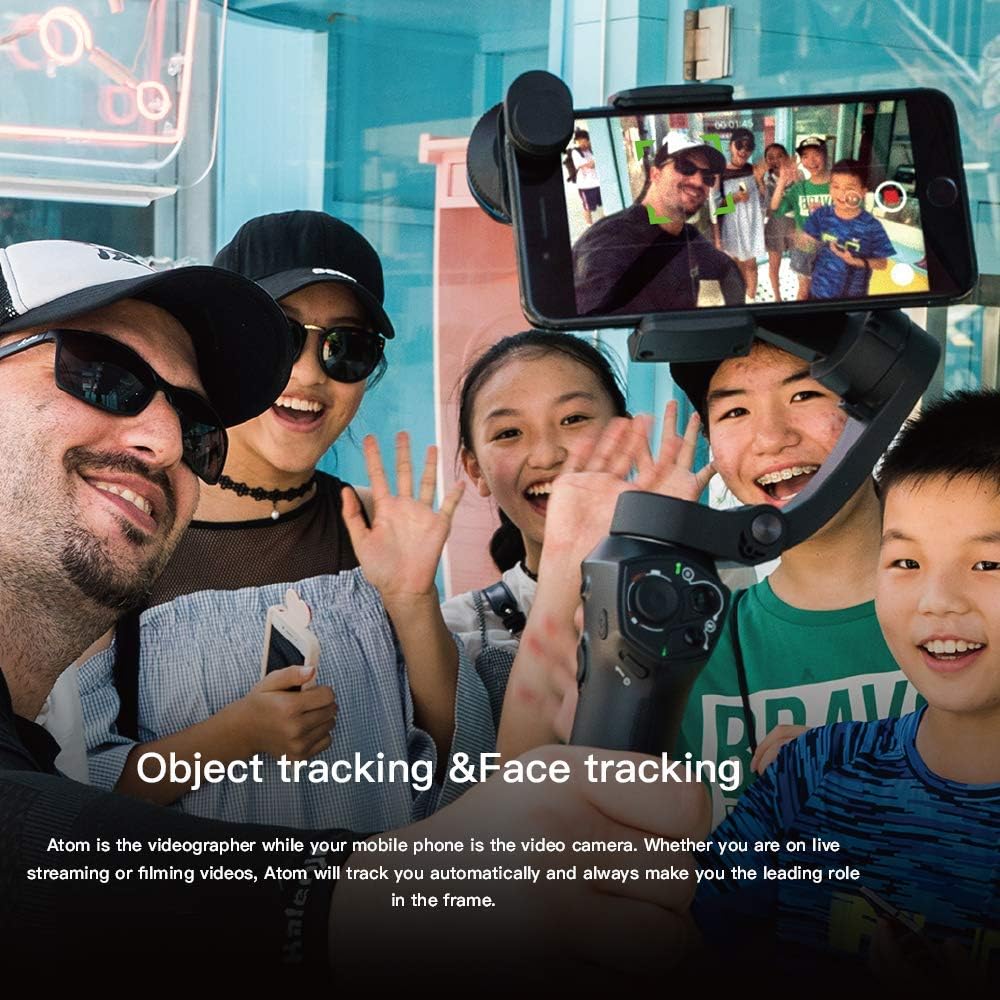
- Object Tracking & Face Tracking: Select a subject on screen, and the gimbal will automatically follow it.
- Time-lapse & Motion Time-lapse: Crea video time-lapse dinamici.
- Panorama: Cattura ampie foto panoramiche.
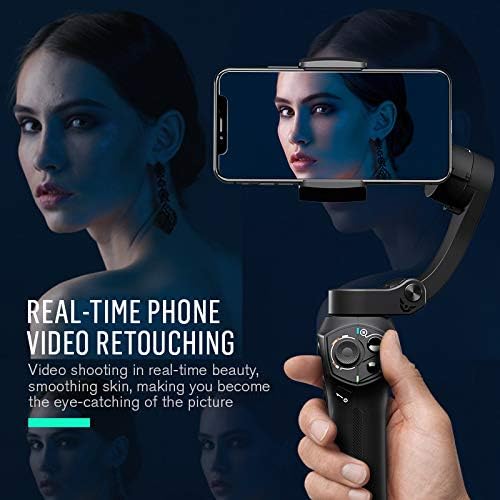
- Real-time Phone Video Retouching: Enhance video quality directly within the app.


5. Ricarica wireless
The Atom gimbal features a built-in wireless charging pad. Simply place your compatible smartphone on the pad to initiate charging. This allows for extended shooting sessions without worrying about your phone's battery life.
6. Using External Microphones
Connect a 3.5mm TRRS microphone to the dedicated audio interface on the gimbal for professional-grade audio recording. This is particularly useful for interviews, vlogging e streaming live.
Manutenzione
1. Pulizia
Wipe the gimbal with a soft, dry cloth. Avoid using liquid cleaners or solvents that may damage the surface or internal components.
2. Conservazione
When not in use, fold the gimbal into its compact form and store it in the provided carrying pouch or a dry, cool place away from direct sunlight and extreme temperatures. Ensure motors are locked during storage.
3. Cura della batteria
To prolong battery life, charge the gimbal regularly, even if not in frequent use. Avoid fully discharging the battery for extended periods.
Risoluzione dei problemi
| Problema | Possibile causa | Soluzione |
|---|---|---|
| Gimbal vibrates or shakes upon startup. | Motors are locked, or no phone is mounted. | Ensure all motors are unlocked before powering on. Always mount your smartphone before turning on the gimbal. |
| Gimbal does not connect to the app. | Bluetooth is off, app version is outdated, or incorrect gimbal model selected in app. | Ensure Bluetooth is enabled on your phone. Update the Snoppa App to the latest version. Verify you have selected the "Atom" model within the app. |
| Gimbal drifts or does not hold level. | Necessita di calibrazione. | Perform a calibration through the Snoppa App. Keep the gimbal still during calibration. |
| La ricarica wireless non funziona. | Phone not compatible, phone not positioned correctly, or phone case is too thick. | Ensure your smartphone supports wireless charging. Reposition the phone on the charging pad. Remove thick phone cases if necessary. |
| Durata breve della batteria. | Battery not fully charged, or heavy usage. | Ensure the gimbal is fully charged before use. Reduce continuous heavy motor usage if possible. |
Specifiche
| Caratteristica | Dettaglio |
|---|---|
| Modello | SNOPPA |
| Dimensioni | 4.84 x 4.13 x 12.91 pollici |
| Peso dell'articolo | 1.19 libbre (0.54 kg) |
| Carico utile massimo | 11 once (310 g) |
| Durata della batteria | Fino a 24 ore |
| Dispositivi compatibili | Smartphones (width range: 55-90mm) |
| Compatibilità delle app | iOS 8.0 o successivo, Android 5.0 o successivo |
| Connettività | Bluetooth |
| Microfono Interfaccia | 3.5 mm TRRS |
| Ricarica wireless | Supportato |
Garanzia e supporto
For warranty information and technical support, please refer to the official Snoppa webo contattare direttamente il servizio clienti. Conservare la ricevuta d'acquisto come prova d'acquisto per eventuali reclami in garanzia.
Produttore: SNOPPA
Data prima disponibilità: 4 marzo 2019
Per ulteriore assistenza, visitare il Snoppa Store on Amazon.
Ask a question about this manual
Ask about setup, troubleshooting, compatibility, parts, safety, or missing instructions. Manuals+ will review the question and use this page’s manual context to help answer it.