
Codice articolo: 920-009146
Logitech SLIM FOLIO PRO User Manual
For iPad Pro 12.9-inch (3rd generation)
Introduzione
This manual provides detailed instructions for the setup, operation, maintenance, and troubleshooting of your Logitech SLIM FOLIO PRO keyboard case for iPad Pro 12.9-inch (3rd generation). Please read this manual thoroughly before using the product to ensure optimal performance and longevity.
The Logitech SLIM FOLIO PRO transforms your iPad Pro into a versatile workstation, offering a comfortable typing experience with backlit keys and robust protection.
Prodotto finitoview
The Logitech SLIM FOLIO PRO is an all-in-one keyboard case designed for the iPad Pro 12.9-inch (3rd generation). It features a full-sized keyboard with backlit keys, a secure magnetic latch, and integrated Apple Pencil (2nd Gen) storage and charging.

Figura 1: Logitech SLIM FOLIO PRO with iPad Pro in typing mode, showcasing the keyboard and screen angle.
Caratteristiche principali:
- Tasti retroilluminati: Adjustable backlighting for typing in various lighting conditions.
- Full Row of iPadOS Shortcut Keys: Provides quick access to common iPad functions.
- Sturdy, Lightweight Case: Protects your iPad Pro from scuffs, scratches, and spills.
- Secure Magnetic Latch: Keeps the case securely closed and protects the iPad screen.
- Apple Pencil (2nd Gen) Storage & Charging: Integrated space for charging and securing your Apple Pencil.
- Power-saving Auto On/Off: Keyboard activates when in typing mode and deactivates when removed from the dock.
- Bluetooth Low Energy Pairing: Easy one-time setup for wireless connectivity.
- Batteria a lunga durata: Up to 3 months on a single charge with 2 hours daily use.
Impostare
1. Inserting Your iPad Pro
- Gently align your iPad Pro 12.9-inch (3rd generation) with the protective frame of the SLIM FOLIO PRO case.
- Press firmly around the edges of the iPad until it clicks securely into place within the case. Ensure all corners are fully seated.
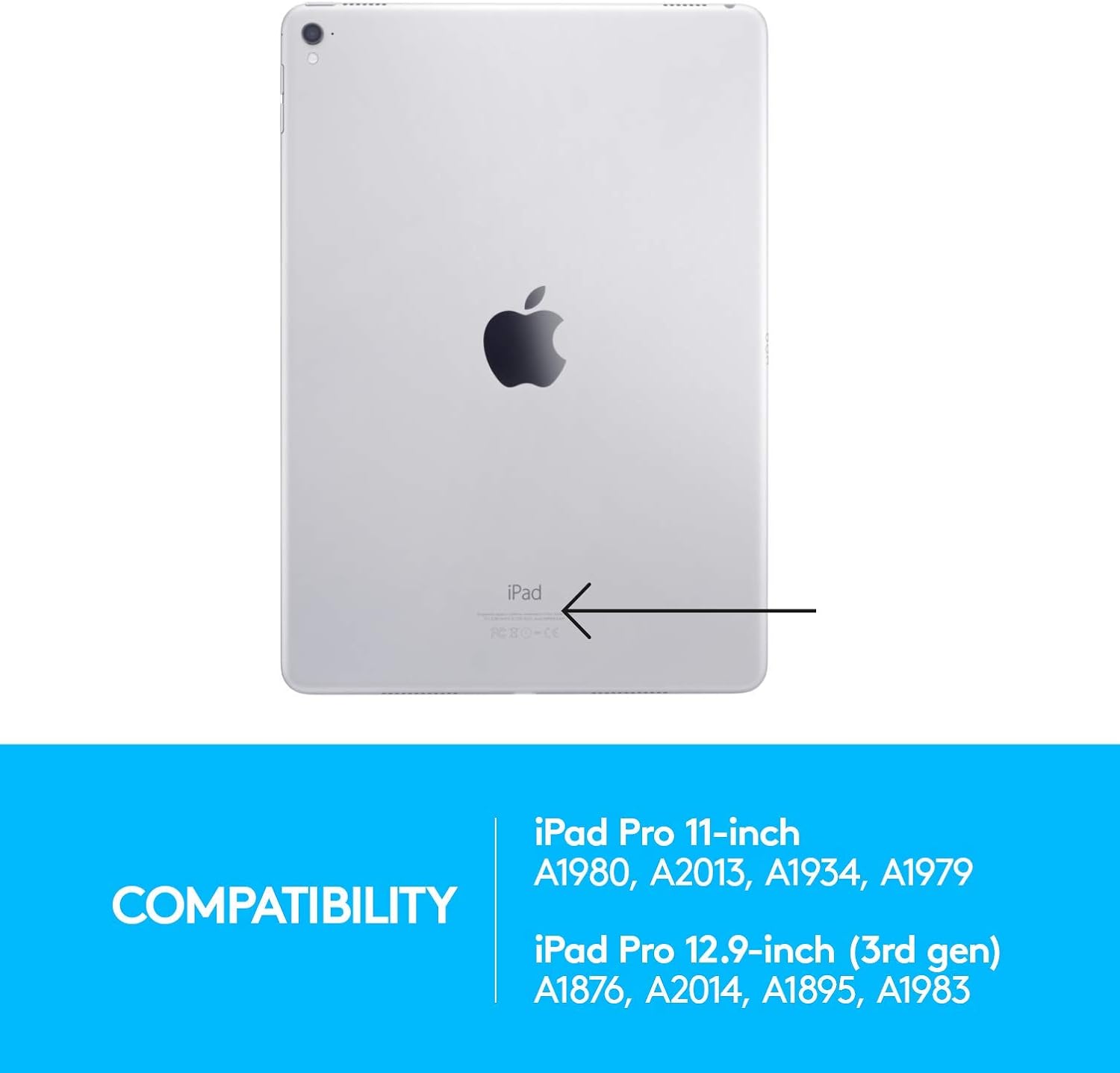
Figura 2: Compatibility information for iPad Pro models, including the 12.9-inch (3rd gen) with model numbers A1876, A2014, A1895, A1983.
2. Accoppiamento Bluetooth
- Ensure your iPad Pro's Bluetooth is enabled. Go to Impostazioni > Bluetooth e attivarlo.
- Open the SLIM FOLIO PRO case and place your iPad into the typing position. The keyboard will automatically power on.
- Sulla tastiera, tieni premuto il tasto Pulsante di associazione Bluetooth (usually located near the top right of the keyboard, often with a Bluetooth symbol) for 3 seconds until the LED indicator light on the keyboard begins to blink rapidly.
- Sul tuo iPad, sotto Dispositivi Bluetooth, select "Logitech SLIM FOLIO PRO" from the list of available devices.
- If prompted, enter the pairing code displayed on your iPad screen using the SLIM FOLIO PRO keyboard and press Entrare.
- The LED indicator on the keyboard will turn solid blue, indicating successful pairing.
3. Ricarica della tastiera
The SLIM FOLIO PRO keyboard has a rechargeable battery. Use the included USB-C cable to charge the keyboard. Connect one end of the cable to the charging port on the keyboard (typically on the side) and the other end to a USB power adapter or a computer's USB port.
A full charge can last up to 3 months with 2 hours of daily use. The LED indicator will show charging status (e.g., red for low battery, green for charging, off when fully charged).

Figura 3: The keyboard features a 3-month rechargeable battery and reliable Bluetooth LE pairing.
Istruzioni per l'uso
Modalità d'uso
The SLIM FOLIO PRO offers three distinct use modes:
- Modalità di tipo: Position your iPad in the upright slot above the keyboard. This activates the keyboard for typing.
- Modalità schizzo: Fold the keyboard behind the iPad, allowing for a comfortable angle for drawing or writing with Apple Pencil.
- Modalità di lettura: Fold the keyboard completely behind the iPad, transforming it into a tablet for comfortable reading or browsing.

Figura 4: The three versatile use modes: Type, Sketch, and Read, demonstrating how the case adapts to different activities.
Funzioni della tastiera
The keyboard features a full row of iPadOS shortcut keys for enhanced productivity:
| Chiave | Funzione |
|---|---|
| Casa | Ritorna alla schermata iniziale |
| Luminosità dello schermo | Regola la luminosità dello schermo |
| Cerca | Activates iPad search function |
| Tastiera virtuale | Shows/hides the on-screen keyboard |
| Controlli multimediali | Traccia precedente, Riproduci/Pausa, Traccia successiva |
| Controlli del volume | Muto, volume giù, volume su |
| Schermata di blocco | Locks the iPad screen |
| Connessione Bluetooth | Initiates Bluetooth pairing |
| retroilluminazione della tastiera | Adjusts keyboard backlight brightness (3 levels) |

Figura 5: Avvicinamento view of the backlit keys, demonstrating the illumination for typing in low-light conditions.
Apple Pencil (2nd Gen) Integration
The SLIM FOLIO PRO features a dedicated space for your Apple Pencil (2nd Gen). Simply place the Apple Pencil into the magnetic holder on the side of the case. This allows for convenient charging and secure storage while on the go.

Figura 6: The integrated charging and stowage area for the Apple Pencil (2nd Gen), ensuring it is always ready for use and securely stored.
Manutenzione
Pulizia della custodia e della tastiera
- Per pulire l'esterno della custodia, utilizzare un panno morbido eamp panno. Evitare detergenti abrasivi o solventi.
- For the keyboard, use a soft, lint-free cloth. You may lightly dampPulire il panno con acqua o un detergente delicato per dispositivi elettronici. Non spruzzare liquidi direttamente sulla tastiera.
- Ensure the keyboard is powered off and disconnected from any charging cables before cleaning.
Cura della batteria
- Per massimizzare la durata della batteria, evitare di scaricarla completamente frequentemente.
- Conservare il dispositivo in un luogo fresco e asciutto quando non viene utilizzato per lunghi periodi.
- Charge the battery regularly, even if not in constant use, to prevent deep discharge.
Risoluzione dei problemi
La tastiera non risponde
- Controllare la batteria: Assicurati che la tastiera sia carica. Collegala a una fonte di alimentazione tramite il cavo USB-C.
- Ristabilire la connessione:
- Sul tuo iPad, vai a Impostazioni > Bluetooth.
- Tap the "i" icon next to "Logitech SLIM FOLIO PRO" and select "Forget This Device".
- Turn off Bluetooth on your iPad, then turn it back on after a few seconds.
- Place your iPad in the typing position in the SLIM FOLIO PRO case.
- Press and hold the Bluetooth pairing button on the keyboard until the LED blinks.
- Select "Logitech SLIM FOLIO PRO" from the Bluetooth devices list on your iPad to re-pair.
- Riavvia iPad: A volte un semplice riavvio dell'iPad può risolvere i problemi di connettività.
La retroilluminazione non funziona
- Regola luminosità: Use the keyboard backlight shortcut key (often a sun icon) to cycle through the 3 brightness levels.
- Livello della batteria: Ensure the keyboard has sufficient battery charge. Backlighting may be disabled or dimmed when the battery is low to conserve power.
iPad Not Fitting Securely
- Verifica modello: Ensure your iPad is the 12.9-inch (3rd generation) model. This case is specifically designed for this model and may not fit other iPad versions correctly. Refer to the compatibility section or your iPad's model number.
- Inserimento corretto: Ensure you are applying even pressure around all edges when inserting the iPad into the case.
Specifiche
| Caratteristica | Dettaglio |
|---|---|
| Numero di modello | 920-009146 |
| Dispositivi compatibili | iPad Pro 12.9 pollici (3a generazione) |
| Connettività | Bluetooth a basso consumo energetico (LE) |
| Disposizione della tastiera | Full-sized with iPadOS shortcut keys |
| Retroilluminazione | Yes, 3 adjustable levels |
| Tipo di batteria | Ricaricabile agli ioni di litio |
| Durata della batteria | Fino a 3 mesi (sulla base di 2 ore di utilizzo giornaliero) |
| Dimensioni (LxWxH) | 0.88 x 9.96 x 7.67 pollici (2.24 x 25.30 x 19.48 cm) |
| Peso | 1.56 libbre (0.71 kg) |
| Colore | Nero |
Garanzia e supporto
Informazioni sulla garanzia
Logitech products typically come with a limited hardware warranty. Please refer to the warranty card included with your product or visit the official Logitech websito per i termini e le condizioni di garanzia specifici applicabili alla tua regione.
Assistenza clienti
Per ulteriore assistenza, supporto tecnico o per accedere a risorse aggiuntive, visitare il supporto ufficiale Logitech websito:
You may also find a downloadable PDF user guide for this product at:
Ask a question about this manual
Ask about setup, troubleshooting, compatibility, parts, safety, or missing instructions. Manuals+ will review the question and use this page’s manual context to help answer it.