
1. Introduzione
Thank you for choosing the STF Joy Portable Wireless Speaker. This manual provides essential information for the proper setup, operation, and maintenance of your device. Please read it thoroughly before use and retain it for future reference.
2. Contenuto della confezione
Verifica che tutti gli articoli elencati di seguito siano inclusi nel tuo pacchetto:
- 1 x STF Joy Wireless Speaker
- 1 x Cavo di ricarica da USB a Micro USB
- 1 cavo audio ausiliario da 3.5 mm
- 1 x Manuale utente (questo documento)
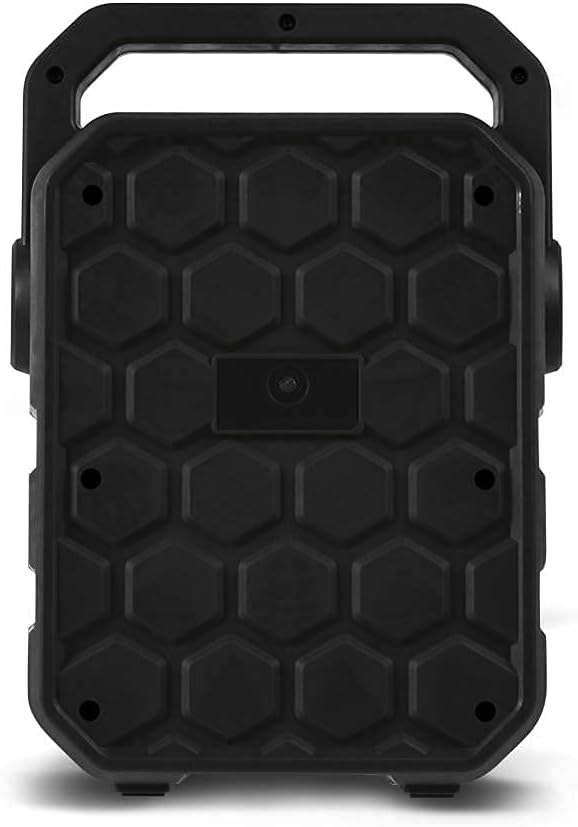
Image: The STF Joy speaker packaging, illustrating the included speaker, USB charging cable, auxiliary cable, and user manual.
3. Prodotto finitoview
The STF Joy Portable Wireless Speaker features a compact design with multiple connectivity options for versatile audio playback.
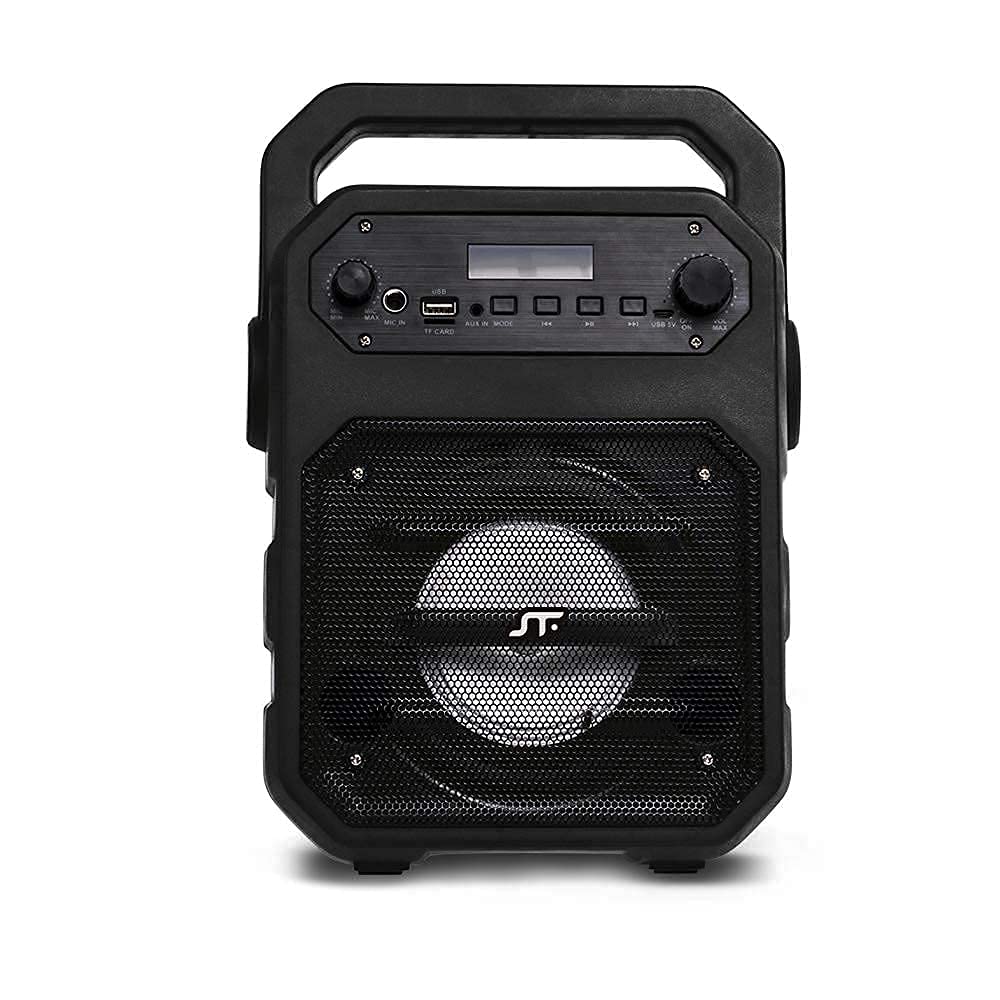
Immagine: Frontale view of the STF Joy Portable Wireless Speaker, highlighting its main components including the speaker grille, top-mounted control panel, and integrated carrying handle.

Image: A diagram illustrating the key features of the STF Joy speaker, such as wireless audio, rechargeable battery, Micro SD card slot, USB port, 3.5mm auxiliary input, LED lighting, approximately 3 hours of battery life, and FM Radio functionality.
4. Impostazione
4.1 Ricarica dell'altoparlante
Before first use, fully charge the speaker. Use the provided USB to Micro USB cable to connect the speaker's charging port to a USB power source (e.g., computer, USB wall adapter). The charging indicator light will illuminate during charging and turn off when fully charged. A full charge takes approximately 3 hours.
4.2 Accensione/spegnimento
- To power on: Press and hold the Power button until the indicator light illuminates and you hear an audible prompt.
- To power off: Press and hold the Power button until the indicator light turns off and you hear an audible prompt.
5. Istruzioni per l'uso
5.1 Associazione Bluetooth
- Ensure the speaker is powered on and in Bluetooth mode. The Bluetooth indicator light will flash, indicating it is ready for pairing.
- Sul tuo dispositivo (smartphone, tablet, laptop), attiva il Bluetooth e cerca i dispositivi disponibili.
- Select "STF Joy" from the list of devices.
- Once paired, the Bluetooth indicator light will remain solid, and you will hear a confirmation tone.
- L'altoparlante si riconnetterà automaticamente all'ultimo dispositivo associato quando viene acceso, se il dispositivo si trova nel raggio d'azione e il Bluetooth è abilitato.
5.2 Micro SD / USB Playback
- Insert a Micro SD card or USB flash drive into the corresponding slot on the speaker.
- L'altoparlante rileverà automaticamente il dispositivo di archiviazione e inizierà a riprodurre l'audio files.
- Use the control buttons on the speaker to play/pause, skip tracks, or adjust volume.
5.3 Ingresso ausiliario (AUX)
- Connect one end of the 3.5mm auxiliary cable to the AUX port on the speaker.
- Collegare l'altra estremità al jack di uscita audio del dispositivo esterno.
- L'altoparlante passerà automaticamente alla modalità AUX.
- Controlla la riproduzione e il volume dal tuo dispositivo connesso.
5.4 Radio FM
- Premere il pulsante Mode per passare alla modalità Radio FM.
- Tenere premuto il pulsante Riproduci/Pausa per eseguire automaticamente la scansione e salvare le stazioni FM disponibili.
- Utilizzare i pulsanti Traccia successiva/precedente per navigare tra le stazioni salvate.
5.5 Utilizzo del microfono
- Connect a microphone (not included) to the microphone input port on the speaker.
- Regolare il volume del microfono utilizzando l'apposita manopola sul pannello di controllo.
6. Risoluzione Dei Problemi
| Problema | Soluzione |
|---|---|
| L'altoparlante non si accende. | Assicurarsi che la batteria sia carica. Collegare l'altoparlante a una fonte di alimentazione tramite il cavo USB. |
| Nessun suono. | Controlla il livello del volume sia sull'altoparlante che sul dispositivo collegato. Assicurati che sia selezionata la modalità di ingresso corretta (Bluetooth, AUX, USB, SD). |
| L'associazione Bluetooth non riesce. | Ensure the speaker is in pairing mode (flashing indicator). Turn off and on Bluetooth on your device. Move the speaker closer to your device. |
| La ricezione della radio FM è scarsa. | Move the speaker to an open area away from obstructions or other electronic devices that may cause interference. |
7. Specifiche
| Nome del modello | Gioia |
| Tipo di altoparlante | Subwoofer |
| Tecnologia di connettività | Bluetooth, USB, ausiliario |
| Dispositivi compatibili | Smartphone, Tablet, Computer portatile |
| Colore | Nero |
| Impedenza | 2 Ohm |
| Metodo di controllo | Pulsanti tattili |
| Dimensioni dell'altoparlante | 4 pollici |
| Fonte di alimentazione | Batteria |
| Potenza massima in uscita dell'altoparlante | 9 Watt |
| Durata media della batteria | 3 ore |
| Capacità della batteria | 1200 mAh |
| Ingresso volumetage | 5 Volt |
| Modalità di uscita audio | Stereo |
8. Informazioni sulla sicurezza
- Do not expose the speaker to extreme temperatures, direct sunlight, or humidity.
- Evitare di far cadere o di sottoporre l'altoparlante a forti urti.
- Non smontare o tentare di riparare l'altoparlante da soli. Ciò invaliderà la garanzia.
- Tenere l'altoparlante lontano dall'acqua e da altri liquidi.
- Utilizzare solo il cavo di ricarica fornito o un equivalente certificato.
- Pulire l'altoparlante con un panno morbido e asciutto. Non utilizzare detergenti abrasivi.
9. Garanzia e supporto
The STF Joy Portable Wireless Speaker comes with a Garanzia limitata di 1 anno dalla data di acquisto. La presente garanzia copre difetti di fabbricazione e di lavorazione in condizioni di normale utilizzo. Non copre danni causati da uso improprio, incidenti, modifiche non autorizzate o normale usura.
For warranty claims or technical support, please contact STF customer service through the official STF website or your retailer. Please have your proof of purchase ready.