
1. Introduzione
Thank you for choosing the Targus W620 Wireless Optical Mouse. This manual provides detailed instructions for setting up, operating, and maintaining your mouse to ensure optimal performance and longevity. The Targus W620 offers reliable 2.4 GHz wireless connectivity, a precise 1600 DPI optical sensor, and a compact design suitable for both office and mobile use.
2. Contenuto della confezione
Si prega di controllare la confezione per verificare la presenza dei seguenti elementi:
- Targus W620 Wireless Optical Mouse
- Ricevitore USB
- 2 batterie AAA
3. Prodotto finitoview
Familiarize yourself with the components of your Targus W620 Wireless Optical Mouse.
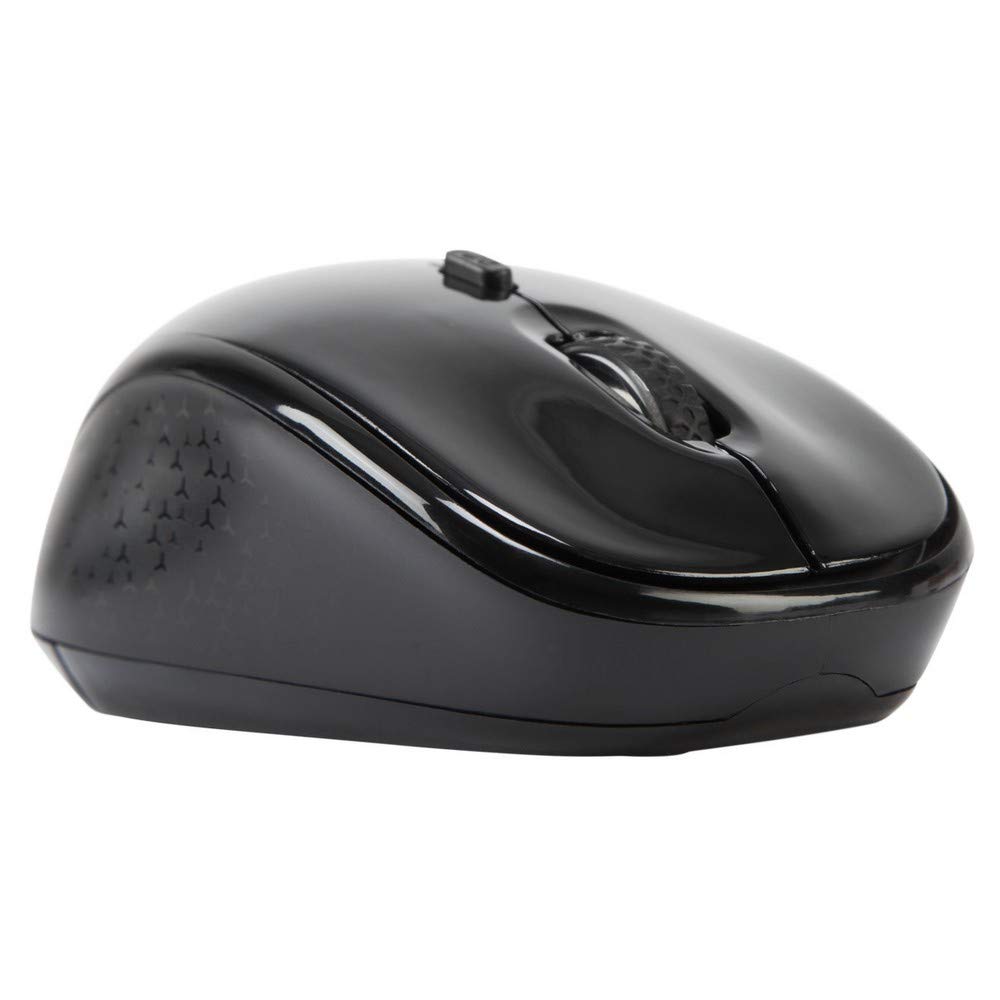
Immagine 3.1: Superiore view of the Targus W620 Wireless Optical Mouse. This image displays the primary buttons and scroll wheel.
- Pulsante sinistro del mouse: Funzione standard di clic primario.
- Pulsante destro del mouse: Funzione di clic secondario standard.
- Rotella di scorrimento: Per lo scorrimento verticale e la funzione clic centrale.
- Pulsante DPI: Regola la sensibilità del mouse (DPI).
- Sensore ottico: Located on the bottom, detects mouse movement.
- Vano batteria: Located on the bottom, holds two AAA batteries.
- Memoria del ricevitore USB: A dedicated slot on the bottom for storing the USB receiver when not in use.

Immagine 3.2: Metter il fondo a view of the mouse, highlighting the battery compartment and optical sensor.
4. Istruzioni per l'installazione
Follow these steps to set up your Targus W620 Wireless Optical Mouse:
- Installa le batterie:
- Individuare il coperchio del vano batteria nella parte inferiore del mouse.
- Far scorrere il coperchio per aprirlo.
- Inserire le due batterie AAA, assicurandosi della corretta polarità (+/-).
- Chiudere saldamente il coperchio del vano batterie.
- Collegare il ricevitore USB:
- The USB receiver is typically stored in a slot on the bottom of the mouse for transport. Gently remove it.
- Collega il ricevitore USB a una porta USB disponibile sul tuo computer.

Immagine 4.1: The mouse with its USB receiver, ready for connection.
- Accensione:
- There is no explicit power switch on this model; the mouse activates upon movement and connection.
- Il computer dovrebbe rilevare e installare automaticamente i driver necessari. L'operazione potrebbe richiedere alcuni istanti.
- Once drivers are installed, the mouse is ready for use.
5. Istruzioni per l'uso
The Targus W620 Wireless Optical Mouse is designed for intuitive use. Here are its primary functions:
- Navigazione di base: Sposta il mouse su una superficie piana per controllare il cursore sullo schermo.
- Clic sinistro: Utilizzare per selezionare elementi, aprire files, o attivazione di funzioni.
- Clic destro: Utilizzare per accedere ai menu contestuali o alle funzioni secondarie.
- Rotella di scorrimento: Rotate the wheel to scroll vertically through documents and web pages. Press the scroll wheel for a middle-click function, often used for opening links in new tabs or auto-scrolling.
- Regolazione DPI: Press the DPI button (located behind the scroll wheel) to cycle through the available DPI settings (800, 1200, 1600 DPI). This changes the sensitivity of the mouse cursor. A higher DPI means the cursor moves further with less physical mouse movement.
6. Manutenzione
Proper maintenance ensures the longevity and performance of your mouse.
- Pulizia: Utilizzare un panno morbido, asciutto e privo di lanugine per pulire l'esterno del mouse. Per lo sporco ostinato, leggermente dampLavare il panno con acqua. Evitare l'uso di prodotti chimici aggressivi o detergenti abrasivi.
- Sensore ottico: Mantenere pulita e libera da polvere o detriti l'area del sensore ottico nella parte inferiore del mouse per garantire un tracciamento accurato.
- Sostituzione della batteria: When the mouse performance degrades or stops responding, it is likely time to replace the batteries. Follow the steps in Section 4.1 to replace the two AAA batteries.
- Magazzinaggio: When transporting or storing the mouse, always place the USB receiver back into its dedicated storage slot on the bottom of the mouse to prevent loss.
7. Risoluzione Dei Problemi
If you encounter issues with your Targus W620 mouse, try the following solutions:
| Problema | Possibile soluzione |
|---|---|
| Mouse not responding or cursor not moving. |
|
| Il movimento del cursore è irregolare o saltellante. |
|
| Il pulsante DPI non modifica la sensibilità. |
|
| Problemi di connessione wireless. |
|
8. Specifiche
| Marca | Targa |
| Numero di modello | AMW620AP |
| Tecnologia di connettività | Wireless a 2.4 GHz (radiofrequenza) |
| Tecnologia di rilevamento del movimento | Optical (BlueTrace Technology) |
| Livelli DPI | 800 / 1200 / 1600 DPI (regolabile) |
| Numero di pulsanti | 4 (Sinistra, Destra, Rotellina di scorrimento, DPI) |
| Orientamento della mano | Right (Comfortable for ambidextrous use) |
| Fonte di alimentazione | 2 batterie AAA (incluse) |
| Peso dell'articolo | 26 grammi |
| Compatibilità del sistema operativo | Linux, Windows XP (Compatible with modern Windows and macOS) |
| Piattaforma hardware | Mac, PC |
| Colore | Nero |
9. Garanzia e supporto
Informazioni sulla garanzia: The Targus W620 Wireless Optical Mouse comes with a Garanzia del produttore di 3 anni dalla data di acquisto. La presente garanzia copre i difetti di materiali e fabbricazione in condizioni di normale utilizzo. Si prega di conservare la prova d'acquisto per eventuali reclami in garanzia.
Assistenza clienti: For technical assistance, troubleshooting beyond this manual, or warranty inquiries, please visit the official Targus website or contact their customer support service. Refer to the contact information provided with your product packaging or on the Targus official websito.