
Introduzione
This manual provides detailed instructions for the installation, operation, and maintenance of your LoraTap WIFI Smart Roller Shutter Timer. Please read this manual carefully before installation and use to ensure proper function and safety.
Informazioni sulla sicurezza
- Prima dell'installazione o della manutenzione, assicurarsi che l'alimentazione sia scollegata per evitare scosse elettriche.
- L'installazione deve essere eseguita da un elettricista qualificato o in conformità con le normative elettriche locali.
- Non utilizzare l'apparecchio con le mani bagnate.
- Tenere il dispositivo lontano dall'acqua e da ambienti ad alta umidità.
- Non tentare di smontare o riparare il dispositivo da soli. In caso di problemi, contattare l'assistenza.
- Questo dispositivo è progettato esclusivamente per l'uso in ambienti interni.
Caratteristiche del prodotto
- Controllo intelligente: Upgrade traditional electric roller shutters or awnings for smart control via smartphone app or voice commands.
- Remote Access & Scheduling: Control your blinds from anywhere and set custom schedules for automatic opening and closing.
- Group Control & Family Sharing: Group multiple roller shutters for simultaneous control and share access with family members.
- Design durevole: Features a scratch-resistant tempered crystal glass panel, safe to touch with wet hands and easy to clean.
- Adjustable Motor Run Time: Configure the motor's operating time for precise control over shutter position (e.g., 50% open/close).
- Compatibilità del controllo vocale: Works with Google Home and Amazon Alexa for hands-free operation.
Contenuto della confezione
Verificare che tutti gli articoli siano presenti nel pacco:
- 1 x LoraTap WIFI Smart Roller Shutter Timer
- 1 x User Manual (German/English)
- 1 x Cacciavite
- 4 x Viti
- 1 x Wiring Clamp
Specifiche
| Parametro | Valore |
|---|---|
| Dimensioni | 86 x 86 x 34 mm (with cover frame) |
| Materiale del pannello | Cristallo temperato |
| Materiale inferiore | Fire-retardant Polycarbonate (Plastic) |
| Volume di eserciziotage | CA 100-250 V 50/60 Hz |
| Rated/Maximum Current | 3 A / 10 A |
| Power per Speed | 300 L |
| Wi-Fi standard | 2.4GHz, 802.11b/g/n |
| Corrente di standby | 0.001 A |
| Consumo in standby | 0.25 L |
| Metodo di installazione | Screw-mounted, fits standard 60mm flush-mounted box |
| Software compatibile | Smart Life App (Android 4.4+, iOS 8+) |
| Certificazioni | CE |
Configurazione e installazione
1. Schema elettrico
The smart roller shutter timer requires a neutral conductor for proper operation. Ensure your existing wiring includes a neutral wire. This switch is suitable for already motorized roller shutters.

Image: Detailed wiring diagram showing connections for Live (L), Neutral (N), and motor control wires (L1 for Up, L2 for Down). The diagram also indicates the input voltage gamma di 100-250VAC.
- Ingresso: Connect the Neutral (N) and Live (L) wires from your power supply to the corresponding terminals on the switch.
- Output to Motor: Connect the motor's Neutral (N), Up (L1), and Down (L2) wires to the respective terminals on the switch.
- Nota importante: A neutral conductor must be present.
2. Installazione fisica
- Scollegare l'alimentazione: Before starting, turn off the main power supply to the circuit where you will install the switch.
- Prepare Mounting Box: The switch fits a standard 60mm diameter flush-mounted box.
- Collegare i fili: Follow the wiring diagram carefully. Use the provided wiring clamp se necessario.
- Montare l'interruttore: Secure the switch into the flush-mounted box using the two provided screws (one on the left, one on the right).
- Allega pannello: Carefully attach the crystal glass panel to the switch module.
- Ripristina alimentazione: Once installation is complete and secure, restore power to the circuit.
3. Installazione e associazione dell'app
- Scarica l'app: Download the "Smart Life" application from the App Store (iOS 8 or higher) or Google Play Store (Android 4.4 or higher).
- Registrati/Accedi: Apri l'app e registra un nuovo account oppure accedi con uno esistente.
- Aggiungi dispositivo: In the Smart Life app, tap the "+" icon to add a new device. Select "Curtain Switch" or a similar category.
- Inserisci i dettagli Wi-Fi: Follow the on-screen instructions to connect the switch to your 2.4 GHz Wi-Fi network. Ensure your phone is connected to the same 2.4 GHz network during pairing.
- Conferma: Once successfully paired, the device will appear in your app, ready for control.
Istruzioni per l'uso
1. Controllo manuale
The touch panel allows for direct control of your roller shutters:
- Freccia su: Tap to open the roller shutter.
- Freccia in giù: Tap to close the roller shutter.
- Stop Button (Circle): Tap to pause the roller shutter at its current position.

Immagine: Frontale view of the LoraTap Smart Roller Shutter Timer showing the touch-sensitive Up, Stop, and Down buttons. Also displays product dimensions (86x86x34mm) and a detailed wiring diagram on the back of the unit.
2. App Control (Smart Life)
After successful pairing, you can control your roller shutters via the Smart Life app:
- Aperto chiuso: Use the virtual buttons in the app to open, close, or stop the roller shutter.
- Set Motor Run Time: The latest version of the switch allows you to set the motor's operating time. This enables partial opening or closing (e.g., 50%).

Image: Screenshot of the Smart Life app interface demonstrating the new function to set the motor's operating time in seconds (e.g., 10s, 120s) for precise control of roller shutter position.
3. Pianificazione e timer
Set up automated schedules for your roller shutters:
- In the Smart Life app, navigate to the device settings and select "Schedule" or "Timer."
- Add new schedules by specifying the time, action (open/close), and repetition days.
- This feature allows for automatic operation, such as opening blinds in the morning.

Image: Demonstrates the Smart Life app's scheduling feature with various set times for opening and closing. Also highlights voice control compatibility with Amazon Alexa and Google Assistant.
4. Controllo vocale
Integrate your LoraTap switch with voice assistants:
- Amazon Alexa: Enable the "Smart Life" skill in the Alexa app and link your account. You can then use commands like "Alexa, open the roller shutter" or "Alexa, close the roller shutter."
- Pagina iniziale di Google: Link your Smart Life account in the Google Home app. Use commands such as "Hey Google, open the blinds" or "Hey Google, close the blinds."
5. Group Control and Family Sharing
- Controllo di gruppo: In the Smart Life app, you can create groups of multiple LoraTap roller shutter timers to control them simultaneously with a single command.
- Condivisione in famiglia: Share control of your devices with family members through the Smart Life app, allowing everyone in the household to manage the roller shutters.
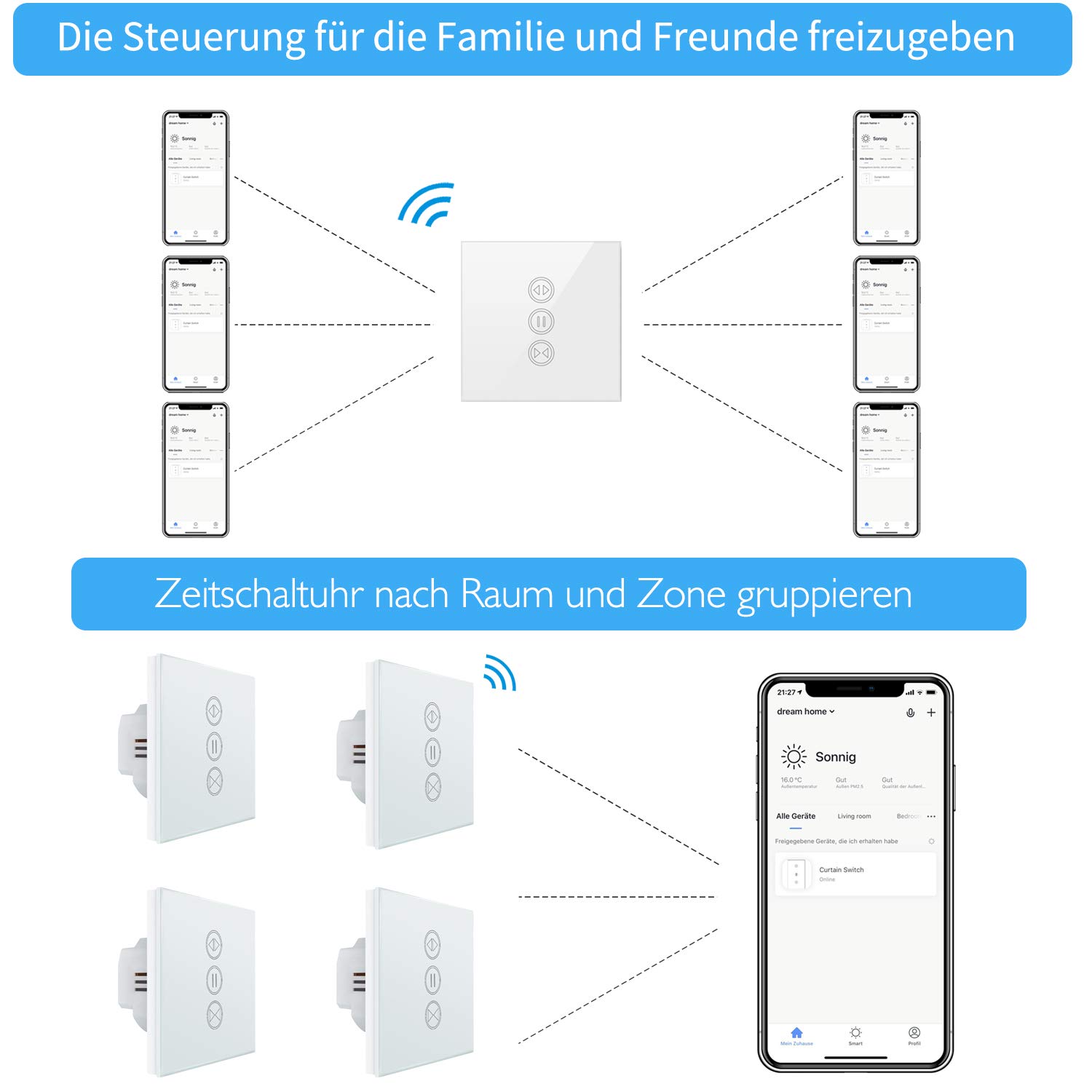
Image: Illustration of how multiple users can control the LoraTap Smart Roller Shutter Timer via the Smart Life app, demonstrating family sharing and the ability to group devices by room or zone for unified control.
Manutenzione
- Pulizia: The crystal glass panel is easy to clean. Use a soft, damp panno per pulire la superficie. Evitare detergenti abrasivi o prodotti chimici aggressivi.
- Controlli regolari: Controllare periodicamente i collegamenti elettrici per assicurarsi che siano sicuri.
Risoluzione dei problemi
- Il dispositivo non risponde:
- Controllare se l'alimentazione dell'interruttore è attiva.
- Ensure the switch is properly connected to your Wi-Fi network (2.4 GHz only).
- Riavviare l'interruttore spegnendo e riaccendendo l'interruttore automatico.
- Verify that the Smart Life app is up to date.
- La tapparella non si muove:
- Confirm that the motor is receiving power and is functioning correctly.
- Check the motor wiring connections to the switch.
- Ensure the motor run time is correctly configured in the app if using partial open/close functions.
- Controllo vocale non funzionante:
- Ensure your Smart Life account is correctly linked to Alexa or Google Home.
- Controlla la tua connessione Internet e lo stato del tuo dispositivo assistente vocale.
- Try re-discovering devices in the Alexa or Google Home app.
- Automatic Stop Issue: This issue has been resolved in newer versions. If you experience unexpected stops, ensure your device firmware is updated via the Smart Life app.
Garanzia e supporto
LoraTap specializes in the research, development, and manufacturing of wireless switches. All LoraTap products are CE certified, ensuring compliance with European safety, health, and environmental protection requirements.
For technical support or warranty inquiries, please contact your retailer or visit the official LoraTap website for further assistance. Please have your product model number (5d4cddd3-8a52-4746-8937-9fbf21a20273) ready when contacting support.