
1. Prodotto finitoview
The Picun UW05 Wireless Gaming Headsets offer a versatile audio solution for gaming and multimedia. These over-ear headphones feature Active Noise Cancelling (ANC), a detachable boom microphone, and support for both 2.4Ghz wireless and Bluetooth connectivity. Designed for comfort and immersive sound, they are compatible with various devices including PC, PS5/PS4, laptops, and cellphones.

Image: Picun UW05 Headsets demonstrating multi-platform compatibility.
2. Cosa c'è nella scatola
Upon unboxing your Picun UW05 Wireless Gaming Headsets, you should find the following items:
- Picun P28S Bluetooth headphones (UW05 model)
- Manuale dell'utente (questo documento)
- Cavo di ricarica USB-Micro
- Cavo audio da 3.5 mm
- USB-A dongle for 2.4Ghz wireless connection
- Detachable 2.5mm microphone
Video: Un oltreview of the Picun P28S (UW05) Wireless Stereo Headphones, highlighting features like EQ Bass Mode, LED Battery Indicator, advanced battery life, and dual driver speaker units.
3. Impostazione
3.1 Ricarica delle cuffie
Before initial use, fully charge your Picun UW05 headsets. Connect the provided USB-Micro Charging Cable to the headset's charging port and a compatible USB power source. The LED Battery Indicator will show charging status.
- Tempo di ricarica: Circa 1.5-2 ore per una carica completa.
- Ricarica rapida: 10 minutes of charging can provide up to 4 hours of music playback.
- Durata della batteria: Up to 40 hours of music enjoyment or 40 hours of clear talking on a full charge. Standby time up to 300 hours.
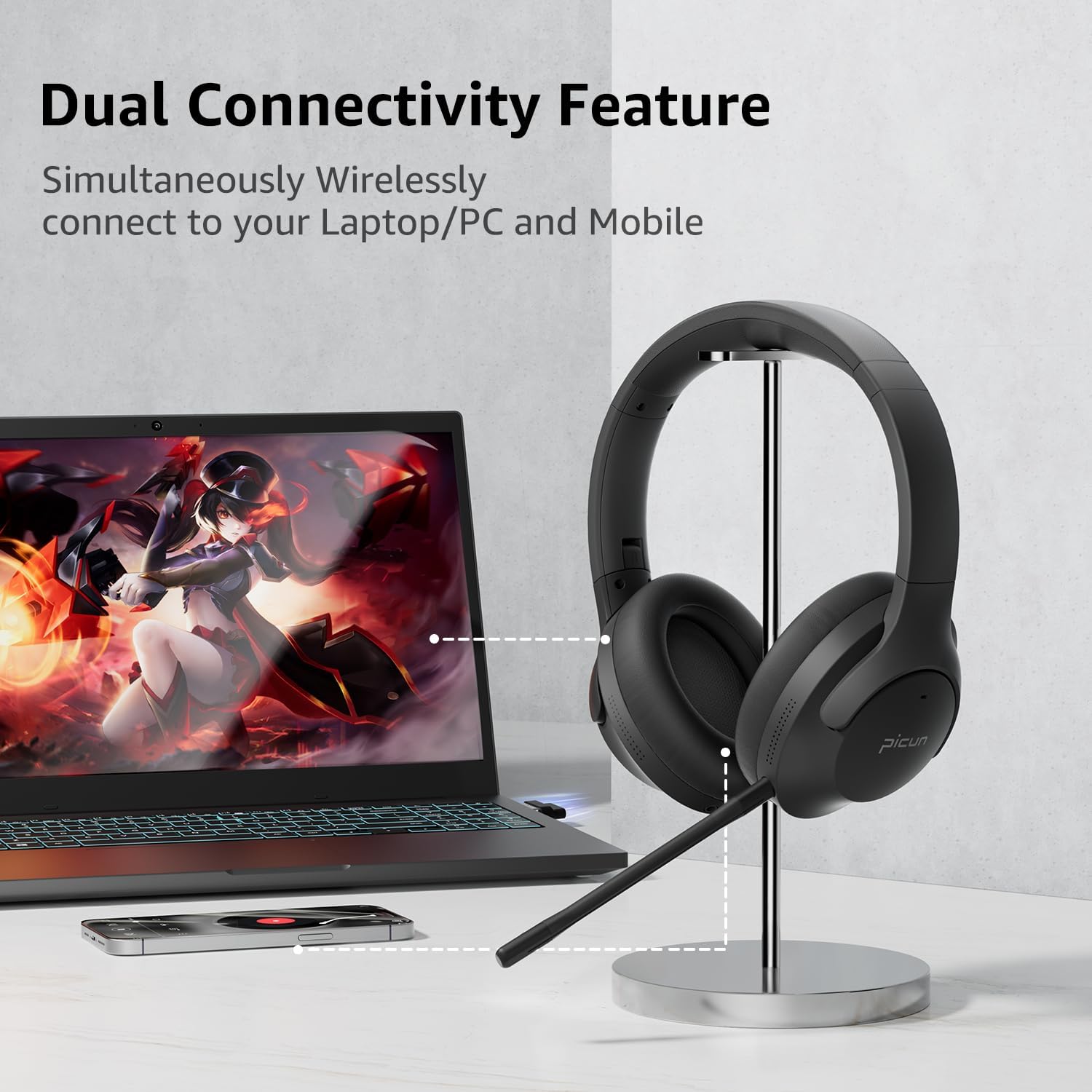
Image: Picun UW05 Headsets demonstrating dual connectivity with a laptop and mobile phone.
3.2 Accensione/Spegnimento
- Accensione: Long press the Power/M button for 3-5 seconds. The indicator light will show red and blue, and you will hear "power on".
- Spegni: Long press the Power/M button until the headset powers off.
3.3 Connessione tramite Bluetooth
- Ensure the headset is powered on (see 3.2). The indicator light should be flashing red and blue, indicating pairing mode.
- Sul tuo dispositivo (smartphone, tablet, laptop), attiva il Bluetooth e cerca i dispositivi disponibili.
- Select "P28S" from the list of available devices.
- Once connected, you will hear "Connected."
3.4 Connecting via 2.4Ghz Wireless (USB Dongle)
For PC or PS5/PS4, insert the USB-A wireless dongle into an available USB port on your device. The headset should automatically connect to the dongle. Refer to your device's settings if a connection is not established automatically.
3.5 Connecting via 3.5mm Audio Cable
To use the headsets in wired mode, connect one end of the 3.5mm audio cable to the headset's audio jack and the other end to your device's 3.5mm audio output. Note that the detachable microphone only functions in wireless mode.
4. Istruzioni per l'uso
4.1 controlli oltreview
Le cuffie sono dotate di comandi intuitivi posizionati sul padiglione auricolare:
- Power/M Button: Long press for Power ON/OFF.
- Volume basso (-): Short press for volume decrease. Long press for previous song.
- Volume su (+): Short press for volume increase. Long press for next song.
- Play/Pause/Answer/Hang Up Button: Premere per riprodurre/mettere in pausa la musica o rispondere/terminare le chiamate.
- Interruttore modalità EQ: Short press "V+" and "V-" buttons together to switch the EQ mode (e.g., for powerful HiFi stereo bass sound).

Image: Picun UW05 Headsets showcasing 3D Virtual Spatial Surround Audio.
4.2 Cancellazione attiva del rumore (ANC)
The Picun UW05 features hybrid Active Noise Cancelling technology. Locate the ANC button on the earcup to toggle this feature on or off. ANC helps reduce ambient noise for a more focused listening experience.

Image: Picun UW05 Headsets illustrating Hybrid Active Noise Cancelling with internal and external microphones.
4.3 Detachable Boom Microphone
Attach the boom microphone to the designated port on the headset for clear voice communication during gaming or calls. The microphone utilizes ENC (Environmental Noise Cancellation) technology to pick up your voice clearly. A mute button is available on the microphone itself.
Note: The detachable microphone only works in wireless (Bluetooth or 2.4Ghz dongle) mode, not when connected via the 3.5mm audio cable.

Image: Picun UW05 Headsets highlighting the detachable ENC Noise Reduction Microphone.
5. Manutenzione
- Pulizia: Per pulire le cuffie, utilizzare un panno morbido e asciutto. Evitare l'uso di detergenti abrasivi o solventi.
- Magazzinaggio: Conservare le cuffie in un luogo fresco e asciutto, lontano dalla luce solare diretta e da temperature estreme.
- Cuscinetti auricolari: While the earpads are designed for comfort, they are not explicitly stated as replaceable. Handle with care to prolong their lifespan.
- Resistenza all'acqua: The headsets are water-resistant. Avoid submerging them in water or exposing them to heavy rain.
6. Risoluzione Dei Problemi
If you encounter issues with your Picun UW05 headsets, refer to the following common solutions:
- Nessun potere: Ensure the headset is fully charged. Connect it to a power source using the USB charging cable.
- Impossibile effettuare l'accoppiamento tramite Bluetooth:
- Ensure the headset is in pairing mode (flashing red and blue indicator light).
- Disattiva e riattiva il Bluetooth del tuo dispositivo.
- Avvicinare l'auricolare al dispositivo (entro 10 metri).
- Forget "P28S" from your device's Bluetooth list and attempt to pair again.
- Nessun suono:
- Controllare i livelli del volume sia sull'auricolare che sul dispositivo connesso.
- Ensure the headset is properly connected (Bluetooth, 2.4Ghz dongle, or 3.5mm cable).
- Se si utilizza il cavo da 3.5 mm, assicurarsi che sia completamente inserito sia nell'auricolare sia nella sorgente audio.
- Microfono non funzionante:
- Assicurarsi che il microfono a braccio rimovibile sia fissato saldamente.
- Verify that the microphone is not muted (check the mute button on the mic).
- Confirm the headset is in wireless mode (Bluetooth or 2.4Ghz dongle), as the mic does not work in wired mode.
- Controlla le impostazioni di ingresso audio del tuo dispositivo per assicurarti che sia selezionato il microfono dell'auricolare.
- Poor Sound Quality / Disconnections:
- Assicurarsi che non vi siano ostacoli tra l'auricolare e il dispositivo.
- Avvicinati al dispositivo per ridurre le interferenze.
- Avoid using the headset near strong electromagnetic fields.
7. Specifiche
| Caratteristica | Dettaglio |
|---|---|
| Nome del modello | UW05 (P28S) |
| Tecnologia di connettività | Senza fili (Bluetooth, 2.4 GHz) |
| Tecnologia di comunicazione wireless | Bluetooth 4.0 |
| Portata Bluetooth | 10 metri |
| Controllo del rumore | Cancellazione attiva del rumore |
| Tipo di driver audio | Dynamic Driver (Dual Driver Unit per earcup) |
| Durata della batteria | 35-40 Hours (Music/Talk) |
| Tempo di ricarica | 1.5-2 ore |
| Tempo di standby | Fino a 300 ore |
| Metodo di controllo | Pulsanti |
| Posizionamento dell'orecchio | Sopra l'orecchio |
| Fattore di forma | Sopra l'orecchio |
| Caratteristica speciale | Pieghevole |
| Peso dell'articolo | 9.12 once |
| Dimensioni del prodotto | 8.66 x 8.26 x 3.53 pollici |
| Livello di resistenza all'acqua | Resistente all'acqua |
| Dispositivi compatibili | Bluetooth-enabled devices (PC, PS5/PS4, Laptop, Cellphones) |
8. Garanzia e supporto
For warranty information and customer support, please refer to the product packaging or visit the official Picun websito. Conservare la ricevuta d'acquisto come prova d'acquisto per eventuali reclami in garanzia.
Produttore: PICUN