
Introduzione
This manual provides instructions for the VINABTY MKJ36998126 Replacement Remote Control. This remote is designed as a direct replacement for various LG TV models, including the 32LV2400, 42LV4400, 47LV4400, and 55LV4400 series. It is pre-programmed and requires no additional setup beyond battery installation.
The remote control offers a comfortable, ergonomic design and provides full functionality for your compatible LG television, allowing you to control power, volume, channels, input, and other essential TV functions.
Impostare
1. Installazione della batteria
The VINABTY MKJ36998126 remote control requires two (2) AAA batteries (not included) for operation. Follow these steps to install the batteries:
- Individuare il vano batterie sul retro del telecomando.
- Premere il fermo e far scorrere il coperchio della batteria verso il basso per aprirlo.
- Inserire due batterie AAA, assicurandosi che i terminali positivo (+) e negativo (-) siano allineati correttamente con le marcature all'interno del vano.
- Far scorrere il coperchio della batteria in posizione finché non scatta in modo sicuro.
Nota: Sostituisci sempre entrambe le batterie contemporaneamente con batterie nuove. Non mischiare batterie vecchie e nuove o tipi diversi di batterie.
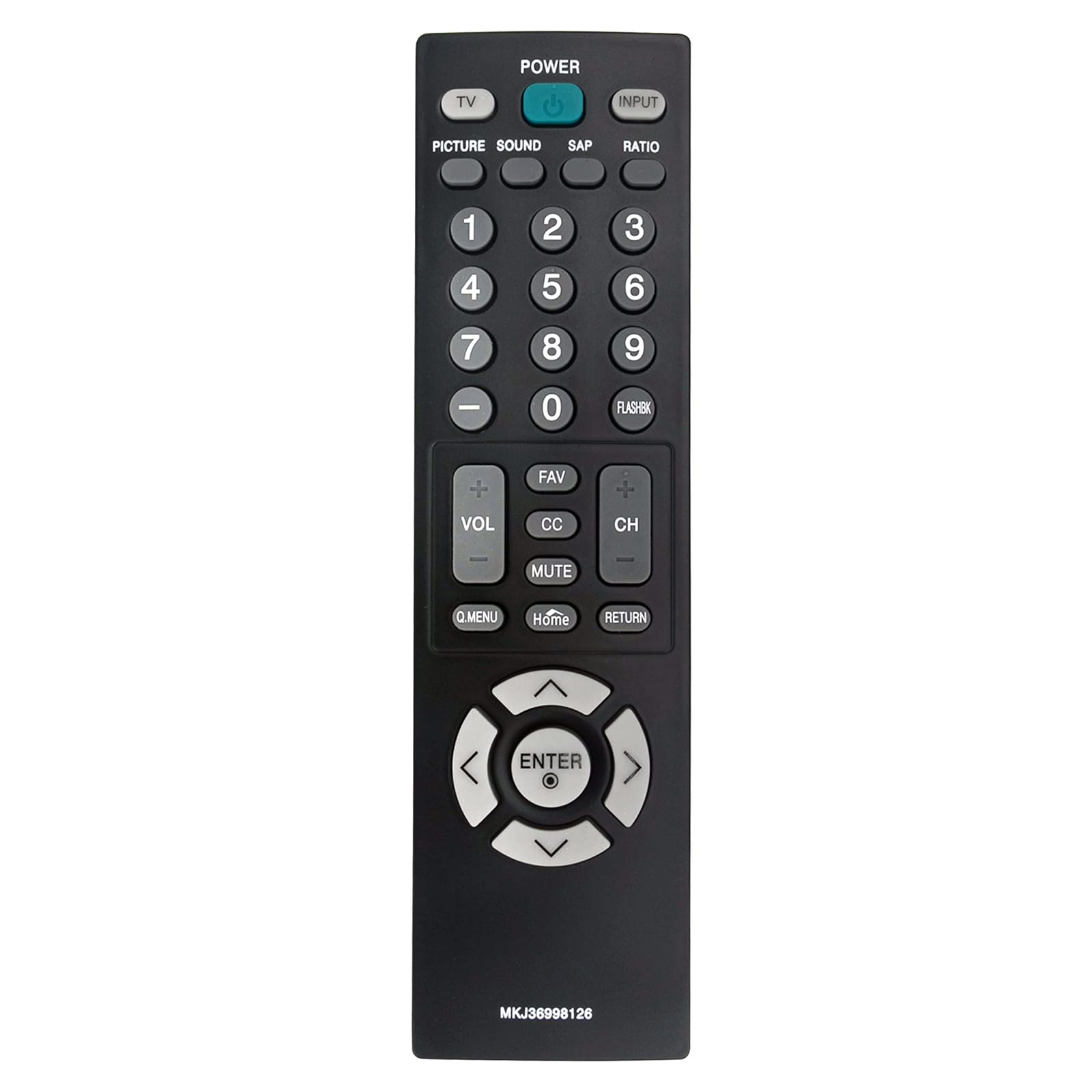
Immagine: Frontale view of the VINJABTY MKJ36998126 remote control, showing the button layout. The battery compartment is on the reverse side.
2. Utilizzo iniziale
This remote control is pre-programmed for compatible LG TV models. Once batteries are installed, it is ready for immediate use. No additional programming or pairing is required.
Istruzioni per l'uso
The VINABTY MKJ36998126 remote control provides intuitive access to your LG TV's functions. Below is a general overview dei pulsanti principali e delle loro funzioni:

Immagine: Un fronte dettagliato view of the VINABTY MKJ36998126 remote control, highlighting the various buttons and their labels for easy identification.
- ENERGIA: Accende o spegne la TV.
- TV: Passa alla modalità TV.
- INGRESSO: Seleziona la sorgente di ingresso (HDMI, AV, Componente, ecc.).
- IMMAGINE: Regola le impostazioni dell'immagine.
- SUONO: Regola le impostazioni audio.
- LINFA: Seleziona il programma audio secondario (se disponibile).
- RAPPORTO: Modifica le proporzioni dello schermo.
- Tasti numerici (0-9): Seleziona direttamente i canali o immette valori numerici.
- FLASHBK: Ricorda il precedente viewed canale.
- VOLUME (+/-): Aumenta o diminuisce il volume.
- CH (+/-): Cambia il canale in alto o in basso.
- PREFERITO: Accede ai canali preferiti.
- Per conoscenza: Attiva o disattiva i sottotitoli.
- MUTO: Disattiva o riattiva l'audio della TV.
- Q.MENU: Accede al menu rapido per le impostazioni comuni.
- Casa: Ritorna alla schermata iniziale o al menu principale del televisore.
- RITORNO: Torna alla schermata o al menu precedente.
- Tasti di navigazione (su, giù, sinistra, destra, INVIO): Consente di navigare nei menu e di confermare le selezioni.

Image: The VINABTY MKJ36998126 remote control shown next to a compatible LG television, illustrating its intended use.
Manutenzione
Sostituzione della batteria
When the remote control's performance degrades or it stops responding, it is likely time to replace the batteries. Follow the battery installation steps outlined in the 'Setup' section.
Pulizia
Per pulire il telecomando, utilizzare un panno morbido e asciutto. Per lo sporco ostinato, utilizzare un panno leggermente dampPulire il panno con acqua o con un detergente delicato e non abrasivo. Non utilizzare prodotti chimici aggressivi e non immergere il telecomando in acqua.
Magazzinaggio
Conservare il telecomando in un luogo asciutto, lontano dalla luce solare diretta e da temperature estreme. Se il telecomando non viene utilizzato per un periodo prolungato, si consiglia di rimuovere le batterie per evitare perdite.
Risoluzione dei problemi
- Il telecomando non risponde:
- Assicurarsi che le batterie siano installate correttamente e con la polarità corretta.
- Sostituisci le vecchie batterie con nuove batterie AAA.
- Verificare che non vi siano ostacoli tra il telecomando e il sensore a infrarossi del televisore.
- Ensure you are within the maximum operating range (approximately 33 feet) and pointing the remote directly at the TV.
- Pulsanti specifici non funzionanti:
- Clean the remote control, especially around the affected buttons, to remove any debris that might be causing sticking.
- If cleaning does not resolve the issue, the button may be worn or damaged.
- TV non elencata come compatibile:
- This remote is specifically designed for the listed LG TV models. If your TV model is not listed, full compatibility cannot be guaranteed.
Specifiche
| Caratteristica | Dettaglio |
|---|---|
| Marca | VINABITÀ |
| Nome del modello | Numero di modello: MKJ36998126 |
| Dispositivi compatibili | LG Television (32LV2400, 42LV4400, 47LV4400, 55LV4400 series) |
| Tecnologia di connettività | Infrarossi |
| Numero di batterie richieste | 2 |
| Tipo di batteria | AAA (Alkaline recommended) |
| Portata massima | 33 piedi |
| Quantità del pulsante | 30 |
| Dimensioni articolo (L x P x A) | 5 cm L x 1.9 cm P x 0.5 cm A |
| Caratteristica speciale | Ergonomic |

Image: The VINABTY MKJ36998126 remote control with its length (7.28 inches) and width (1.97 inches) clearly marked.
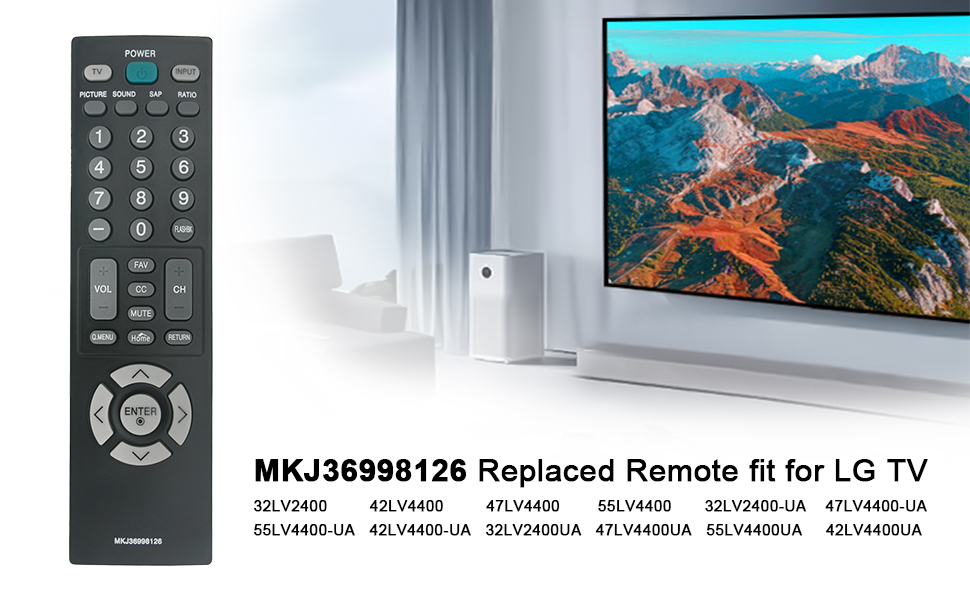
Image: The VINABTY MKJ36998126 remote control displayed alongside a list of compatible LG TV models, including 32LV2400, 42LV4400, 47LV4400, and 55LV4400 series.
Informazioni sulla garanzia
Specific warranty details for the VINABTY MKJ36998126 remote control may vary. Please refer to the retailer's return policy or contact the manufacturer directly for comprehensive warranty information.
Supporto
For further assistance, troubleshooting, or inquiries regarding your VINABTY MKJ36998126 remote control, please contact your point of purchase or the product manufacturer. Ensure you have your product model number (MKJ36998126) available when seeking support.