
Prodotto finitoview
The DACOM L05 V4.1 Sport Wireless Headphones are designed for active lifestyles, offering a secure fit, high-quality audio, and robust water resistance. This manual provides essential information for setup, operation, and maintenance.

Image: DACOM L05 V4.1 Sport Wireless Headphones, black color, with ear hooks designed for a secure fit during physical activity.
Cosa c'è nella scatola

Image: The complete package contents including the headphones, ear tips, USB charging cable, and user guide.
- 1 x Dacom L05 Lightweight Bluetooth Headphones
- 3 Pairs Earphone Tips (Small, Medium, Large)
- 1 cavo di ricarica USB
- 1 x Manuale utente
Guida all'installazione
Caricare le cuffie
Before first use, fully charge your DACOM L05 V4.1 headphones. Use the provided Micro USB charging cable.
- Connect the Micro USB end of the charging cable to the charging port on the headphones.
- Connect the USB-A end of the cable to a standard USB power adapter (e.g., computer USB port, wall charger).
- La spia luminosa indicherà lo stato di carica (per i dettagli, fare riferimento alla sezione relativa agli indicatori LED).
- Charging time is approximately 1.5-2 hours for a full charge. Avoid using fast chargers.
Associazione con un dispositivo Bluetooth
- Assicurati che le cuffie siano spente.
- Press and hold the Multi-function button on the headphones until the LED indicator flashes red and blue alternately, indicating pairing mode.
- Sul tuo dispositivo (smartphone, tablet, ecc.), attiva il Bluetooth e cerca i dispositivi disponibili.
- Select "DACOM L05" from the list of found devices.
- Una volta effettuata la connessione, l'indicatore LED lampeggerà lentamente in blu e un messaggio vocale confermerà la connessione.
- Se viene richiesta una password, immettere "0000".
Istruzioni per l'uso
Accensione/spegnimento
- Accensione: Tenere premuto il pulsante multifunzione per 3 secondi.
- Spegni: Tenere premuto il pulsante multifunzione per 3 secondi.
Riproduzione musicale
- Riproduci/Pausa: Premi una volta il pulsante Multifunzione.
- Traccia successiva: Tieni premuto il pulsante Volume +.
- Traccia precedente: Premere e tenere premuto il pulsante Volume -.
- Aumenta volume: Press the Volume + button once.
- Volume basso: Press the Volume - button once.
Gestione delle chiamate
- Rispondi/Termina chiamata: Premi una volta il pulsante Multifunzione.
- Rifiuta chiamata: Tenere premuto il pulsante multifunzione per 2 secondi.
- Ricomponi l'ultimo numero: Premi due volte il pulsante Multifunzione.
Indossare le cuffie
The DACOM L05 V4.1 features a behind-ear ergonomic design for a stable and comfortable fit, especially during sports activities. The shallow in-ear design allows for some environmental awareness, which is beneficial for outdoor activities.

Image: A person wearing the DACOM L05 V4.1 headphones with the ear hooks securely positioned behind the ears, demonstrating their suitability for sports.
For enhanced noise isolation, you can gently push the earbuds deeper into your ear canal and adjust the volume.
Manutenzione e cura
Pulizia
- Pulisci le cuffie con un panno morbido e asciutto.
- Per quanto riguarda i gommini auricolari, rimuoverli e pulirli con una soluzione di sapone delicato, se necessario, quindi risciacquare e asciugare accuratamente prima di riattaccarli.
Magazzinaggio
The headphones feature a soft memory wire for easy storage. Gently coil the headphones to store them in a compact manner.
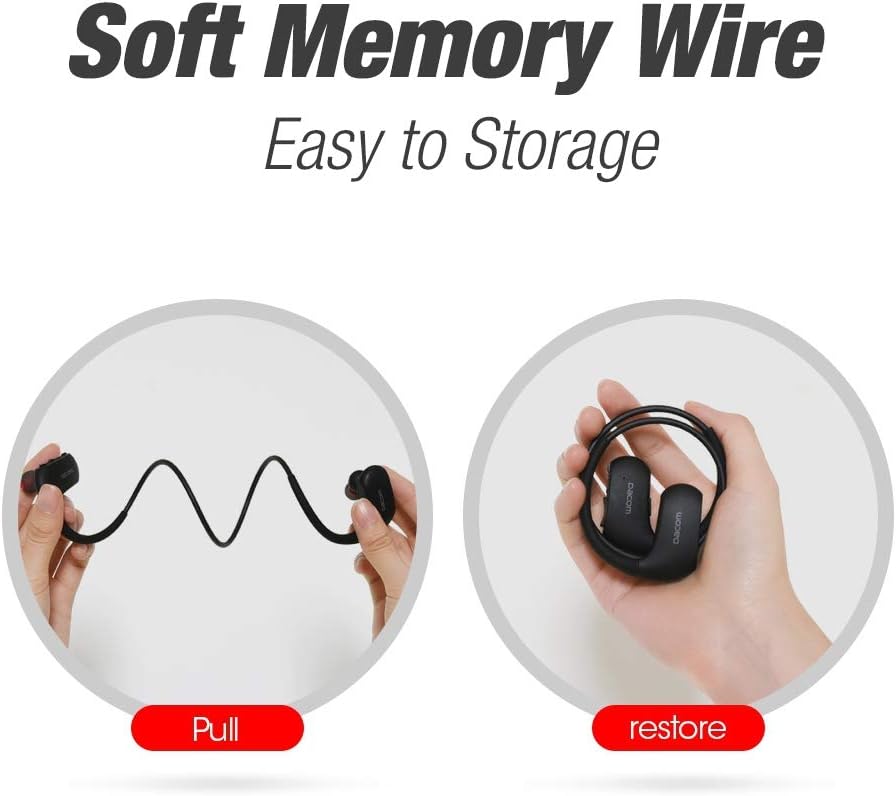
Image: Illustration showing the flexibility of the memory wire, allowing the headphones to be easily pulled and then coiled for compact storage.
Resistenza all'acqua (IPX7)
The DACOM L05 V4.1 headphones are IPX7 waterproof, meaning they can withstand immersion in water up to 1 meter for 30 minutes. This makes them suitable for workouts and exposure to rain or sweat.

Image: A person wearing the headphones while being splashed with water, highlighting the IPX7 waterproof feature.
Nota importante sulla sicurezza:
- Avoid exposure to water over a prolonged period of time.
- Ensure the charging port cover is securely closed before exposing to water.
Risoluzione dei problemi
| Problema | Possibile causa | Soluzione |
|---|---|---|
| Le cuffie non si accendono. | Batteria scarica. | Caricare completamente le cuffie. |
| Impossibile associare il dispositivo. | Cuffie non in modalità di associazione; Bluetooth del dispositivo disattivato; troppo lontano dal dispositivo. | Ensure headphones are in pairing mode (red/blue flashing LED). Turn on device Bluetooth. Move headphones closer to device (within 30 ft). |
| Nessun suono o scarsa qualità del suono. | Volume troppo basso; cuffie non collegate; interferenza. | Increase volume on headphones and device. Re-pair headphones. Move away from other wireless devices. |
| La batteria si scarica rapidamente. | High volume usage; old battery. | Reduce volume. Ensure headphones are fully charged. If issue persists, contact support. |
Specifiche tecniche
- Modello: L05 V4.1
- Specifiche Bluetooth: 4.1
- Grado di impermeabilità: Grado di protezione IPX7
- Distanza di trasmissione: Fino a 30 piedi (10 metri)
- Porta di ricarica: Micro USB
- Tempo di ricarica: 1.5-2 ore
- Tempo di conversazione: 8 ore
- Tempo di gioco: 7 ore
- Tempo di standby: 240 ore
- Peso: 154 grammi
- Materiale: Rubber (ear hooks)
- Caratteristiche: Wireless, Water-Resistant, Lightweight, Noise Isolation, Microphone Included
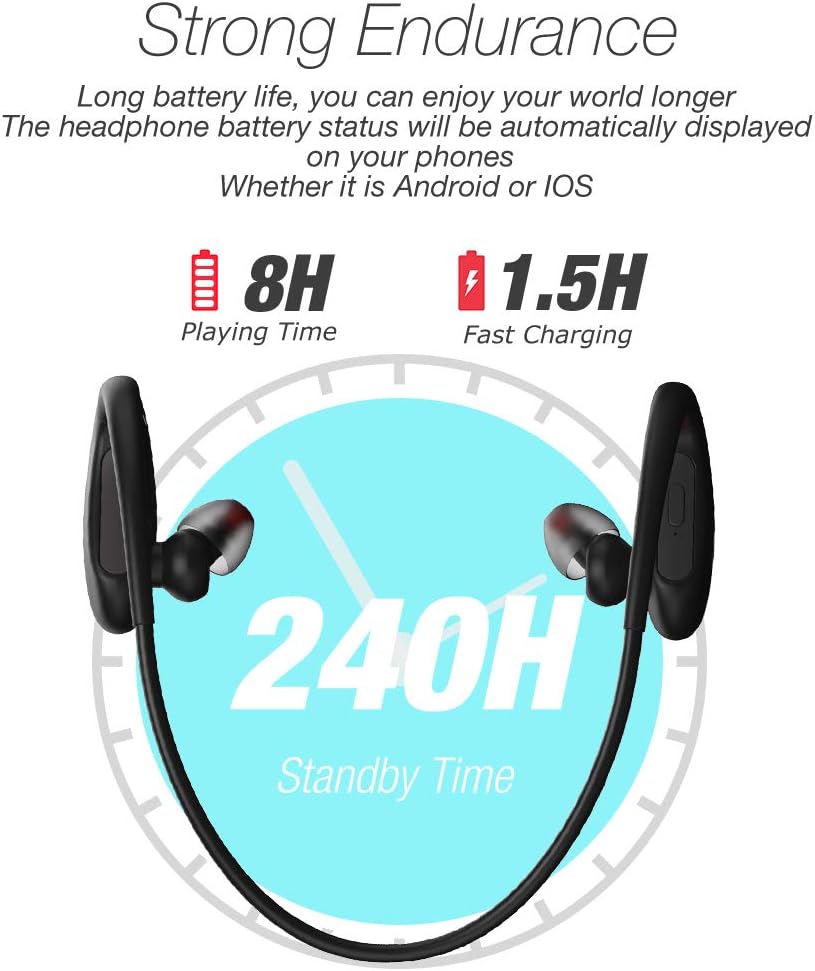
Image: Visual representation of the headphone's battery endurance, showing 8 hours playing time, 1.5 hours fast charging, and 240 hours standby time.

Image: Graphic illustrating the powerful deep bass and stereo sound capabilities of the headphones, with sound waves emanating from the earbud.
Informazioni sulla sicurezza
- Avoid using fast chargers, as this may damage the battery.
- Avoid exposure to water over a prolonged period of time, despite the IPX7 rating.
- Please keep your headphone charged when in low battery to achieve better Bluetooth connection and battery protection.
- Non smontare, riparare o modificare il prodotto.
- Tenere fuori dalla portata dei bambini.
- Non esporre a temperature estreme (caldo o freddo).
Garanzia e supporto
DACOM provides a 1-Year Manufacturer's Warranty for this product. Additionally, a 30-day no-questions-asked return policy is offered. The product also comes with a lifetime sweatproof warranty.
For technical support, warranty claims, or further assistance, please refer to the contact information provided on the product packaging or the official DACOM websito.