
Introduzione
This manual provides comprehensive instructions for the setup, operation, maintenance, and troubleshooting of your Zyxel AC750 Dual-band Wireless Router, model EMG1702-T10A. Please read this manual thoroughly before using the device to ensure proper installation and optimal performance.
Informazioni sulla sicurezza
- Avvertimento: Non esporre il dispositivo all'acqua o all'umidità.
- Assicurare una ventilazione adeguata attorno al router per evitare il surriscaldamento.
- Utilizzare solo l'alimentatore fornito con il dispositivo.
- Tenere il dispositivo lontano dalla luce solare diretta e da fonti di calore.
- Non tentare di aprire o riparare il dispositivo da soli. Per qualsiasi intervento di assistenza, rivolgersi a personale qualificato.
Contenuto della confezione
Verifica che il pacco contenga i seguenti articoli:
- Zyxel AC750 Dual-band Wireless Router (EMG1702-T10A)
- Adattatore di alimentazione
- Cavo Ethernet
- Guida rapida
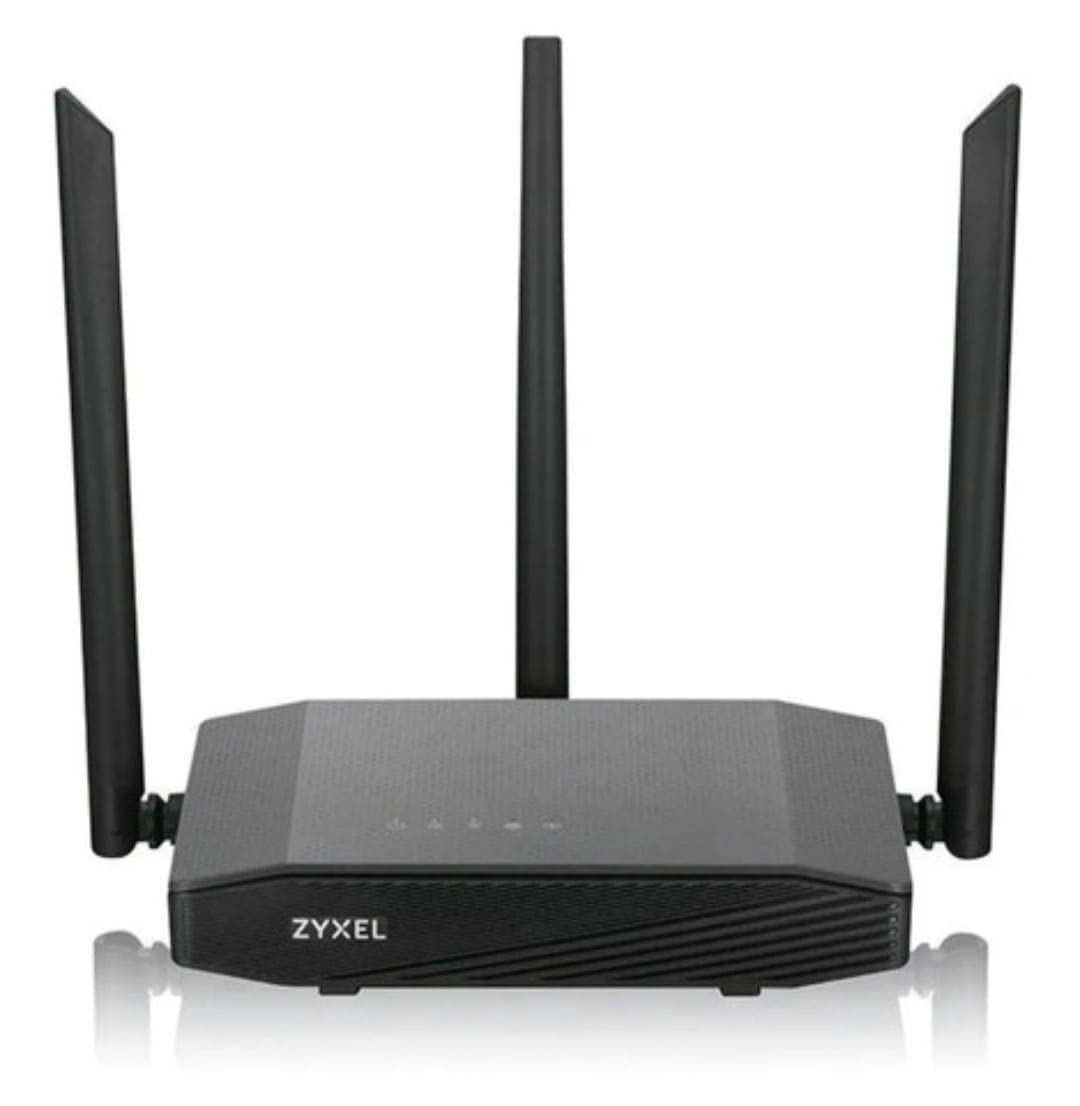
Image: Zyxel AC750 Dual-band Wireless Router with its power adapter and Ethernet cable.
Guida all'installazione
1. Connessione hardware
- Posizionamento del router: Place the router in a central location in your home or office, away from obstructions and potential sources of interference (e.g., microwaves, cordless phones).
- Collegare il cavo Internet: Connect one end of an Ethernet cable from your modem's LAN port to the WAN port (usually blue) on the Zyxel router.
- Connetti alimentazione: Plug the power adapter into the router's power jack and then into a wall outlet.
- Accensione: Press the power button on the router. Wait for the power LED to turn solid green, indicating the device is ready.
Image: Rear panel of the Zyxel AC750 router, highlighting the WAN port, LAN ports, and power input.
2. Configurazione iniziale
- Connettiti al router:
- Wired: Collega il tuo computer a una delle porte LAN del router (gialla) tramite un cavo Ethernet.
- Senza fili: On your computer or mobile device, search for the Wi-Fi network name (SSID) printed on the label at the bottom of the router. Connect using the provided Wi-Fi password.
- Accesso all'interfaccia del router: Aprire un web browser e tipo http://192.168.1.1 (or the address specified on the router label) into the address bar and press Enter.
- Login: Inserisci il nome utente e la password predefiniti (di solito amministratore/1234 or amministratore/password, check the router label).
- Eseguire la procedura guidata di installazione: Follow the on-screen instructions of the setup wizard to configure your internet connection and wireless settings. It is highly recommended to change the default Wi-Fi name (SSID) and password for security.
Istruzioni per l'uso
Gestione della rete wireless
Your Zyxel AC750 router supports dual-band Wi-Fi (2.4 GHz and 5 GHz). You can manage these networks through the web interfaccia.
- Modifica SSID e password: Navigate to the "Wireless" or "Wi-Fi Settings" section in the router's web interface. Here you can modify the network names (SSIDs) and passwords for both 2.4 GHz and 5 GHz bands.
- Rete ospite: Enable a guest network for visitors to provide internet access without sharing your main network's password. This feature is typically found under "Guest Network" settings.
- Controllo degli accessi: Manage which devices can connect to your network by setting up MAC address filtering in the "Security" or "Access Control" section.
Funzionalità avanzate
- Port forwarding: Configure port forwarding to allow external devices to access services on your local network, such as gaming servers or security cameras.
- Impostazioni del firewall: Adattare le regole del firewall per migliorare la sicurezza della rete.
- Controllo genitori: Set up parental controls to restrict internet access for specific devices or during certain times.
Manutenzione
- Aggiornamenti del firmware: Controllare regolarmente il supporto Zyxel webSito per gli aggiornamenti del firmware. L'aggiornamento del firmware può migliorare le prestazioni, aggiungere nuove funzionalità e correggere vulnerabilità di sicurezza.
- Pulizia: Gently wipe the router's exterior with a soft, dry cloth. Do not use liquid cleaners or aerosols. Ensure ventilation holes are free from dust.
- Riavvio del router: Se riscontri problemi di rete, prova a riavviare il router scollegando l'adattatore di alimentazione per 10 secondi e ricollegandolo.
- Ripristino di fabbrica: To restore the router to its factory default settings, press and hold the reset button (usually a small pinhole button) for about 10 seconds while the router is powered on. Use a paperclip or similar object. Nota: questa operazione cancellerà tutte le impostazioni personalizzate.
Risoluzione dei problemi
| Problema | Possibile causa | Soluzione |
|---|---|---|
| Nessun accesso a Internet | Modem issue, incorrect router settings, cable disconnected. |
|
| Segnale Wi-Fi debole | Router placement, interference, outdated firmware. |
|
| Impossibile accedere al router Web Interfaccia | Incorrect IP address, network connection issue, browser cache. |
|
Specifiche
| Caratteristica | Dettaglio |
|---|---|
| Modello | EMG1702-T10A |
| Marca | Zyxel |
| Wi-Fi standard | IEEE 802.11ac/n/a 5 GHz, IEEE 802.11n/g/b 2.4 GHz |
| Velocità Wi-Fi | AC750 (300 Mbps 2.4 GHz + 433 Mbps 5 GHz) |
| Antenne | 3 Antenne esterne |
| Porte Ethernet | 1x WAN, 4x LAN (10/100 Mbps) |
| Banda di frequenza | Doppia banda (2.4 GHz e 5 GHz) |
| Dispositivi compatibili | Gaming Consoles, Tablets, Smart TVs |
Informazioni sulla garanzia
Zyxel products are covered by a limited warranty. The specific terms and duration of the warranty may vary by region and product. Please refer to the warranty card included with your product or visit the official Zyxel websito per informazioni dettagliate sulla garanzia e sulla registrazione.
Conservare la ricevuta d'acquisto come prova d'acquisto per eventuali reclami in garanzia.
Supporto tecnico
If you encounter any issues that cannot be resolved using the troubleshooting guide, please contact Zyxel technical support.
- Websito: Visita il supporto ufficiale Zyxel website for FAQs, drivers, firmware, and contact information.
- Telefono: Refer to the support contact numbers provided in your product packaging or on the Zyxel websito per la tua regione.
When contacting support, please have your product model (EMG1702-T10A) and serial number ready.