
1. Introduzione
This manual provides essential information for the safe and efficient use of your TCL 32B400 32-inch HD LCD TV. Please read it thoroughly before operating the television and retain it for future reference.
The TCL 32B400 features a direct-lit LED backlight for uniform high brightness and image quality. Its VA panel technology delivers superior contrast, allowing for natural expression of subtle light and dark details. Equipped with a dual tuner, this TV supports terrestrial digital, BS digital, and 110-degree CS digital broadcasts, enabling simultaneous recording of one program while watching another. It supports various recording functions including instant, scheduled, daily/weekly repeat, and event recording. Connectivity options include two HDMI Ver1.4a input terminals (Port 1 supports ARC) and one USB2.0 input/output terminal, allowing connection to Blu-ray/DVD players/recorders and external speakers via ARC.

Figura 1: Fronte view of the TCL 32B400 TV.
2. Impostazione
2.1 Disimballaggio e controllo dei componenti
Rimuovere con attenzione tutti i componenti dall'imballaggio. Assicurarsi che siano presenti tutti gli articoli elencati di seguito:
- x1 Telecomando
- Batterie AAA x2
- miniB-CAS card x1
- Cavo di alimentazione x1
- Tip-over prevention parts set x1
- Supporto x2
- Screws (ST4, 20mm) x4 (for 32-inch model)
- Manuale di istruzioni
- Guida rapida
- Scheda di garanzia

Figura 2: Accessori inclusi.
2.2 Installazione dello stand
- Posizionare lo schermo del televisore su una superficie morbida e piana per evitare danni.
- Allineare i supporti con le fessure corrispondenti nella parte inferiore del televisore.
- Secure each stand using the provided screws (ST4, 20mm).
2.3 Cavi di collegamento
Connect the necessary cables to the appropriate ports on the TV. Refer to the connection diagram below.
- Cavo di alimentazione: Collegare il cavo di alimentazione all'ingresso di alimentazione del televisore e poi a una presa a muro.
- Antenna: Connect your terrestrial digital antenna cable to the 'Antenna Input' port. For BS/CS broadcasts, connect the satellite antenna cable to the 'BS/CS 110°' port.
- Dispositivi HDMI: Connect external devices like Blu-ray players or game consoles to the HDMI input ports. HDMI Port 1 supports Audio Return Channel (ARC).
- Dispositivi USB: Connect external USB storage devices for recording to the USB port.
- miniB-CAS Card: Insert the miniB-CAS card into its dedicated slot.

Figure 3: Connection terminals overview.
2.4 Configurazione iniziale
After connecting all cables and powering on the TV, follow the on-screen instructions to complete the initial setup, including channel tuning and network configuration (if applicable).
3. Istruzioni per l'uso
3.1 Funzionamento di base
- Accensione/spegnimento: Premere il pulsante di accensione sul telecomando o sul televisore.
- Selezione canale: Use the 'CH +/-' buttons or number buttons on the remote control.
- Regolazione del volume: Use the 'VOL +/-' buttons on the remote control.
- Sorgente di input: Press the 'Input' button on the remote to select between HDMI, TV, and other connected sources.
3.2 Programmi di registrazione
Your TCL 32B400 TV supports recording to an external USB Hard Disk Drive (HDD) thanks to its dual tuner. This allows you to record one program while watching another.
- Connect a compatible external USB HDD to the TV's USB port.
- Format the HDD if prompted by the TV.
- To record, select the desired program and use the recording options in the TV menu (e.g., instant recording, scheduled recording via EPG).

Figure 4: Dual tuner allows watching one program while recording another.
3.3 Impostazioni immagine e audio
Access the TV's menu to adjust picture (brightness, contrast, color, sharpness) and sound (bass, treble, balance, sound mode) settings to your preference.
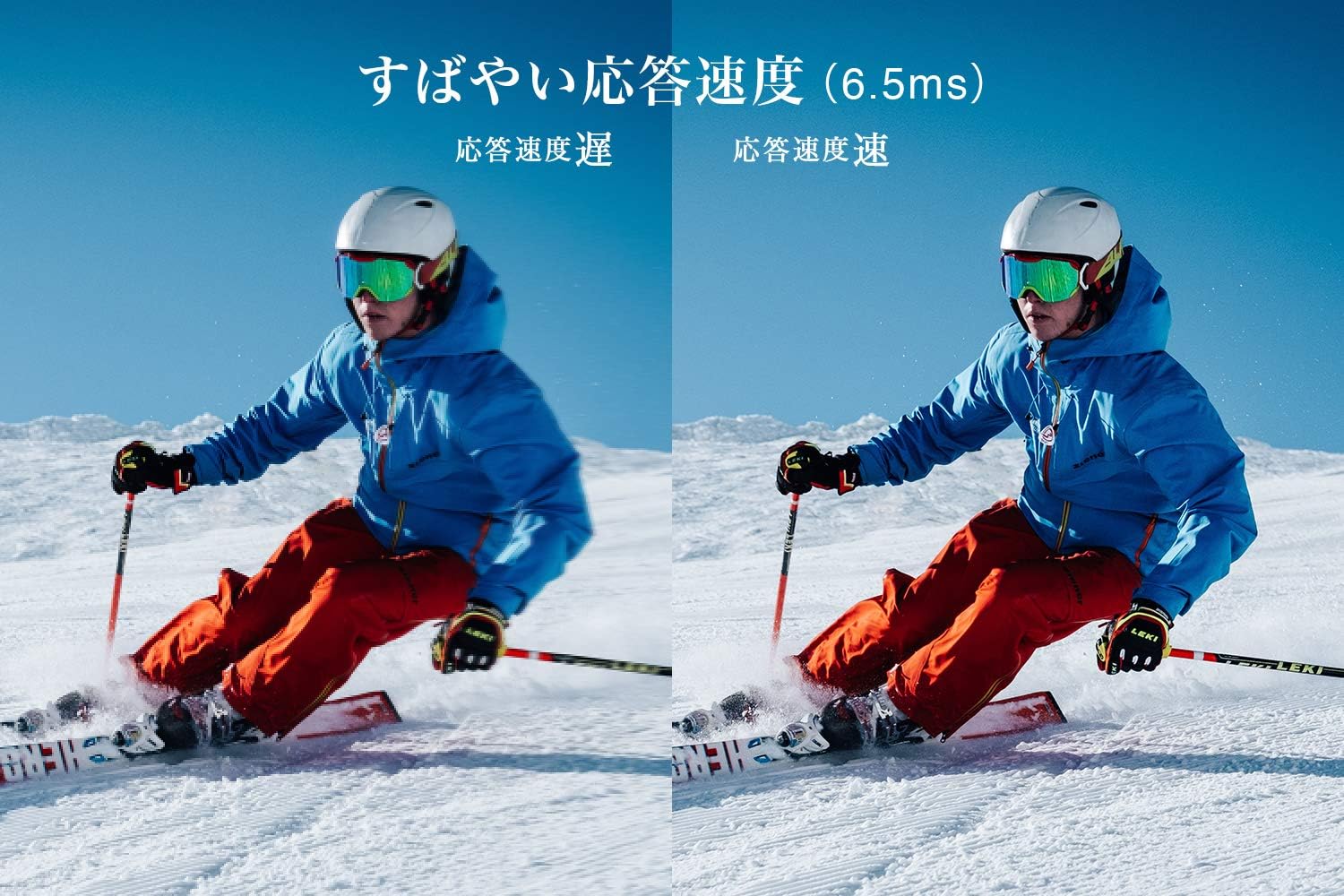
Figure 5: The TV features a fast response speed of 6.5ms for clear motion.
4. Manutenzione
4.1 Pulizia dello schermo
Pulire delicatamente lo schermo con un panno morbido, asciutto e privo di lanugine. Per i segni ostinati, strofinare leggermenteampen the cloth with water or a specialized screen cleaner (ensure it's suitable for LCD screens) and wipe carefully. Avoid applying excessive pressure.
4.2 Pulizia del corpo del televisore
Wipe the TV body with a soft, dry cloth. Do not use abrasive cleaners, waxes, or solvents as they can damage the finish.
4.3 Cura generale
- Evitare di esporre il televisore alla luce solare diretta o a temperature estreme.
- Assicurare un'adeguata ventilazione attorno al televisore per evitare il surriscaldamento.
- Scollegare il televisore dalla presa di corrente durante i temporali o quando si prevede di non utilizzarlo per lunghi periodi.
5. Risoluzione Dei Problemi
If you encounter issues with your TV, refer to the following common troubleshooting steps. If the problem persists, contact customer support.
5.1 Nessun potere
- Verificare che il cavo di alimentazione sia collegato saldamente sia al televisore sia alla presa a muro.
- Verificare che la presa a muro funzioni collegandovi un altro dispositivo.
- Premere il pulsante di accensione sul televisore stesso, non solo sul telecomando.
5.2 Nessuna immagine/nessun segnale
- Assicurarsi che sia selezionata la sorgente di input corretta (ad esempio, HDMI 1, TV).
- Controllare che tutti i collegamenti dei cavi (HDMI, antenna) non siano allentati o danneggiati.
- Se si utilizza un dispositivo esterno, assicurarsi che sia acceso e funzioni correttamente.
- Perform a channel scan if you are watching broadcast TV.
5.3 Nessun suono
- Controllare il livello del volume e assicurarsi che l'audio della TV non sia disattivato.
- Se si utilizzano altoparlanti esterni, assicurarsi che siano correttamente collegati e accesi.
- Controllare le impostazioni audio nel menu TV.
5.4 Il telecomando non funziona
- Sostituisci le batterie con batterie nuove.
- Assicurarsi che non vi siano ostacoli tra il telecomando e il sensore IR del televisore.
6. Specifiche
| Caratteristica | Specificazione |
|---|---|
| Dimensioni dello schermo | 32 pollici |
| Tecnologia di visualizzazione | LCD |
| Risoluzione | Alta definizione (1366 x 768) |
| Frequenza di aggiornamento | Frequenza 60 Hz |
| Proporzioni | 16:9 |
| Rapporto di contrasto | 3000:1 |
| Viewangolo di ing | 178/178 degrees (JEITA standard, CR>=10) |
| Tipo di retroilluminazione | LED ad illuminazione diretta |
| Velocità di risposta | 6.5 millisecondo |
| Dimensioni (con supporto) | L731 x A491 x P186 mm |
| Dimensioni (senza supporto) | L731 x A436 x P76 mm |
| Peso (con supporto) | 4.4 Kg |
| Peso (senza supporto) | 4.3 Kg |
| Montaggio a parete (VESA) | 100x100mm |
| Consumo energetico annuale | 45 kWh/anno |
| Porte HDMI | 2 (HDMI Ver1.4a, Port 1 supports ARC) |
| Porte USB | 1 (USB 2.0) |
| Tipo di sintonizzatore | Terrestrial Digital, BS Digital, 110-degree CS Digital (Dual Tuner) |
| Anno del modello | 2019 |

Figure 6: TV dimensions and recommended viewdistanza.

Figure 7: VA panel technology provides superior contrast and depth.
7. Garanzia e supporto
7.1 Garanzia del produttore
This product comes with a 1-year manufacturer's warranty from the date of purchase. Please retain your proof of purchase for warranty claims.
7.2 Assistenza clienti
For any inquiries, technical assistance, or repair requests, please contact TCL customer support. Our dedicated Japanese staff are available to assist you.
- Telefono: Numero di telefono: 0120-955-517
- Orari di apertura: 9:00 - 18:00 (Weekdays and Holidays, excluding year-end and New Year holidays)
- Websito: https://www.tcl.com/jp/ja/services.html
Nationwide repair service is available.
Figure 8: TCL Customer Support details.