
DELTACO USB-C to HDMI Adapter Instruction Manual
Model: B07RP127LD
1. Introduzione
This manual provides essential information for the proper setup, operation, and maintenance of your DELTACO USB-C to HDMI Adapter. Please read these instructions carefully before using the product to ensure optimal performance and safety. This adapter allows you to connect a USB-C enabled device to an HDMI display, monitor, or projector.
2. Prodotto finitoview
The DELTACO USB-C to HDMI Adapter is a compact device designed to convert a USB Type-C signal to an HDMI output. It features a durable black casing and gold-plated connectors for reliable signal transmission.
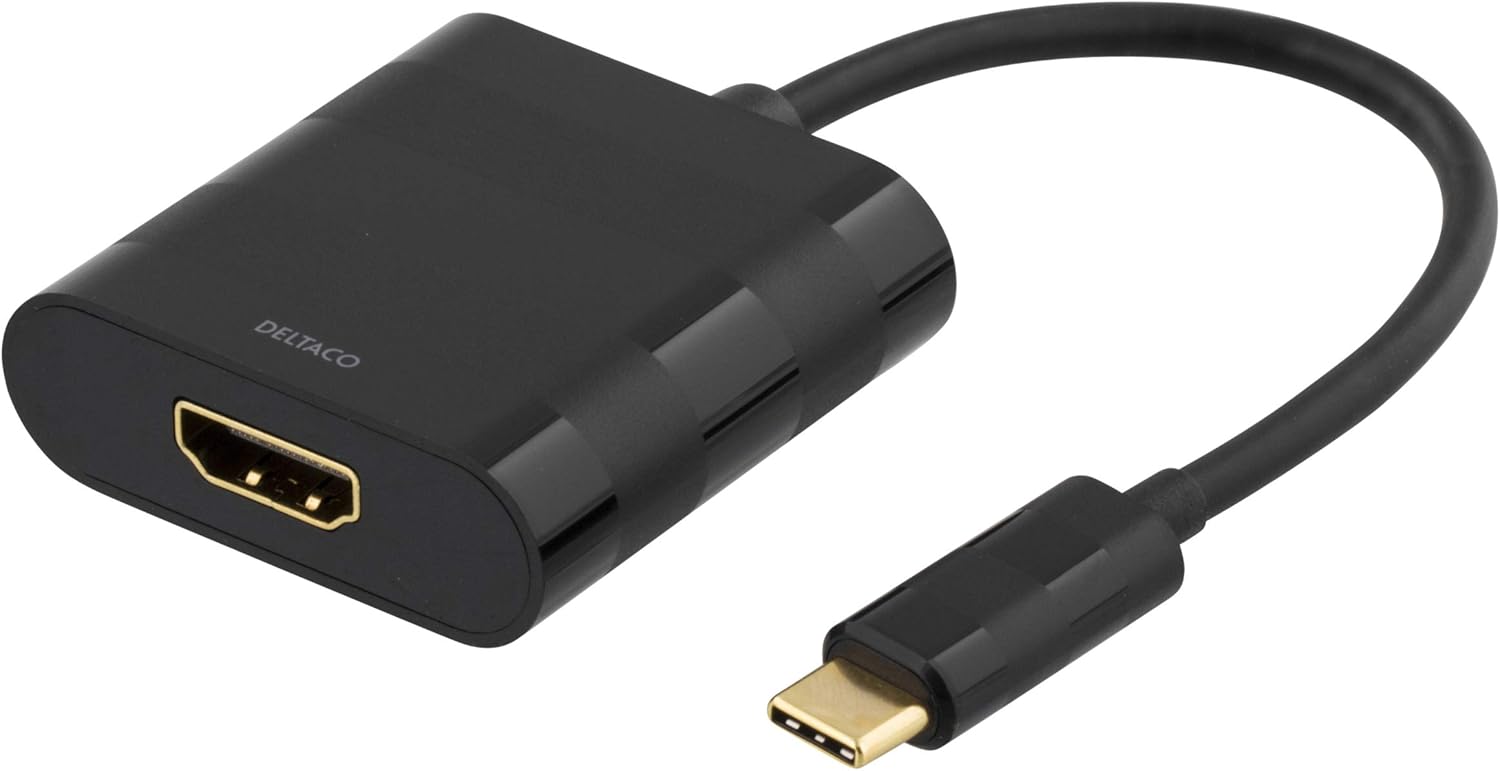
This image displays the DELTACO USB-C to HDMI Adapter. It features a black casing with the 'DELTACO' logo, an HDMI output port on one end, and a short cable leading to a USB-C input connector on the other end. The connectors are gold-plated.
Contenuto della confezione:
- 1 x DELTACO USB-C to HDMI Adapter
3. Impostazione
Follow these steps to connect your DELTACO USB-C to HDMI Adapter:
- Identificare i dispositivi compatibili: Ensure your source device (laptop, tablet, smartphone) has a USB Type-C port that supports video output (DisplayPort Alternate Mode).
- Connetti al dispositivo sorgente: Insert the USB Type-C connector of the adapter into the USB Type-C port on your source device.
- Connetti al display: Connect one end of an HDMI cable (not included) to the HDMI port on the adapter.
- Connect to Display Input: Connect the other end of the HDMI cable to an available HDMI input port on your display, monitor, or projector.
- Seleziona sorgente di ingresso: On your display, select the correct HDMI input source using the display's menu or remote control.
4. Istruzioni per l'uso
Once connected, your source device should automatically detect the external display. You may need to configure display settings on your source device:
- Finestre: Right-click on the desktop, select 'Display settings', and choose 'Extend these displays' or 'Duplicate these displays' as needed.
- Mac OS: Go to 'System Preferences' > 'Displays' to arrange or mirror your displays.
- Android/iOS: Settings may vary by device. Typically, the device will automatically mirror the screen or offer display options.
Ensure your source device is powered on and the display is set to the correct HDMI input.
5. Manutenzione
To ensure the longevity and proper functioning of your adapter, follow these maintenance guidelines:
- Pulizia: Per pulire l'adattatore, utilizzare un panno morbido e asciutto. Evitare l'uso di detergenti liquidi o solventi.
- Magazzinaggio: Conservare l'adattatore in un luogo fresco e asciutto, lontano dalla luce solare diretta e da temperature estreme.
- Gestione: Avoid bending or twisting the cable excessively. Do not apply excessive force when connecting or disconnecting the adapter.
6. Risoluzione Dei Problemi
If you encounter issues with your adapter, refer to the following common solutions:
- Nessuna uscita di visualizzazione:
- Assicurarsi che tutti i cavi siano collegati saldamente.
- Verify that your source device's USB-C port supports video output (DisplayPort Alternate Mode).
- Check the display's input source selection.
- Prova un cavo HDMI o un display diverso.
- Riavvia il dispositivo di origine.
- Display tremolante o intermittente:
- Ensure the resolution and refresh rate settings on your source device are compatible with your display.
- Controllare che non vi siano collegamenti allentati.
- Ridurre al minimo le interferenze provenienti da altri dispositivi elettronici.
- Nessun audio:
- Ensure your display has built-in speakers or is connected to external audio.
- Check audio output settings on your source device to ensure HDMI is selected.
7. Specifiche
| Caratteristica | Dettaglio |
|---|---|
| Marca | DELTACO |
| Numero di modello | B07RP127LD |
| Connettori | USB Type-C (Input), HDMI (Output) |
| Colore | Nero |
| Numero di porte | 2 (1x USB-C, 1x HDMI) |
| Approx. Item Dimensions (L x W x H) | 50 x 50 x 28 centimeters (Note: These dimensions may refer to packaging) |
8. Informazioni sulla garanzia
This product is covered by a standard manufacturer's warranty. For specific details regarding warranty terms, duration, and claims, please refer to the documentation provided with your purchase or visit the official DELTACO websito. Conservare la prova d'acquisto per motivi di garanzia.
9. Supporto
For technical assistance, troubleshooting beyond this manual, or product inquiries, please contact DELTACO customer support. Contact information can typically be found on the DELTACO websito o sulla confezione del prodotto.
Risorse online: Visit the official DELTACO website for FAQs, driver downloads (if applicable), and additional support resources.


