
1. Introduzione
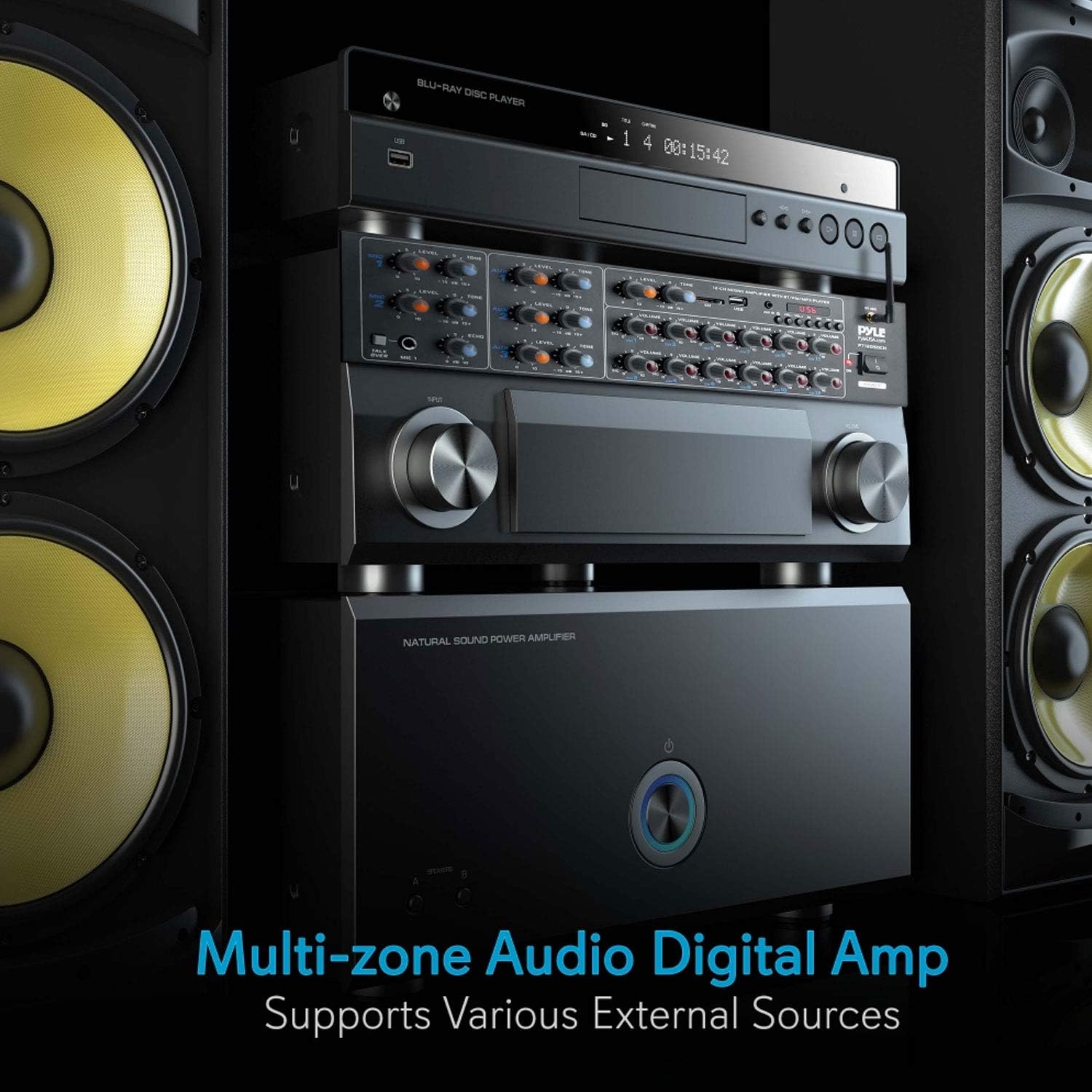
The Pyle PT12050CH is a 12-channel Bluetooth wireless power amplifier designed for multi-zone audio applications. This unit integrates sound amplification with various input options, including Bluetooth wireless streaming, USB, SD card, AUX, RCA, and microphone inputs. It is suitable for diverse environments such as restaurants, theaters, studios, or stages, providing flexible audio control and distribution.
This manual provides detailed instructions for the proper setup, operation, and maintenance of your PT12050CH amplifier per garantire prestazioni e longevità ottimali.
2. Istruzioni di sicurezza
Si prega di leggere attentamente tutte le istruzioni di sicurezza prima di utilizzare questo dispositivo. Conservare il presente manuale per riferimento futuro.
- Fonte di energia: Connect the unit only to the type of power source indicated on the marking label. Ensure the voltage selector switch on the rear panel is set correctly for your region (115V/230V).
- Ventilazione: Non ostruire le aperture di ventilazione. Installare secondo le istruzioni del produttore. Mantenere uno spazio adeguato attorno all'unità per un corretto flusso d'aria.
- Acqua e umidità: Non esporre l'apparecchio a pioggia o umidità. Non posizionare oggetti contenenti liquidi, come vasi, sull'apparecchio.
- Calore: Non installare vicino a fonti di calore come radiatori, bocchette di riscaldamento, stufe o altri apparecchi (inclusi amplificatori) che producono calore.
- Messa a terra: Questo apparecchio deve essere collegato a terra. Non compromettere la sicurezza della spina polarizzata o di messa a terra.
- Manutenzione: Non tentare di riparare questo prodotto da soli. Affidare tutte le operazioni di manutenzione a personale di assistenza qualificato.
- Pulizia: Scollegare il prodotto dalla presa a muro prima di pulirlo. Non utilizzare detergenti liquidi o spray. Utilizzare adamp panno per la pulizia.
3. Contenuto della confezione
Verificare che tutti gli articoli siano presenti nel pacco:
- Pyle PT12050CH AmpSistema di miscelazione lifier
- Controllo remoto
- Antenna Bluetooth
- Staffe per montaggio su rack rimovibili
- Cavo di alimentazione
4. Prodotto finitoview
4.1 Controlli del pannello frontale

- Ingressi MIC 1 e MIC 2: 1/4'' microphone input jacks with independent LEVEL and TONE controls.
- TALK OVER Button: Activates microphone priority function, reducing background music volume when a microphone signal is detected.
- AUX 1, AUX 2, AUX 3 Inputs: 3.5mm auxiliary input jacks with independent LEVEL and TONE controls.
- Slot per scheda USB/SD: Per riprodurre l'audio fileda unità flash USB o schede di memoria SD.
- Controlli del lettore MP3: Play/Pause, Stop, Previous, Next, Mode, and Volume controls for USB/SD/Bluetooth playback.
- Antenna Bluetooth: Per la connettività Bluetooth wireless.
- Channel Volume Controls (CH1-CH12): Independent rotary knobs to adjust the output volume for each of the 12 speaker channels.
- Interruttore di ALIMENTAZIONE: Gira il amplificatore acceso o spento.
4.2 Collegamenti del pannello posteriore

- INGRESSO ALIMENTAZIONE: AC power cord connection.
- VOLTAGSELETTORE E: Switch to select between 115V and 230V AC power.
- RCA AUDIO INPUTS (L/R): Three pairs of RCA inputs for connecting external audio sources like CD players, tuners, or tape decks.
- SPEAKER OUTPUTS (CH1-CH12): Screw-type terminals for connecting up to 12 speakers.
- MIC INPUTS (1/2): Additional 1/4'' microphone inputs.
5. Impostazione
5.1 Montaggio su rack
The PT12050CH amplifier is designed for standard rack mounting. Attach the included rack mount brackets to the sides of the unit using the provided screws. Secure the unit into a standard 19-inch equipment rack.
5.2 Collegamento di alimentazione
- Before connecting the power cable, ensure the VOLTAGE SELETTORE l'interruttore sul pannello posteriore è impostato sul volume correttotage per la tua regione (115 V o 230 V). Vol erratotagLa selezione può danneggiare l'unità.
- Collegare il cavo di alimentazione in dotazione al POTENZA INGRESSO sul pannello posteriore del amppiù vivace.
- Collegare l'altra estremità del cavo di alimentazione a una presa a muro CA adatta.
5.3 Collegamenti degli altoparlanti
IL amplifier supports 4-8 ohm impedance speakers. Connect your speakers to the SPEAKER OUTPUTS (CH1-CH12) on the rear panel. Ensure correct polarity (positive to positive, negative to negative) for each speaker to avoid phase issues.

5.4 Collegamenti della sorgente audio
- Ingressi RCA: Connect external audio devices (e.g., CD player, DVD player, tuner) to the RCA AUDIO INPUTS (L/R) sul pannello posteriore.
- Ingressi AUX: Collegare i dispositivi portatili (ad esempio, smartphone, tablet) utilizzando un cavo audio da 3.5 mm al AUX 1, AUX 2, or AUX 3 jack sul pannello anteriore.
- USB/scheda SD: Insert a USB flash drive or SD memory card into the respective slot on the front panel. The unit will automatically detect and begin playing compatible audio files.
- Ingressi microfono: Connect microphones to the 1/4'' MICROFONO 1 or MICROFONO 2 jacks on the front panel, or to the additional 1/4'' MIC INPUTS on the rear panel.

6. Istruzioni per l'uso
6.1 Accensione/spegnimento
Premere il tasto ENERGIA interruttore sul pannello frontale per accendere il amplifier acceso o spento. La spia di alimentazione si accende quando l'unità è accesa.
6.2 Selezione dell'ingresso
IL amplifier automatically detects and prioritizes inputs. For USB/SD/Bluetooth, use the MODALITÀ button on the MP3 player section to cycle through input sources. For RCA and AUX inputs, ensure the corresponding input is active and its level is adjusted.
6.3 Controllo del volume
- Volume canale: Utilizzare l'individuo VOLUME knobs for CH1-CH12 to adjust the output level for each connected speaker zone.
- Volume del microfono: Regolare il LIVELLO knob for MIC 1 or MIC 2 to control microphone input volume.
- AUX Volume: Regolare il LIVELLO knob for AUX 1, AUX 2, or AUX 3 to control auxiliary input volume.
- MP3 Player Volume: Use the dedicated volume controls in the MP3 player section for USB/SD/Bluetooth audio.
6.4 Associazione Bluetooth
- Ensure the Bluetooth antenna is securely connected to the rear panel.
- Accendi il amppiù vivace.
- Premere il tasto MODALITÀ button on the MP3 player section until 'BLUETOOTH' is displayed.
- Attiva il Bluetooth sul tuo smartphone, tablet o computer.
- Cercare available devices and select 'PYLEUSA' from the list.
- Una volta associato, è possibile trasmettere l'audio in modalità wireless al amppiù vivace.

6.5 Riproduzione USB/SD
Insert a USB flash drive or SD card containing MP3 or WMA audio files nello slot corrispondente. Il amplifier will automatically switch to USB/SD mode and begin playback. Use the MP3 player controls (Play/Pause, Previous, Next) to manage your audio.
6.6 Microphone Operation and Voice Priority
Connect your microphone to one of the 1/4'' MIC input jacks. Adjust the microphone's LIVELLO E TONO controls for desired sound. Press the PARLARE SOPRA button to activate the voice priority function. When active, the background music volume will automatically decrease when a signal is detected from MIC 1, making announcements clearer.

6.7 Tone and Echo Adjustments
Utilizzare il TONO knobs for each microphone and auxiliary input to adjust the treble and bass frequencies. The ECO control for MIC 1 and MIC 2 adds an echo effect to the microphone signal.
7. Manutenzione
- Pulizia: Disconnect the power before cleaning. Use a soft, dry cloth to wipe the exterior of the unit. Do not use harsh chemicals, solvents, or abrasive cleaners.
- Ventilazione: Controllare regolarmente che le aperture di ventilazione siano libere da polvere e detriti per evitare il surriscaldamento.
- Magazzinaggio: Se si conserva l'unità per un periodo prolungato, assicurarsi che sia in un luogo fresco e asciutto, lontano dalla luce solare diretta e da temperature estreme.
- Connessioni via cavo: Controllare periodicamente tutti i collegamenti dei cavi per verificarne la tenuta e l'assenza di segni di usura.
8. Risoluzione Dei Problemi
If you encounter issues with your Pyle PT12050CH amplifier, fare riferimento ai seguenti problemi comuni e alle relative soluzioni:
| Problema | Possibile causa | Soluzione |
|---|---|---|
| Nessun potere | Cavo di alimentazione non collegato; Interruttore di alimentazione spento; Vol erratotage selezione; Fusibile bruciato. | Ensure power cable is securely connected. Turn on the POWER switch. Verify voltage selector is correct. Check and replace fuse if necessary (refer to qualified technician). |
| Nessuna uscita audio | Incorrect input selected; Volume levels too low; Speaker connections loose or incorrect; Faulty audio source. | Select the correct input source. Increase master and individual channel volume levels. Check all speaker wire connections for proper polarity and secure fit. Test with a different audio source. |
| Il Bluetooth non si connette | Amplifier not in Bluetooth mode; Device too far; Bluetooth not enabled on source device; Interference. | Garantire amplifier is in Bluetooth mode. Move source device closer to the amplifier. Enable Bluetooth on your device and re-scan. Avoid placing other wireless devices nearby. |
| Problemi di riproduzione USB/SD | Non supportato file formato; danneggiato files; USB/SD card not properly inserted. | Garantire l'audio files are MP3 or WMA format. Try a different USB/SD card. Re-insert the card/drive. |
| Il microfono non funziona | Microfono non collegato; Livello del microfono troppo basso; Microfono difettoso. | Connect microphone securely. Increase MIC LEVEL knob. Test with a different microphone. |
| L'unità si scalda | Normal operation; Insufficient ventilation; Overloaded speakers. | Some warmth is normal. Ensure adequate ventilation around the unit. Verify speaker impedance is within 4-8 ohms. Reduce volume if excessive heat is observed. |
| Input source defaults to USB on power cycle | Comportamento progettato. | This is a known operational characteristic. You will need to manually select your desired input source using the MODE button after each power cycle. |
| Volume defaults to low settings on power cycle | Comportamento progettato. | This is a known operational characteristic. Adjust volume levels to your preference after each power cycle. |
9. Specifiche
- Modello: PT12050CH
- Potenza in uscita: 6000 Watt MASSIMO
- Canali: 12
- Impedenza dell'altoparlante: 4-8 Ohm
- Ingressi: 3 x RCA Audio (L/R), 2 x 1/4'' Mic (front), 2 x 1/4'' Mic (rear), 3 x 3.5mm AUX, USB, SD Card, Bluetooth
- Versione Bluetooth: 2.1 (approssimativo)
- Portata wireless Bluetooth: 30 + ft.
- Media digitali File Supporto: Formato MP3, WMA
- Caratteristiche: Multi-Zone Audio Control, Voice Priority (Talk-Over), LCD Digital Display
- Peso dell'articolo: 15.97 libbre
- Dimensioni: (Refer to product diagram for exact measurements)

10. Garanzia e supporto
Pyle products are designed and manufactured to the highest quality standards. For warranty information or technical support, please refer to the warranty card included with your product or visit the official Pyle USA website. You may also contact customer service for assistance with product registration, troubleshooting, or service inquiries.
Supporto online: www.pyleusa.com