
GBC SX20-08
GBC ShredMaster SX20-08 Cross-Cut Paper Shredder
Model: SX20-08 (1758502)
Introduzione
The GBC ShredMaster SX20-08 is a high-performance cross-cut paper shredder designed for secure disposal of sensitive documents. It offers a P-4 security level, shredding documents into small 5/32" x 1 1/2" pieces. With a capacity to shred up to 20 sheets at a time and an 8-gallon pull-out bin, it is suitable for home offices and small business environments. Key features include a long 240-minute run time, auto-reverse jam prevention, Whisper Shred Technology for quiet operation, and an Eco Power Save function for energy efficiency.
Informazioni importanti sulla sicurezza
Please read all safety instructions carefully before operating the shredder. Failure to follow these instructions may result in injury or damage to the unit.
- Keep hands, hair, loose clothing, and jewelry away from the paper entry slot.
- Do not insert more than the maximum recommended sheet capacity (20 sheets) at one time.
- Scollegare il distruggidocumenti quando non è in uso o prima di pulirlo, spostarlo o svuotare il contenitore dei rifiuti.
- Non spruzzare aerosol o lubrificanti nel distruggidocumenti.
- This shredder is intended for indoor use only.
- Non permettere ai bambini o agli animali domestici di avvicinarsi al distruggidocumenti.
- Utilizzare il distruggidocumenti su una superficie piana e stabile.
- AVVERTIMENTO: Questo prodotto può esporti a sostanze chimiche, tra cui il piombo, che è noto allo Stato della California come causa di cancro e difetti alla nascita o altri danni riproduttivi. Per maggiori informazioni, vai a www.P65Warnings.ca.gov.
Contenuto della confezione
Verificare che tutti gli articoli siano presenti nel pacco:
- GBC ShredMaster SX20-08 Paper Shredder Unit
- Cestino dei rifiuti
- Manuale di istruzioni (questo documento)
Impostare
- Disimballaggio: Estrarre con cautela il distruggidocumenti dall'imballaggio. Conservare l'imballaggio per un eventuale trasporto o stoccaggio futuro.
- Posizionamento: Position the shredder on a level, stable surface near a standard electrical outlet. Ensure adequate ventilation around the unit.
- Installazione del bidone dei rifiuti: Ensure the 8-gallon waste bin is correctly inserted into the shredder cabinet. The shredder will not operate if the bin is not properly seated.
- Collegamento elettrico: Collegare il cavo di alimentazione a una presa elettrica dotata di messa a terra.

Figure 1: GBC ShredMaster SX20-08 ready for setup.
Istruzioni per l'uso
Funzionamento di base
- Accensione: Press the power button on the control panel. The shredder will enter standby mode, indicated by an LED light.
- Documenti di alimentazione: Insert paper directly into the paper entry slot. The shredder will automatically detect the paper and begin shredding. Do not exceed the 20-sheet capacity. The shredder can also handle staples and paperclips.
- Tempo di esecuzione continuo: The shredder is designed for a 240-minute continuous run time, making it suitable for large shredding tasks. Allow the unit to cool down if it reaches its thermal limit.
- Auto Reverse Jam Prevention: In case of an overload or jam, the shredder features an auto-reverse function to clear the jam. If a jam persists, manually reverse the shredder using the control panel.
- Whisper Shred Technology: This technology ensures quiet operation, maintaining noise levels below 58 dB to minimize disruptions in office environments.
- Eco Power Save: To conserve energy, the shredder will automatically turn off after 2 minutes of inactivity.

Figure 2: Feeding documents into the shredder.
Indicatori LED
The control panel features LED indicator lights to provide operational status:
- Contenitore pieno: Si illumina quando il cestino dei rifiuti è pieno e deve essere svuotato.
- Porta aperta: Indicates that the waste bin is not properly closed or seated. The shredder will not operate until the bin is correctly positioned.
- Sopra il calore: Lights up if the shredder has been used continuously for too long and needs to cool down. Allow the unit to rest before resuming operation.
- Sovraccarico: Activates if too many sheets are inserted at once, triggering the auto-reverse function.
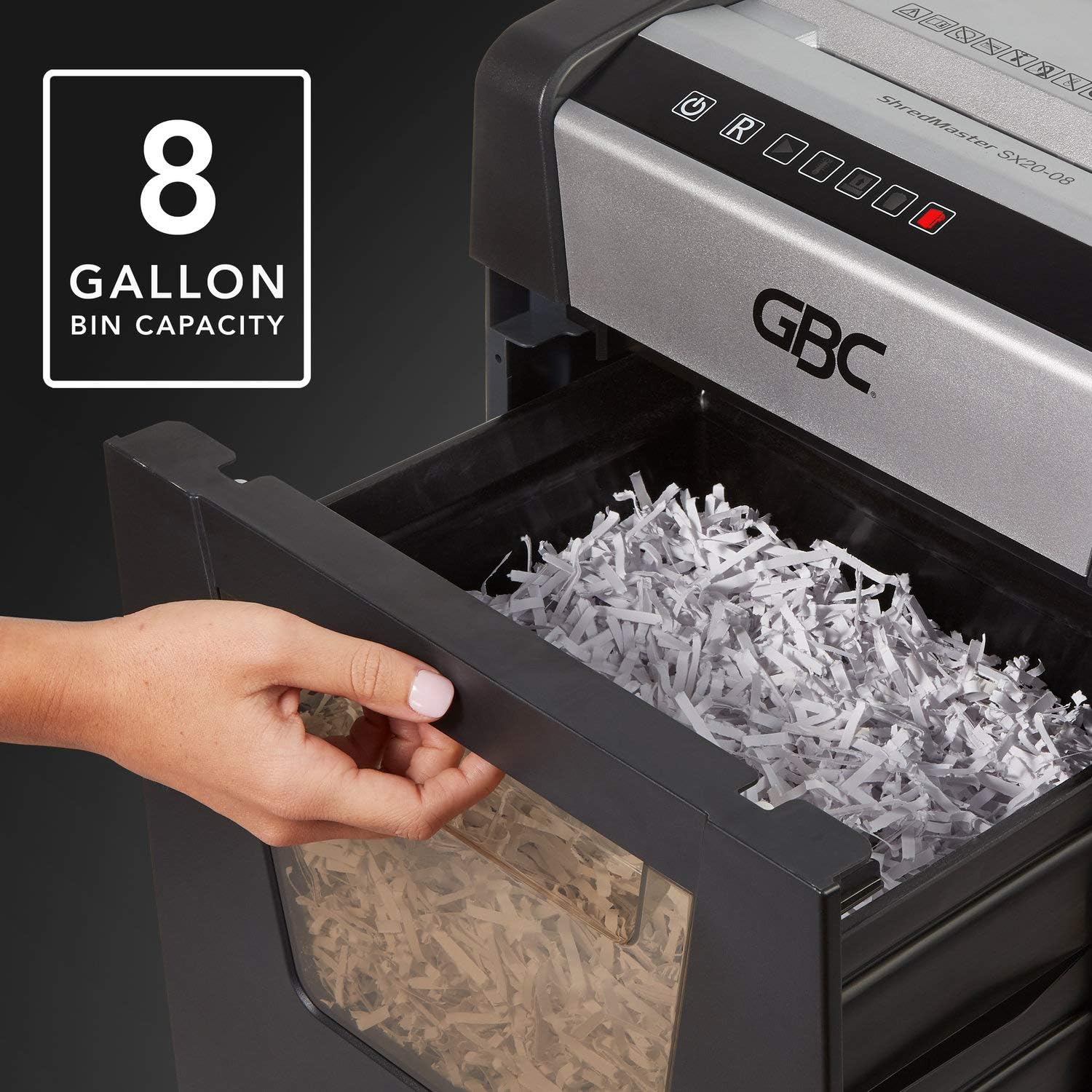
Figure 3: The 8-gallon pull-out waste bin.

Figure 4: The P-4 security level ensures confidential shredding.
Manutenzione
Svuotare il cestino dei rifiuti
When the "Bin Full" indicator illuminates, the waste bin needs to be emptied. Simply pull out the bin from the front of the shredder, dispose of the shredded material, and slide the bin back into place until it clicks securely.
Pulizia
- Scollegare sempre il distruggidocumenti prima di pulirlo.
- Pulire l'esterno del distruggidocumenti con un panno morbido e asciutto. Non utilizzare detergenti abrasivi o solventi.
- Periodically clean the paper entry area to remove any paper dust or debris.
Oliare il trituratore
For optimal performance and longevity, it is recommended to oil the shredder blades regularly, especially after emptying the waste bin or after heavy use. Use shredder oil specifically designed for paper shredders. Apply a thin line of oil across the paper entry slot and then run a few sheets of paper through the shredder to distribute the oil.
Risoluzione dei problemi
| Problema | Possibile causa | Soluzione |
|---|---|---|
| Il distruggidocumenti non si accende. | Nessuna alimentazione; Cestino dei rifiuti non inserito correttamente; Protezione da surriscaldamento attivata. | Check power cord connection and outlet; Ensure waste bin is fully inserted and "Door Open" indicator is off; Allow shredder to cool down if "Over Heat" indicator is on. |
| Inceppamento della carta. | Too many sheets inserted; Paper not fed straight. | Utilize the auto-reverse function or manually reverse the shredder; Remove excess paper; Feed paper straight. |
| Il trituratore si ferma durante il funzionamento. | Waste bin full; Overheat protection activated; Bin not properly seated. | Empty waste bin; Allow shredder to cool down; Re-insert waste bin securely. |
| Il distruggidocumenti è rumoroso. | Blades require oiling; Debris in cutting mechanism. | Oil the shredder blades as per maintenance instructions; Unplug and carefully inspect for debris. |
Specifiche
| Caratteristica | Dettaglio |
|---|---|
| Modello | SX20-08 (1758502) |
| Tipo di brandello | Taglio incrociato |
| Livello di sicurezza | P-4 (5/32" x 1 1/2" particles) |
| Capacità del foglio | Up to 20 sheets (20 lb bond paper) |
| Capacità del contenitore | 8 galloni |
| Tempo di esecuzione | 240 minuti continui |
| Tempo di raffreddamento | Not specified, allow adequate time after overheat. |
| Livello di rumore | Below 58 dB (Whisper Shred Technology) |
| Dimensioni (L x P x A) | 26.97 x 18.5 x 14.76 pollici |
| Peso dell'articolo | 0.01 once (Note: The provided weight of 0.01 ounces may be a data entry error. Actual weight is typically much higher for a shredder of this capacity.) |
| brandelli | Paper, staples, paperclips |
Garanzia e supporto
GBC products are manufactured to high-quality standards and are backed by a manufacturer's warranty. For specific warranty details, including duration and coverage, please refer to the warranty card included with your product or visit the official GBC websito.
For technical support, troubleshooting assistance, or to inquire about replacement parts, please contact GBC Customer Service. Contact information can typically be found on the GBC websul sito o sulla confezione del prodotto.
You can also visit the official GBC Store on Amazon for more product information and support: GBC Store
Ask a question about this manual
Ask about setup, troubleshooting, compatibility, parts, safety, or missing instructions. Manuals+ will review the question and use this page’s manual context to help answer it.