
1. Introduzione
This manual provides detailed instructions for the VTech Kidi Star Karaoke Machine, Model 80-165835. This interactive karaoke system is designed to provide an engaging musical experience with features such as Music Magic mode, voice-changing effects, built-in songs and games, and a colorful disco light. Please read this manual thoroughly before use to ensure proper operation and to maximize your enjoyment of the product.
2. Informazioni sulla sicurezza
- Sicurezza della batteria: Requires 4 AA batteries (included). Ensure correct polarity when inserting batteries. Do not mix old and new batteries, or different types of batteries. Remove exhausted batteries promptly.
- Supervisione degli adulti: Recommended for assembly and initial setup.
- Rischio di soffocamento: Contiene piccole parti. Non adatto a bambini di età inferiore a 3 anni.
- Sicurezza elettrica: Use only the provided audio cable for connecting external devices. Do not attempt to modify or repair the unit.
- Posizionamento: Posizionare l'unità su una superficie stabile e piana per evitare che si ribalti.
3. Contenuto della confezione
Si prega di verificare che tutti gli articoli siano presenti nel pacco:
- VTech Kidi Star Karaoke Machine (Main Unit)
- Adjustable Stand (multiple sections)
- Microphone with cord
- Cavo audio (jack da 3.5 mm)
- 4 batterie AA
- Manuale di istruzioni (questo documento)
4. Impostazione
4.1 Installazione della batteria
- Individuare il vano batterie nella parte inferiore dell'unità principale.
- Utilizzando un cacciavite, aprire il coperchio del vano batteria.
- Inserire 4 batterie AA nuove, assicurandosi della corretta polarità (+/-).
- Riposizionare il coperchio e serrare la vite.
4.2 Assembly of the Stand and Microphone
- Connect the base of the stand to the lowest pole section.
- Attach the remaining pole sections, adjusting the height as desired.
- Secure the main karaoke unit onto the top of the assembled stand.
- Plug the microphone into the designated port on the main unit.
- Assicurarsi che tutte le connessioni siano sicure prima dell'uso.

Figure 1: Fully assembled VTech Kidi Star Karaoke Machine.
5. Istruzioni per l'uso
5.1 Accensione/spegnimento
Premere il tasto Pulsante di accensione (usually marked with a circle and a vertical line) located on the main unit to turn the machine on or off.

Figure 2: Control panel with various buttons and screen.
5.2 Music Magic Mode
Attivare Modalità Magia Musicale to reduce the main vocal track of built-in songs or songs played from an external device. This allows you to sing along as the lead vocalist.

Figure 3: The Music Magic button for vocal reduction.
5.3 Collegamento di dispositivi esterni
Use the included audio cable to connect your MP3 player or smartphone to the karaoke machine. Plug one end into the device's headphone jack and the other into the AUX-in port on the karaoke machine. You can then play your own music through the machine's speaker.

Figure 4: Connecting an external device via audio cable.
5.4 Voice Changer Effects
The machine includes five different voice-changing effects. Press the Pulsante cambia voce to cycle through effects such as robot, echo, and more, adding fun variations to your singing.
5.5 Built-in Songs and Games
The Kidi Star Karaoke Machine features eight original built-in songs and six interactive games. Use the navigation buttons and the Pulsante OK to select and play songs or games from the main menu.
5.6 Funzione di registrazione
Record your performances for up to five minutes using the built-in recorder. Press the Pulsante di registrazione to start and stop recording. You can then play back your recorded tracks.
5.7 Funzionamento della luce da discoteca
The integrated disco light can be twisted 180 degrees to project colorful light patterns onto walls and ceilings, enhancing the karaoke experience. The lights activate automatically when the unit is on or can be controlled via a dedicated button.
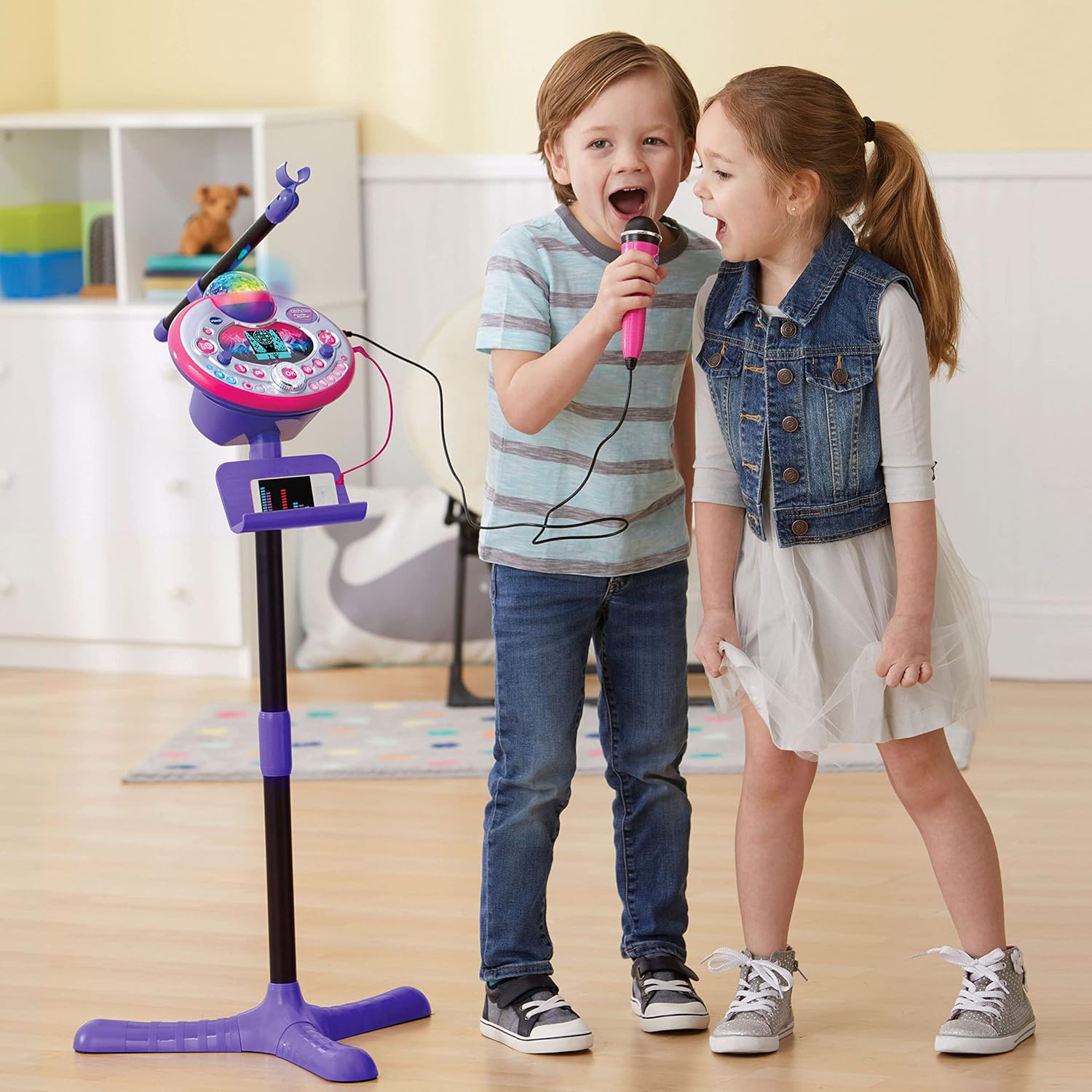
Figure 5: Disco light in action, projecting colorful patterns.
5.8 Audience Sounds
Engage the audience sound effects, such as applause, cheering, and laughter, by pressing the dedicated buttons. This feature simulates a live performance atmosphere.
6. Manutenzione
- Pulizia: Pulire l'unità con un panno leggermente damp stoffa. Non utilizzare prodotti chimici aggressivi o detergenti abrasivi.
- Magazzinaggio: Quando non viene utilizzato, conservare l'apparecchio per karaoke in un luogo fresco e asciutto, lontano dalla luce solare diretta.
- Cura della batteria: Rimuovere le batterie se l'unità non verrà utilizzata per un periodo prolungato per evitare perdite.
7. Risoluzione Dei Problemi
| Problema | Possibile causa | Soluzione |
|---|---|---|
| L'unità non si accende. | Le batterie sono scariche o installate in modo errato. | Sostituire le batterie con batterie nuove, assicurandosi che la polarità sia corretta. |
| Nessun suono dal microfono. | Microphone not securely plugged in; volume too low. | Ensure microphone is fully inserted. Adjust microphone volume. |
| External device audio is not playing. | Audio cable not connected properly; device volume too low. | Check audio cable connections. Increase volume on both the external device and the karaoke machine. |
| La luce da discoteca non funziona. | Light feature is turned off or unit is in a low-power state. | Ensure the light button is pressed or the unit is powered on. Check batteries. |
8. Specifiche
- Numero modello: 80-165835
- Marca: VTech
- Colore: Rosa/Viola
- Materiale: Plastica
- Fonte di energia: 4 batterie AA (incluse)
- Connettività: Auxiliary (3.5 mm Jack)
- Dispositivi compatibili: Smartphone, MP3 Player
- Caratteristiche speciali: Voice Changer, Disco Light, Built-in Recorder, Audience Sounds, Music Magic Mode, Built-in Songs & Games
- Dimensioni del prodotto: Approximately 127.94 x 37.01 x 42.42 cm (assembled)
- Peso dell'articolo: Circa 1.34 kg
9. Garanzia e supporto
Per informazioni sulla garanzia e sull'assistenza clienti, fare riferimento al sito ufficiale VTech webo contattare il servizio clienti. Conservare la ricevuta d'acquisto come prova d'acquisto per eventuali reclami in garanzia.
VTech Websito: www.vtechkids.com