
Introduzione
Thank you for choosing the AKASO C330 Dash Cam. This manual provides detailed instructions to help you set up, operate, and maintain your device. Please read it carefully before use to ensure optimal performance and safety.
Prodotto finitoview e Caratteristiche principali
The AKASO C330 Dash Cam is designed to record your driving journey in high definition, offering a wide range of features for enhanced road safety and evidence collection.

The AKASO C330 Dash Cam is fully functional, featuring G-sensor protection, parking monitor, loop recording, super night vision, 1080P recording, 170° wide angle, and a fatigue reminder.
- Registrazione Full HD 1080P: Cattura video nitiditage at 1920 x 1080 resolution.
- Obiettivo grandangolare 170°: Provides extensive road coverage, minimizing blind spots.
- Schermo IPS da 3.0 pollici: Offers a clear display for real-time viewregistrazione e riproduzione.
- Visione notturna eccellente: Prestazioni migliorate in condizioni di scarsa illuminazione per registrazioni nitide di notte.
- Registrazione in loop: Sovrascrive automaticamente il foo più vecchiotage quando la scheda di memoria è piena, garantendo una registrazione continua.
- Sensore G: Detects sudden movements or collisions and automatically locks the current video file per evitare che venga sovrascritto.
- Monitoraggio del parcheggio: Records automatically if an impact is detected while the vehicle is parked.
- Rilevamento del movimento: Starts recording when movement is detected in front of the camera, useful for surveillance.

The dash cam records every detail in 1080P Full HD resolution, utilizing an F1.8 aperture lens and displaying on a 3.0-inch screen.

The 170° wide-angle lens provides extensive coverage, typically spanning about four lanes of traffic.

The Super Night Vision feature ensures clear video recording even in low-light conditions.

The dash cam includes three emergency recording functions: G-sensor for impact detection, motion detection for security, and parking monitor for surveillance when parked.
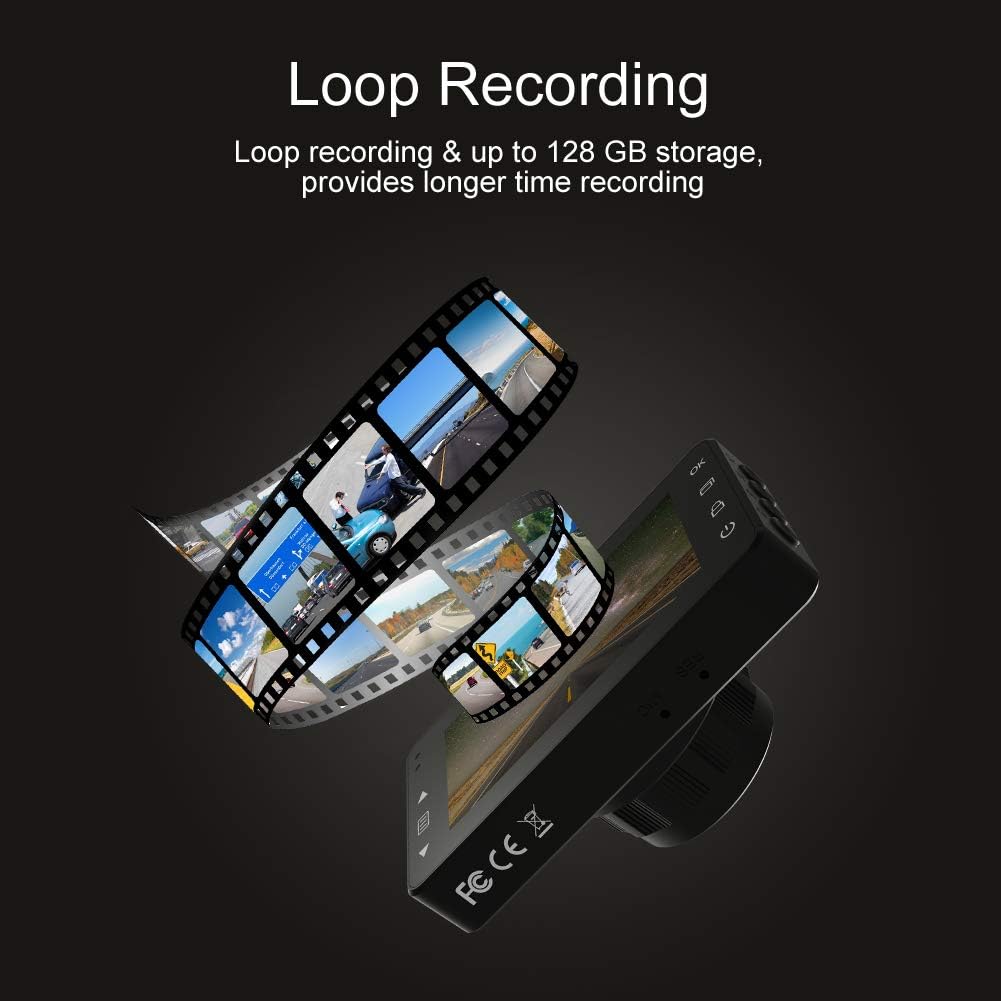
Loop recording ensures continuous video capture, automatically overwriting older files, and supports up to 128 GB storage for longer recording times.
Mostra video ufficiale del prodottoasing the features and capabilities of the AKASO C330 Dash Cam, including its 1080P HD recording, 3-inch LCD screen, and 170° wide-angle view.
Contenuto della confezione
Si prega di selezionare la casella per i seguenti elementi:
- AKASO C330 Dash Cam
- Supporto di aspirazione
- Caricabatterie per auto
- Cavo USB
- Manuale dell'utente (questo documento)
- Memory Card (if included in your specific package)
Diagramma del prodotto
Familiarize yourself with the various parts and buttons of your AKASO C330 Dash Cam:

Detailed diagram of the AKASO C330 Dash Cam, highlighting the Micro SD Power Slot, OK Button, Up Button, Mode Button, Menu Button, Lock Button, Power Mode Button, Down Button, and USB Port, along with its dimensions.
- Micro SD Power Slot: Inserisci qui la tua scheda Micro SD.
- Pulsante OK: Conferma le selezioni o avvia/arresta la registrazione.
- Pulsante su: Navigates up in menus or zooms in during playback.
- Pulsante Modalità: Passa dalla modalità video a quella foto e alla modalità riproduzione.
- Pulsante Menu: Accede al menu delle impostazioni.
- Pulsante di blocco: Manually locks the current recording.
- Pulsante modalità di alimentazione: Accende/spegne il dispositivo.
- Pulsante Giù: Navigates down in menus or zooms out during playback.
- Porta USB: Si collega alla fonte di alimentazione o al computer.
Impostare
1. Installing the Micro SD Card
The AKASO C330 requires a Micro SD card (Class 10 or higher, 8GB-128GB) for recording. The memory card is not always included and may need to be purchased separately.
- Assicurarsi che la dash cam sia spenta.
- Insert the Micro SD card into the Micro SD Power Slot until it clicks into place.
- Per rimuoverla, spingere delicatamente la scheda finché non scatta, quindi rilasciarla.
Nota: It is recommended to format the Micro SD card in the dash cam before first use and periodically thereafter to ensure stable recording.
2. Montaggio della Dash Cam
Utilizzare il supporto a ventosa in dotazione per fissare saldamente la dash cam al parabrezza del veicolo.
- Pulisci la zona del parabrezza in cui intendi montare la dash cam.
- Fissare il supporto a ventosa alla dash cam.
- Premere saldamente la ventosa contro il parabrezza e ruotare la leva per fissarla.
- Regolare l'angolazione della telecamera per garantire una visione chiara view della strada da percorrere.
3. Powering the Dash Cam
Connect the dash cam to your car's power supply using the car charger.
- Plug one end of the car charger into the dash cam's USB Port.
- Collegare l'altra estremità alla presa di corrente da 12 V del veicolo (presa accendisigari).
- La dash cam si accenderà automaticamente e inizierà a registrare all'avvio del veicolo.
Istruzioni per l'uso
Funzionamento di base
- Accensione/spegnimento: The camera automatically powers on/off with the car ignition. You can also manually press and hold the Power Mode Button to turn it on or off.
- Avvia/Interrompi registrazione: Once powered on and connected to power, the camera will automatically start loop recording. Press the OK Button to manually start or stop recording.
Navigazione nei menu
Use the Menu Button to access settings, and the Up/Down Buttons to navigate. Press the OK Button to confirm selections.
Registrazione in loop
This feature ensures continuous recording by overwriting the oldest files when the SD card is full. You can set the loop recording duration (1, 3, or 5 minutes) in the settings menu. To disable, select 'off'.
Sensore G
The G-Sensor detects sudden impacts or rapid acceleration/deceleration. When triggered, it automatically locks the current video segment, preventing it from being overwritten by loop recording. The sensitivity can be adjusted in the settings.
Monitor di parcheggio
When enabled, the dash cam will automatically start recording if it detects a collision or vibration while your vehicle is parked and the engine is off. This feature requires a continuous power supply or the camera's internal battery to be charged.
Rilevamento del movimento
With motion detection enabled, the camera will begin recording when it senses movement in its field of view. This is useful for monitoring your vehicle when parked. Ensure the camera has power for this function.
Visione notturna
The AKASO C330 features updated night vision technology to provide clearer video quality in low-light conditions. This feature activates automatically.
Manutenzione
Formattazione della scheda SD
Regularly formatting your Micro SD card helps maintain its performance and prevents data corruption. It is recommended to format the card every 2-4 weeks.
- Insert the Micro SD card into the dash cam.
- Accendere la dash cam.
- Navigate to the settings menu using the Menu Button.
- Find the 'Format' option and confirm.
Pulizia della lente
To ensure clear video quality, keep the camera lens clean.
- Use a soft, lint-free cloth to gently wipe the lens.
- Avoid using abrasive cleaners or solvents that could damage the lens coating.
Risoluzione dei problemi
If you encounter issues with your AKASO C330 Dash Cam, refer to the following common problems and solutions:
| Problema | Possibile soluzione |
|---|---|
| La fotocamera non si accende. | Check the power connection to the car charger and the vehicle's 12V outlet. Ensure the car's ignition is on. The internal battery may be depleted; charge it for a few hours. |
| Camera stops recording randomly. | Format the Micro SD card. Ensure the card is Class 10 or higher and not full. Disable parking monitor or motion detection if not needed, as they can affect continuous recording. |
| Video pippotage è sfocato o poco chiaro. | Clean the camera lens and the windshield area where the camera is mounted. Ensure the protective film has been removed from the lens. |
| "SD Card Error" or "Please Insert SD Card" message. | Reinsert the Micro SD card. Format the card in the camera. Try a different, compatible Micro SD card. |
| I pulsanti non rispondono. | Perform a soft reset by pressing the reset button (if available) or by powering off and on the device. Ensure the device is not in a locked state. |
Specifiche
- Schermo LCD: Schermo IPS da 3.0 pollici
- Pixel: 1.2 milioni di pixel
- Lente frontale: 170° HD wide-angle lens
- Apertura dell'obiettivo: F1.8 aperture
- Video Maximum Resolution: 1080FHD (1920 x 1080)
- Registrazione del ciclo: 1 minute / 3 minutes / 5 minutes / off
- Interfaccia PC: USB 2.0
- Interfaccia di alimentazione: 5V / 2A
- Magazzinaggio: 8-128 GB Micro SD card (not included)
- Peso dell'articolo: 12 once
- Batterie: 1 batteria ai polimeri di litio (inclusa)
- Tipo di montaggio: Supporto di aspirazione
Garanzia e supporto
AKASO products are designed for reliability and performance. For warranty information, technical support, or customer service, please refer to the contact details provided on the AKASO official website or your purchase documentation. Please have your product model (C330) and purchase date ready when contacting support.