
1. Introduzione
This manual provides essential instructions for the installation, operation, maintenance, and troubleshooting of your VIVOTEK CC9381-HV 5MP Dome Camera. Please read this manual thoroughly before using the product to ensure proper setup and functionality. The CC9381-HV is a high-performance surveillance camera designed for reliable monitoring with a 180-degree field of view and advanced imaging capabilities.
2. Informazioni sulla sicurezza
Per evitare danni al prodotto e garantire la sicurezza dell'utente, osservare le seguenti precauzioni di sicurezza:
- Ensure the power source matches the camera's requirements (AC/DC, 220V).
- Do not expose the camera to extreme temperatures outside its operating range (Upper Temperature Rating: 50 Degrees Celsius).
- Avoid direct exposure to water or moisture unless the product's IP rating specifically allows it (International Protection Rating: IP21).
- Non tentare di smontare o modificare la fotocamera. Per qualsiasi intervento di assistenza, rivolgersi a personale qualificato.
- Mount the camera securely using appropriate hardware to prevent it from falling.
3. Contenuto della confezione
Verificare che tutti gli articoli siano presenti nel pacco. Se qualche articolo risulta mancante o danneggiato, contattare immediatamente il fornitore.
- VIVOTEK CC9381-HV Dome Camera
- Staffa di montaggio e hardware
- Guida all'installazione
- Accessory Kit (e.g., screws, anchors)
4. Impostazione
4.1 Installazione fisica
The VIVOTEK CC9381-HV camera is designed for bracket mounting. Choose a suitable location that provides the desired field of view and is within reach of power and network connections. The camera dimensions are approximately 8.5 x 7 x 3.5 inches.
- Mark the drilling points on the mounting surface using the provided template or bracket.
- Praticare dei fori pilota e, se necessario, inserire i tasselli a muro.
- Fissare la staffa di montaggio alla superficie utilizzando le viti fornite.
- Attach the camera to the mounting bracket, ensuring it is firmly locked in place.
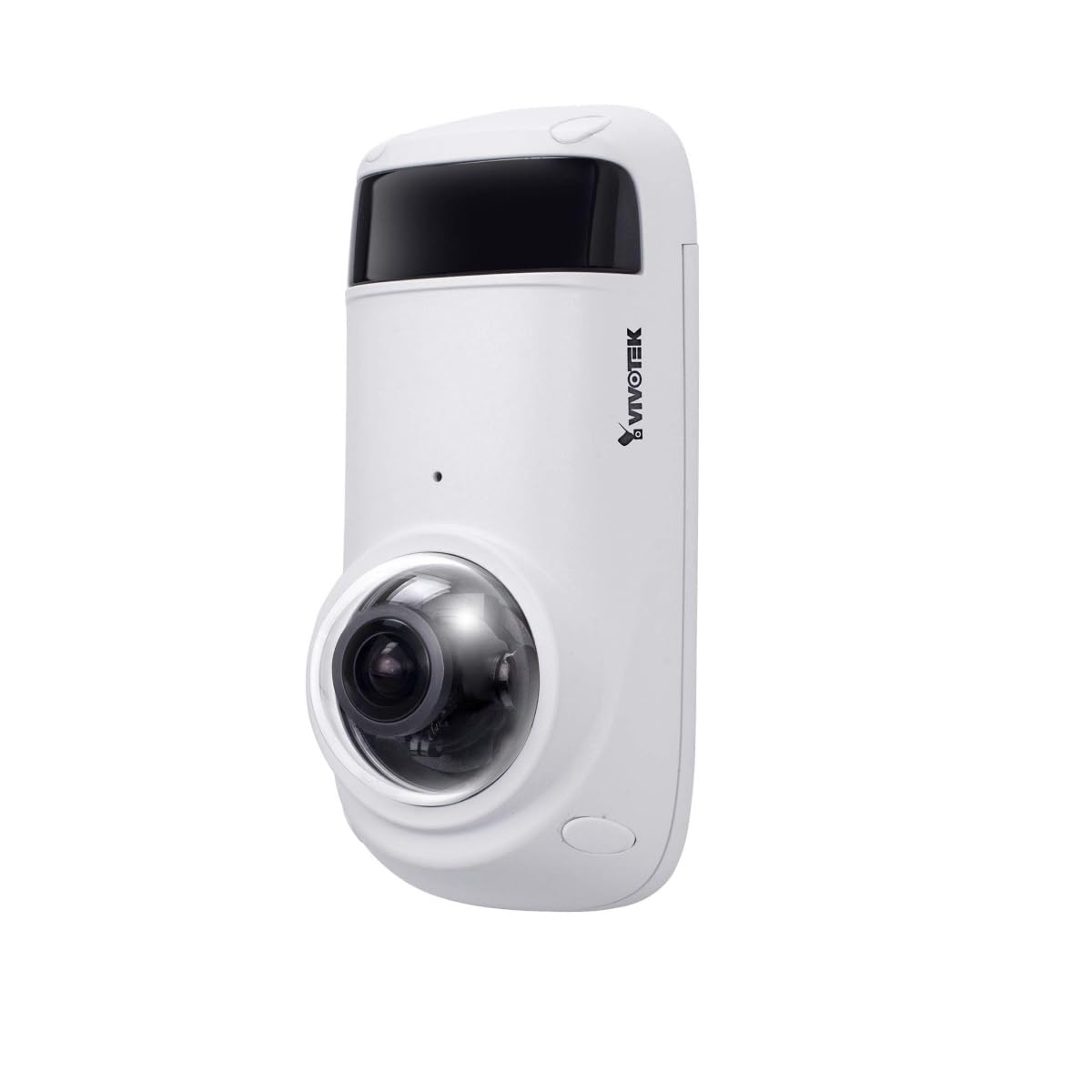
Figure 1: VIVOTEK CC9381-HV Dome Camera. This image shows the compact dome design of the surveillance camera, suitable for various indoor and outdoor installations.
4.2 Collegamento di alimentazione
Connect the camera to a suitable AC/DC power source. Ensure the voltage (220V) e wattage (3600W) requirements are met to prevent damage.
4.3 Connessione di rete
The CC9381-HV supports both wired and Wi-Fi connectivity. For wired connection, connect an Ethernet cable from your network router or switch to the camera's network port. For Wi-Fi setup, refer to the camera's web interface for wireless configuration after initial wired setup.
5. Istruzioni per l'uso
5.1 Accesso iniziale e configurazione
After connecting power and network, access the camera's web interface using its IP address. You may need to use a VIVOTEK utility to discover the camera's IP address on your network. Follow the on-screen prompts to set up a strong password and configure basic network settings.
5.2 Vivere View e Registrazione
The camera provides a 180-degree field of view with a maximum webcam image resolution of 5 MP and a frame rate of 30 fps. You can view cibo vivotage and configure recording settings through the web interface or compatible VIVOTEK software.
- Formato di acquisizione video: Supports MJPEG and MP4 formats.
- Tecnologia a bassa luminosità: Features Night Color technology for enhanced visibility in low-light conditions.
- Tipo di avviso: Configurable for Motion Only alerts.
5.3 telecomando
The camera supports remote control, allowing you to manage settings and view pippotage from a distance using compatible software or mobile applications. The controller type is Iris.
6. Manutenzione
Una manutenzione regolare garantisce prestazioni ottimali e longevità della fotocamera.
- Pulizia: Pulisci delicatamente l'obiettivo e l'alloggiamento della fotocamera con un panno morbido e asciutto. Non utilizzare prodotti chimici aggressivi o detergenti abrasivi.
- Aggiornamenti del firmware: Controllare periodicamente il VIVOTEK websito per gli aggiornamenti del firmware per garantire che la tua fotocamera abbia le ultime funzionalità e miglioramenti della sicurezza.
- Controllo ambientale: Ensure the camera's environment remains within specified temperature and humidity ranges.
7. Risoluzione Dei Problemi
If you encounter issues with your VIVOTEK CC9381-HV camera, refer to the following common problems and solutions:
| Problema | Possibile causa | Soluzione |
|---|---|---|
| Nessun indicatore di alimentazione | Power cable disconnected; faulty power adapter | Check power connections; test with a known good power adapter. |
| Impossibile accedere alla telecamera tramite la rete | Incorrect IP address; network cable issue; Wi-Fi not configured | Verify IP address; check network cable; ensure Wi-Fi settings are correct. |
| Scarsa qualità dell'immagine | Dirty lens; insufficient lighting; incorrect settings | Clean the lens; ensure adequate lighting or enable Night Color; adjust image settings. |
| Il rilevamento del movimento non funziona | Motion detection disabled; incorrect sensitivity settings | Enable motion detection in settings; adjust sensitivity levels. |
If the problem persists, contact VIVOTEK technical support for further assistance.
8. Specifiche
Detailed technical specifications for the VIVOTEK CC9381-HV Dome Camera:
| Caratteristica | Specificazione |
|---|---|
| Numero di modello | CC9381-HV |
| Massimo WebRisoluzione dell'immagine della camma | 5 MP |
| Risoluzione di acquisizione video | 720p (Effective Video Resolution: 1920) |
| Frequenza dei fotogrammi | 30 fotogrammi al secondo |
| campo di View | 180 gradi |
| Tecnologia a bassa luminosità | Colore notturno |
| Tecnologia di connettività | Cablato, Wi-Fi |
| Protocollo di connettività | Wifi |
| Fonte di alimentazione | AC/DC |
| Voltage | 220 |
| Cosatage | 3600 |
| Tipo di montaggio | Supporto per staffa |
| Dimensioni del prodotto | 8.5 x 7 x 3.5 pollici |
| Peso dell'articolo | 2.42 libbre (1.1 chilogrammi) |
| Valutazione della temperatura superiore | 50 gradi Celsius |
| Valutazione internazionale di protezione | Grado di protezione IP21 |
| Formato di acquisizione video | MJPEG, MP4 |
| Tipo di avviso | Solo movimento |
| Metodo di controllo | Remoto |
| Tipo di controllore | Iris |
| Tecnologia del sensore fotografico | CMOS |
| Dimensioni della memoria flash installata | 128 GB |
| Zoom ottico | 3 volte |
| Usi consigliati | Sicurezza, Sorveglianza |
9. Garanzia e supporto
VIVOTEK products are covered by a limited warranty. For specific warranty terms and conditions, please refer to the warranty card included with your product or visit the official VIVOTEK website. For technical support, product registration, or service inquiries, please contact VIVOTEK customer service or your authorized dealer.
VIVOTEK Ufficiale Websito: www.vivotek.com