
1. Introduzione
This manual provides instructions for the Zerone Replacement Remote Control, Model Zerone15zhcexa2d. This remote is designed as a direct replacement for various televisions, offering essential functions for daily TV operation. It is constructed from durable ABS material for longevity.
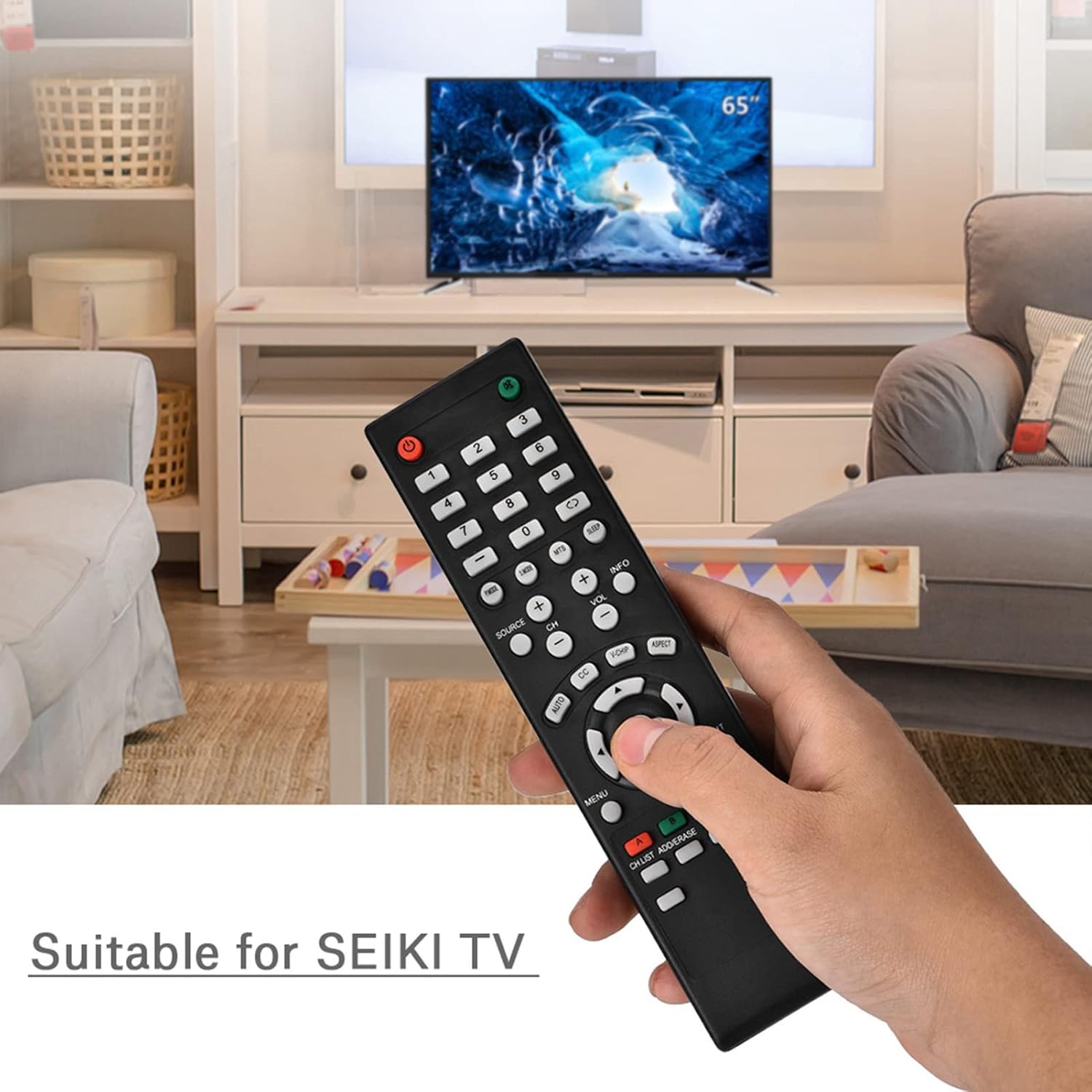
Image 1.1: The Zerone Replacement Remote Control in use, demonstrating its compatibility with televisions.
2. Impostazione
2.1 Installazione della batteria
Il telecomando richiede due batterie AAA (non incluse). Per installare le batterie, seguire questi passaggi:
- Individuare il vano batterie sul retro del telecomando.
- Per aprire il coperchio del vano batteria, farlo scorrere verso il basso.
- Inserire due batterie AAA, assicurandosi che i terminali positivo (+) e negativo (-) siano allineati correttamente con le marcature all'interno del vano.
- Richiudere il coperchio del vano batteria facendolo scorrere in posizione finché non scatta in posizione.

Immagine 2.1: posteriore view del telecomando, che illustra il vano batterie.
2.2 Uso iniziale
This remote control is designed for immediate use with compatible televisions. No programming or setup is typically required. Once batteries are installed, the remote should function directly with your TV.
Video 2.1: Demonstration of battery installation for the Zerone Replacement Remote Control.
3. Istruzioni per l'uso
3.1 Funzioni di base
The remote control provides standard television functions. Point the remote directly at your television's infrared receiver for optimal performance.
- Pulsante di accensione (●): Accende o spegne la TV.
- Pulsanti numerici (0-9): Seleziona direttamente i canali.
- Volume su/giù (VOL +/-): Regola il volume del suono.
- Canale su/giù (CH +/-): Cambia il canale TV.
- Pulsante Sorgente (SOURCE): Passa da una sorgente di input all'altra (HDMI, AV, ecc.).
- Pulsante Menu (MENU): Accede al menu principale del televisore.
- Navigation Buttons (Arrows & OK): Naviga nei menu e conferma le selezioni.
- Pulsante di uscita (EXIT): Esce dal menu o dalla funzione corrente.
- Pulsante muto (●): Disattiva o riattiva l'audio della TV.

Immagine 3.1: anteriore view del telecomando, evidenziando la disposizione dei pulsanti.
3.2 Intervallo operativo
The effective operating distance for this remote control is typically over 8 meters (approximately 26 feet). Actual range may vary depending on the specific television model and environmental factors such as obstacles or interference.

Image 3.2: Illustration of the remote control's effective operating range.
4. Manutenzione
4.1 Pulizia
Per pulire il telecomando, utilizzare un panno morbido e asciutto. Per lo sporco ostinato, utilizzare un panno leggermente dampImmergere il panno in acqua o in un detergente delicato e non abrasivo. Evitare l'uso di prodotti chimici aggressivi o materiali abrasivi, poiché potrebbero danneggiare la superficie del telecomando o i componenti interni.
4.2 Sostituzione della batteria
Replace batteries when the remote's performance degrades (e.g., reduced range, unresponsive buttons). Refer to Section 2.1 for battery installation instructions. Always replace both batteries at the same time with new ones of the same type (AAA).

Image 4.1: The remote control, showcasing its durable construction material.
5. Risoluzione Dei Problemi
| Problema | Possibile causa | Soluzione |
|---|---|---|
| Il telecomando non funziona. | Batterie scariche o installate in modo errato. | Check battery orientation. Replace with new AAA batteries (refer to Section 2.1). |
| Raggio operativo limitato. | Weak batteries, obstruction, or remote not pointed at TV. | Sostituisci le batterie. Assicurati che il ricevitore IR del televisore sia ben visibile. Punta il telecomando direttamente verso il televisore. |
| Alcuni pulsanti specifici non rispondono. | Dirt or debris under buttons, or internal malfunction. | Clean the remote. If the issue persists after battery replacement and cleaning, the remote may require replacement. |
6. Specifiche
| Caratteristica | Dettaglio |
|---|---|
| Marca | Zerone |
| Numero di modello | Zerone15zhcexa2d |
| Dispositivi compatibili | Televisions (specifically designed for SEIKI TVs, but compatible with others) |
| Tecnologia di connettività | Infrarossi (IR) |
| Portata massima | Over 8 meters (approx. 26 feet) |
| Fonte di alimentazione | 2 x batterie AAA (non incluse) |
| Materiale | addominali |
| Dimensioni (L x P x A) | 7.1" x 2" x 0.6" (180 mm x 50 mm x 15 mm) |
| Quantità del pulsante | 45 |

Image 6.1: Dimensions of the Zerone Replacement Remote Control.
7. Garanzia e supporto
7.1 Informazioni sulla garanzia
Specific warranty details for the Zerone Replacement Remote Control may vary. Please refer to the product packaging or the retailer's purchase terms for the most accurate and up-to-date warranty information.
7.2 Assistenza clienti
For further assistance or inquiries regarding your Zerone Replacement Remote Control, please contact the retailer or manufacturer's customer support channels. Contact information is typically provided with your purchase documentation or on the manufacturer's official websito.