
1. Introduzione
This manual provides essential information for the safe and efficient operation of your Prixton Goya P20 Mini Portable Projector. Please read it thoroughly before using the device and retain it for future reference.
2. Informazioni sulla sicurezza
- Non guardare direttamente nell'obiettivo del proiettore quando lamp è acceso. La luce intensa può causare danni agli occhi.
- Assicurare una ventilazione adeguata attorno al proiettore. Non ostruire le aperture di ventilazione.
- Tenere il proiettore lontano da acqua, umidità e temperature estreme.
- Utilizzare solo l'adattatore di alimentazione fornito con il proiettore.
- Non tentare di smontare o riparare il proiettore da soli. Contattare personale di assistenza qualificato.
- Posizionare il proiettore su una superficie stabile e piana per evitare che cada.
3. Contenuto della confezione
Verificare che tutti gli articoli siano presenti nel pacco:
- Prixton Goya P20 Mini Portable Projector
- Telecomando
- Adattatore di alimentazione
- Manuale dell'utente (questo documento)

Image: The Prixton Goya P20 projector shown alongside its included remote control.
4. Prodotto finitoview
4.1. Fronte View

Immagine: Frontale view of the projector, highlighting the projection lens.
4.2. Posteriore e laterale Views (Porte)

Image: Rear panel of the projector, showing the VGA input and IR receiver.
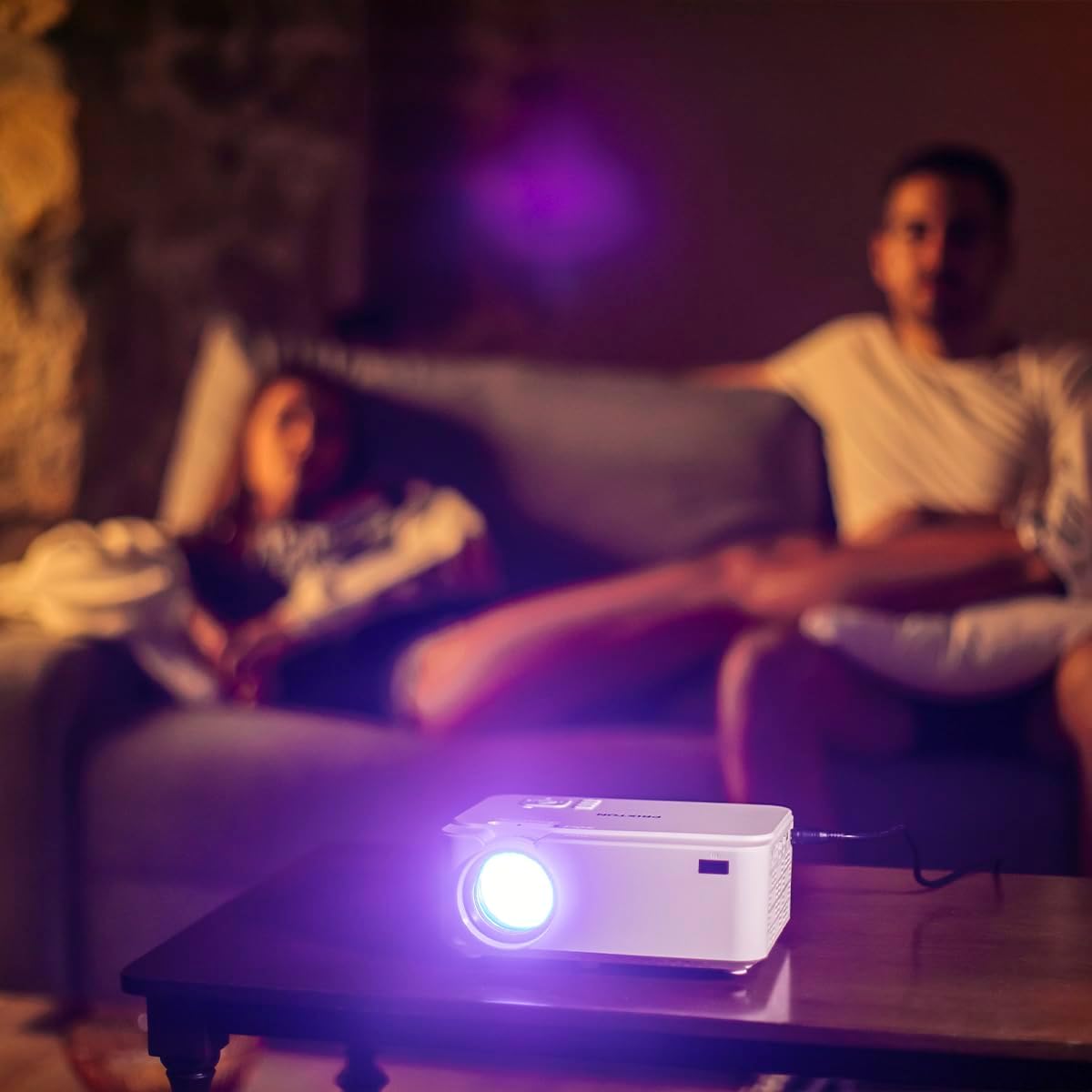
Image: Side panel of the projector, displaying the AV, MicroSD, HDMI (x2), and USB (x2) ports.
4.3. Controlli del pannello superiore

Image: Top panel of the projector, illustrating the control buttons for navigation and power.
The projector features various input ports for connectivity and intuitive controls on the top panel, in addition to the remote control.
5. Impostazione
5.1. Posizionamento
Posizionare il proiettore su una superficie piana e stabile. Per una visione ottimale viewing, position the projector between 1 to 5 meters from the projection surface. This distance allows for a screen size ranging from 30 to 150 inches.

Image: A visual representation of recommended projection distances (1 to 5 meters) and corresponding screen sizes (30 to 150 inches).
5.2. Collegamento elettrico
- Collegare l'adattatore di alimentazione alla porta di ingresso dell'alimentazione del proiettore.
- Collegare l'alimentatore a una presa elettrica adeguata.
5.3. Collegamento dei dispositivi
Il proiettore supporta più sorgenti di ingresso:
- HDMI: Connect Blu-ray players, laptops, game consoles, or media players using an HDMI cable.
- USB: Inserire un'unità flash USB per la riproduzione diretta dei contenuti multimediali.
- VGA: Collegare computer o laptop più vecchi tramite un cavo VGA.
- MicroSD: Insert a MicroSD card for direct media playback.
- AV: Use the AV port for connecting devices with composite video and stereo audio outputs.

Image: A hand connecting a USB drive to the projector's USB port.
5.4. Regolazione della messa a fuoco e della distorsione trapezoidale
Use the focus ring near the lens to sharpen the image. If the image appears trapezoidal, adjust the keystone correction to achieve a rectangular projection.
6. Istruzioni per l'uso
6.1. Accensione/Spegnimento
Premere il pulsante di accensione sul proiettore o sul telecomando per accendere o spegnere il dispositivo.
6.2. Selezione della sorgente
After powering on, use the 'Source' button on the remote or projector to select the desired input source (HDMI1, HDMI2, USB, VGA, AV, MicroSD).
6.3. Riproduzione multimediale
When a USB drive or MicroSD card is inserted, the projector's interface will allow you to browse and play video, audio, photo, and text filedirettamente.
6.4. Connettività Bluetooth
The projector supports Bluetooth for audio output. Navigate to the Bluetooth settings in the projector's menu to pair with compatible Bluetooth speakers or headphones.

Image: The projector in operation, casting an image onto a wall in a dimly lit room, demonstrating its home cinema capability.
7. Manutenzione
7.1. Pulizia
- Per pulire la parte esterna del proiettore, utilizzare un panno morbido e asciutto.
- Per la lente, utilizzare un panno e una soluzione specifici per la pulizia delle lenti, per evitare graffi.
- Regularly clear dust from the ventilation openings using a soft brush or compressed air.
7.2. Lamp Vita
The LED light source in your projector has an estimated lifespan of up to 50,000 hours, providing long-term use without frequent lamp sostituzione.
8. Risoluzione Dei Problemi
| Problema | Possibile causa | Soluzione |
|---|---|---|
| Nessuna immagine visualizzata | Alimentazione non collegata, sorgente di ingresso errata, dispositivo non collegato correttamente. | Check power cable, select correct input source, ensure source device is on and connected securely. |
| L'immagine è sfocata | Focus not adjusted, projection distance too far/close. | Adjust the focus ring. Ensure projector is within the recommended 1-5 meter projection distance. |
| Nessun suono | Volume too low, external audio device not connected, incorrect audio settings. | Increase projector volume. Check if external speakers are connected and functioning. Verify audio output settings. |
| Il telecomando non funziona | Batteries depleted, obstruction between remote and projector. | Replace batteries. Ensure no objects are blocking the IR sensor on the projector. |
| Il rumore della ventola è forte | Normal operation, restricted airflow. | Some fan noise is normal for projectors. Ensure ventilation ports are clear and not obstructed. |
9. Specifiche
| Caratteristica | Dettaglio |
|---|---|
| Marca | Prezzo |
| Numero di modello | Goya P20 |
| Tecnologia di visualizzazione | GUIDATO |
| Risoluzione nativa | 800x480 |
| Risoluzione massima dello schermo | 1920 x 1080 (Full HD compatible) |
| Luminosità | Up to 2800 lumens (40 LED lumens) |
| Rapporto di contrasto | 500:1 |
| Vita della fonte di luce | 50,000 ore |
| Tecnologia di connettività | Bluetooth, HDMI (x2), USB (x2), VGA, MicroSD, AV |
| Caratteristiche speciali | Integrated speaker, Portable, Remote control included |
| Uso consigliato | Cinema in casa |
| Dispositivi compatibili | Game console, Blu-ray player, Media player, Laptop, Smartphone |
| Fattore di forma | Portatile |
| Tipo di montaggio | Montaggio da tavolo |
10. Garanzia e supporto
For warranty information and technical support, please refer to the documentation provided at the time of purchase or contact Prixton customer service. Information regarding spare parts availability and software updates is not available in this manual.