
Introduzione
This manual provides important information for the safe and efficient use of your KFD 18V AC Adapter. Please read these instructions carefully before use and retain them for future reference. This adapter is designed to provide reliable power to a range of compatible audio devices.
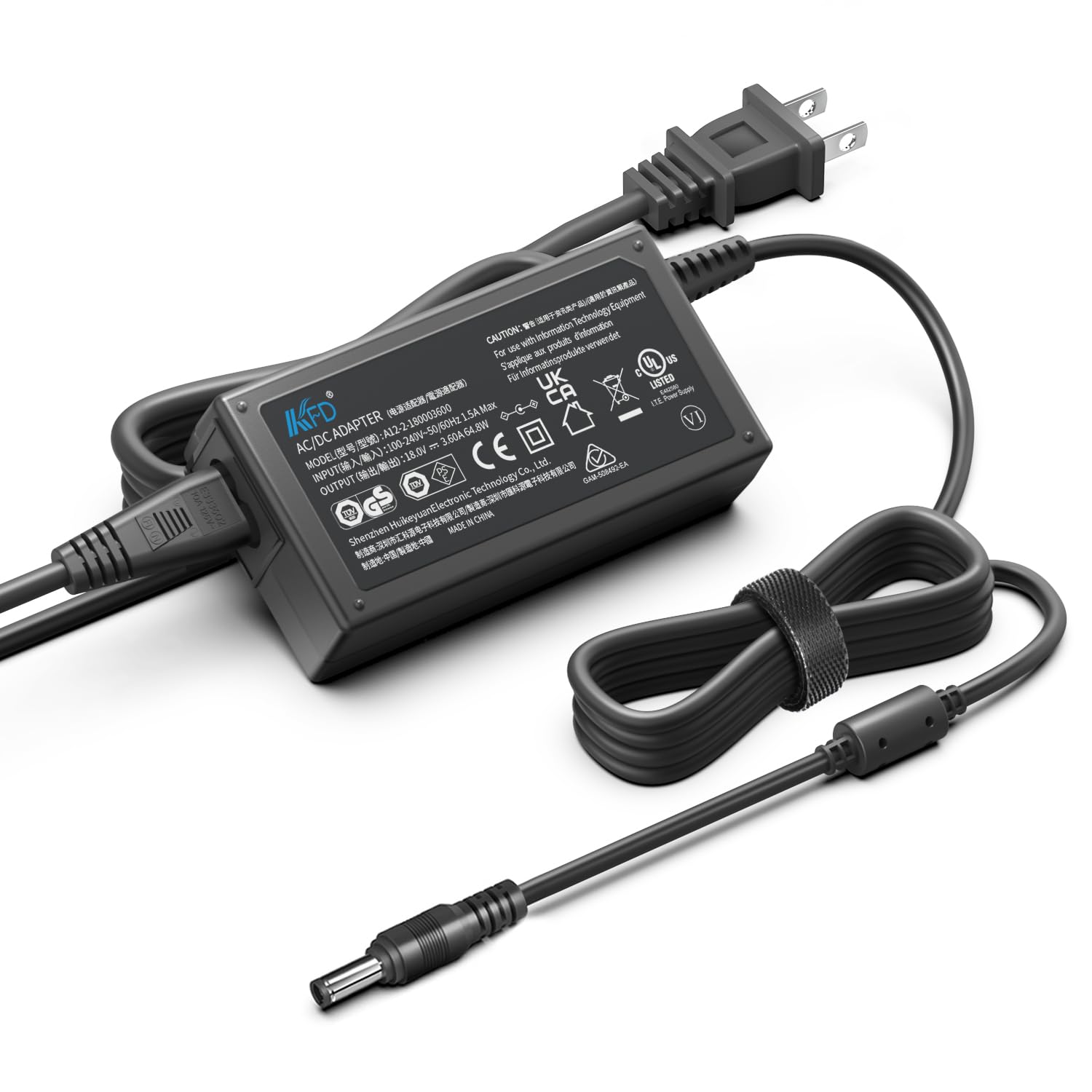
Image: The KFD 18V AC Adapter connected to a speaker, providing power. This illustrates a typical use case for the adapter.
Contenuto della confezione
Verificare che tutti gli articoli siano presenti nel pacco:
- 1 x KFD 18V AC Adapter
- 1 cavo di alimentazione USA
- 1 x Manuale utente (questo documento)

Image: The KFD 18V AC Adapter and its detachable US power cable, as included in the package.
Informazioni sulla sicurezza
Per garantire un funzionamento sicuro, osservare le seguenti precauzioni:
- Non esporre l'adattatore a liquidi, umidità o temperature estreme.
- Non smontare o tentare di riparare l'adattatore. Per la manutenzione, rivolgersi a personale qualificato.
- Ensure the adapter is used with devices that match its voltage e le specifiche attuali.
- Evitare di posizionare oggetti pesanti sul cavo di alimentazione.
- Unplug the adapter during lightning storms or when unused for extended periods.

Image: A diagram illustrating the internal components and multiple safety protections (Over Voltage, Over Current, Short Circuit Protection) built into the KFD AC Adapter.
Impostare
- Verifica compatibilità: Before connecting, ensure your device requires an 18V DC input and that the adapter's output current (3.5A) meets or exceeds your device's requirements. Check your device's original power adapter or specifications.
- Collegare il cavo di alimentazione: Insert the US power cable into the AC input port of the KFD 18V AC Adapter.
- Connetti al dispositivo: Plug the DC output connector of the adapter into the power input port of your compatible audio device.
- Collegare alla presa di corrente: Plug the US power cable into a standard 100-240V AC wall outlet.
The adapter is compatible with various devices, including but not limited to:
- Gemini Sound GLS-550, GLS-880 Speakers
- Braven BRV-XXL Speaker
- Superstar Monster Blaster
- Brookstone Big Blue Party, Big Blue Party Studio
- The Singing Machine SDL9035, SDL9037
- Bose Companion 20, Bose Solo TV Soundbar (18V version)
- Harman / Kardon Go + Play (18V version)
- Philips Fidelio AS851, DS8530/79
- Pioneer STZ-D10Z-R

Image: The KFD 18V AC Adapter with its power cord neatly coiled and secured, ready for connection.
Istruzioni per l'uso
Once properly connected, the KFD 18V AC Adapter will supply power to your device. Most devices will indicate charging or power status through an LED indicator on the device itself.
- Ensure all connections are secure before powering on your device.
- L'adattatore è progettato per un funzionamento continuo entro i limiti specificati.
- If your device has a battery, the adapter will charge it while simultaneously powering the device.
Manutenzione
- Pulizia: Scollegare l'adattatore dalla presa di corrente e dal dispositivo prima di pulirlo. Utilizzare un panno morbido e asciutto per pulire la superficie. Non utilizzare detergenti liquidi o solventi.
- Magazzinaggio: Quando non in uso, conservare l'adattatore in un luogo fresco e asciutto, lontano dalla luce solare diretta e dall'umidità. Evitare di arrotolare troppo il cavo per evitare danni.
- Ispezione: Periodically inspect the adapter and cables for any signs of damage, such as frayed wires or cracked casing. If damage is found, discontinue use and replace the adapter.
Risoluzione dei problemi
| Problema | Possibile causa | Soluzione |
|---|---|---|
| Il dispositivo non si accende/non si carica. |
|
|
| L'adattatore risulta caldo durante l'uso. | Funzionamento normale. | A slight warmth is normal. If the adapter becomes excessively hot to touch, disconnect it immediately and contact support. Ensure adequate ventilation around the adapter. |
Specifiche
| Caratteristica | Dettaglio |
|---|---|
| Ingresso volumetage | 100-240 V CA, 50/60 Hz |
| Volume di uscitatage | 18V CC |
| Corrente di uscita | 3.5A |
| Potenza in uscita | 65W |
| Certificazioni | Certificazione CE, FCC, RoHS |
| Protezioni di sicurezza | oltre il volumetage Protezione (OVP), Protezione da sovracorrente (OCP), Protezione da cortocircuito (SCP) |
| Peso dell'articolo | 10.3 once |
| Dimensioni del pacco | 5.91 x 4.45 x 1.73 pollici |

Immagine: un primo piano view of the KFD 18V AC Adapter, highlighting the UL Listed certification mark, indicating compliance with safety standards.
Garanzia e supporto
Garanzia: This KFD product comes with a 30-day free exchange policy and a 36-month warranty from the date of purchase. This warranty covers manufacturing defects and ensures the product meets specified performance standards.
Supporto: For any questions, technical assistance, or warranty claims, please contact KFD customer support through the retailer's platform or the official KFD website. Please have your product model and purchase information ready.

Image: A graphic representing customer support, indicating assistance is available for product inquiries.