
PIONEER FH-S722BS
Pioneer FH-S722BS Double Din CD Receiver User Manual
Model: FH-S722BS | Brand: PIONEER
Introduzione
This manual provides essential instructions for the setup, operation, and maintenance of your Pioneer FH-S722BS Double Din CD Receiver. Designed for enhanced in-car audio, this receiver offers seamless connectivity, versatile media playback, and superior sound quality. Please read this manual thoroughly before use to ensure proper installation and optimal performance.
Configurazione e installazione
Contenuto della confezione
Verificare che tutti gli articoli siano presenti nel pacco:
- Ricevitore CD (fusibile da 10 A)
- Cablaggio
- Microphone with bracket (attached 10' cable terminated by a right-angle 2.5mm connector)
- 12 viti di installazione
- Guida rapida
Considerazioni sull'installazione
The FH-S722BS is a Double DIN receiver. Ensure your vehicle's dashboard opening is compatible with a 4-inch tall unit for proper fitment. Professional installation is recommended for optimal performance and safety.

Cablaggio e connessioni
Connect the included wiring harness to your vehicle's electrical system according to the wiring diagram in the Quick Start Guide. Ensure all connections are secure to prevent malfunctions. The rear panel provides various input/output options for system flexibility.

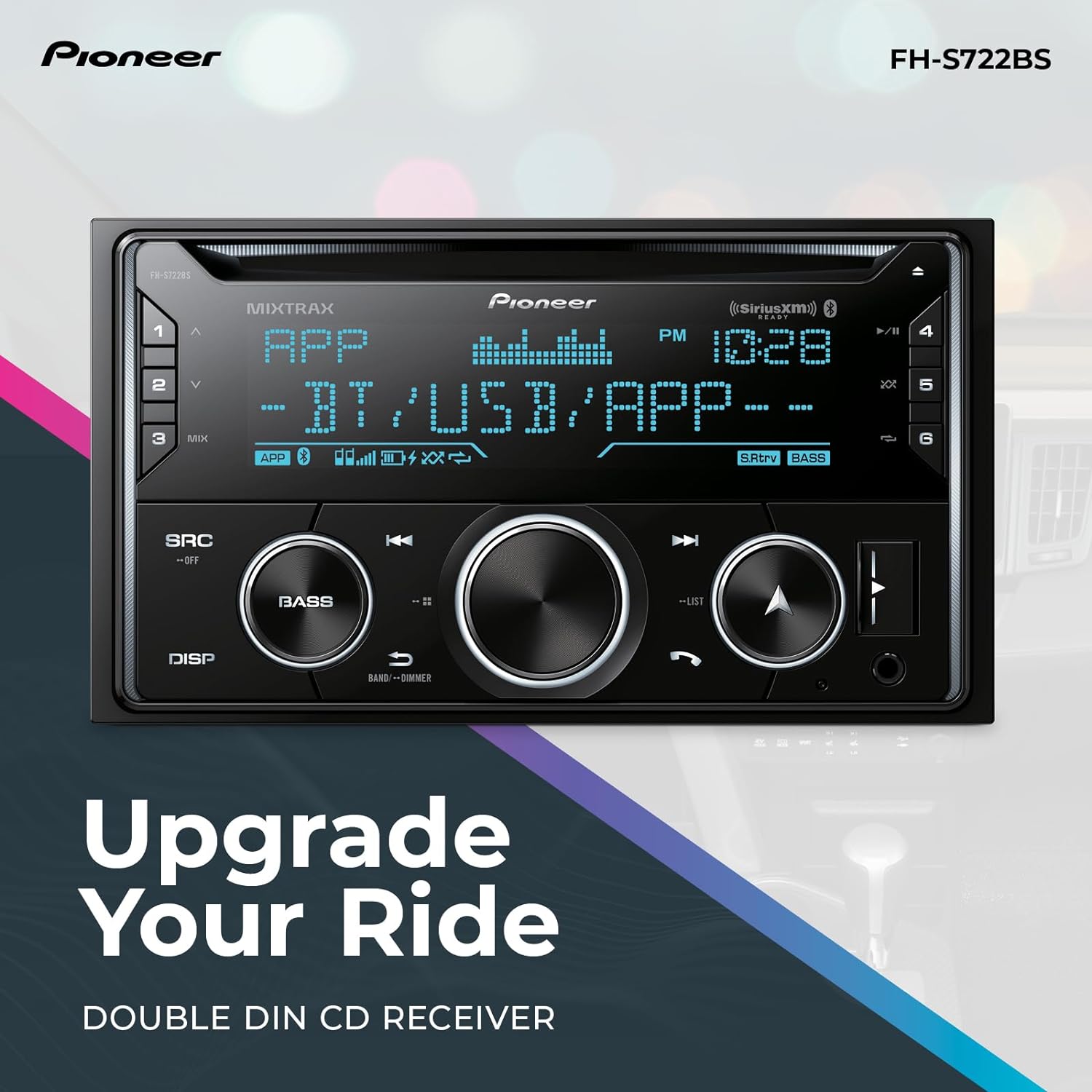
The front panel features a USB port and an auxiliary input for connecting portable devices.
Istruzioni per l'uso
The Pioneer FH-S722BS offers multiple ways to enjoy your audio and integrate with your smartphone.
Controlli di base
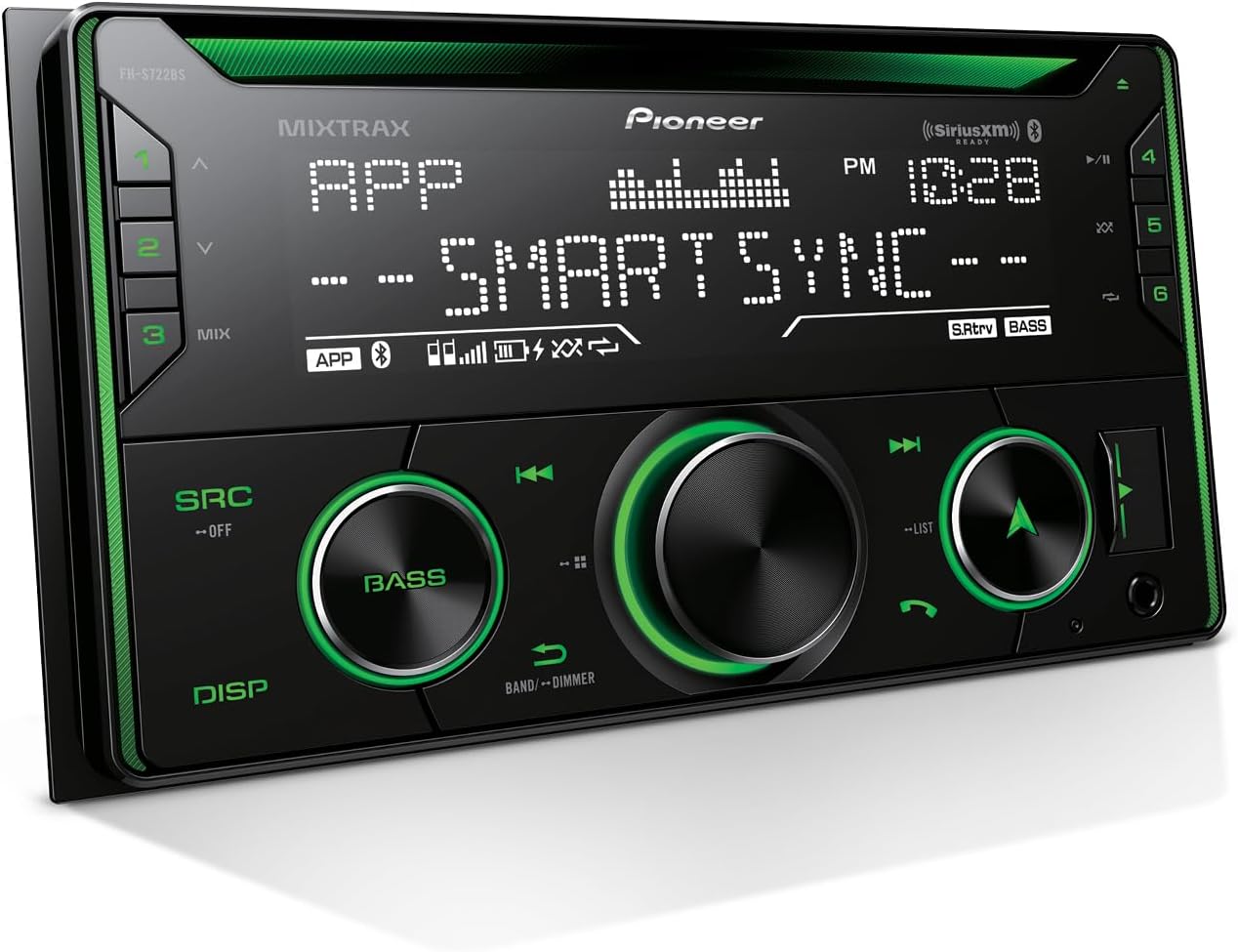
The receiver features a mechanical knob for volume control and push buttons for various functions. The display provides information on the current source, radio frequency, and time.
Connettività Bluetooth
Pair your smartphone wirelessly via Bluetooth for hands-free calling and audio streaming. This allows you to make and receive calls safely and stream music from your device.
Ingressi USB e ausiliari
Connect smartphones, MP3 players, or USB drives to the front USB port or auxiliary input. The USB port supports MP3, WMA, and WAV audio formats and can also charge your device.
App Pioneer Smart Sync
Enhance your receiver's features by connecting your iOS or Android smartphone with the Pioneer Smart Sync app. This app provides an expanded interface for navigation, voice control, multimedia control, and vehicle performance monitoring (with an optional OBD-II device).

Pronto per SiriusXM
The FH-S722BS is SiriusXM-Ready. A SiriusXM tuner (sold separately) and subscription are required to access over 140 channels of music, sports, news, and entertainment.
Sound Retriever avanzato
This feature restores audio details lost during digital compression, providing clearer and more dynamic sound reproduction for a superior listening experience.
Prodotto finitoview Video
1 video: Un riepilogo completoview of the Pioneer FH-S722BS CD Receiver, demonstrating its key features and functionalities including Bluetooth, USB, AUX, and CD playback.
App Pioneer Smart Sync finitaview Video
2 video: Un oltreview of the Pioneer Smart Sync app version 4.0, detailing its exclusive new features, improved Bluetooth connectivity, customizable widgets, and vehicle performance monitoring capabilities.
Manutenzione
Pulizia dell'unità
Pulire il pannello frontale dell'unità con un panno morbido e asciutto. Per lo sporco ostinato, dampen the cloth with water or a mild, non-abrasive cleaner. Avoid using harsh chemicals or abrasive materials, as they can damage the surface.
Cura del lettore CD
Handle CDs by their edges to prevent scratches. Keep the CD slot free of dust and debris. If the CD player malfunctions, try using a commercially available CD lens cleaner.
Risoluzione dei problemi
If you experience issues with your FH-S722BS receiver, refer to the following common solutions:
- Nessun potere: Check the vehicle's fuse box and the receiver's inline fuse. Ensure the wiring harness is correctly connected.
- Nessun suono: Verify speaker connections. Check audio source selection and volume levels. Ensure the mute function is not activated.
- Problemi di connessione Bluetooth: Assicurati che il Bluetooth sia abilitato sia sul ricevitore che sullo smartphone. Elimina le associazioni precedenti e prova ad associare nuovamente i dispositivi.
- Dispositivo USB non riconosciuto: Ensure the USB device is formatted correctly (FAT16/FAT32) and contains compatible audio files. Prova un dispositivo USB diverso.
- Errori di riproduzione del CD: Check the CD for scratches or dirt. Ensure the CD is inserted correctly.
For persistent issues, consult the full operation manual or contact Pioneer customer support.
Specifiche
| Caratteristica | Specificazione |
|---|---|
| Numero di modello | FH-S722BS |
| Dimensioni del prodotto | 6.5 x 7 x 3.88 pollici |
| Peso dell'articolo | 2.9 libbre |
| Marca | PIONEER |
| Tecnologia di connettività | USB, Bluetooth |
| Tipo di controllore | Manopola meccanica, pulsante |
| Caratteristica speciale | Bluetooth integrato |
| Dispositivi compatibili | iPhone di Apple, smartphone |
| Tipo di connettore | RCA |
| Codifica audio | Stereo |
| Modalità di uscita audio | Stereo |
| Configurazione del canale audio surround | 5.1 |
| Colore | Nero |
| Produttore | Pioneer Corporation |
Garanzia e supporto
Per informazioni sulla garanzia, fare riferimento alla documentazione inclusa con il prodotto o visitare il sito ufficiale Pioneer website. For technical support, product inquiries, or service, please contact Pioneer customer support directly.
Informazioni importanti sulla sicurezza: Leggere il manuale d'uso, nonché tutte le istruzioni e le precauzioni prima dell'uso. Prestare attenzione alla strada, limitare lo sguardo sul dispositivo e non utilizzare alcuna funzione se non è possibile utilizzarla in modo sicuro e legale nella propria zona e nell'ambiente circostante. La distrazione alla guida può causare lesioni gravi, anche mortali.